

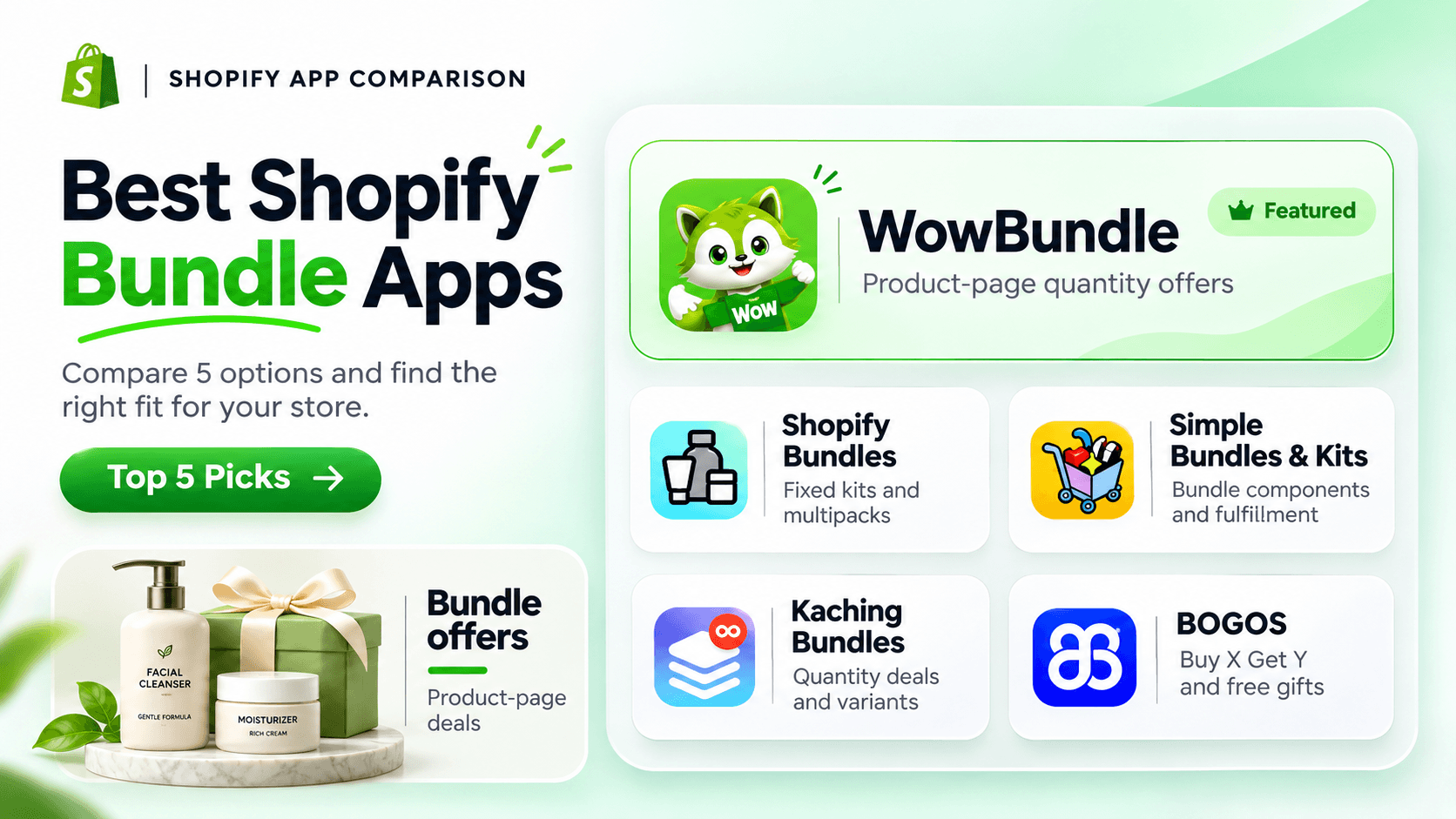
The best Shopify bundle app depends on the offer you want to sell. A store offering “buy two, save 10%” needs different controls from a business sending component SKUs to a warehouse.
Start by deciding whether customers buy a fixed kit, select a quantity tier, build their own box, or earn a gift. Then decide how each order should reach your warehouse. These requirements matter more than a feature count.
We build WowBundle. This comparison includes our app alongside four alternatives, with different strengths and requirements.
The five options below cover different jobs. They are not ranked by conversion rates, and no hands-on head-to-head performance test is claimed. Public feature listings were checked in October 2026; current plans and storefront behavior still need a store-specific trial.
Choose a bundle app by the job it needs to do
A bundle app can help you present a useful set, explain a quantity saving or offer a complementary product. The right format makes the purchase easier to understand. It also needs to fit how your team handles stock and orders.
We selected these five options to cover product-page quantity offers, fixed kits, warehouse-oriented bundles and gift campaigns. We compare the offer format, variant choices, inventory and fulfillment needs, and the trade-offs to test in your store. This is a feature-fit shortlist, not a head-to-head performance ranking.
| App | Best for | Offers and variants | Inventory/fulfillment fit | Trade-off to test |
|---|---|---|---|---|
| WowBundle | Product-page offers | Quantity tiers, preset sets, optional extras | Confirm line items and stock behavior in your store | Not a substitute for an assumed dedicated kit SKU |
| Shopify Bundles | Fixed kits and multipacks | Supported component choices | Stock based on bundle components | Bundle option and variant limits |
| Simple Bundles & Kits | Warehouse-ready kits | Fixed, mix-and-match and build-your-own formats | Component SKUs and integrations | Your exact WMS/3PL and returns workflow |
| Kaching Bundles | Quantity offers | Tiered deals and variant controls | Check your cart/order item structure | Billing metric and multi-variant price behavior |
| BOGOS | Gifts and Buy X Get Y | Product/cart triggers and gift displays | Check cart gifts and fulfillment | Reward stacking and usage limits |
Choose the apps that match your essential requirements, then compare their offer formats and current plans.
Decide whether you need a bundle product or a product-page offer
Suppose a pet store wants to sell a walking kit containing a harness, lead and treat pouch. It might need a dedicated kit product, stock availability based on all three components and separate component SKUs sent to the warehouse. That is a fulfillment requirement as much as a merchandising choice.
Another merchant might want someone buying a harness to add a second one at a discount. The immediate requirement is a clear product-page offer with the right quantities, variants and prices.
Both are called bundles, but they need different tools. Confirm the stock and order structure before choosing a design.
Shopify's first-party bundle system bases availability on the included products and required quantities. Component SKUs appear in orders. Untracked products and items allowed to sell out of stock are treated differently in availability calculations, so review the actual settings. Shopify's bundle inventory guidance
For more detail, see Shopify Bundles versus a discount app and the bundle inventory checklist.
Five Shopify bundle apps to compare
WowBundle: quantity choices and extras on the product page
WowBundle fits a product-page offer where shoppers compare quantities, choose a predetermined set or add an accessory.
Its Volume tiers support a regular-price choice, percentage savings, an amount off each item or a fixed total for the tier. You can offer per-item variant choices, such as different colors within a pack. For a mixed-product set, choose the products in advance and present them together.
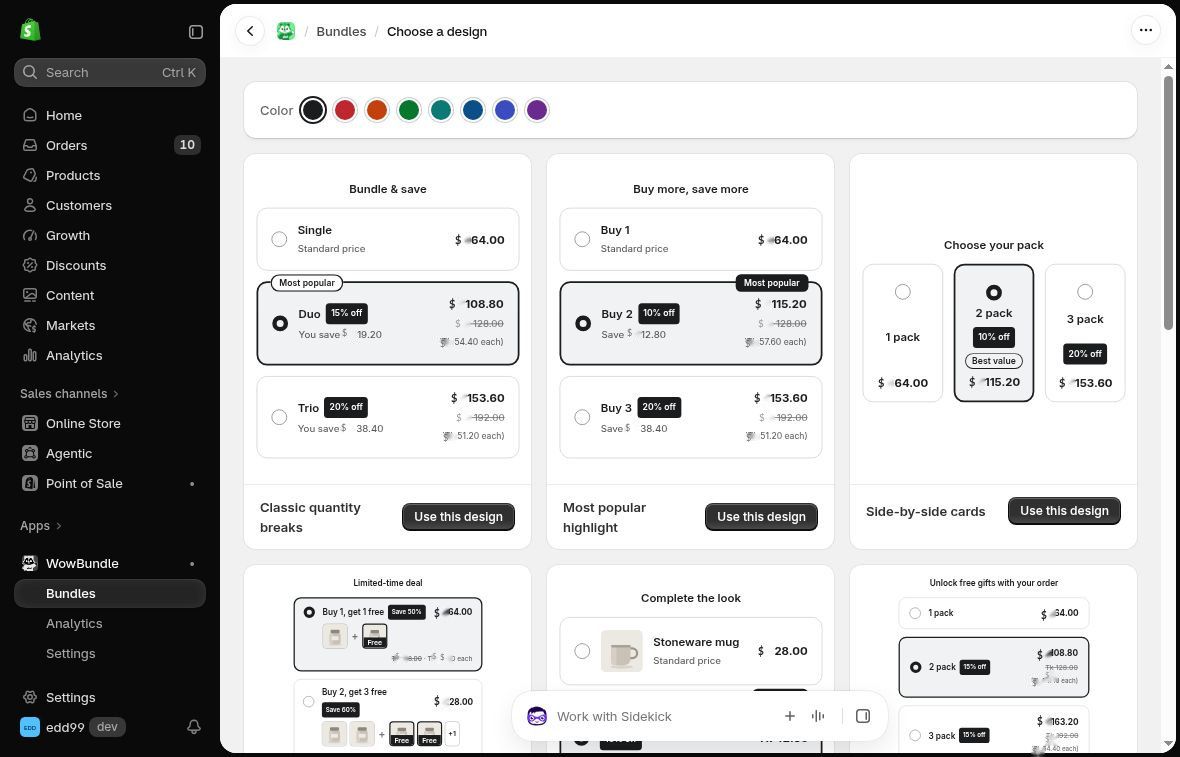
Choose a starting design, then adapt the quantities, prices and wording to your products. Preview prices here are USD-formatted sample values.
For example, a refill store could show one bottle at its regular price beside a two-bottle saving. An optional accessory can sit below the quantity choices through Extras → Checkbox upsells. An accessory attached to a particular quantity choice uses that tier's Upsell control instead.
That distinction helps you build around the shopper's decision: choose the pack first, then decide whether the extra belongs with it. Start with the quantity-break setup guide, or follow the optional checkbox add-on guide.
Before choosing any app, confirm separate requirements such as subscriptions, customer-built boxes or warehouse integrations. A product-page bundle format alone does not establish those capabilities.
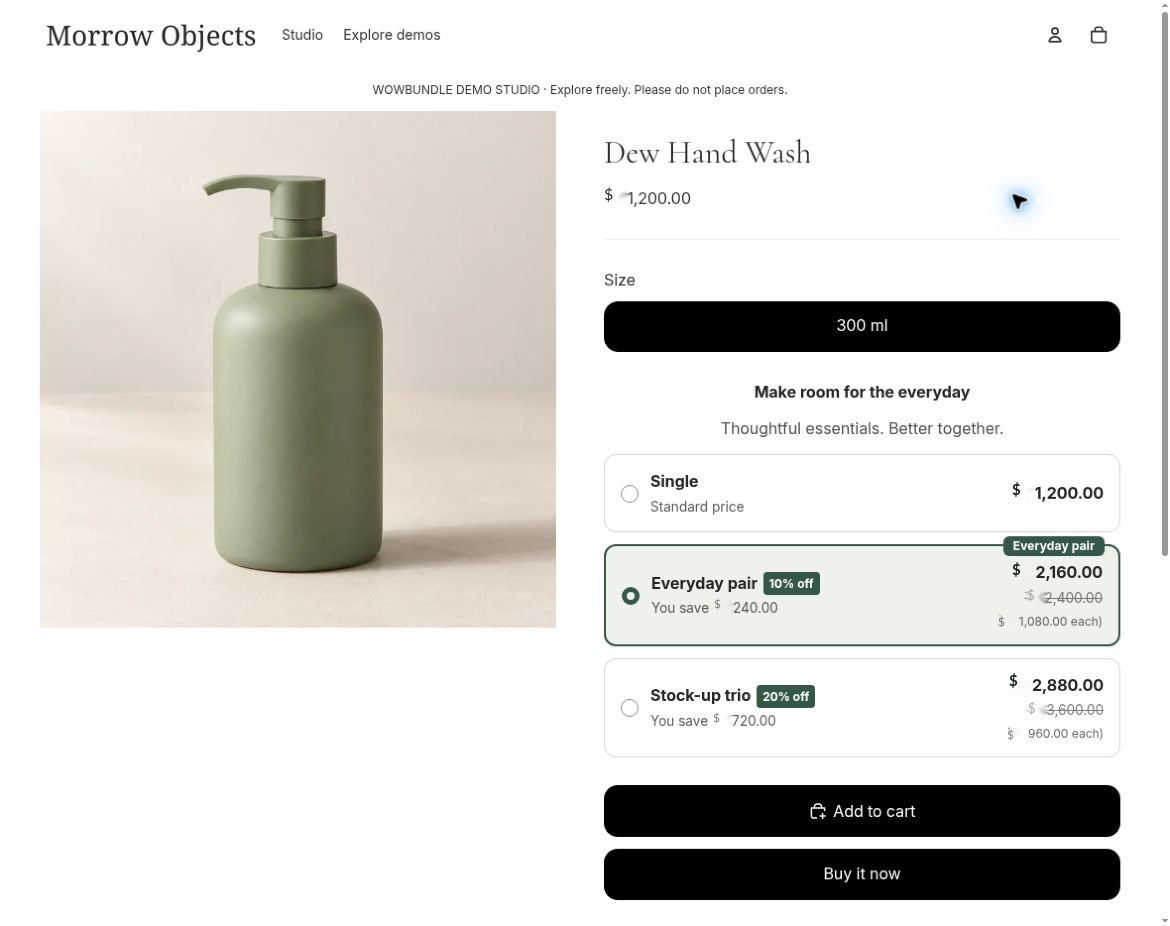
An actual product-page quantity offer illustrates the shopping experience; it does not establish comparative app performance.
Shopify Bundles: fixed sets and multipacks
Shopify Bundles is a free first-party app for fixed kits and multipacks, available across Shopify plans. It is a sensible starting point when you want a bundle product with component-based inventory.
Customers can choose supported component variants, such as size or color. The current limits include three options and 100 variants per bundle. It does not provide a mix-and-match builder where shoppers freely compose a box from interchangeable products. Shopify Bundles features and limits
Changing a component's price does not automatically change the bundle price. Include bundle prices in your normal price reviews, and check the purchase-option and channel requirements for your selling process.
Simple Bundles & Kits: component inventory and fulfillment
Simple Bundles is worth evaluating when the main question is what reaches your warehouse. It breaks a bundle into its individual product codes, keeps stock connected and supports warehouse and fulfillment integrations. It also offers fixed bundles, multipacks and customer-built bundle formats. Simple Bundles listing
Ask how your particular integration handles the bundle type you plan to sell. An integration name alone does not tell you how every order, return or stock change will be handled.
Kaching Bundles: quantity offers and per-item choices
Kaching is a relevant option for quantity offers where shoppers choose a different variant for each item. Its variant controls include dropdown, image, color and swatch presentation. It also supports Buy X Get Y offers with free or discounted received items.
Compare the selection experience you need: choosing two colors in a pack is a different task from choosing the products in a custom box. Review the variant controls and Buy X Get Y setup for your intended offer.
BOGOS: gift campaigns and promotional bundles
BOGOS is worth considering when gifts are central to your promotion. It supports gift auto-add or selection popups, Buy X Get Y, fixed bundles, mix-and-match bundles and a bundle builder. BOGOS listing
That range can suit a store moving between a gift-with-purchase campaign and a customer-built set. Decide which items count toward the offer, when a reward is earned and how customers choose it.
Compare current plans using the same requirements
Shopify Bundles is free, according to its official documentation. For the other apps, check the current plan and feature limits before deciding; this guide does not quote prices that could change.
Before subscribing, write down the features you need and estimate the charge at both ordinary and seasonal activity levels. Do this for WowBundle and every alternative on your shortlist.
Check the monthly price, required plan, usage allowance, extra charges and any annual commitment. Compare the same billing period: an annual plan's effective monthly price is different from a month-to-month commitment.
Billing models can change and might use store size, attributed orders, extra value, limits or flat monthly charges. Read each app's current plan definition before estimating the bill. Do not compare unlike usage measures as though they were the same. Simple Bundles plans, BOGOS plans, Kaching plan details
Use current WowBundle plans and details for the same check. Confirm that the chosen plan includes your intended features before making the final comparison.
For quantity offers, preset sets and optional accessories on the product page, explore WowBundle and build one clear offer first. Use your actual products, costs and customer needs to choose the format. If you're replacing an app, the switching guide covers the move.