

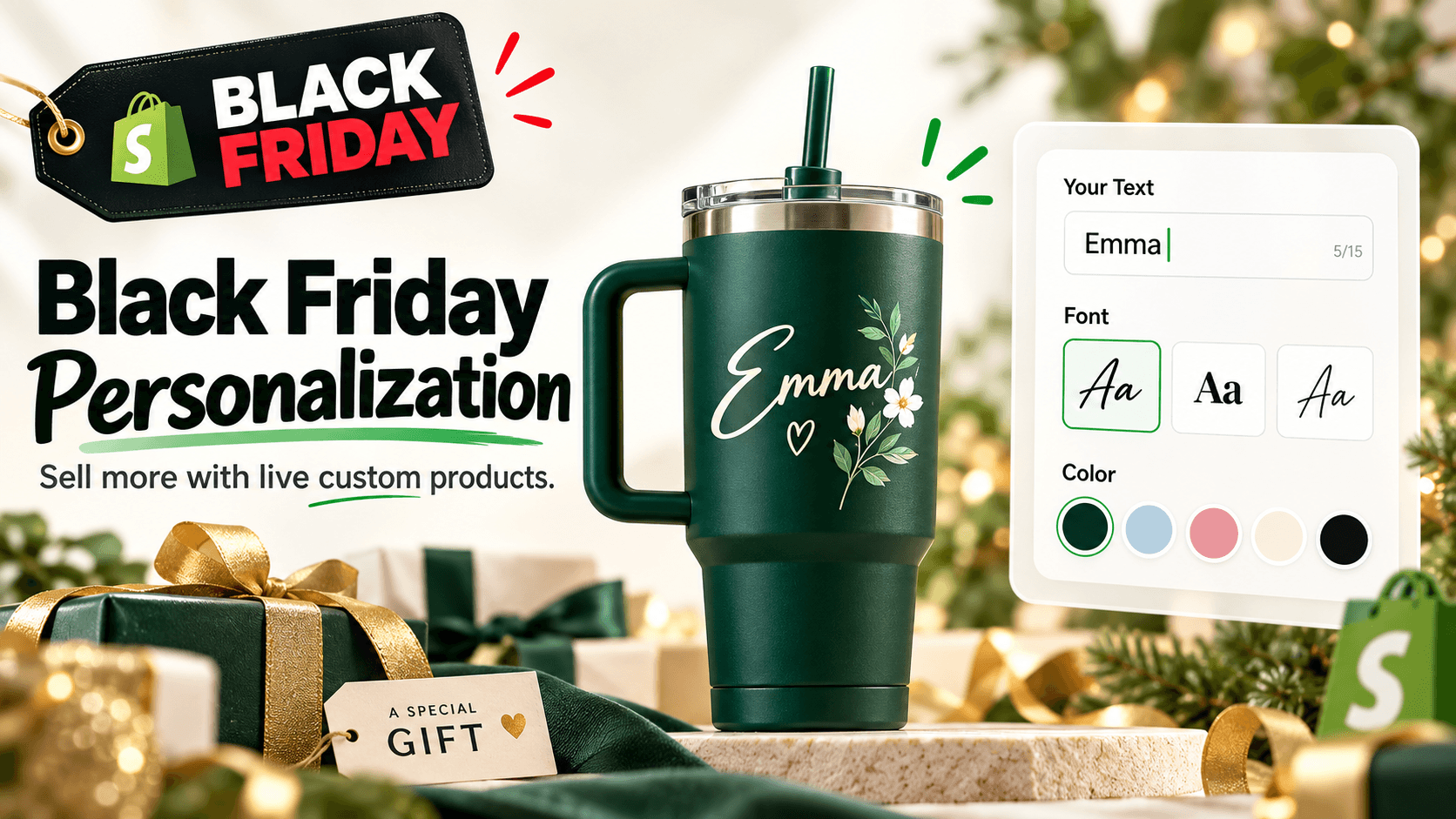
Black Friday does not have to be a race to the deepest discount. If you sell products that can be engraved, printed, monogrammed, bundled, gift-wrapped, or customized with a photo, personalization gives shoppers another reason to choose your store without reducing every item to a price comparison.
For Shopify merchants, the practical goal is simple: make customization easy to understand, quick to complete, and clear enough that the customer knows what they are ordering before checkout.
Quick answer
To increase Black Friday sales with product personalization, start with a small group of giftable products, offer a few high-value customization choices, show those choices only when they are relevant, and use a live preview when appearance matters. Add paid upgrades such as engraving, premium packaging, or extra design elements only when they improve the product, then test the full mobile-to-order workflow before your campaign goes live.
A product options app is usually the cleaner route when you need custom text, file uploads, add-on pricing, conditional logic, or a live product personalizer. WowOptions combines those jobs in one Shopify app, with 25+ option types and a live customizer on its current Advanced plan.
Why product personalization works especially well for Black Friday
Black Friday traffic includes more than bargain hunters. It also includes people trying to finish holiday shopping while promotions are active. Shopify reported that merchants generated $14.6 billion in sales during Black Friday Cyber Monday 2025, and 16% of global orders involved long-distance gifting. That makes gift-focused product pages especially relevant during the period. See Shopify’s 2026 BFCM promotion guide.
Personalization can make the product itself part of the gift decision. A plain tumbler competes mainly on design, price, shipping, and brand. A tumbler that can carry a name, team number, date, or uploaded artwork gives the shopper a more specific reason to buy it for someone.
That does not mean adding ten fields to every product. Good personalization reduces uncertainty. Bad personalization creates another form to complete.
1. Choose products that become more valuable when they are personal
Start with products where the customization changes the meaning or usefulness of the purchase. Strong Black Friday candidates include:
- jewelry with a name, date, initials, or short engraving;
- ornaments with family names or a year;
- mugs, tumblers, and bottles with custom text or artwork;
- T-shirts and hoodies with names, numbers, or uploaded designs;
- phone cases and photo gifts;
- notebooks, planners, and leather goods with monograms;
- gift boxes where shoppers choose contents, packaging, and a message.
The test is not “Can this product be personalized?” Almost anything can. Ask, “Would the shopper have a clear reason to use this option?”
A custom date makes sense on an anniversary necklace. A 12-field configuration form probably does not make sense on a low-cost impulse item.
2. Build a Black Friday offer around the customization, not just the discount
A useful promotion can combine a base discount with a personalization benefit. For example:
| Offer | What the shopper sees | Why it can work |
|---|---|---|
| Free engraving during BFCM | “Engraving normally $8, free this weekend” | Adds a concrete reason to buy now without discounting every component |
| Discounted premium gift box | Standard packaging or premium box | Keeps the base product accessible while creating a gift-ready upgrade |
| Bundle plus personalization | Buy two ornaments, personalize both | Connects the promotion to a common gifting use case |
| Paid photo or artwork upgrade | Text is included, custom image costs extra | Lets simple orders stay simple while monetizing more complex production |
| Gift message shown only when needed | “Is this a gift?” then message field | Avoids clutter for shoppers buying for themselves |
The important part is price clarity. If a customization adds cost, show that cost beside the option before the shopper reaches the cart.
Do not rely on a surprise fee at the end of the flow. Black Friday shoppers already have more tabs open, more deadlines in mind, and less patience for unclear totals.
3. Use conditional logic to keep the product page short
Personalized products often become confusing because every possible field is visible at once.
A better flow starts with one simple question. For a custom hoodie, you might ask:
Add personalization? - No thanks - Add custom text - Upload my design
If the shopper chooses custom text, show the text, font, color, and placement options. If they choose upload, show the file uploader and artwork instructions. If they choose no personalization, keep the rest hidden.
This is what conditional logic is for. It changes the product page based on the shopper’s previous choice.
The benefit is not merely a cleaner design. It helps prevent contradictory orders, such as asking a shopper to upload artwork when they selected text-only personalization.
4. Show a live preview when the customer is making a visual decision
Not every custom option needs a live preview. Gift wrap, delivery notes, and simple add-ons usually do not.
A visual personalizer becomes more useful when a choice affects how the finished product should look. Think about:
- an engraved name on a necklace;
- a monogram on a bag;
- custom text on a T-shirt;
- an uploaded photo on a phone case;
- a font and color combination on a mug;
- artwork placement on a hoodie.
Without a preview, the shopper has to imagine the result. A live product personalizer lets the customer see the text or image on the product while they are configuring it.
That can make the buying decision easier, but it should not be presented as a guarantee that the final manufactured product will be pixel-for-pixel identical. Your product page should still explain production limits, print area, cropping, color variation, and any manual artwork checks that apply to your business.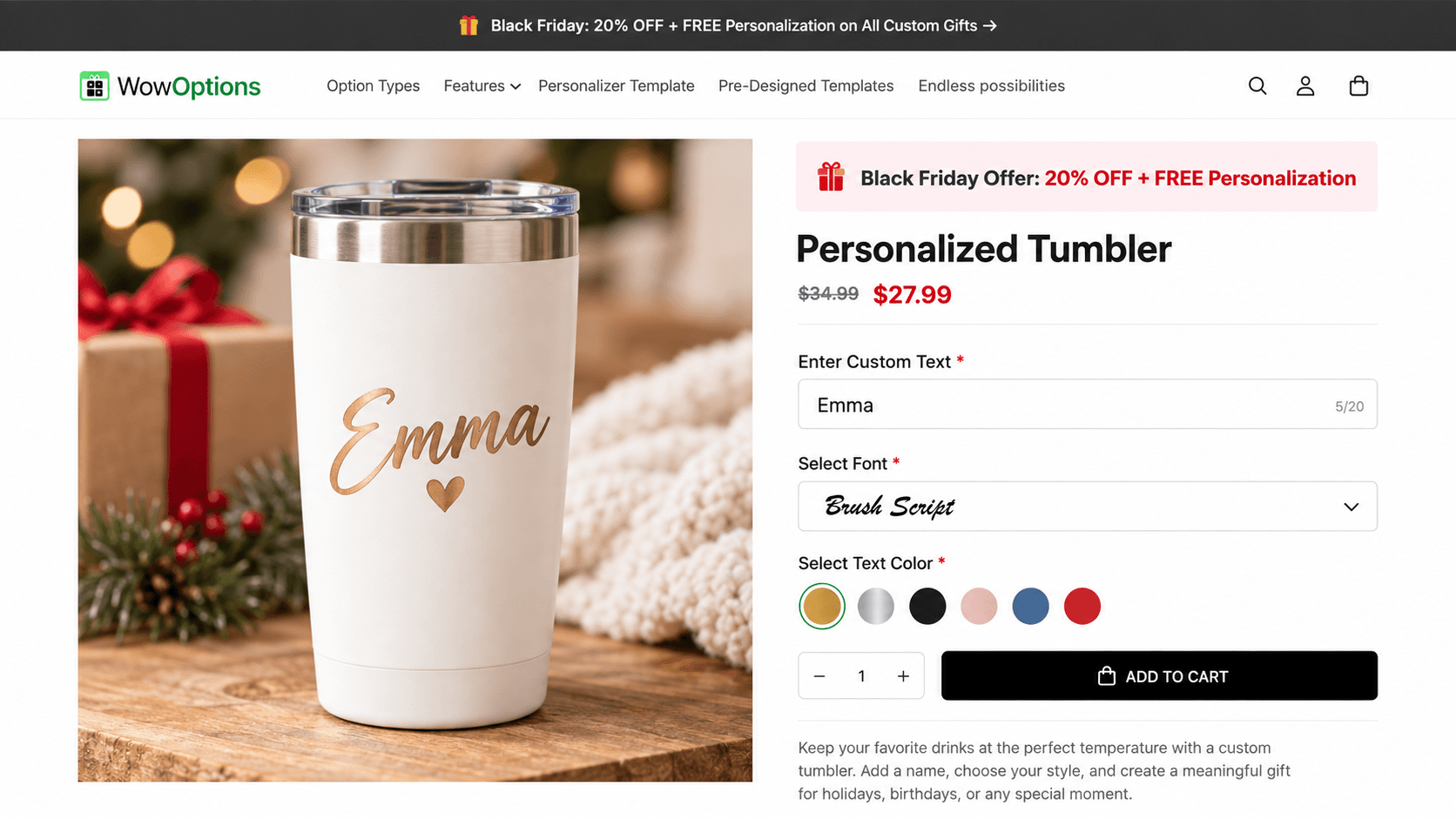
5. Turn optional personalization into a sensible upsell
Personalization gives you more ways to price work that genuinely adds production cost.
A personalized jewelry store might offer:
- one short engraving included;
- second-side engraving for an extra charge;
- a premium font or symbol set;
- gift wrapping;
- a gift message;
- a matching chain or accessory.
A custom apparel store could charge for:
- uploaded artwork;
- front-and-back printing;
- sleeve text;
- premium print placement;
- additional design areas.
The rule is to charge for real value or real work, not to turn every click into a fee. The more obvious the relationship between the option and the extra cost, the easier the choice is to understand.
6. Set limits before the Black Friday rush
A product customizer cannot fix an unclear production policy.
Before you launch a personalized Black Friday offer, decide:
- the maximum text length for each item;
- accepted file types and maximum file size;
- the number of files a shopper can upload;
- whether spaces and punctuation count toward text limits;
- which fonts and colors you can reliably produce;
- whether customers can move, resize, or rotate artwork;
- your safe print or engraving area;
- which customizations cost extra;
- the latest order date you can realistically fulfill for holiday delivery.
These limits should come from your actual production process. Do not pick a 30-character limit because it looks tidy in the app if only 16 characters fit legibly on the product.
7. Make the personalized order easy for your team to fulfill
The storefront is only half of the workflow.
A Black Friday personalization setup also needs to answer: “When the order arrives, can the production or packing team tell exactly what to make?”
Run a test order and check that the information you need is clear. For example, confirm that the order shows the correct product, quantity, custom text, selected font/color, uploaded file or design choice, and any paid upgrades.
If your team copies personalization details into another production system, document that handoff before campaign traffic rises. One ambiguous field label can become dozens of support messages when order volume increases.
8. Use one customization flow across related products when possible
Rebuilding the same options product by product creates maintenance work.
If five ornaments share the same personalization rules, use a reusable option set and apply it to the relevant products or collection. You can still create separate rules for products that genuinely need different text limits, artwork areas, or pricing.
This is especially useful during Black Friday because promotions change quickly. A reusable setup is easier to review than dozens of slightly different product configurations.
9. Keep the mobile experience ruthlessly simple
A customization flow that looks elegant on a desktop can become exhausting on a phone.
Before launch, test the product page on a real mobile device. Check:
- whether the preview remains large enough to understand;
- whether swatches are easy to tap;
- whether conditional fields open in a sensible order;
- whether the keyboard covers important controls;
- whether file upload is practical from a phone;
- whether the final price is still easy to see;
- whether Add to cart remains reachable after a long customization flow.
If the customer has to scroll through every hidden possibility before reaching the cart, simplify the setup.
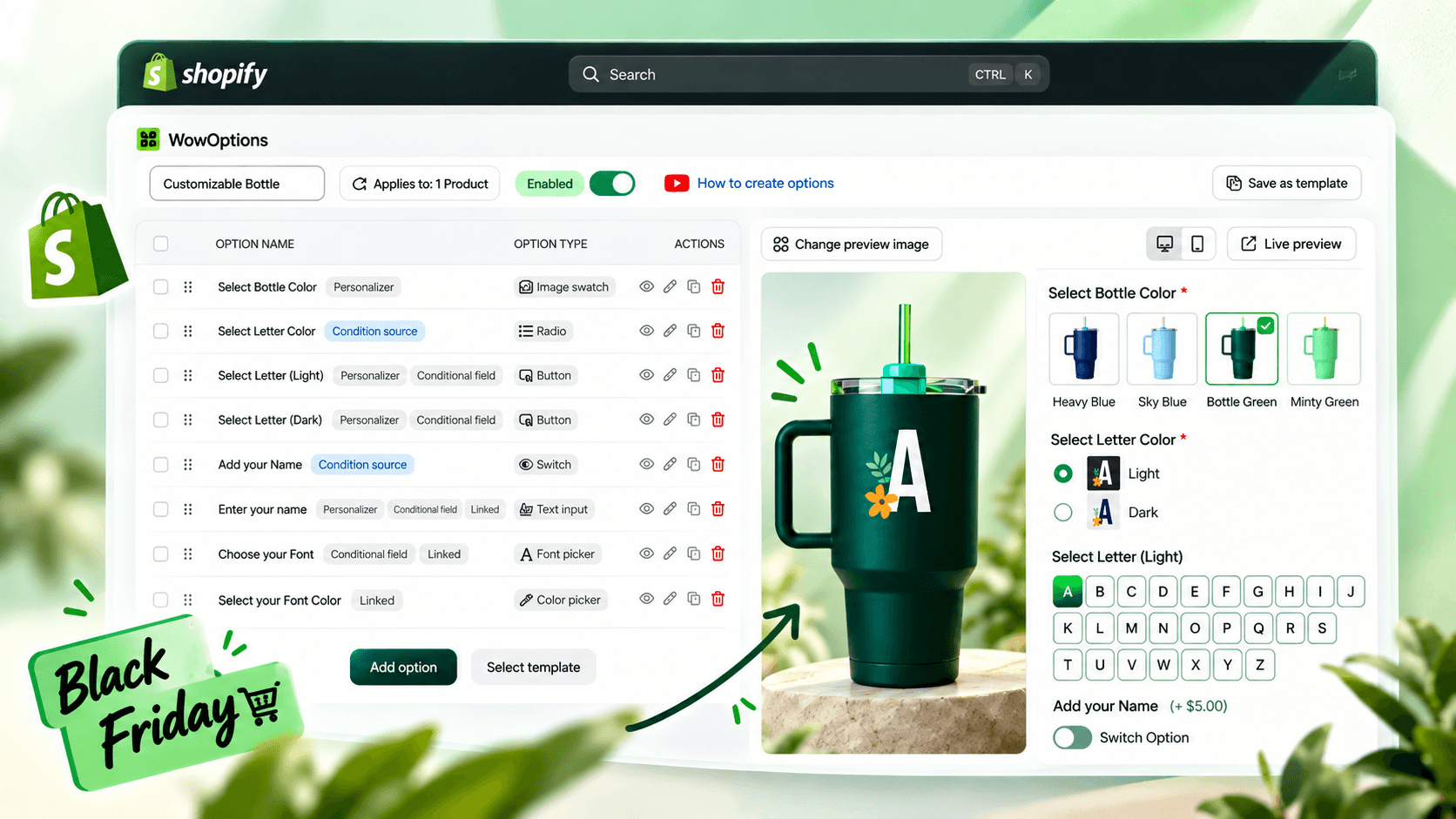
10. Use WowOptions when you need options and a visual personalizer in one app
Shopify’s native product options are useful for standard choices such as size, color, and material. Shopify currently allows up to three option dimensions per product, which works well for many ordinary catalogs. See Shopify’s product variant guidance.
Personalized products often need a different kind of input: custom text, file upload, font choice, add-on pricing, or fields that appear only after another selection. Shopify themes can also be customized with line item properties for text or file inputs, but that route typically requires theme work and does not provide the same no-code visual personalization workflow.
WowOptions is built for this wider job. Its current Shopify App Store listing includes 25+ custom option types, file uploads, swatches, add-on pricing, conditional logic, reusable option sets, and a live product personalizer. The Advanced plan currently lists Advanced Conditional Logic and Live Customizer together.
That makes it a practical fit when your Black Friday campaign needs both a flexible option builder and a visual preview, rather than a separate app for each task.
A practical Black Friday personalization checklist
Before you publish the campaign, confirm these points:
Frequently asked questions
Does product personalization increase Black Friday sales?
It can give shoppers more reasons to choose and upgrade a product, but there is no responsible way to promise a specific sales lift. The effect depends on the product, traffic, pricing, presentation, production quality, and how easy the customization flow is to complete.
What personalized products work well for Black Friday?
Giftable items are a strong starting point: jewelry, ornaments, mugs, tumblers, apparel, phone cases, photo products, notebooks, leather goods, and curated gift boxes. Choose products that your team can still produce accurately at holiday volume.
Should I offer a discount or free personalization?
Either can work. A store with healthy margins may use free engraving or discounted gift packaging as the promotional hook. Another store may discount the base item while keeping labor-intensive customization paid. Choose the structure that matches your margin and production cost.
Do I need a live product personalizer?
Use one when the shopper benefits from seeing placement, font, color, or uploaded artwork before buying. Simple non-visual choices, such as gift wrap or a delivery note, usually do not need live preview.
Can WowOptions handle Black Friday product personalization?
WowOptions supports the core building blocks discussed in this guide, including custom fields, file uploads, swatches, add-on pricing, conditional logic, and live product personalization. Check the current Shopify App Store plan details before launch because feature entitlements and pricing can change.
Final takeaway
The strongest Black Friday personalization strategy is not “add more options.” It is “make the right custom choices easier to buy.”
Start with products people naturally give or customize. Keep the first decision simple. Reveal extra fields only when they are relevant. Show a live preview when appearance matters. Then make sure your fulfillment team can read and produce the exact request that reached checkout.
If you want to build that flow without combining several separate customization tools, WowOptions gives Shopify merchants custom product options, conditional logic, paid add-ons, file uploads, and a live personalizer in one app.