

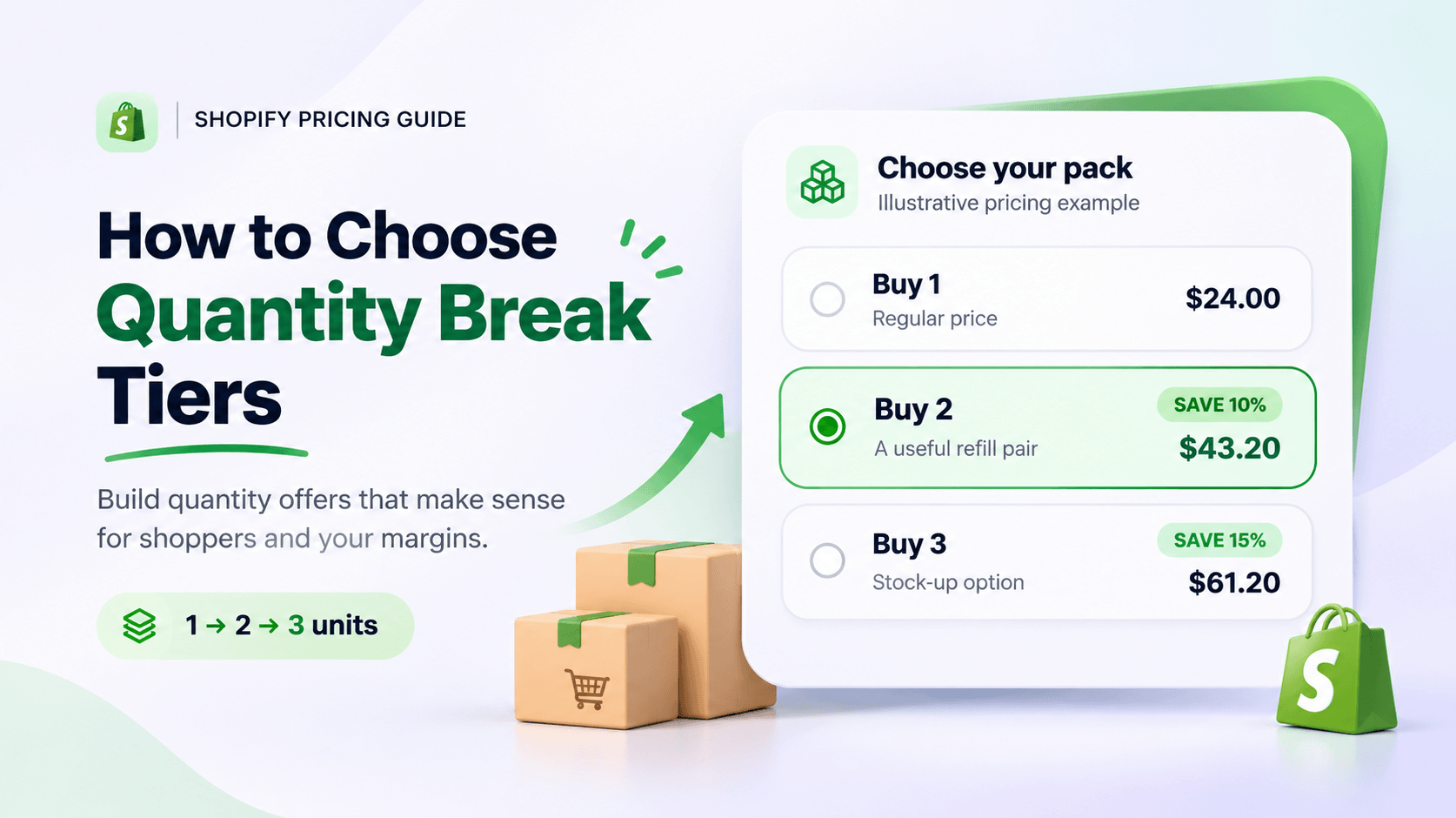
To choose Shopify quantity discount tiers, look at how many units customers already buy. Then choose a larger pack they can use and check what the order leaves after costs. That gives you a better starting point than copying another store's “buy two, save 10%” offer.
A good quantity tier gives the shopper a useful choice and gives your store a worthwhile order. A bigger basket isn't automatically a better one. If the discount on a three-pack eats the contribution from the extra item, you may be better off selling the two-pack.
Here's how to choose quantities and prices that make sense for your customers and your costs.
Five steps to choose quantity tiers
| Step | Decision | Example |
|---|---|---|
| 1 | Choose one eligible product | A refill bottle |
| 2 | Review what customers buy now | Most orders contain one or two |
| 3 | Give each tier a job | One to try, two to refill, three to stock up |
| 4 | Set a price floor from real costs | Include packing, payment fees and returns |
| 5 | Run qualifying and boundary carts | Test quantities 1, 2, 3 and 4 |
Starter illustration, not a universal recommendation: one bottle at $20; two at 5% off ($38); three at 10% off ($54). The right thresholds come from your order pattern and contribution, not from copying these numbers. For the actual settings, use the quantity-break setup guide.
Start with one product and one counting rule
Before choosing quantities, write down what counts toward the offer.
“Buy three of this coffee” could mean three bags of the same blend, three bags across several blends, or three of exactly the same size and grind. Those are different promises. Decide which one you're making before you calculate a discount.
Also separate a pack choice from an open-ended threshold:
- A three-pack is a choice to buy three units together.
- Buy three or more promises qualifying prices beyond three, subject to the terms you show.
If someone adds four units, what should happen? All four could receive a volume price, or a three-unit offer could apply while the extra unit stays at its regular price. Your wording and actual setup need to agree. Don't assume a widget with a “Buy 3” card answers that question for every quantity a shopper can enter in the cart.
For this guide, we'll plan a retail offer for multiple units of one product. If you need customers to choose different colors or sizes within a pack, include that requirement in your plan and follow the bundle variant guide when you configure it.
Look at the quantities people already buy
Review orders containing the product you want to promote. A storewide average can hide what's happening: an order with one candle, one greeting card and one gift bag contains three items, but it doesn't show demand for a three-candle pack.
Choose a recent period that reflects the trade you're planning for. Keep an ordinary trading period separate from a clearance sale or a holiday promotion. Note which orders already received a discount, and decide how you'll treat cancellations and returns so your comparison stays consistent.
Shopify's sales reports can help you examine products, variants, discounts and units per transaction. Check the metric definition before using an average: Shopify defines units per transaction using net quantity, which accounts for returned items. That's different from simply counting the quantity originally ordered. Shopify sales reports
Count orders at each quantity
For a simple starting table, list orders containing your chosen product and total that product’s units within each order. Then count how many orders contain one unit, two units and so on. Use the same treatment of returns and cancellations throughout.
Imagine these 100 hypothetical orders containing one particular product:
| Units of that product in an order | Number of orders |
|---|---|
| 1 | 64 |
| 2 | 26 |
| 3 | 8 |
| 4 | 2 |
The average is 1.48 units per order. More usefully, you can see that most buyers choose one, while a smaller group already buys two.
A two-unit offer is a reasonable candidate if the aim is to move some single-unit buyers up. But it also gives a discount to the 26 buyers who were already purchasing two. The offer needs enough extra purchases to justify that cost.
A three-unit threshold serves a different purpose. It asks the two-unit group to add another, while requiring a much larger change from the single-unit group. Neither threshold is automatically correct. Your product's use and your customers' budget decide whether that next quantity makes sense.
If you have very little order history, start with a simple hypothesis: “Customers buying this for two bathrooms may want a pair.” Treat it as a testable reason, rather than presenting it as something your sales data has established.
Give each tier a buying reason
Each choice should answer a recognizable need. For example:
- One bottle lets someone try the product.
- Two bottles suit a household using it in two places.
- A larger pack might suit someone who regularly replenishes it.
These are illustrative buying reasons, not a recommended structure for every store. A candle bought as a gift, a food product with a short shelf life and a box of trade supplies won't share the same sensible quantities.
Ask whether the next tier is useful before asking whether its discount looks attractive. Will the customer use the extra units? Can they store them? Does the pack fit your normal packaging? Do you have enough of the popular variant to keep the offer available?
You can begin with a regular-price choice and one or two genuinely different multi-unit choices. Add another only if it serves a clear need.
Avoid making the highest tier a huge leap just to create an impressive percentage. If customers commonly buy one or two units, a twelve-unit option needs a convincing use case. A larger saving won't fix an unsuitable quantity.
Price the tiers from the money left after the order
Start with the money you actually keep from the merchandise sale after the costs that change with that order. Include product cost, payment fees, packaging, handling and any shipping cost your store absorbs. Add other relevant costs for your business, such as expected return handling.
Shopify profit reports rely on cost data being recorded correctly. A product's full-price margin also isn't a substitute for checking the discounted sale. Shopify profit reports
Here's an illustrative USD example, separate from the app example below:
- Regular selling price: $24 per unit
- Product cost: $9 per unit
- Packaging and fulfillment: $3 per order
- Assumed payment fee: 3% of merchandise revenue
For this simplified example, contribution is merchandise revenue minus those three costs. It excludes advertising, overhead, refunds, tax and shipping receipts or costs. Use your own costs before making a decision.
| Proposed choice | Merchandise revenue | Product cost | Order cost and assumed fee | Contribution |
|---|---|---|---|---|
| 1 unit, regular price | $24.00 | $9.00 | $3.72 | $11.28 |
| 2 units, 10% off | $43.20 | $18.00 | $4.30 | $20.90 |
| 3 units, 15% off | $61.20 | $27.00 | $4.84 | $29.36 |
The calculation for two units is:
$43.20 − $18.00 − $3.00 − ($43.20 × 3%) = $20.90, rounded to cents.
This gives you a more useful comparison than the discount percentage alone. The two-unit order leaves more contribution than the single-unit order under these assumptions. It still doesn't prove the promotion will improve the business overall, because some customers would have bought two at full price.
Be careful with margin and markup, too. If an item costs $10 and sells for $14, its markup on cost is 40%, but its gross margin is about 28.6%: ($14 − $10) ÷ $14. A 40% gross margin on a $10 cost requires a selling price of about $16.67 before other costs.
Check the jump from one tier to the next
Now change the three-unit discount to 30% while keeping every other assumption the same.
The customer pays $50.40. After $27 product cost, $3 order cost and the assumed $1.51 fee, contribution is about $18.89.
That's about $2 less than the two-unit offer leaves you, even though you're sending an extra item and taking more revenue.
This is the check worth doing whenever you deepen a tier. Look at the extra revenue from the step up, subtract the extra costs, and include the discount you're now giving on units the customer was already going to buy. Even when each order leaves money after costs, the next pack size can leave you with less.
If the jump fails, reduce the discount, change the quantity or reconsider the offer. You might deliberately accept lower contribution for a defined clearance objective, but make that trade-off consciously. For a fuller worksheet, use the bundle discount calculator guide.
Turn the numbers into clear product-page choices
Once the quantities and economics make sense, give shoppers enough information to compare them quickly:
- How many units they're choosing
- The total merchandise price
- The price per unit, where useful
- The saving against buying those same units at their regular price
For example, a $24 product offered as two units for $43.20 can be described as “2 for $43.20, $21.60 each, save $4.80.” The total tells customers what they'll spend; the unit price helps them compare value.
In WowBundle, a Volume tier keeps the quantity and discount together. Enter both, then compare the total and unit price in the preview. The example below has Quantity 2 and 10% off. Its live preview shows two hand washes for $2,160, compared with $2,400, or $1,080 each. These are USD demo prices, separate from the illustrative $24-per-unit example above.
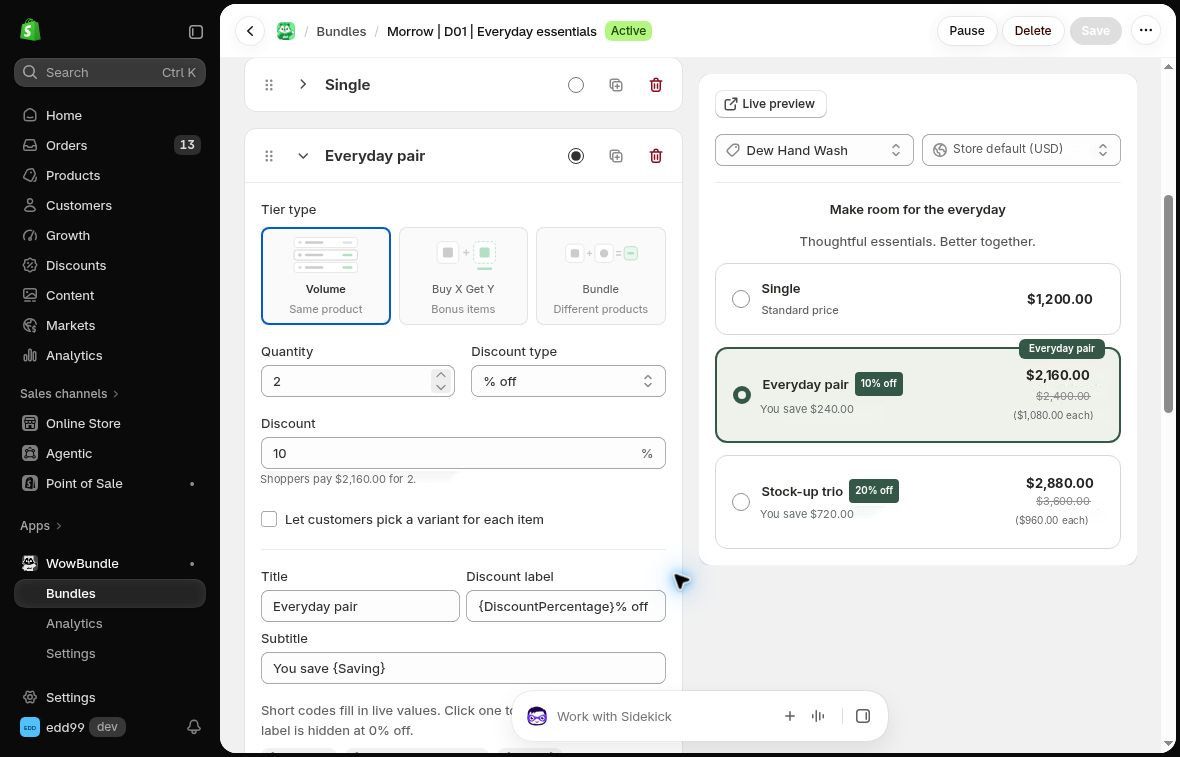
The quantity, discount and preview sit together, making it easier to compare a proposed tier with the price shoppers will see.
Use factual labels such as “2-pack,” “Save 10%” or “Stock-up pack.” Only call a choice “Most Popular” when your sales evidence supports it. If you use “Best Value,” make sure the unit-price comparison actually supports that description.
You don't have to use percentage discounts. A fixed total such as “3 for $60” may be easier to explain for your products. Check the fixed-price versus percentage guide, then use the quantity-break setup walkthrough to build the offer.
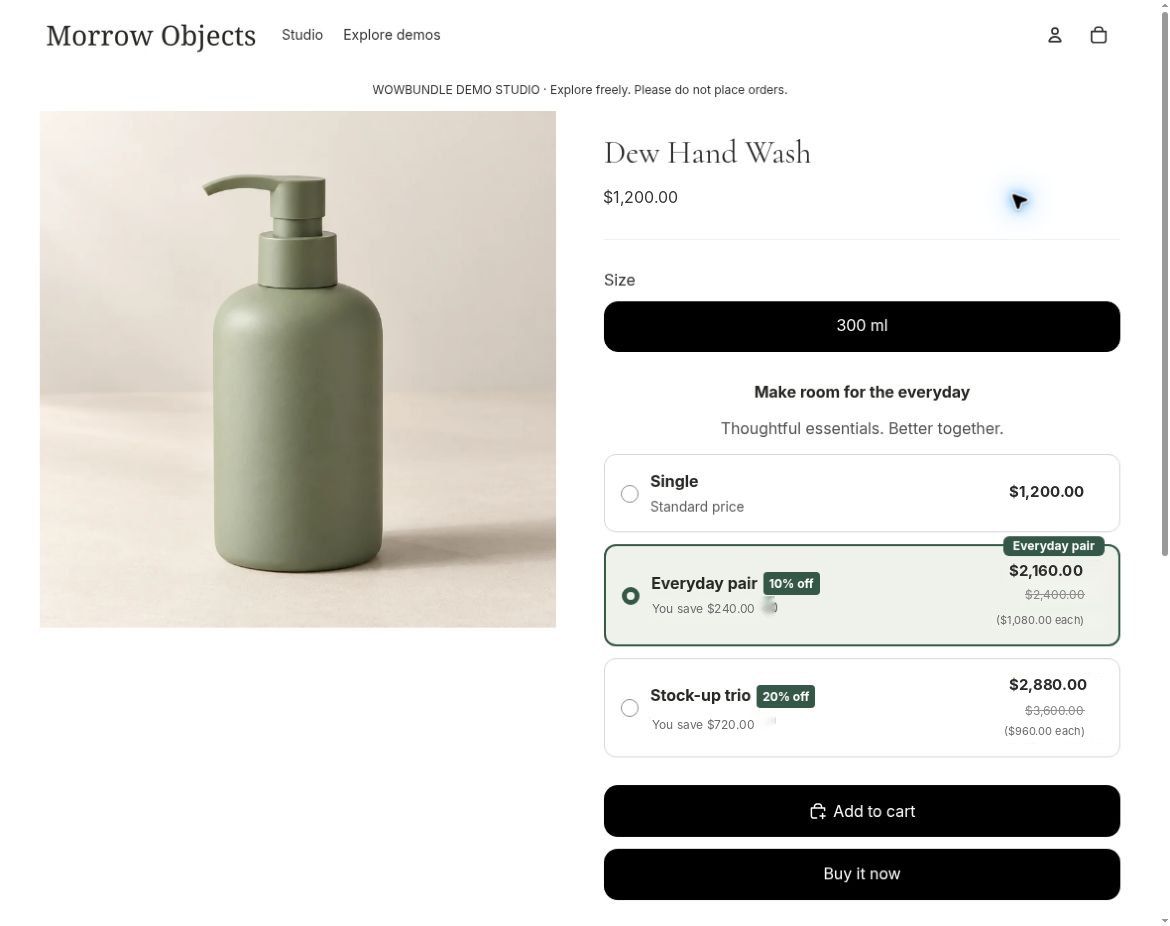
The selected quantity and total are visible together in the recorded product-page offer.
Review sales after launch
After launch, compare the questions that led you to choose the tiers:
- Are more eligible orders moving from one unit to two or three?
- Is contribution improving after the discount and added costs?
- Is conversion holding up, or are fewer visitors buying?
- Are returns, stockouts or fulfillment costs changing the result?
For replenishable products, give the comparison enough time to include a normal repeat-purchase opportunity. Someone who buys three bottles now may simply wait longer before ordering again. Compare cumulative purchases and contribution over a relevant period, rather than treating the first larger order as proof of lasting growth.
A before-and-after comparison can also be affected by traffic sources, seasonality or another promotion. Record those changes, and don't declare a winning tier from a handful of orders. The AOV guide and bundle measurement guide cover the wider evaluation.
Questions merchants ask about quantity tiers
How many quantity tiers should I offer?
Use as many as you can give a distinct, useful buying reason. For an initial offer, a single-unit choice and a small number of multi-unit choices is easier to assess than a long ladder. There isn't a universally correct count. Remove choices that duplicate each other or rarely serve a real purchasing need.
Should every product use the same discounts?
Usually, you should check them separately first. Products have different costs, natural purchase quantities and fulfillment needs. A discount that makes sense for a lightweight refill may be too expensive for a bulky, low-margin item. Reuse a structure only after checking the products it covers.
Can Shopify handle quantity pricing without an app?
Native Amount off products discounts can use a minimum quantity requirement. That can cover a simple quantity-triggered offer, but doesn't create the full product-page tier selector shown above. Shopify amount-off discounts
For B2B, Shopify catalogs support volume pricing with up to ten price breaks per product, applied at variant level. Buyers need to meet the quantity for each variant; they can't combine different variants to qualify for that variant's price break. B2B catalog availability is no longer exclusively a Plus feature, although catalog limits and assignment options vary by plan. Shopify B2B volume pricing, Shopify B2B catalogs
Once the quantities and costs work for your store, use WowBundle to build the product-page choices. Start with a regular-price option and one useful multi-unit offer, then follow the quantity-break setup guide.