

If you're comparing Essent Estimated Delivery Date vs WowETA, you probably want to know which app can show clear, reliable delivery estimates without making store management complicated.
Both apps can display estimated delivery dates, process order cut-off times, account for non-working days, and show delivery countdowns. Both also have the Built for Shopify badge. But the details matter when your store grows or when products have different fulfillment schedules.
Essent Estimated Delivery Date is a strong option if you want a large library of ready-made widgets and an established merchant review history. WowETA Estimated Delivery Date is attractive if you need flexible rules, analytics, a larger free-plan allowance, and an affordable unlimited-view option.
We'll compare the features that affect a real Shopify store, explain the pricing, and show you how to set up estimated delivery dates using WowETA.
Essent Estimated Delivery Date vs WowETA: Quick Comparison
Both apps solve a familiar customer question: When will my order arrive? A delivery estimate doesn't speed up shipping, but it gives shoppers a clearer picture of what to expect before they buy.
| Feature | Essent Estimated Delivery Date | WowETA Estimated Delivery Date |
|---|---|---|
| Built for Shopify | Yes | Yes |
| Free plan | Yes | Yes |
| Free monthly views | 1,000 | 5,000 |
| Lowest paid plan | $4.99/month | $5.99/month |
| Unlimited-view plan | $24.99/month | $5.99/month |
| Countdown timers | Yes | Yes |
| Product-specific rules | Yes | Yes |
| Working days and cut-offs | Yes | Yes |
| Country/location targeting | Yes | Yes |
| Translations | Yes | Yes |
| Prebuilt widget selection | 50+ templates | Customizable templates |
| Analytics | Not prominently listed | Yes |
| Rule visibility scheduling | Not confirmed | Yes, Ultimate plan |
| Merchant review history | Over 1,000 reviews | Around 25 reviews |
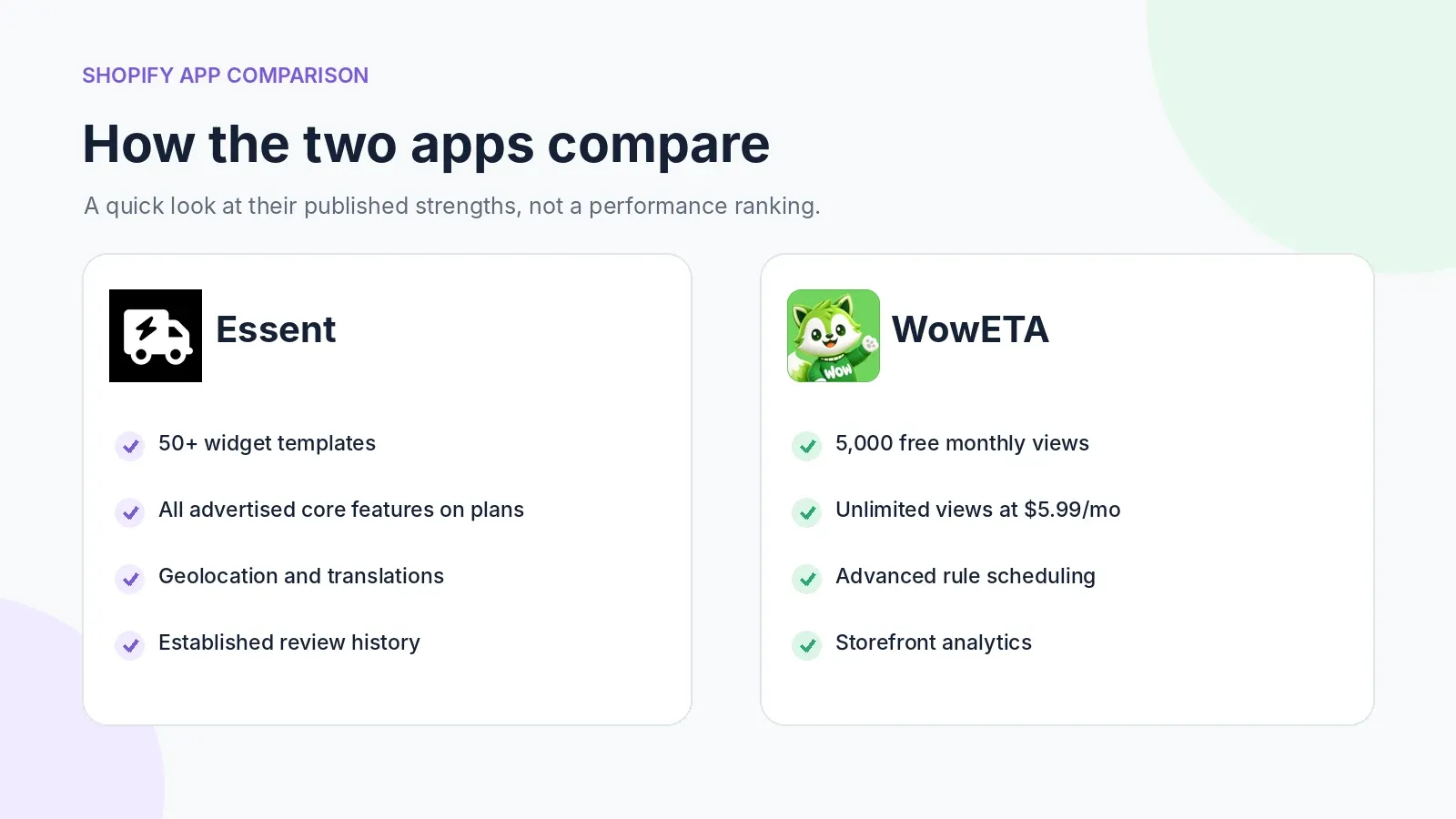
Quick take: Essent's big strengths are design variety and a long history of merchant reviews. WowETA offers more free monthly views and a significantly lower listed price for unlimited views.
What Is Essent Estimated Delivery Date?
Essent Estimated Delivery Date, developed by Essential Apps, lets Shopify merchants show estimated arrival dates, processing times, delivery timelines, and countdown messages on their storefronts.
For example, say you sell handmade jewelry. A ready-to-ship necklace might leave your warehouse tomorrow, while a personalized necklace could take four days to prepare. A delivery date app helps you communicate those different expectations clearly.
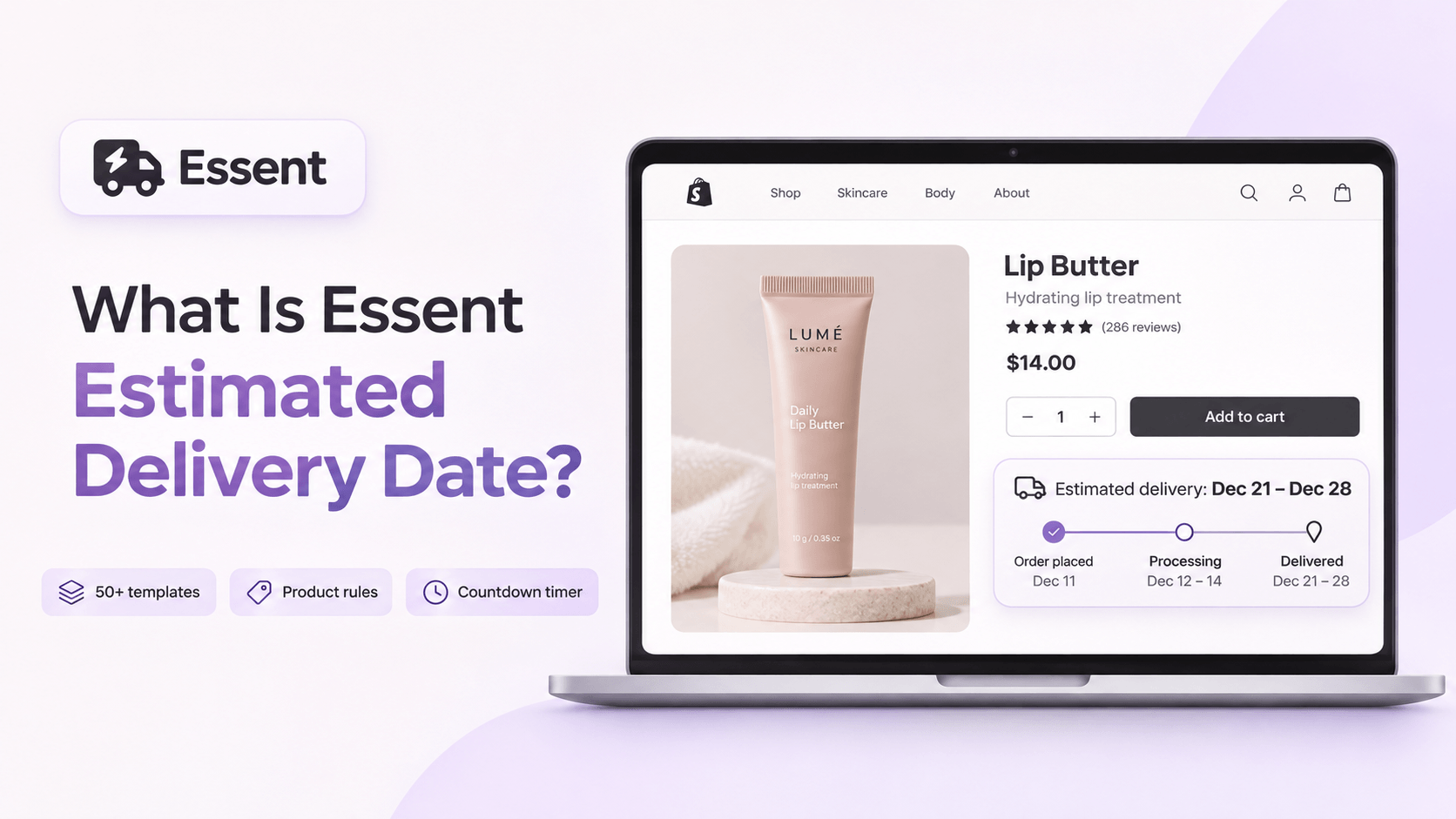
Key features of Essent
- 50+ prebuilt widget templates: Select a delivery message or timeline and adjust the appearance to suit your store.
- Product-specific rules: Create different timing rules for products that take longer to prepare.
- Countdown timers: Show how long customers have to order before the next cut-off.
- Holidays and business days: Keep non-working days in mind when calculating estimates.
- Geolocation and markets: Adapt messages for shoppers in different locations.
- Translations: Display localized delivery messages for different markets.
The template library is a practical advantage. If you want to select a polished design quickly rather than spend time styling a widget, Essent gives you plenty to choose from.
Where Essent may be less suitable
Its biggest consideration is view-based pricing. The free plan includes 1,000 monthly views, and the unlimited-view tier costs $24.99 per month. That might be acceptable if you value its templates, support, and established track record, but it matters if your storefront receives heavy traffic.
What Is WowETA Estimated Delivery Date?
WowETA Estimated Delivery Date, developed by WowApps, helps stores show estimated arrival dates using configured preparation times, shipping timelines, business hours, holidays, and location-based rules.
Imagine a fashion store that sells standard T-shirts and made-to-order hoodies. The T-shirts may need only one preparation day, while the hoodies need four. WowETA lets you configure different estimates rather than show a single delivery window for every product.
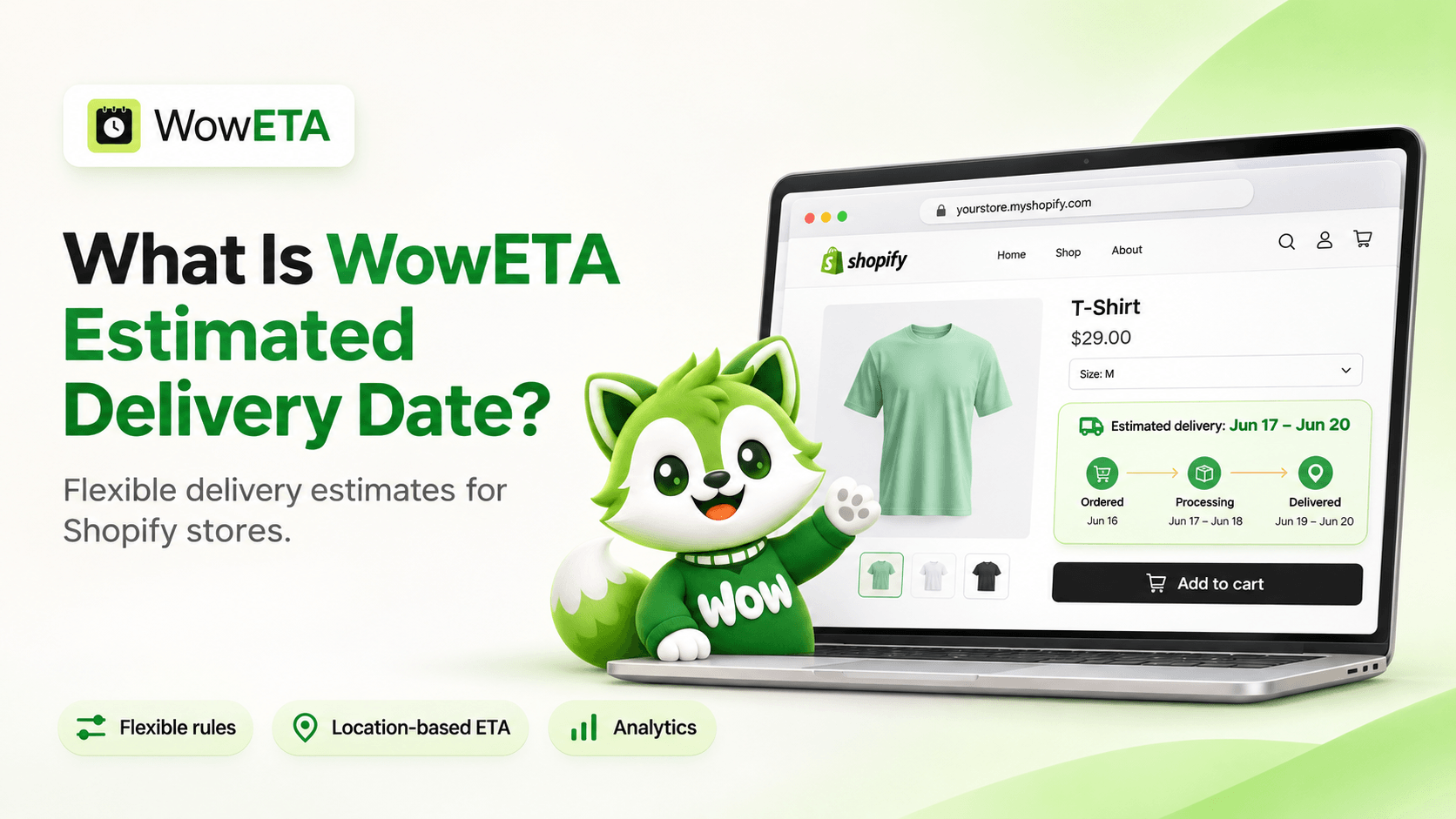
Key features of WowETA
- Flexible delivery rules: Target all products, specific collections, or selected products.
- Country and ZIP code rules: Set delivery estimates for specific shipping destinations or areas.
- Workdays, holidays, and cut-off times: Reflect the way your warehouse actually operates.
- Customizable widgets: Adjust text, date formats, layouts, and styling.
- Countdown timers: Show the remaining time before a configured order cut-off.
- Analytics: See how customers interact with delivery information.
- Rule scheduling: Control when certain ETA rules are visible on the Ultimate plan.
- Advanced messages: Configure supported out-of-stock, vacation, and notification experiences.
WowETA's pricing also makes it interesting for growing stores. Its free plan includes 5,000 monthly views, and the Ultimate plan costs $5.99/month for unlimited views according to the current Shopify App Store listing.
Essent vs WowETA: Detailed Feature Comparison
The apps overlap on core delivery date functionality. The better choice depends on which capabilities matter most to your products and customers.
1. Delivery rules and estimated dates
Both apps use merchant-configured preparation time, shipping time, business days, holidays, and cut-offs to calculate estimated dates.
Suppose a customer orders on Friday evening after your 2 PM processing cut-off. If your warehouse works Monday through Friday, preparation may not begin until the next working day. A useful delivery estimate needs to account for that delay instead of simply adding carrier transit time to Friday's order date.
Both apps are designed to handle schedules like this. WowETA also advertises detailed country- and ZIP-based rule options. Essent offers markets and geolocation targeting, so location-based estimates aren't exclusive to WowETA.
Verdict: Both are suitable for ordinary delivery schedules. Consider WowETA if you need more granular regional configurations and scheduled rule visibility.
2. Widget designs and customization
A delivery widget should fit your storefront rather than distract from the product.
A promotional accessories brand might want a visible countdown, while a luxury store may prefer a simple sentence below the Add to Cart button. Essent's library of 50+ prebuilt templates makes it easy to explore different presentation styles.
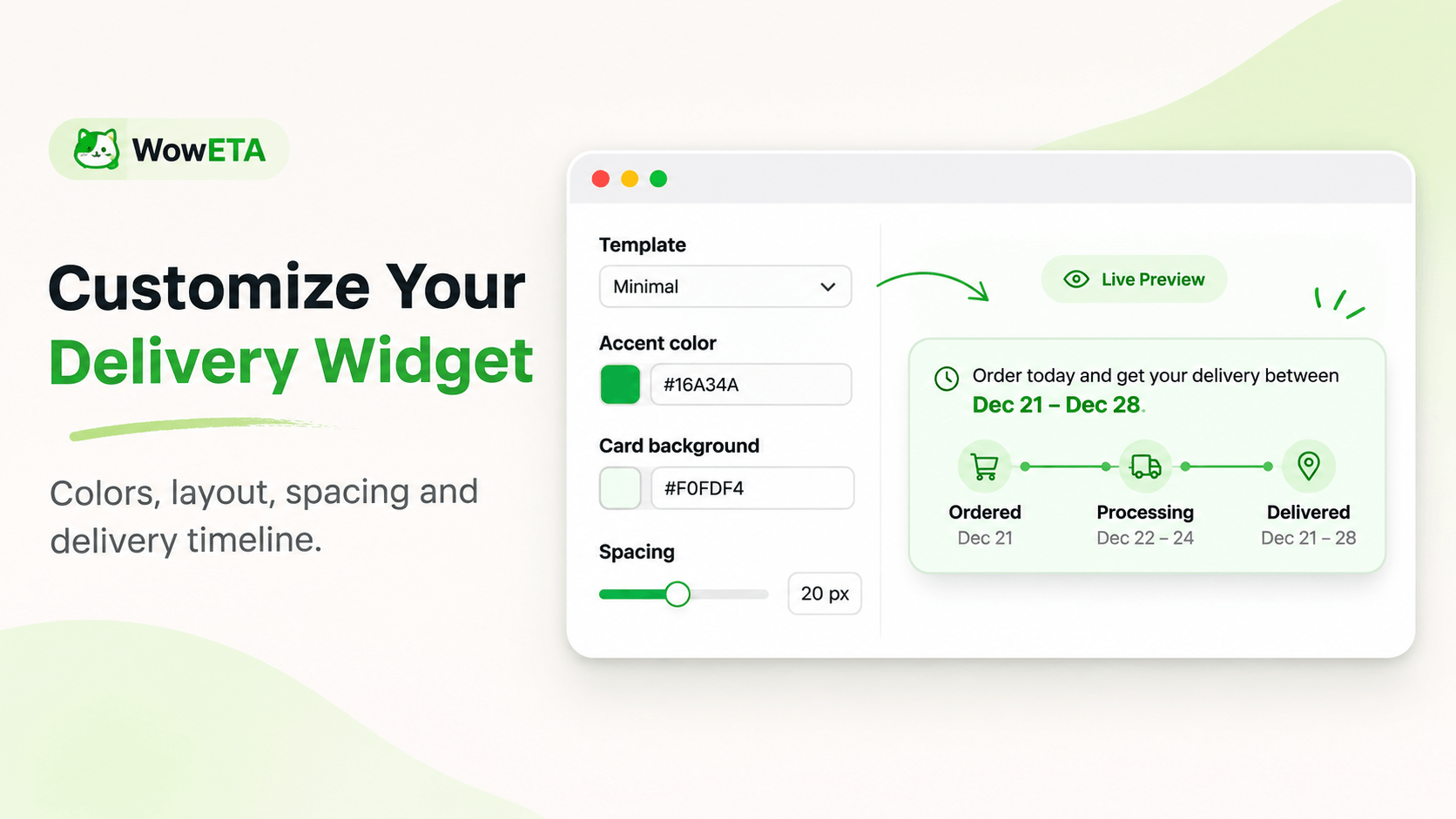
Image: Essent's official widget customization preview.
WowETA also provides editable messages, colors, date formats, and delivery timeline options. Its rule editor includes a live preview to help you see design changes while configuring a rule.
Verdict: Essent has the clearer advantage for merchants who want many ready-made templates. WowETA works well if you prefer tailoring a straightforward widget to your own brand.
3. Product, cart, and checkout placements
Both apps advertise product-page, cart, and checkout placements. Keeping delivery information near buying decisions can help shoppers know what they're agreeing to before placing an order.
WowETA's Ultimate plan additionally lists collection-page estimates. That can be useful if you want customers to see an expected delivery window while browsing a category, before opening a product page.
Checkout placement has Shopify-specific requirements, so verify that a particular widget appears in your theme and eligible checkout configuration before publishing.
4. International deliveries and location targeting
Selling internationally makes it harder to use a single delivery window. An order shipped to a nearby US state may arrive much sooner than an international shipment.
Essent supports geolocation and market targeting. WowETA supports country-specific timing and ZIP code conditions. Both also advertise translation options.
If you use translated delivery messages, review the final wording in each language. Dynamic dates and store-specific messages should be checked just as carefully as the main storefront copy.
5. Analytics and reporting
WowETA's published features include real-time analytics. That can help you review delivery widget visibility and interactions as part of your storefront analysis.
Essent's public listing focuses more on templates, delivery settings, and support. It does not prominently describe an equivalent analytics dashboard in the features reviewed here. That is not proof that the app has no reporting; confirm with its developer if a particular metric is important to you.
Verdict: WowETA has the more clearly documented analytics feature set.
Essent Estimated Delivery Date vs WowETA Pricing
Both apps offer a free plan, but their pricing approaches are different.
Essent pricing
| Plan | Monthly cost | Included monthly views |
|---|---|---|
| Free | $0 | 1,000 |
| Starter | $4.99 | 5,000 |
| Essential | $9.99 | 15,000 |
| Professional | $24.99 | Unlimited |
Essent advertises its main features across these tiers, so the primary differentiator is the monthly view allowance.
WowETA pricing
| Plan | Monthly cost | Included monthly views |
|---|---|---|
| Free | $0 | 5,000 |
| Ultimate | $5.99 | Unlimited |
WowETA's Ultimate tier includes features such as unlimited ETA rules, collection-page estimates, rule scheduling, automatic location detection, translation support, and advanced messages. A three-day free trial is listed.
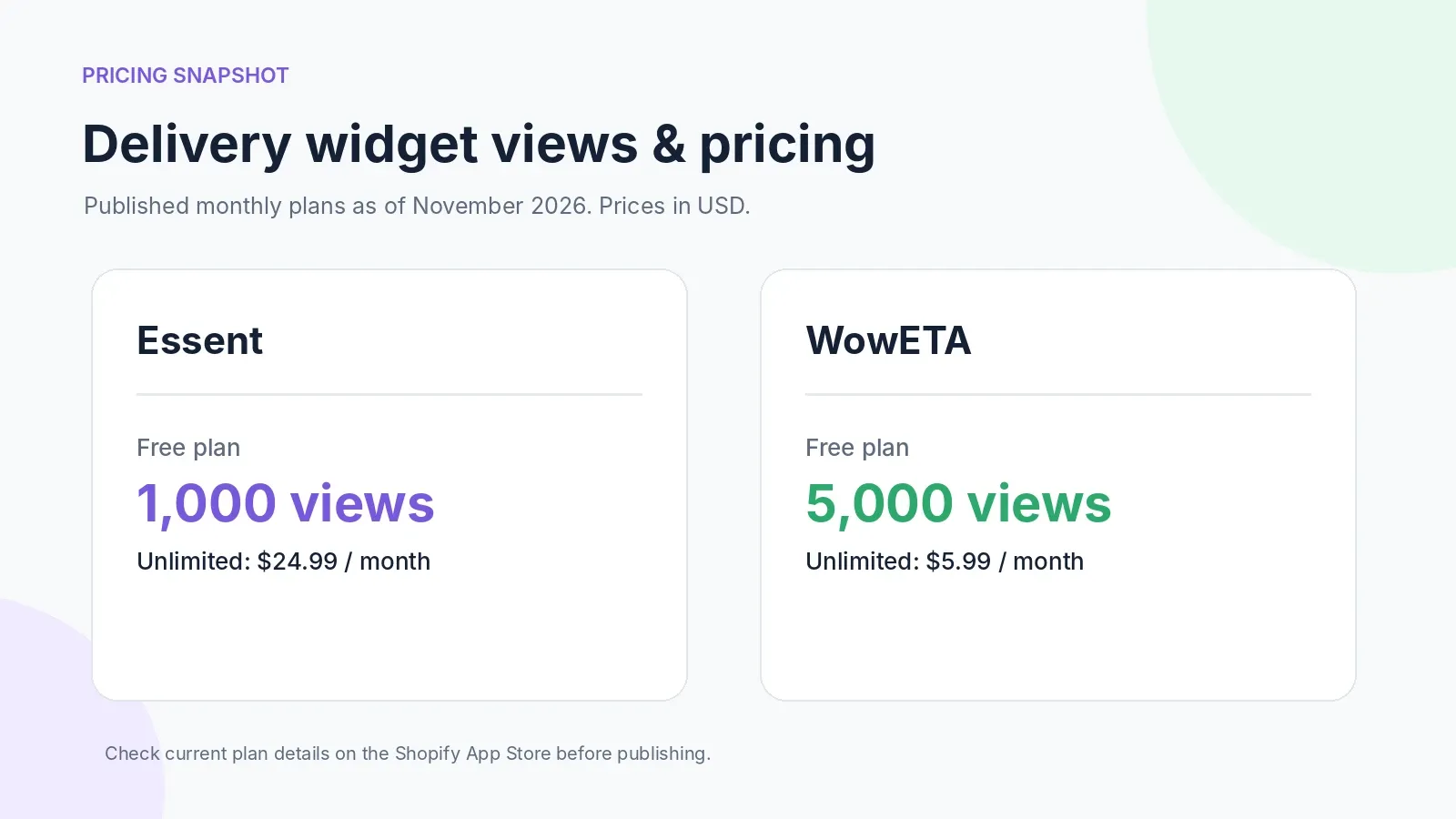
Which app offers better value?
At 5,000 widget views a month, Essent's Starter plan costs $4.99 while WowETA's advertised free plan includes the same view allowance. For a much higher number of views, Essent lists an unlimited plan at $24.99 compared with WowETA's $5.99 Ultimate plan.
WowETA is less expensive at the listed unlimited-view tier. Still, compare the features you need, how each app counts views, and whether the limits fit your actual storefront usage. Prices may change.
What Do Shopify Merchants Say?
Both apps currently display a 5.0-star rating on the Shopify App Store. The difference is review volume: Essent has more than 1,000 reviews, while WowETA has a much smaller sample of roughly 25.
Essent merchant feedback
Essent reviews regularly mention convenient setup, attractive widgets, and helpful support. Merchants with made-to-order products often value the ability to explain processing and shipping time clearly.
The larger number of reviews gives prospective users a broader history to evaluate, which is a genuine advantage for Essent.
WowETA merchant feedback
WowETA reviews also mention ease of configuration, a clean design, and responsive support. In an August 24, 2026 review, Les Debutantes, a made-to-order merchant from Hong Kong, described delivery timelines as especially important and reported fewer customer inquiries after using WowETA.
These are merchant experiences, not independently measured conversion results. Both apps are worth testing on your own products and shipping rules.
Which Shopify Store Should Choose Each App?
Choose Essent if you prioritize a large selection of design templates, access to its advertised core features at low traffic volumes, and a long merchant review history.
Choose WowETA if you want more free monthly views, inexpensive unlimited views, configurable product and location rules, analytics, and additional features such as collection-page display or scheduling.
A small jewelry store with simple fulfillment might appreciate Essent's visual options. A growing clothing brand that ships to several countries and sells personalized products may find WowETA's rule controls and pricing more suitable.
How to Add Estimated Delivery Dates on Shopify
There are two practical, no-code approaches. The right one depends on where customers need to see delivery dates and how much control you want over the calculation.
Method 1: Use Shopify's built-in delivery date settings
Eligible merchants can configure Shopify's own delivery date experience for checkout. This is an appropriate choice if you don't need a dedicated, highly customizable widget on product pages.
- In Shopify admin, go to Settings > Shipping and delivery.
- Open Estimated delivery dates.
- Select Manual or Automated, depending on eligibility.
- Choose your fulfillment time and review the available shipping configurations.
- Save and test an eligible checkout.
Shopify has specific requirements for shipping rate types, countries, and checkout eligibility. Its official delivery date documentation is the best source for those details.
Method 2: Use a Shopify estimated delivery date app
An app makes sense if you need delivery information on product pages, customized messages, and more detailed product- or location-based rules.
Three options to consider are:
- WowETA Estimated Delivery Date for flexible ETA rules, reporting, and affordable unlimited views.
- Essent Estimated Delivery Date for many widget templates and an established review history.
- C-EDD: Estimated Delivery Date for another approach to delivery dates configured by product, collection, vendor, or location.
The tutorial below uses WowETA.
How to Set Up Estimated Delivery Dates Using WowETA
The important part of setup is matching the displayed estimate to how your store actually prepares and ships orders. A shorter-looking estimate won't help if customers consistently receive their orders later.
Step 1: Install WowETA
Open the WowETA app page and select Install. After completing Shopify's installation flow, open WowETA in the Apps section of Shopify admin.
You'll use the app dashboard to configure global schedules and individual ETA rules.
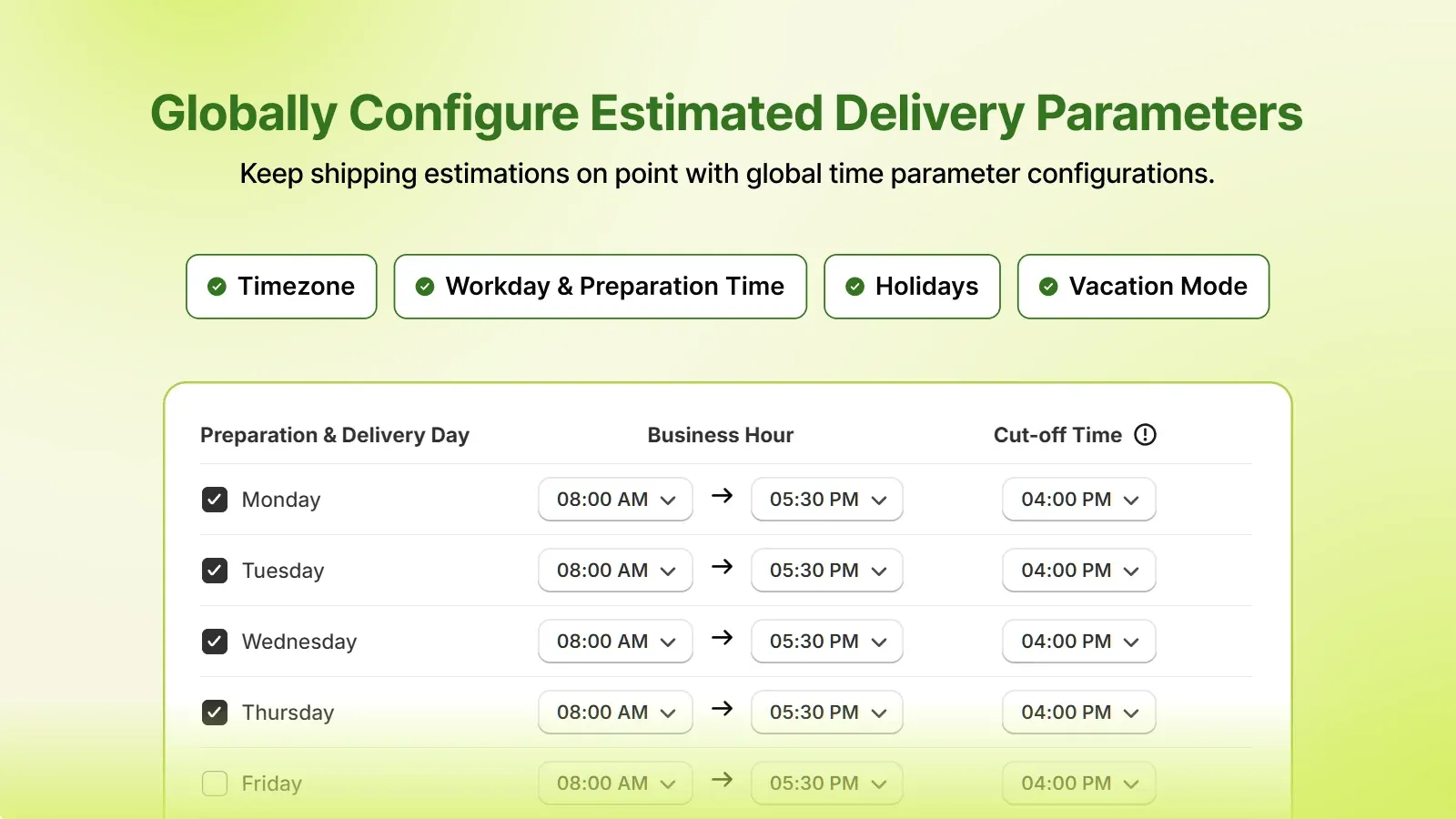
Step 2: Configure your business hours and cut-off time
Start with the days your warehouse works and the cut-off time for same-day processing.
For example, your business might operate Monday to Friday, 9 AM to 5 PM, and process orders received before 2 PM that day. Review the app's time zone, working-day, holiday, and cut-off settings so those assumptions are reflected in the calculation.
Step 3: Create your first delivery rule
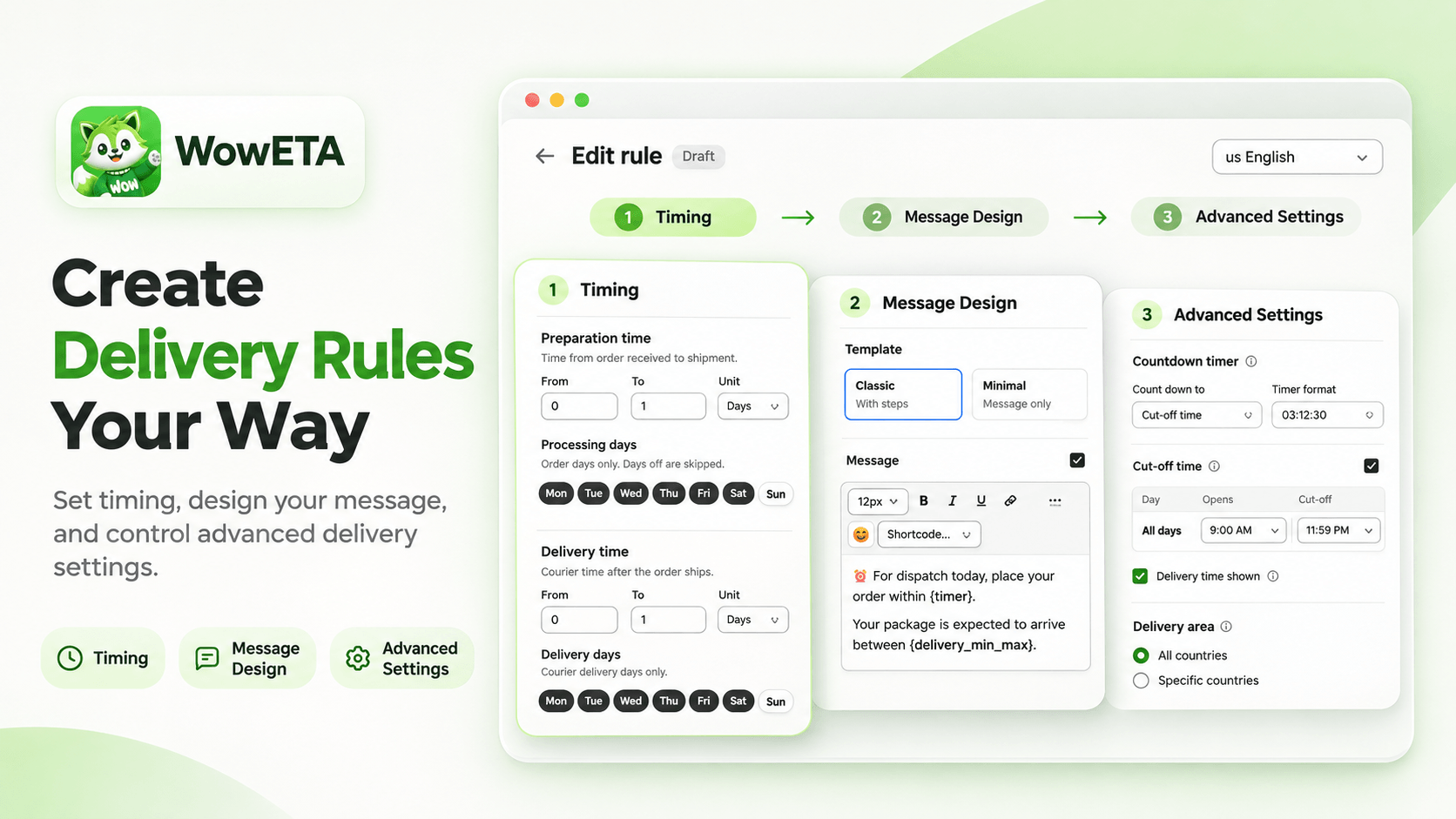
Open ETA Rules and create a new rule. Give it a name such as Standard US Delivery, then choose which products the rule should target.
Depending on your configuration, that can be all products, a collection, or specific products. Set the preparation and transit time, then customize the delivery message.
Step 4: Set preparation time and shipping time
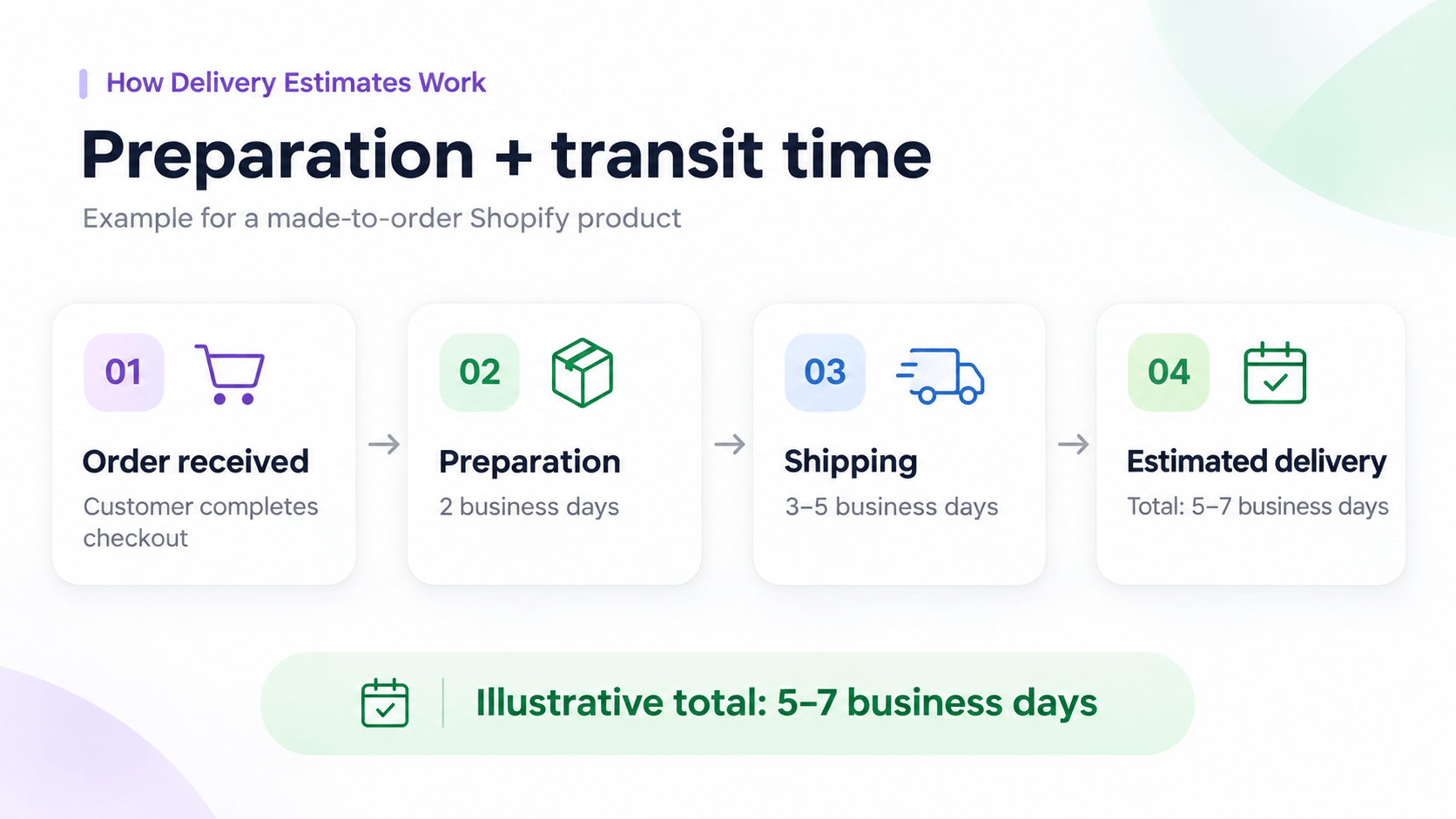
Preparation time is the time your store needs before handing the package to a carrier. Transit time is the expected time after dispatch.
For a personalized phone case, you might configure:
| Stage | Example duration |
|---|---|
| Printing and packing | 2 business days |
| Carrier transit | 3 to 5 business days |
| Illustrative total | 5 to 7 business days |
Step 5: Configure country-specific delivery estimates
If your customers live in different regions, make delivery estimates reflect those differences.
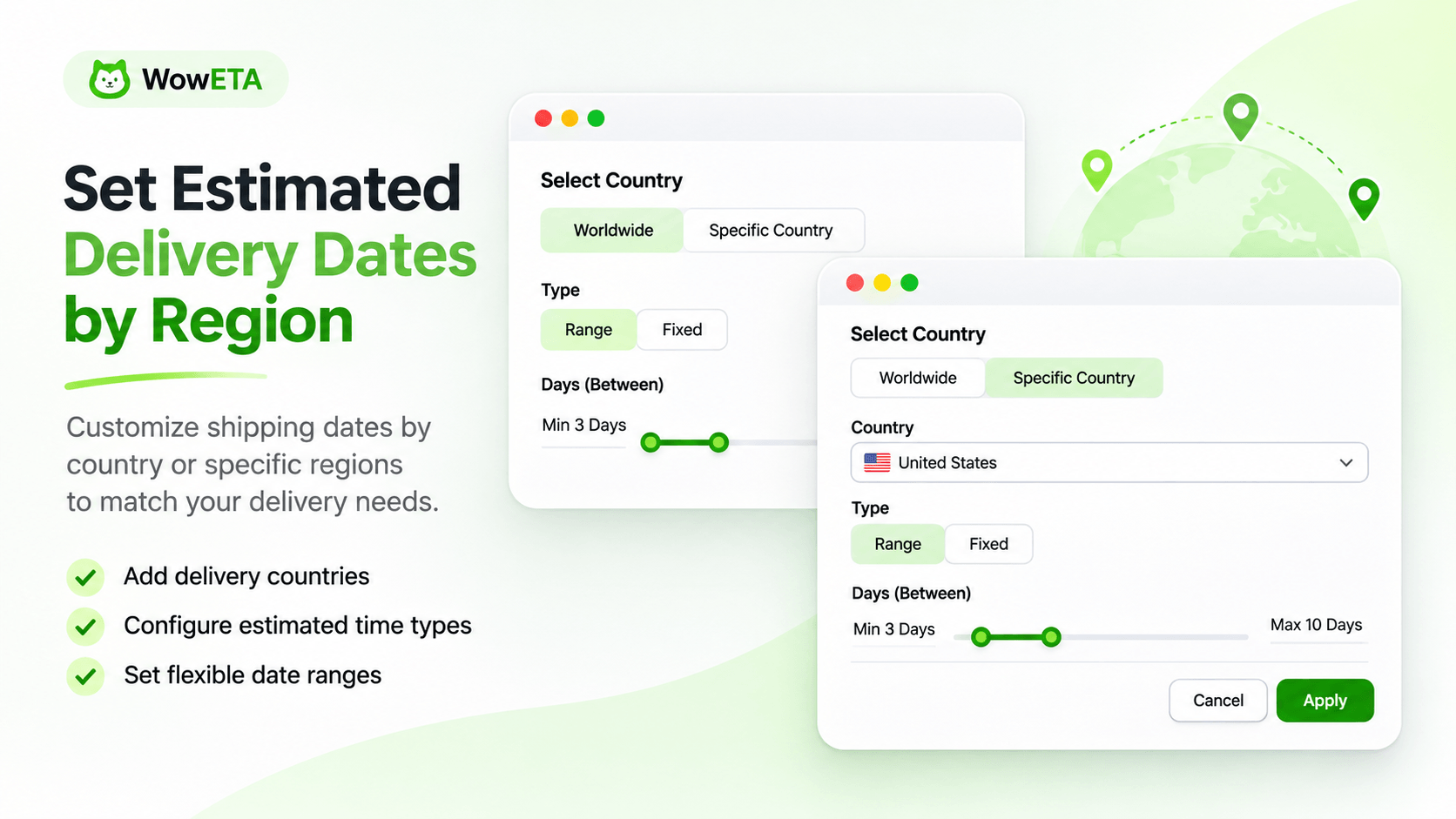
Open the relevant Delivery Country settings, select the countries you ship to, and configure appropriate ranges. First confirm that those destinations exist in Shopify's shipping zones.
Step 6: Customize the delivery widget
Choose a clear layout and message that customers can understand at a glance. A simple version might read:
Estimated delivery: November 13 to November 16
You can adjust text, colors, spacing, and date formats so the widget matches your theme. Don't add so many banners and countdowns that the buying section becomes difficult to scan.
Step 7: Display the widget on your storefront
For a compatible Shopify Online Store 2.0 theme, open Online Store > Themes > Customize. Add the supported WowETA app block or enable the app embed as appropriate, then place the delivery information near product purchasing controls.
Save the theme and check the live product page. Review any separate cart, collection, or eligible checkout placements your store needs.
Step 8: Test the estimates
Before publishing the configuration broadly, test orders placed before and after the cut-off. Check weekend dates, holidays, products with different processing times, and customer locations with different shipping ranges.
Review the widget on desktop and mobile. The date is useful only when it's visible, easy to read, and consistent with your actual delivery process.
Common Mistakes to Avoid
Forgetting preparation time
A carrier's two-day shipping service doesn't mean the entire order takes only two days. If your team needs three days to produce the item, include that preparation time before adding carrier transit.
Ignoring holidays and weekends
If your warehouse closes on weekends or a public holiday, your calculations should reflect that. International stores may need to account for different working days by origin and destination.
Promising dates you can't meet
A short delivery window might look attractive, but repeated delays can erode trust. Use reasonable estimates and update rules when your fulfillment situation changes.
Frequently Asked Questions
Is WowETA better than Essent Estimated Delivery Date?
Is WowETA free?
Is Essent free?
Which app is cheaper?
Can WowETA show different dates for different products?
Can both apps display delivery dates at checkout?
Do these apps provide live shipment tracking?
Will a delivery date app improve conversions?
Final Verdict: Essent or WowETA?
Essent Estimated Delivery Date stands out for its extensive template collection, long merchant review history, and feature-rich design options.
WowETA Estimated Delivery Date stands out for its generous free view limit, flexible rules, analytics, and a lower listed unlimited-view price.
If you want a good-looking timeline from a large template library, Essent deserves consideration. If you want flexible delivery estimates at a cost that scales well with traffic, WowETA is worth trying.
Most importantly, whichever app you use, base every displayed delivery date on your real preparation time and shipping operations. A reliable estimate is more valuable than a promise you cannot consistently keep.