

Want customers to buy more products without spending more on ads? Product bundles are a good place to start.
Imagine someone shopping for a moisturizer on your Shopify store. Instead of buying just one product, they see a skincare bundle with a cleanser and serum at a slightly better price. If the offer makes sense, they may add all three.
That's the idea behind product bundling. You're helping customers discover products that go well together while giving them a reason to increase their order value.
The tricky part is finding a bundle app that does what you need without adding another expensive monthly subscription.
That's why we've put together this list of the best free Shopify bundle apps in 2026. We'll look at what each app offers, what merchants like about it, where it falls short, and how much you can actually do without paying.
What are Shopify bundle apps?
Shopify bundle apps let you sell multiple products together, offer discounts for buying larger quantities, or encourage customers to add related products to their carts.
The bundles can be as simple as two products sold together or as flexible as a gift box where customers choose their own items.
Here are a few common bundle types:
- Fixed bundles: Sell specific products together, such as a shampoo and conditioner set.
- Mix-and-match bundles: Let shoppers choose items from a collection, such as any three candles.
- Quantity breaks: Offer better prices when someone purchases two, three, or more units.
- Buy One Get One (BOGO): Reward customers with a free or discounted item.
- Frequently bought together: Suggest related products on a product page.
- Build-your-own bundles: Allow customers to create personalized kits or boxes.
Not every free app supports all of these. Some specialize in quantity discounts, while others are better for gift bundles or inventory management.
Quick comparison of the best free Shopify bundle apps
Before getting into the details, here's how the apps compare.
| Shopify bundle app | Best for | Free plan |
|---|---|---|
| Wow Bundle & Volume Discounts | Bundles, BOGO, free gifts, and quantity breaks | Completely free |
| Bundler – Product Bundles | Unlimited-revenue basic bundle offers | Free plan without revenue or order caps |
| Shopify Bundles | Simple fixed bundles and multipacks | Completely free |
| AOV.ai Bundles Quantity Breaks | Frequently bought together and flexible offers | Up to $500/month in extra revenue |
| SMART Bundles Volume Discounts | Promotion rules and automatic discounts | Free |
| Bundlex Product Bundles Upsell | Customizable bundle widgets | Free |
| Pumper Bundles Quantity Breaks | Volume discounts and quantity breaks | Free up to $300 in generated revenue |
| Simple Bundles & Kits | Kits, inventory syncing, and fulfillment | 3 bundles and 50 monthly orders |
| BOGOS: Free Gift Bundle Upsell | BOGO and gift-with-purchase campaigns | First 30 app-attributed orders, lifetime |
| Easy Bundles: Bundle Builder | Fixed offers with an upgrade path to custom boxes | Up to $500/month in bundle sales |
Pricing reflects publicly available Shopify App Store information checked in November 2026. Developers can change free-plan limits and features; verify the current listing before installing.
10 Free Shopify Bundle Apps You Must Try in 2026
There are plenty of Shopify bundle apps to choose from, but not every store needs an advanced bundle builder.
Some merchants simply want a discount when customers buy three items. Others need customizable product bundles, free gifts, or a way to keep inventory accurate when several products are sold together.
Here are ten apps worth considering, starting with options that can work without a monthly subscription.
1. Wow Bundle & Volume Discounts
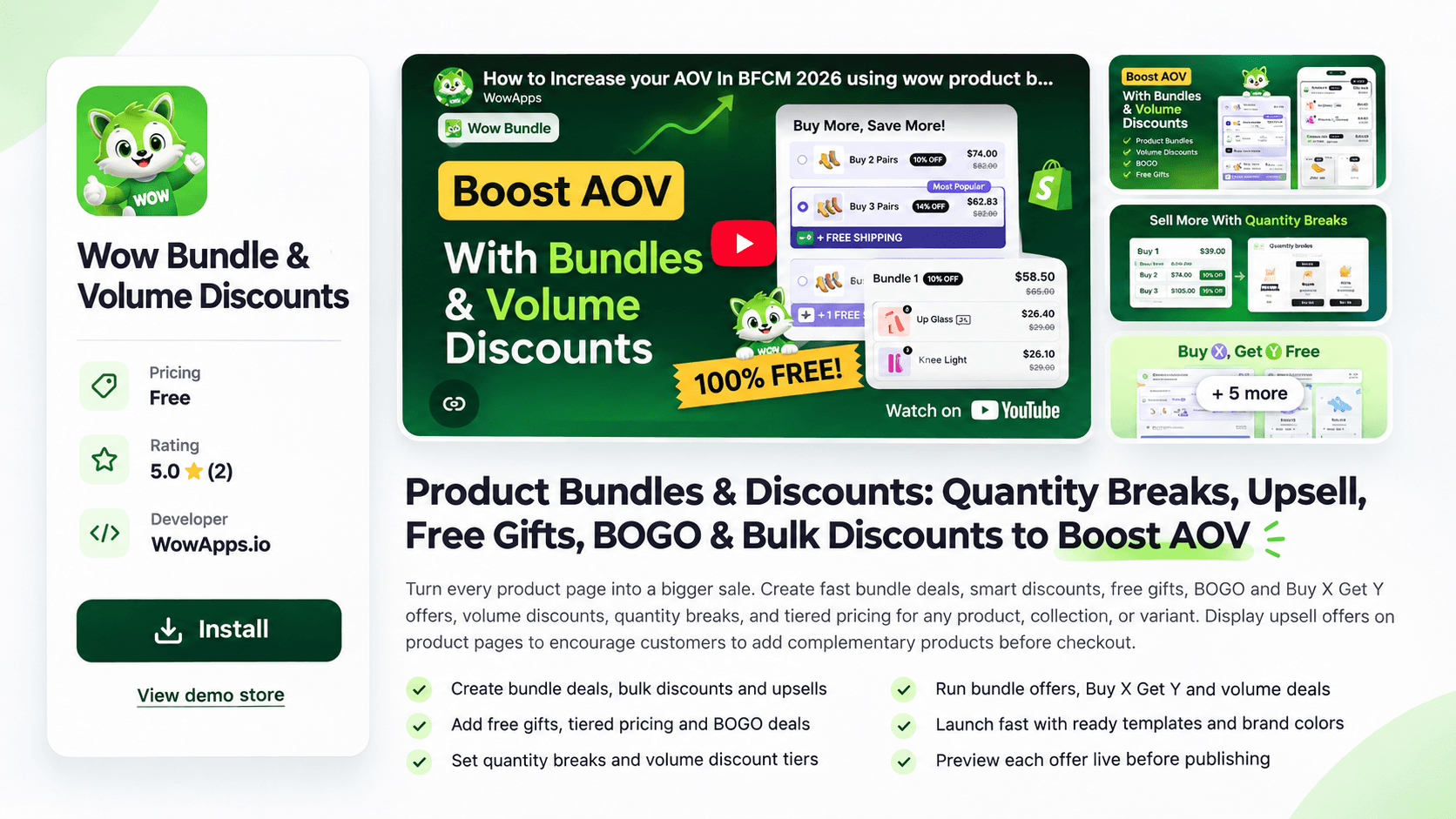
Best for: Shopify merchants who want product bundles, quantity discounts, BOGO offers, and free gifts in one app.
Pricing: Completely free.
View Wow Bundle & Volume Discounts on the Shopify App Store
If you want to offer several types of bundle deals without managing a collection of different apps, Wow Bundle & Volume Discounts is worth a look.
Developed by WowApps, this app lets merchants create product bundles, volume discounts, quantity breaks, and promotional offers directly on their Shopify stores.
For example, imagine you sell coffee beans. You could offer one bag at its regular price, two bags with a small discount, and three bags with a bigger discount. Or you could create a coffee bundle with beans, filters, and a mug.
You can also set up BOGO offers, Buy X Get Y promotions, and gifts with purchase.
One particularly useful feature is the ability to target offers by product, collection, or variant. That gives you more control over which shoppers see a deal.
The app also provides templates, customizable design settings, and live previews, so you can adjust how the offer looks before publishing it.
What users like
- Several offer types: Create product bundles, volume discounts, BOGO deals, quantity breaks, and free-gift promotions.
- Flexible discount settings: Offer percentage discounts, fixed-amount reductions, or fixed bundle prices.
- Product-specific targeting: Apply offers to selected products, collections, or variants.
- Customizable appearance: Use templates and adjust colors to better match your storefront.
- Product page upsells: Introduce complementary products while customers are considering a purchase.
- Free availability: The app is currently listed as free rather than offering only a short trial.
Because Wow Bundle is a recently launched app, its public review history is still limited. These are confirmed product features, not conclusions drawn from a large sample of merchant experiences.
What can be improved?
The biggest limitation right now is the lack of an extensive public review history.
Established bundle apps have years of feedback across different industries, themes, and store configurations. Wow Bundle is newer, so merchants have less independent information about its long-term performance.
Before relying on it for a complicated fulfillment workflow, check compatibility with your theme, inventory requirements, and other discount apps.
Our take: Wow Bundle is an interesting, completely free option for stores that want to run several kinds of promotional bundles from one place. It's especially relevant if your goals are quantity discounts, product page upsells, and gift promotions.
2. Bundler – Product Bundles App
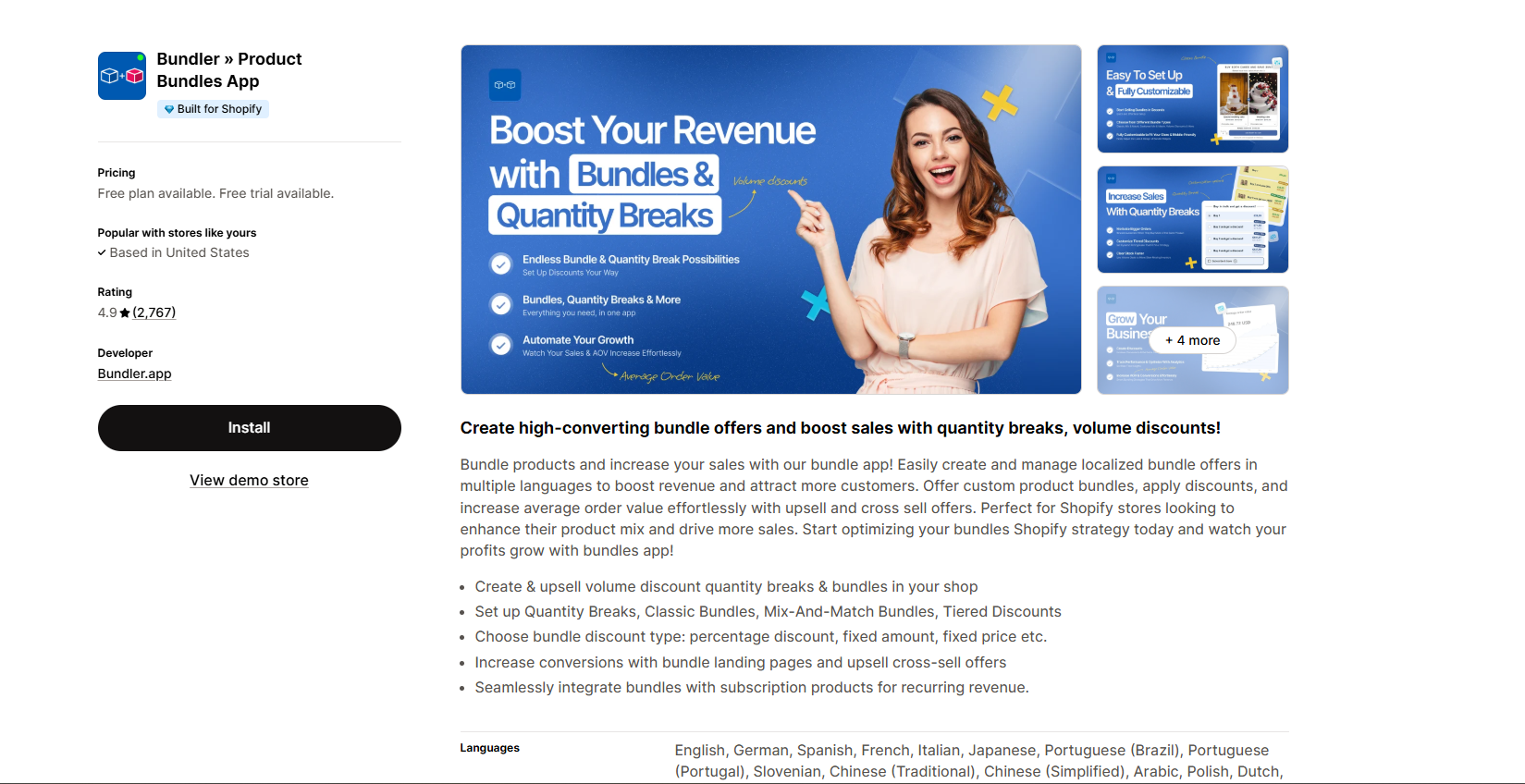
Best for: Stores that want to create basic bundles without worrying about revenue-based free-plan limits.
Pricing: Free plan available; advanced features require a paid plan.
View Bundler on the Shopify App Store
Bundler has been around for a while, and there's a reason it shows up so often in Shopify bundle app recommendations.
It focuses on making bundle promotions accessible to stores of different sizes. Its free plan supports offers such as Buy X Get Y, volume discounts, and product page upsells.
The detail that stands out is its free-plan pricing: unlimited revenue and orders.
That's important because some competing apps ask merchants to upgrade once their bundles start generating more sales. With Bundler, the basic free features aren't tied to that kind of revenue ceiling.
Let's say you sell handmade candles. You could encourage shoppers to purchase multiple candles with a volume discount or combine related items into a special offer.
However, if you want shoppers to build more flexible mix-and-match combinations, you'll need to look at Bundler's premium features.
What users like
- No revenue or order cap on the free plan: Useful for growing stores that want predictable app costs.
- Volume discounts: Reward customers for purchasing larger quantities.
- Buy X Get Y promotions: Create straightforward promotional offers.
- Product page upsells: Show bundle opportunities before checkout.
- Shopify POS compatibility: Helpful for merchants who also sell in person.
- Responsive support: Positive merchant reviews frequently mention help with setup and troubleshooting.
- Good value: Users often point to the amount they can accomplish without a monthly fee.
What can be improved
Bundler's flexibility comes with a few compromises.
Mix-and-match bundles, custom landing pages, and some advanced offer types are reserved for paid plans. Merchants who discover these features while setting up their store may find the free plan less flexible than they first expected.
A few lower-rated reviews also describe confusion around settings or paid-feature availability. Check the pricing page before building a promotion around a specific feature.
Our take: Bundler is one of the strongest choices for stores that want a free tier without revenue caps and don't need advanced bundle-building experiences immediately.
3. Shopify Bundles
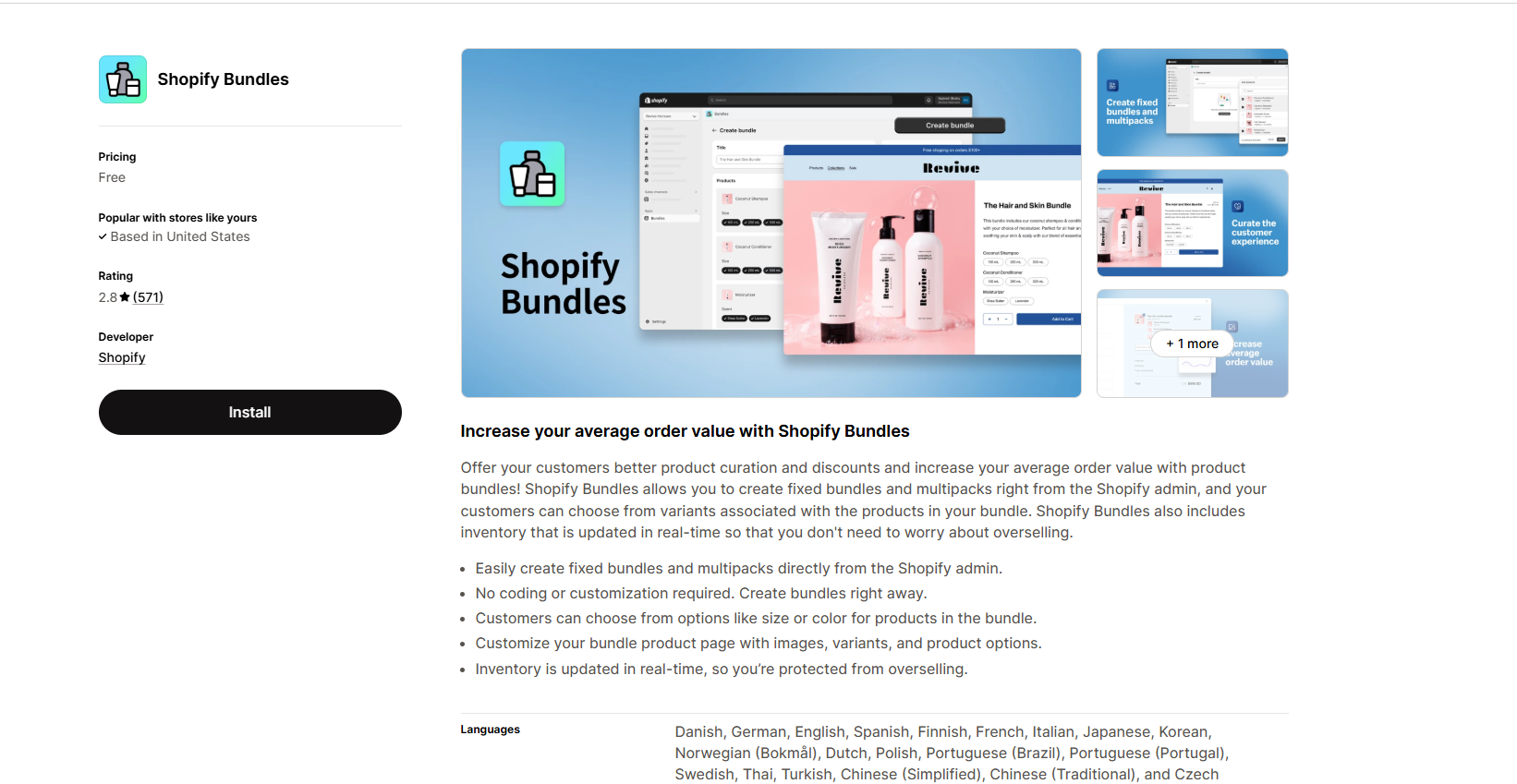
Best for: Creating basic product bundles with Shopify's own free app.
Pricing: Free.
View Shopify Bundles on the Shopify App Store
Sometimes you don't need an app filled with promotional widgets and advanced discount rules. You just want to group a few products together and sell them as a set.
That's where Shopify Bundles makes sense.
It's Shopify's native bundling app, designed primarily for fixed bundles and multipacks.
For example, a clothing store could create a three-shirt pack, while a skincare brand could sell a cleanser and moisturizer as one product bundle.
One of its biggest advantages is inventory tracking. Because the app works with Shopify's native bundle functionality, component inventory can be updated as bundles sell.
That matters when the same products are available both individually and as part of a bundle. The setup is also relatively straightforward because merchants work inside their familiar Shopify admin.
What users like
- Completely free: No separate bundle-app subscription.
- Native Shopify integration: Create and manage bundles through Shopify.
- Inventory synchronization: Bundle availability is connected to the stock of component products.
- Fixed bundles: Useful for curated sets and product kits.
- Multipacks: Sell several units together under one bundle product.
- Straightforward workflow: A starting point for merchants who don't need advanced promotion rules.
What can be improved
The main weakness is flexibility.
Shopify Bundles doesn't natively provide a full mix-and-match bundle builder. It also has limits around product options and variants, which can become restrictive for apparel or other products with many combinations.
Some merchant reviews complain about these variant limits and the extra effort involved in setting up bundle product information and images.
So, while the app is convenient for straightforward bundles, it may not work well for a customizable gift box or a bundle with many size and color selections.
Our take: Start with Shopify Bundles if you only need fixed product sets or multipacks. Look elsewhere if you want advanced discount offers or customer-selected bundles.
4. AOV.ai Bundles Quantity Breaks
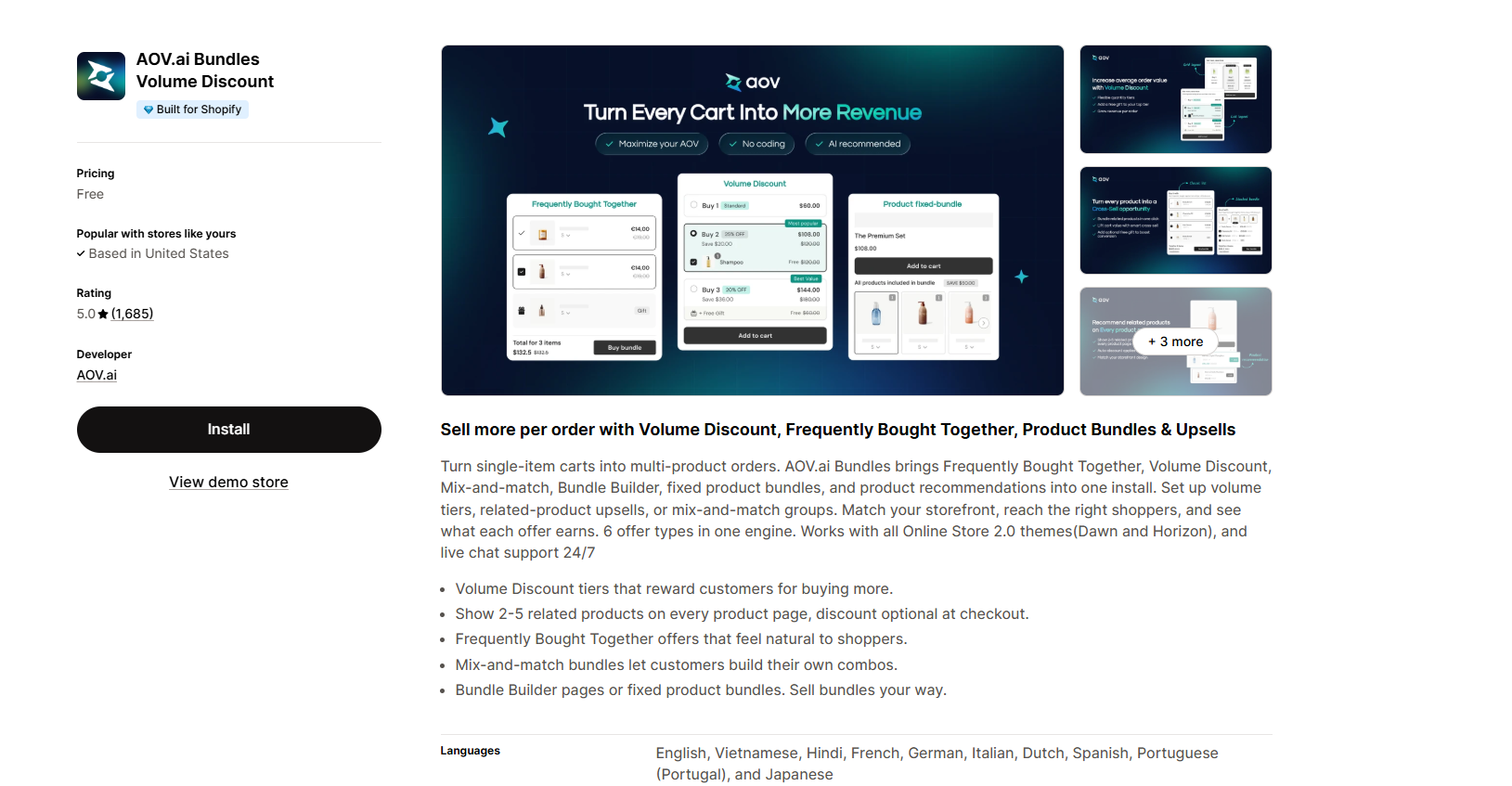
Best for: Frequently bought together offers, quantity discounts, and mixed product promotions.
Pricing: Free up to $500/month in additional app-attributed revenue; paid plans are available.
View AOV.ai Bundles Quantity Breaks on the Shopify App Store
AOV.ai takes a broader approach to product bundling. Instead of focusing on just one promotion type, it offers several ways to encourage customers to add more products to their orders.
You can create quantity-break offers, recommend frequently bought together products, and build different bundle combinations.
Let's imagine someone shopping for a phone case. A frequently bought together offer could introduce a screen protector or charging cable without forcing the customer to search for those items separately.
For merchants with larger catalogs, that kind of recommendation can be more natural than offering a blanket discount.
The app also includes customization options to help its widgets fit into a store's design.
What users like
- Multiple offer types: Supports quantity breaks, frequently bought together recommendations, and different bundle styles.
- Customizable widgets: Adjust how offers are presented on product pages.
- Product recommendations: Increase the visibility of complementary products.
- Flexible setup: Positive reviews often describe the interface as approachable.
- Helpful customer support: Merchants have praised the team for assisting with theme layouts and mobile display adjustments.
What can be improved
The free plan has a revenue limit, so it isn't an unlimited free solution.
Once your app-attributed additional revenue passes the free allowance, you'll need to consider a paid plan.
Some lower-rated reviews also describe problems with widget placement or discount behavior on particular storefront setups. These reports don't mean the app is incompatible with those themes, but they highlight why testing is important.
Our take: AOV.ai is a good option for merchants who want to experiment with several offer types. Just keep the revenue limit in mind as your promotions grow.
5. SMART Bundles Volume Discounts
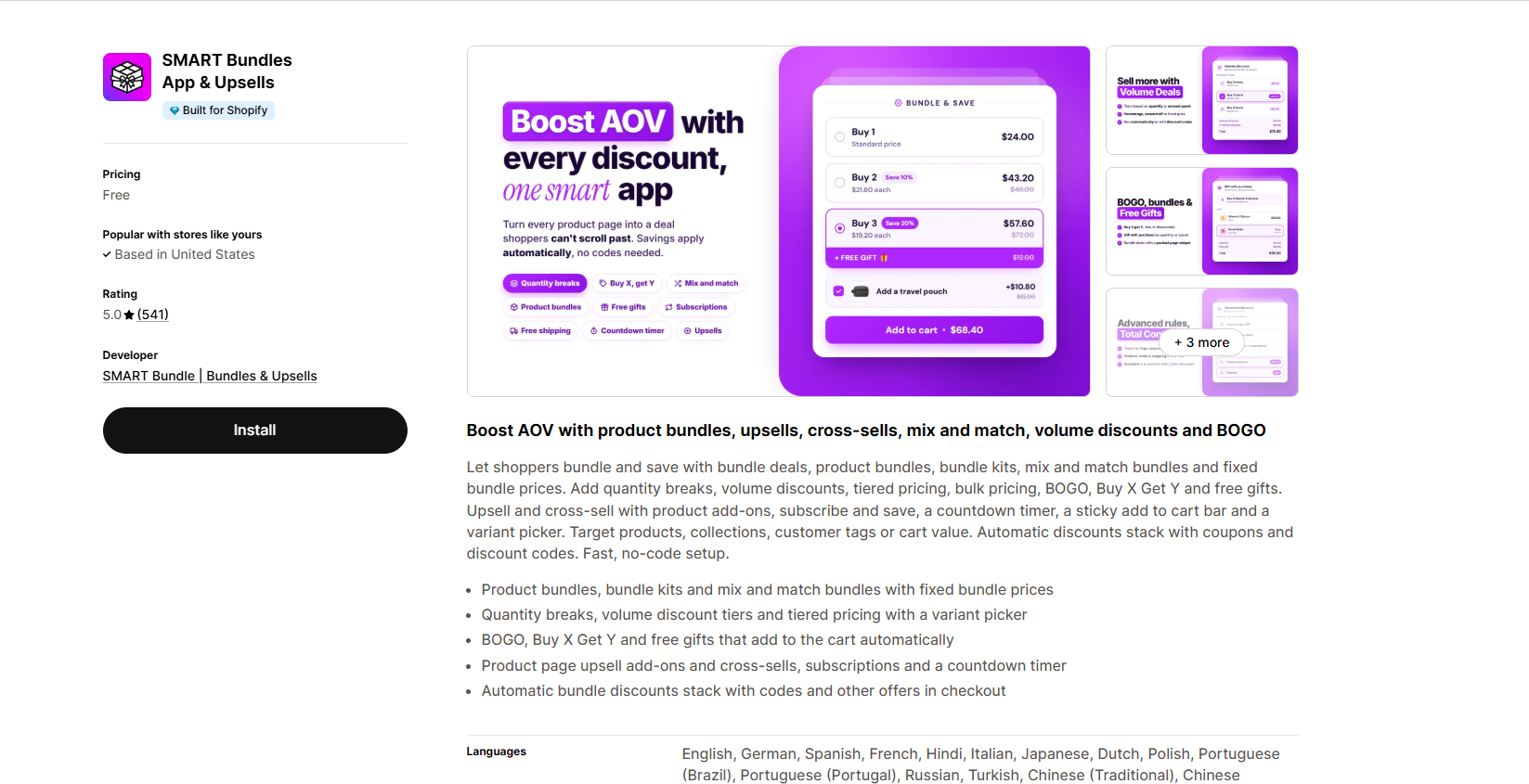
Best for: Merchants who need flexible discount rules and targeted promotional campaigns.
Pricing: Free.
View SMART Bundles on the Shopify App Store
SMART Bundles is worth considering if your bundle strategy involves more than putting two products together.
The app supports product bundles, BOGO promotions, quantity breaks, tiered pricing, and discount rules based on different conditions.
For example, you might want to offer a discount only on products in a specific collection or make a promotion available to certain customer groups.
SMART Bundles includes tools for targeting offers using information such as products, collections, variants, customer tags, and cart values.
That makes it more suitable for stores with a detailed promotional calendar or different customer segments.
What users like
- Flexible discount rules: Create promotions based on product, collection, variant, and customer conditions.
- Quantity breaks and volume discounts: Encourage larger purchases.
- BOGO and Buy X Get Y: Run familiar promotional offers.
- Multiple promotion types: Manage different campaigns in one app.
- Free pricing: The public Shopify listing identifies the app as free.
- Helpful support: Several positive reviews highlight assistance with discount configuration and setup.
What can be improved?
A flexible rule system can take more time to configure than a simple bundle widget.
One merchant review reported that a gift-with-purchase setup didn't automatically add the expected gift to the cart. Another described difficulty implementing a particular volume-discount requirement.
These are individual merchant reports, not proof that all such promotions fail. Still, if automatic free-gift behavior is essential to your campaign, confirm exactly how it works before publishing your offer.
Our take: SMART Bundles is useful when discount conditions matter as much as the bundle itself. It deserves consideration for stores running targeted promotions.
6. Bundlex Product Bundles Upsell
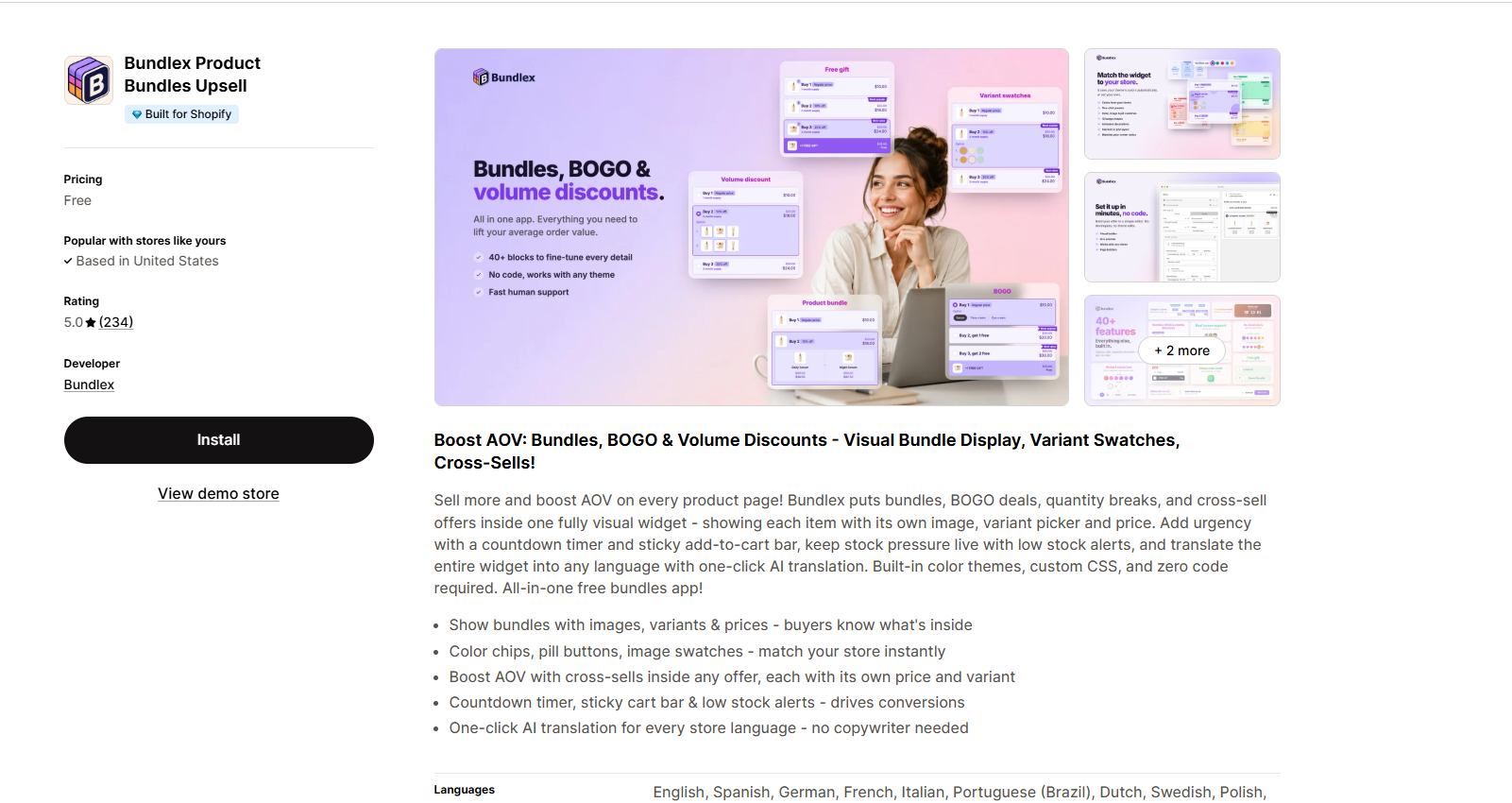
Best for: Stores that care about how bundle offers look on their product pages.
Pricing: Free.
View Bundlex on the Shopify App Store
A bundle offer can have a good discount and still go unnoticed. That's why presentation matters.
Bundlex focuses on both the offer itself and how customers interact with it. The app includes customizable bundle widgets, quantity discounts, BOGO offers, and promotional design elements.
You can create offers that look more closely aligned with your store rather than using a generic discount box.
The app also advertises features such as badges, countdown timers, and other visual elements that can help shoppers understand an offer.
For stores selling apparel, accessories, or giftable products, this level of design control can be useful.
What users like
- Customizable bundle widgets: Adjust the visual presentation of offers.
- Quantity discounts and BOGO: Run common product promotions.
- Live preview and editing tools: Make adjustments before publishing.
- Visual promotional elements: Add badges and other offer details where appropriate.
- Fast interactions: Some reviewers praise the speed of the add-to-cart experience.
- Responsive developers: Positive reviews describe the team helping merchants resolve custom-theme issues.
- Free availability: The app is currently listed without a required paid plan.
What can be improved
In the review sample examined, Bundlex had very few lower-rated reviews, so there isn't enough evidence to claim a recurring customer complaint.
However, some positive reviews mention needing developer assistance or adjustments for their specific themes before everything worked as expected. That suggests merchants using heavily customized themes should allow time for testing.
Our take: Bundlex is particularly appealing if storefront appearance is important and you want more control over how bundle offers are displayed.
7. Pumper Bundles Quantity Breaks
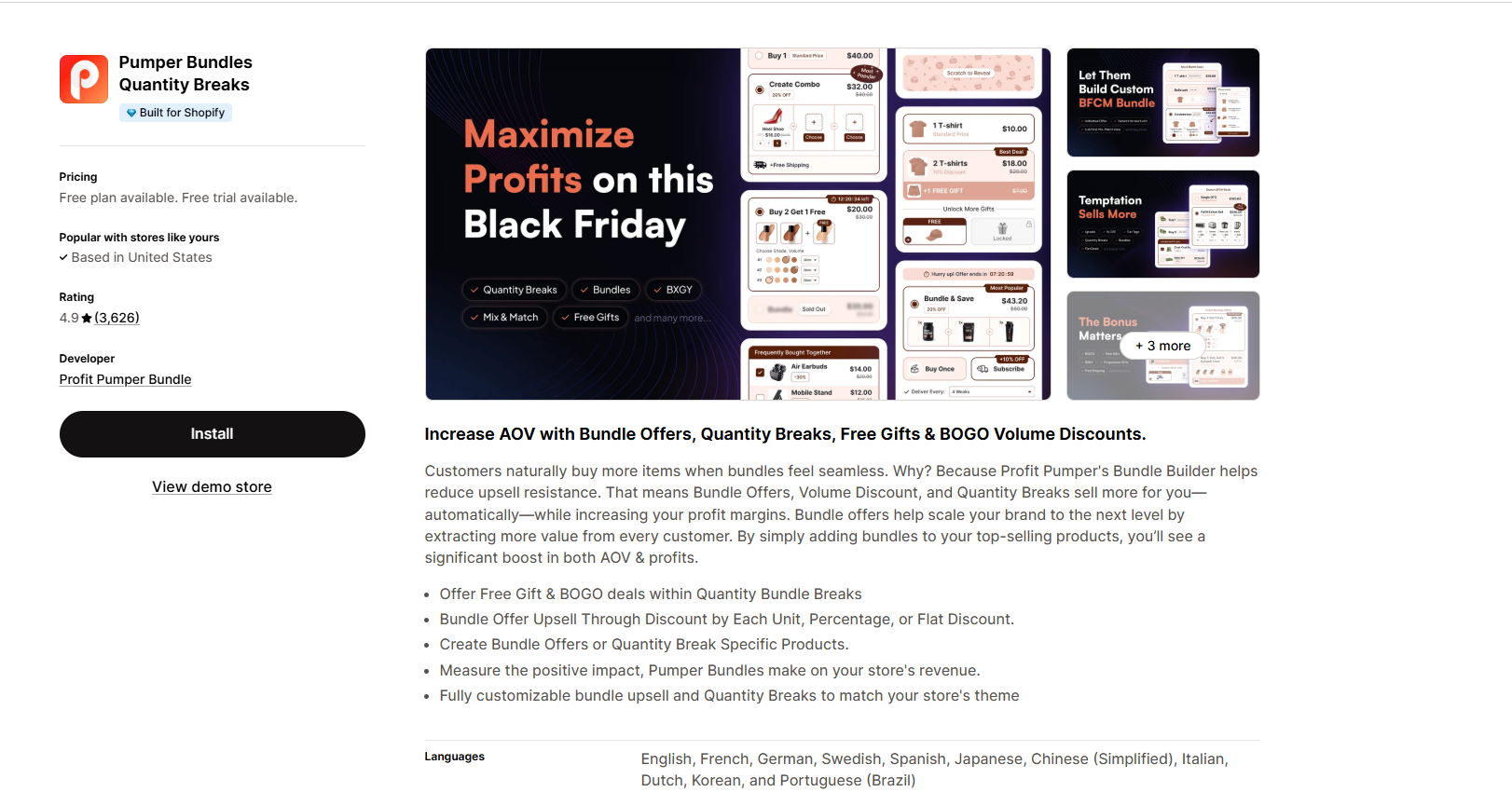
Best for: Simple volume discounts and quantity-break offers.
Pricing: Free up to $300 in additional revenue generated by the app; paid plans start afterward.
View Pumper Bundles on the Shopify App Store
Pumper is a familiar name in Shopify bundle app comparisons, especially when the discussion turns to quantity breaks.
Its main purpose is straightforward: help merchants encourage customers to buy more items by offering better prices at higher quantities.
For example, a store selling socks could display three options: one pair at the regular price, two pairs with a small discount, and three pairs with a larger discount.
That offer is easy for shoppers to understand, and it doesn't require them to create a bundle from scratch.
Pumper also offers bundle creation and customization options, so merchants can present their deals in different ways.
What users like
- Quantity-break offers: Create discounts based on how many units a customer buys.
- Unlimited offer creation on the free tier: Published free-plan features include unlimited bundles and quantity breaks.
- Customizable widgets: Display offers directly on product pages.
- Cart drawer integrations: Useful for stores with cart-drawer shopping experiences.
- Customer support: Positive reviews appreciate quick assistance with setup and design.
- Accessible setup: Merchants frequently describe quantity offers as relatively easy to create.
What can be improved
The biggest limitation is the free-plan revenue cap.
The app may be free when you're testing an offer, but a growing store needs to account for the paid tier.
Some lower-rated reviews also mention issues around discount application or how offers appear alongside particular cart and theme configurations.
Test each offer from the product page through checkout before making it available to customers.
Our take: Pumper is a practical option if quantity discounts are your main priority and you're comfortable upgrading once your offers reach the free allowance.
8. Simple Bundles & Kits
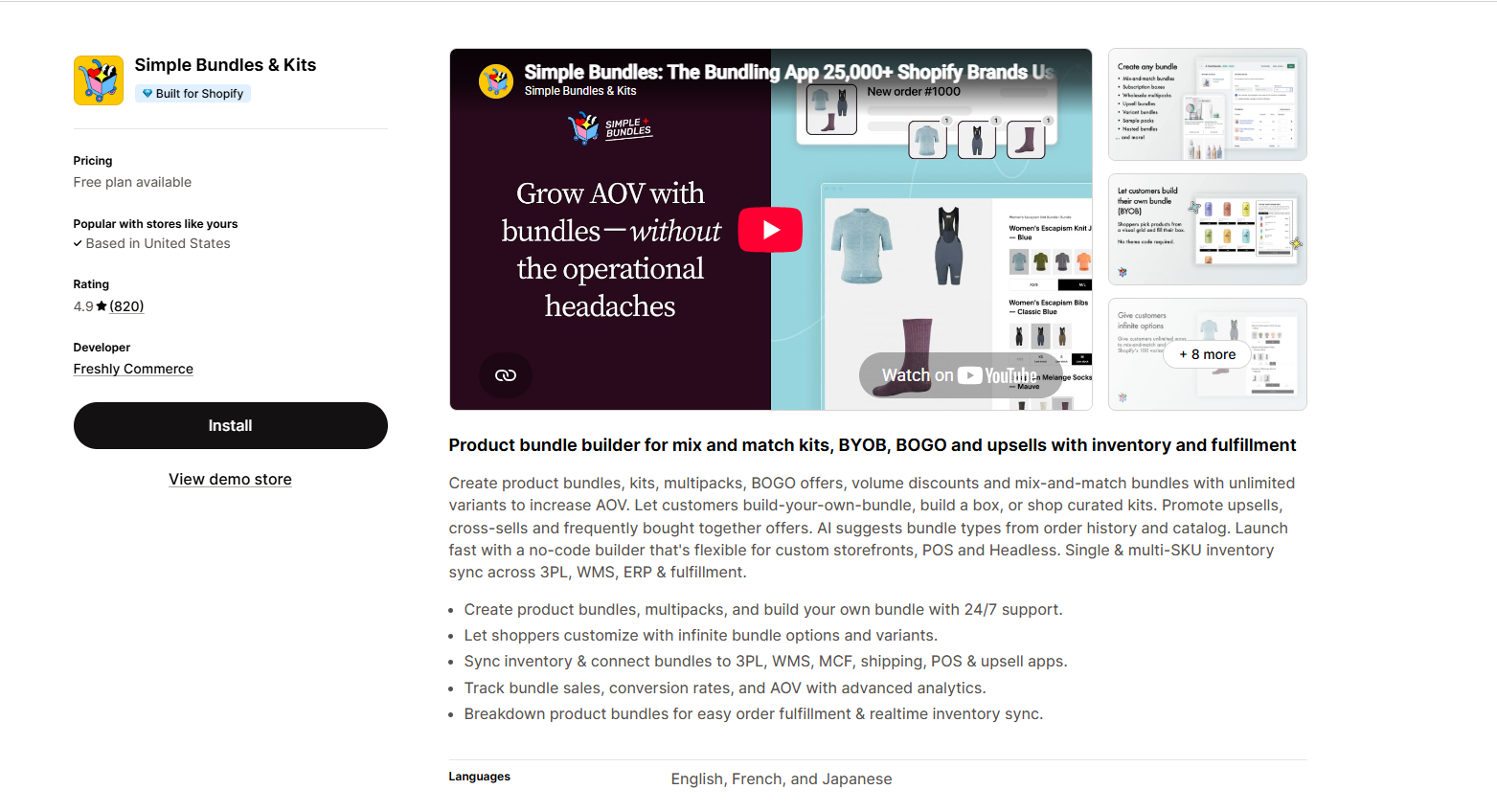
Best for: Stores that sell physical kits and need more control over inventory and fulfillment.
Pricing: Free for up to 3 bundles and 50 monthly orders; paid plans are available.
View Simple Bundles & Kits on the Shopify App Store
Most bundle apps focus on what customers see on the storefront. Simple Bundles & Kits also pays attention to what happens after a customer places an order.
Suppose you sell a gift box containing a candle, notebook, and pen. When a shopper buys that bundle, your fulfillment team still needs to know which individual products to pack.
Simple Bundles helps break a bundle into its component SKUs for inventory and fulfillment workflows.
That's especially useful when you manage stock through a warehouse, a fulfillment partner, or other inventory systems.
The app supports different bundle types, including kits and build-your-own experiences, depending on the plan and configuration.
Its free tier includes a small allowance of bundles and orders, making it useful for testing whether this kind of inventory workflow suits your store.
What users like
- Component-level inventory management: Helps track the products that make up each bundle.
- Bundle SKU breakdown: Helps fulfillment teams identify individual items.
- Several bundle types: Supports fixed kits and more flexible bundle configurations.
- Build-your-own bundles: Included among the advertised capabilities of the free plan.
- Bundle analytics: Provides information about bundle sales.
- Fulfillment focus: Merchants with complex kits often praise its operational features.
- Helpful support: Positive reviews highlight assistance with unusual bundle configurations.
What can be improved?
The free plan is quite limited compared with some other options in this list.
Three bundles may be enough for a small store, but it won't go far if you're planning several product collections or a large holiday gift catalog.
There are also merchant reviews describing confusion around plan eligibility and occasional inventory-sync difficulties.
Because inventory accuracy affects order fulfillment, test how component stock changes after purchases, cancellations, and refunds.
Our take: Simple Bundles & Kits is a strong candidate when operational accuracy matters more than promotional widgets.
9. BOGOS: Free Gift Bundle Upsell
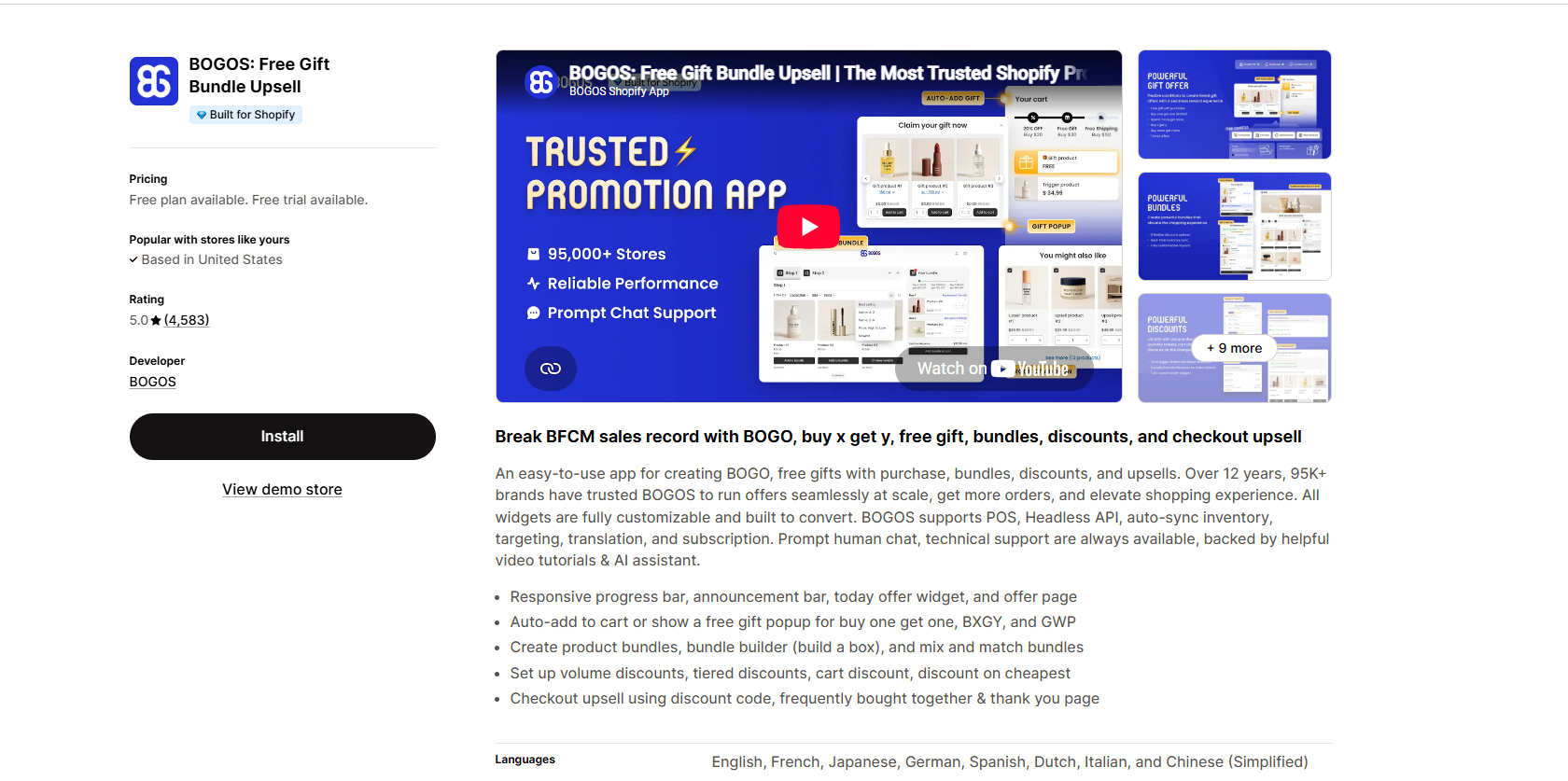
Best for: Gift-with-purchase offers, Buy One Get One promotions, and seasonal campaigns.
Pricing: Free for the first 30 BOGOS-attributed orders over the lifetime of the free plan; paid plans start at $29.99/month for eligible stores.
View BOGOS on the Shopify App Store
If you've ever run a holiday promotion offering a free gift with a qualifying purchase, you know it can involve more rules than it first appears.
You need to decide which products qualify, which gift should be offered, and what happens when the customer changes their cart.
BOGOs are designed around these kinds of promotions.
Alongside product bundles, it offers BOGO, Buy X Get Y, gift-with-purchase, and other discount campaigns.
For example, a beauty brand could offer a free travel-size product when someone purchases a skincare set.
A store could also create offers that let shoppers choose among eligible products rather than receiving one predefined combination.
BOGOS has a broad set of promotional features, although some advanced tools and higher-volume allowances are tied to paid plans.
What users like
- Free-gift promotions: Create offers tied to qualifying purchases.
- BOGO and Buy X Get Y: Suitable for seasonal discounts and launches.
- Classic and mix-and-match bundles: Support different merchandising approaches.
- Customizable widgets: Control how customers see offers.
- Promotion analytics: Monitor campaign activity and results.
- Responsive support: Many merchant reviews praise help with offer setup and adjustments.
- Multiple campaign types: Useful for stores that frequently change promotions.
What can be improved?
The free plan is best understood as a small starting allowance, not an ongoing free option for a busy store.
Its 30-order limit is lifetime, not monthly.
That's a significant detail if your store processes many promotional orders.
A few reviews also mention limitations in offer-text customization and the need to restructure campaigns to match the app's available rules.
Our take: BOGOS is worth considering if free gifts and BOGO promotions are central to your strategy. Budget for its paid plan if the campaigns perform well.
10. Easy Bundles: Bundle Builder
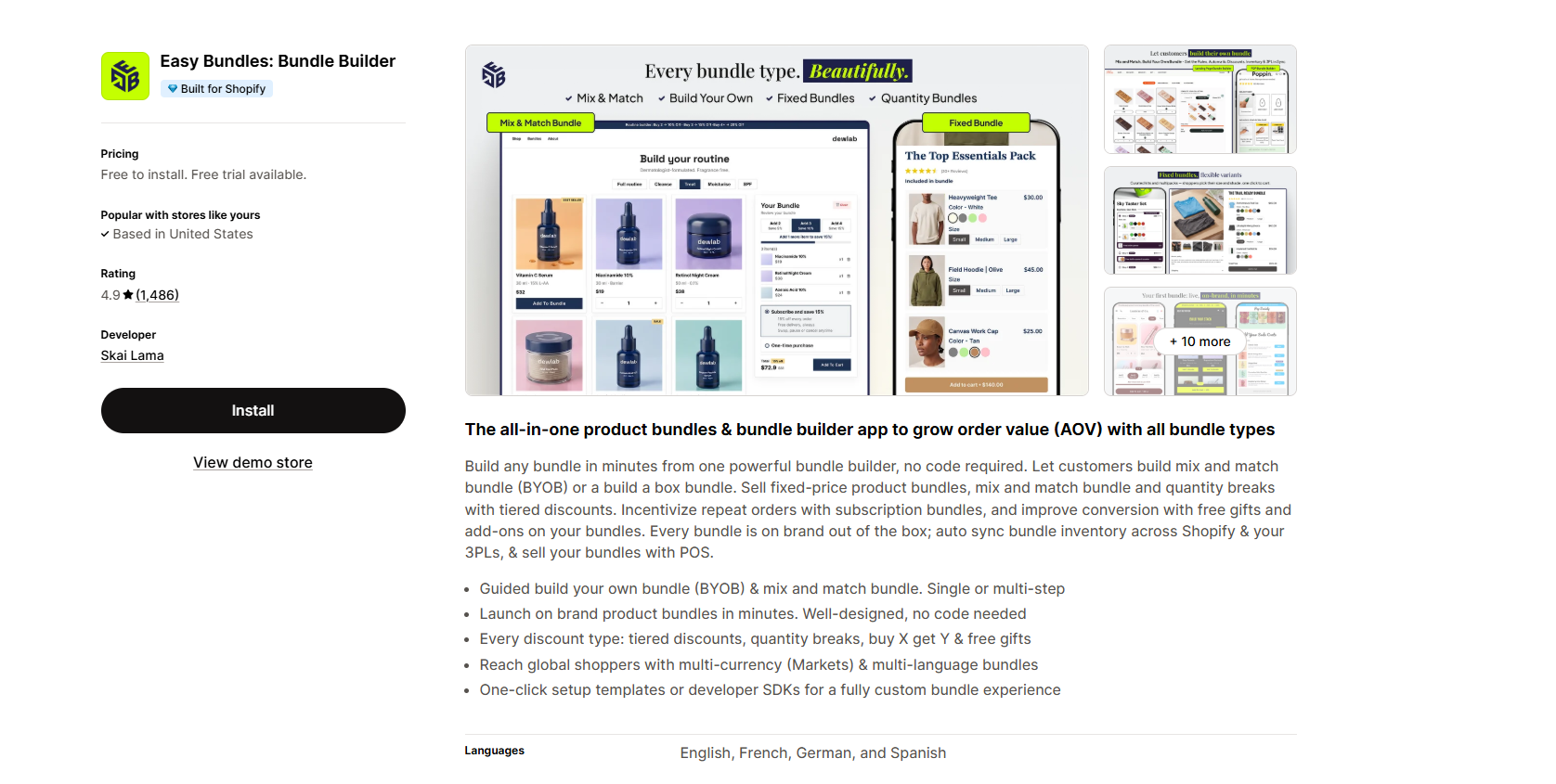
Best for: Stores starting with fixed bundles that may later need customizable gift boxes and multi-step bundle builders.
Pricing: Free up to $500 in monthly bundle sales; paid plans start at $29/month.
View Easy Bundles on the Shopify App Store
Easy Bundles is a useful option for stores that want to develop a more interactive bundle-shopping experience over time.
The free plan supports fixed or product bundles, quantity breaks, and customizable product page offers.
That makes it possible to start with a simple promotion, such as combining two complementary products at a discounted price.
The app's broader appeal is its paid bundle-building functionality.
With a paid plan, merchants can create mix-and-match bundles, build-your-own boxes, and multi-step selection experiences.
Imagine a gift store where shoppers choose a box, select several products, and assemble a personalized gift set. That's the kind of shopping journey Easy Bundles is designed to support.
What users like
- Fixed bundles on the free plan: Get started with basic product combinations.
- Quantity discounts: Offer savings for larger purchases.
- Customizable designs: Choose templates and adapt how offers appear.
- Product page placement: Show relevant bundles as customers shop.
- Advanced builder options: Paid plans offer multi-step and mix-and-match experiences.
- Customer support: Positive reviews frequently mention help with unusual bundle requirements and integrations.
- Growth path: Begin with basic offers and upgrade when more complex experiences are needed.
What can be improved
The distinction between free and paid features is important.
If you're specifically looking for a full build-your-own-box experience, the free plan may not meet your needs. Multi-step builders and advanced mix-and-match features are part of the paid offering.
The $500 monthly bundle-sales limit also means growing stores will need to consider subscription costs.
Some lower-rated reviews discuss customization difficulties and technical issues with particular implementations, so detailed testing is worthwhile.
Our take: Easy Bundles makes sense for merchants who are happy to begin with fixed bundles but expect to invest in more interactive bundle experiences later.
How to choose the right free Shopify bundle app
Choosing a bundle app becomes much easier when you start with the offer you want customers to see.
Don't begin by asking which app has the longest feature list. Start by asking what you actually need it to do.
1. Decide which bundle type fits your products
Different products suit different bundle strategies.
If you sell products people regularly restock, such as coffee, skincare essentials, or household supplies, quantity discounts might be enough.
If you sell complementary products, fixed bundles or frequently bought together offers may be more useful.
For gift shops, snack brands, and stores with many product variations, mix-and-match or build-your-own bundles can give customers more choice.
Choose an app that handles your primary bundle type well rather than paying for features you aren't likely to use.
2. Check the free-plan restrictions carefully
A free plan isn't necessarily a problem. But you need to understand what happens when your store grows.
Look beyond the word Free and check whether the app limits:
- Monthly bundle sales or additional revenue.
- Number of orders attributed to its promotions.
- Number of active bundles.
- Available bundle types.
- Customization and analytics features.
- Eligibility based on your Shopify subscription.
A revenue cap can be fine for testing. An unlimited free plan may be more predictable for a store with consistent sales.
3. Pay attention to inventory management
This part is easy to overlook.
When someone orders a bundle, what happens to the stock of the individual products inside it?
For a simple promotional discount, your existing inventory workflow might be enough.
For physical kits, warehouse picking, or third-party fulfillment, you may need component-level stock tracking and accurate SKU breakdowns.
Make sure the app supports your actual fulfillment process, not just the storefront offer.
4. Check how the bundle appears on mobile
A bundle widget shouldn't make the product page harder to use.
Look at the size of product images, the placement of discount labels, how variants are selected, and whether the add-to-cart button is still easy to find.
It's also worth checking whether the widget competes with your existing product options, subscriptions, or other upsell apps.
A simpler offer that works properly is better than an elaborate widget that confuses shoppers.
5. Read negative reviews as well as positive ones
A high app rating is useful, but it doesn't tell the whole story.
Look for reviews from merchants who use the app for a similar purpose. Feedback about warehouse inventory is more relevant to a kit seller than to someone who only wants quantity discounts.
Pay particular attention to recurring reports involving checkout behavior, discount stacking, theme compatibility, billing, and support.
One negative review doesn't prove a widespread problem. But several reviews describing the same issue are worth investigating.
How to create your first Shopify product bundle
You don't need to launch ten bundle offers at once. Start with one offer that makes sense for your existing customers.
Step 1: Choose products that belong together
Review your catalog and identify products customers are likely to use together. A cleanser and moisturizer, a notebook and pen, coffee beans and filters, or a camera and carrying case are obvious starting points.
The connection between the products should make sense to customers.
Step 2: Choose a discount that protects your margin
Don't automatically offer the biggest discount possible.
Start by calculating the combined product cost, shipping costs, payment fees, and other expenses tied to the order.
Then choose a discount that gives customers a reason to purchase the bundle while leaving enough profit for your business.
A bundle should improve the shopping experience, not simply reduce your earnings.
Step 3: Create and display the offer
Install the bundle app that fits your needs and create your first promotion.
Keep the message simple. Something like “Buy 3 and save 15%” is easier to understand than overlapping discount rules.
Show the offer near the product information or add-to-cart button so customers can see it without searching.
Step 4: Test the entire purchase process
Before publishing, try the offer yourself in your storefront.
Check the product page, variant selection, cart, discount calculation, shipping, and checkout.
If the bundle includes multiple physical products, check how the order appears in Shopify and whether inventory updates correctly. Test on both desktop and mobile.
Step 5: Measure what happens after launch
A bundle isn't successful just because customers click on it.
Keep an eye on average order value, bundle purchases, conversion rate, discount costs, and profitability.
If people ignore the offer, try a different product combination or a clearer description before increasing the discount.
Frequently asked questions about free Shopify bundle apps
Are Shopify bundle apps really free?
Some are completely free, while others provide limited free plans.
Shopify Bundles is a completely free app for fixed bundles and multipacks. Other apps may restrict revenue, order volume, active bundles, or advanced features. Always check the current Shopify App Store pricing section before installing.
Does Shopify have a free bundle app?
Yes. Shopify offers its own app called Shopify Bundles.
It supports fixed bundles and multipacks, with inventory connected to the products inside each bundle. However, it isn't designed to replace advanced mix-and-match or promotional bundle apps.
Can I create product bundles without paying for an app?
Yes. Several Shopify apps offer free bundle functionality. The right one depends on whether you need fixed bundles, quantity discounts, BOGO promotions, or more flexible customer-selected combinations.
For basic bundles, Shopify's own app may be sufficient.
What is the difference between product bundles and quantity breaks?
A product bundle combines products into one offer. A quantity break rewards customers for buying more units.
For example, a shampoo-and-conditioner set is a product bundle, while getting 15% off when buying three shampoos is a quantity-break offer. Some Shopify apps support both.
Can Shopify bundle apps automatically update inventory?
Some can, but inventory handling varies.
Shopify Bundles uses Shopify's native component inventory functionality. Simple Bundles & Kits also focuses on component-level stock and fulfillment workflows.
If you're using a third-party fulfillment service or selling kits containing several individual SKUs, verify the inventory process before choosing an app.
Can I combine bundle discounts with other Shopify discount codes?
It depends on the app and how your discounts are configured.
Shopify's discount combination settings, app-specific rules, and promotion types can affect whether multiple discounts work together.
Test combinations before launching campaigns to avoid unexpected pricing.
Which free Shopify bundle app should I use?
For simple fixed bundles, Shopify Bundles is an easy place to start.
For basic offers with no free-plan revenue cap, Bundler is worth considering.
For quantity discounts, BOGO, and gift promotions, Wow Bundle & Volume Discounts, SMART Bundles, and Bundlex provide free options.
If inventory and fulfillment are your biggest concerns, take a closer look at Simple Bundles & Kits.
The best choice is the one that matches your products, budget, and existing store setup.
Final thoughts
Free Shopify bundle apps can help you offer better product combinations without immediately adding another monthly expense.
But the cheapest option isn't automatically the right one.
A simple fixed-bundle app might be all you need. On the other hand, if your customers want to build their own gift boxes or you need detailed fulfillment workflows, choose a tool designed for those requirements.
Start with one offer, make sure it works properly, and measure whether customers actually respond to it.
A well-chosen bundle of two or three products can be more useful than a complicated promotion that no one understands.