

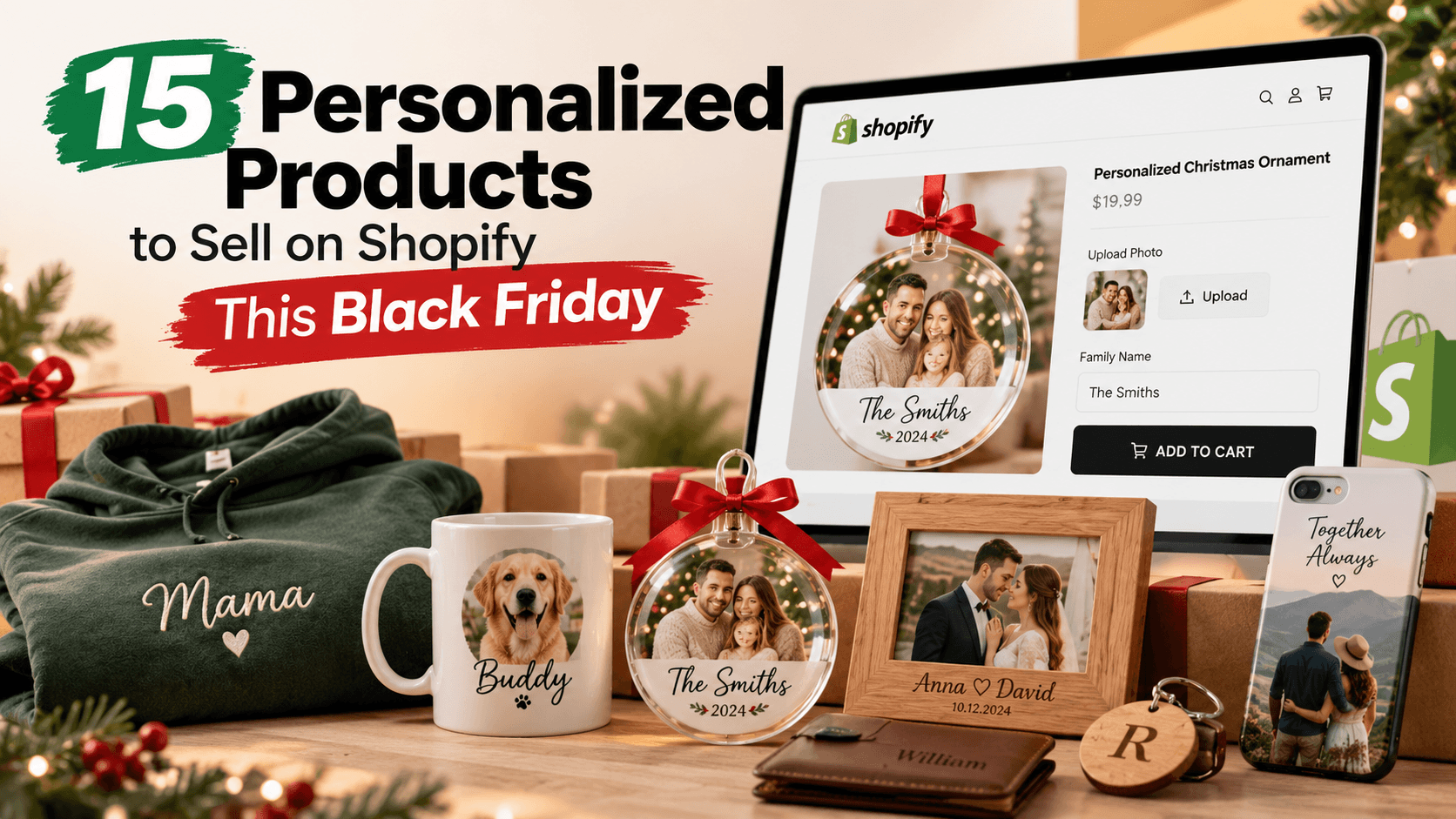
Personalized products are a natural fit for Black Friday because the shopping period overlaps with holiday gifting.
The opportunity is not simply to put a name on everything in your catalog. It is to choose products where personalization makes the gift feel more specific, then make those choices easy to order and easy to fulfill.
Below are 15 product ideas Shopify stores can adapt for Black Friday. Each one includes the customer inputs you may need, a sensible upgrade idea, and a note on when a live preview is worth adding.
Quick Answer
Good personalized products for Black Friday include engraved jewelry, ornaments, mugs, tumblers, custom apparel, phone cases, pet gifts, photo products, monogrammed leather goods, notebooks, home decor, hats, blankets, gift boxes, and tech accessories.
For simple products, a text field or swatch may be enough.
For products where placement, artwork, font, or color changes the finished look, use a product personalizer with live preview.
If the product needs multiple paths, such as “text only” versus “upload artwork,” conditional logic can keep the product page from becoming cluttered.
What Makes a Personalized Product Worth Selling for Black Friday?
Before choosing an idea, check three things.
First, the personalization should mean something to the buyer.
Initials on a wallet or a date on a necklace have an obvious purpose. A random custom field added to a commodity product does not.
Second, your production team must be able to handle the variation.
A product that sells well but creates a manual artwork crisis is not a good Black Friday product.
Third, the ordering experience should explain itself.
Customers should know:
-
What they can enter
-
What it costs
-
What the finished item is expected to look like
-
When it can arrive
Shopify’s guide to personalized gifts also highlights the role of customization in making gifts feel more meaningful.
Shopify Personalized Gift Ideas
1. Engraved Necklaces, Bracelets, and Rings
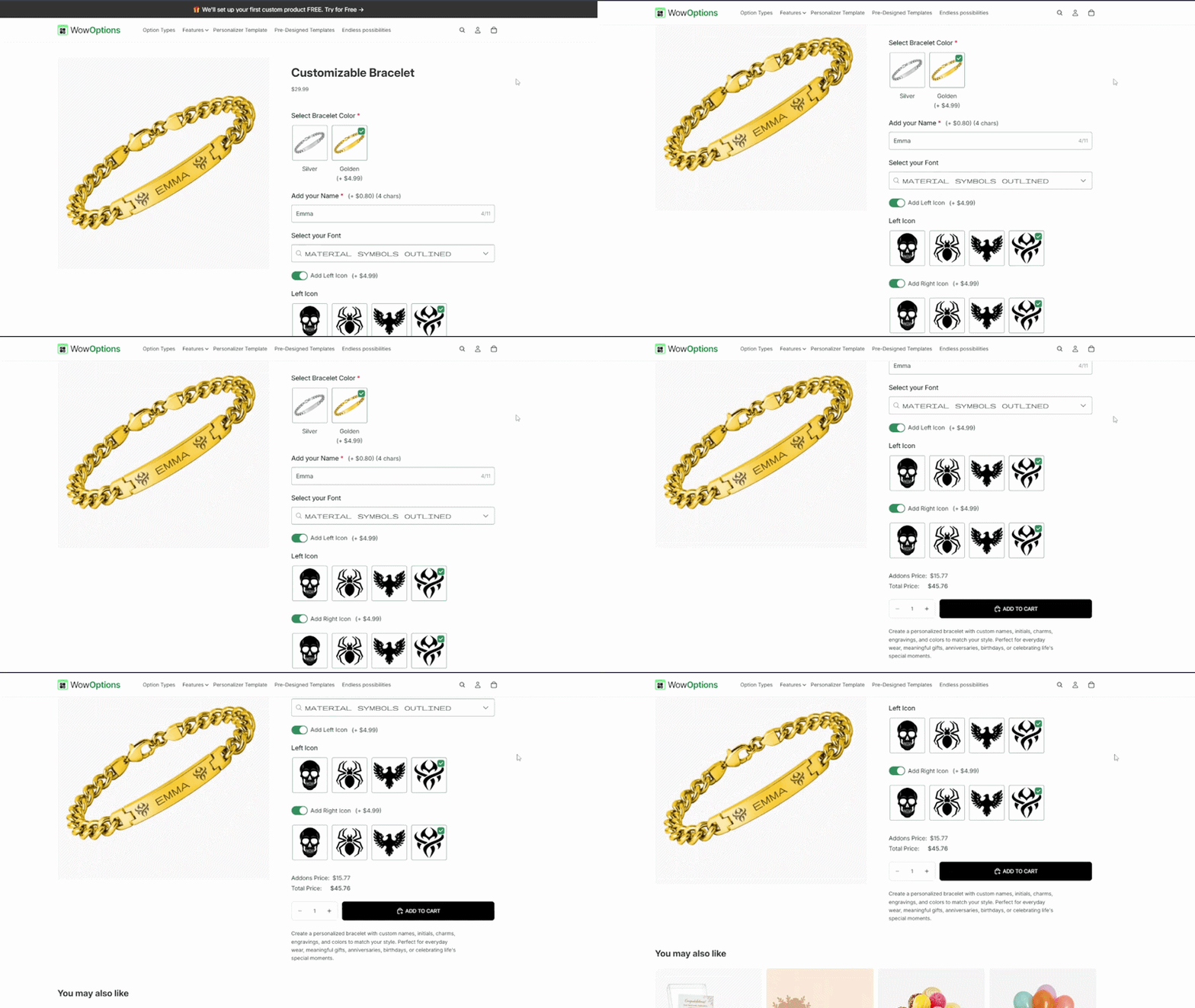
Jewelry works well for personalization because a small amount of text can carry a lot of meaning.
Useful options:
-
Name or initials
-
Date
-
Short message
-
Font
-
Symbol or icon
-
Metal color
-
Engraving location
Possible paid upgrade: Second-side engraving, additional charm, or premium gift box.
Live preview? Recommended when the customer chooses a font, placement, or multiple text lines. It helps the shopper understand how a short message will sit on a small surface.
Production note: Set the character limit from the actual engravable area. Do not use a generic limit across every piece of jewelry.
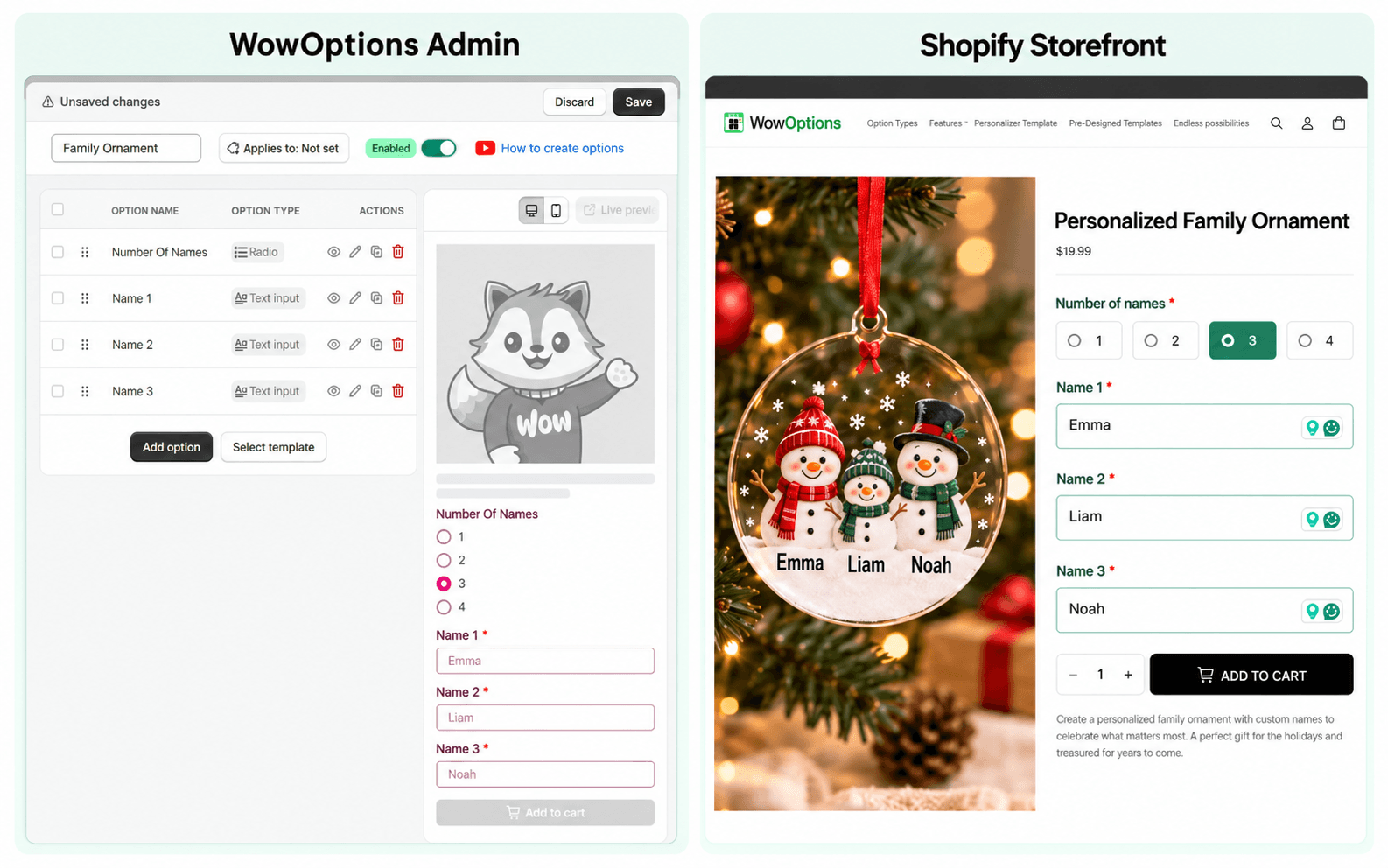
2. Personalized Christmas Ornaments
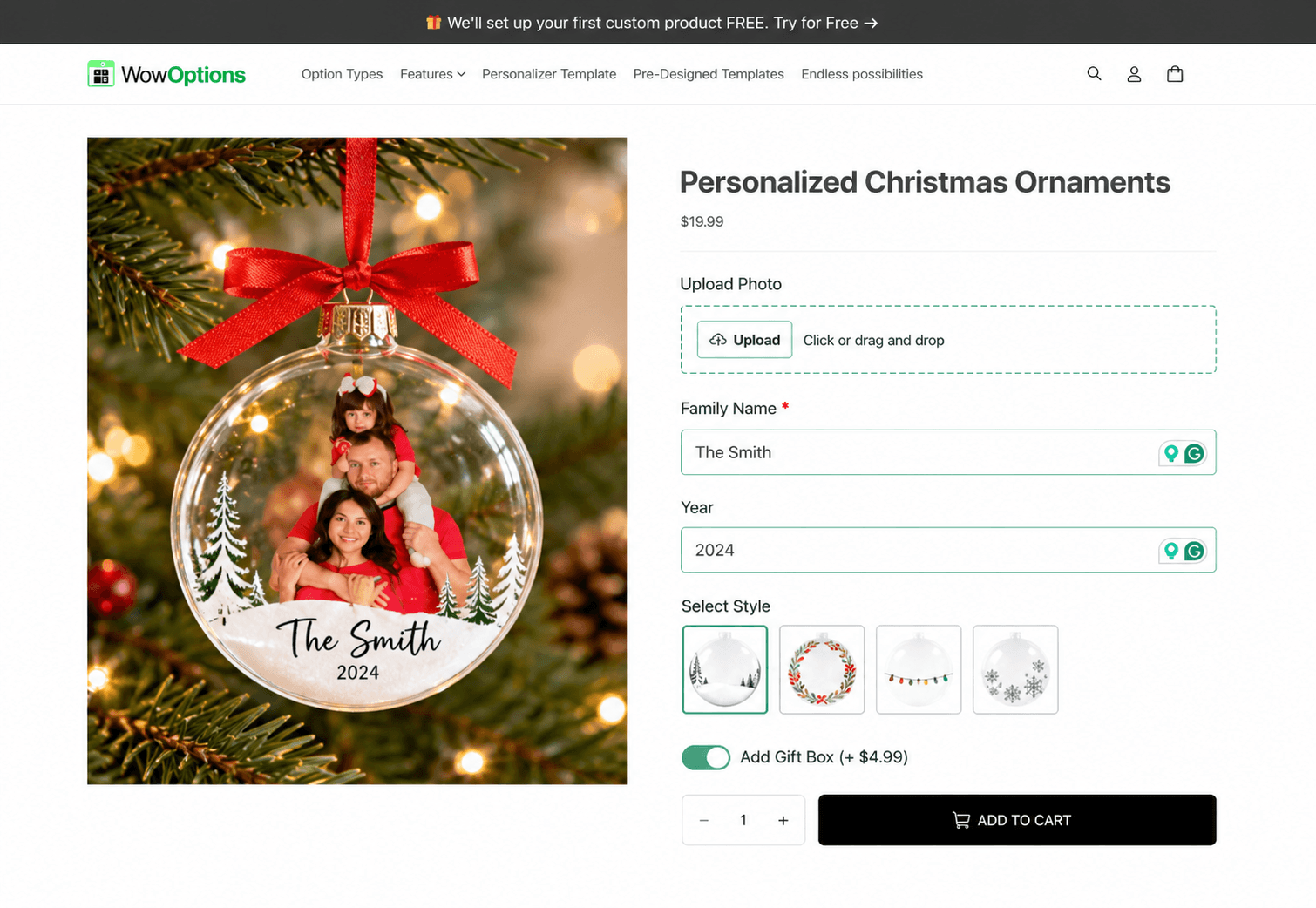
Ornaments are naturally seasonal and can be sold for couples, families, babies, pets, newlyweds, teachers, or memorial gifts.
Useful options:
-
Family or recipient name
-
Year
-
Short message
-
Design style
-
Background or material
-
Number of family members or icons
Possible paid upgrade: Gift box, premium ribbon, or back-side message.
Live preview? Useful for text-heavy designs or layouts where the number of names changes the composition.
A conditional setup can ask how many names the shopper wants, then reveal the correct number of name fields.
3. Custom Mugs and Tumblers
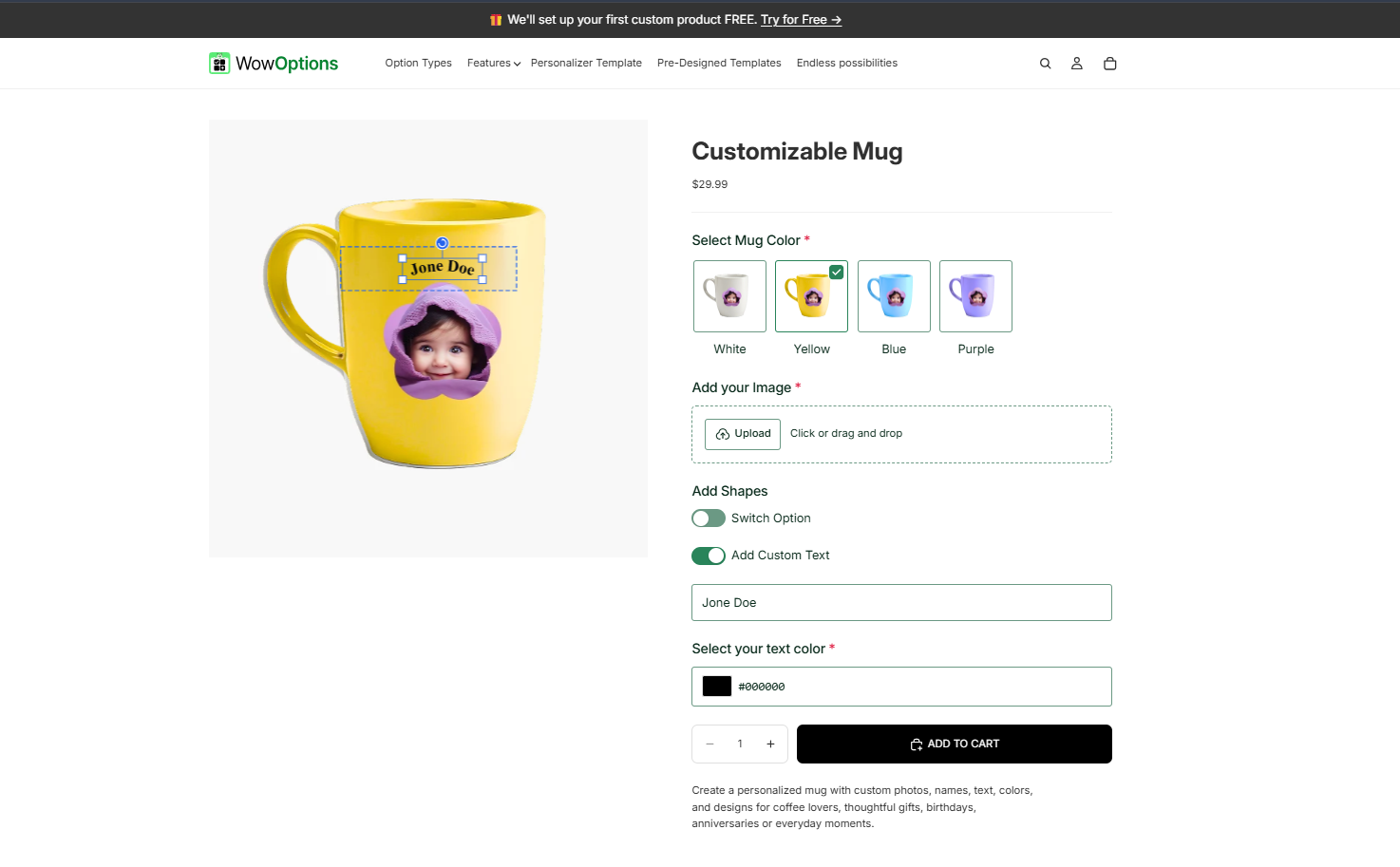
Drinkware is easy to understand and works for names, professions, hobbies, company gifts, family jokes, and photo designs.
Useful options:
-
Custom text
-
Font and text color
-
Photo or logo upload
-
Design template
-
Cup color
-
Left/right-side placement
Possible paid upgrade: Second print area, gift packaging, or matching coaster.
Live preview? Strongly recommended for photo, logo, or text placement.
4. Personalized T-Shirts and Hoodies
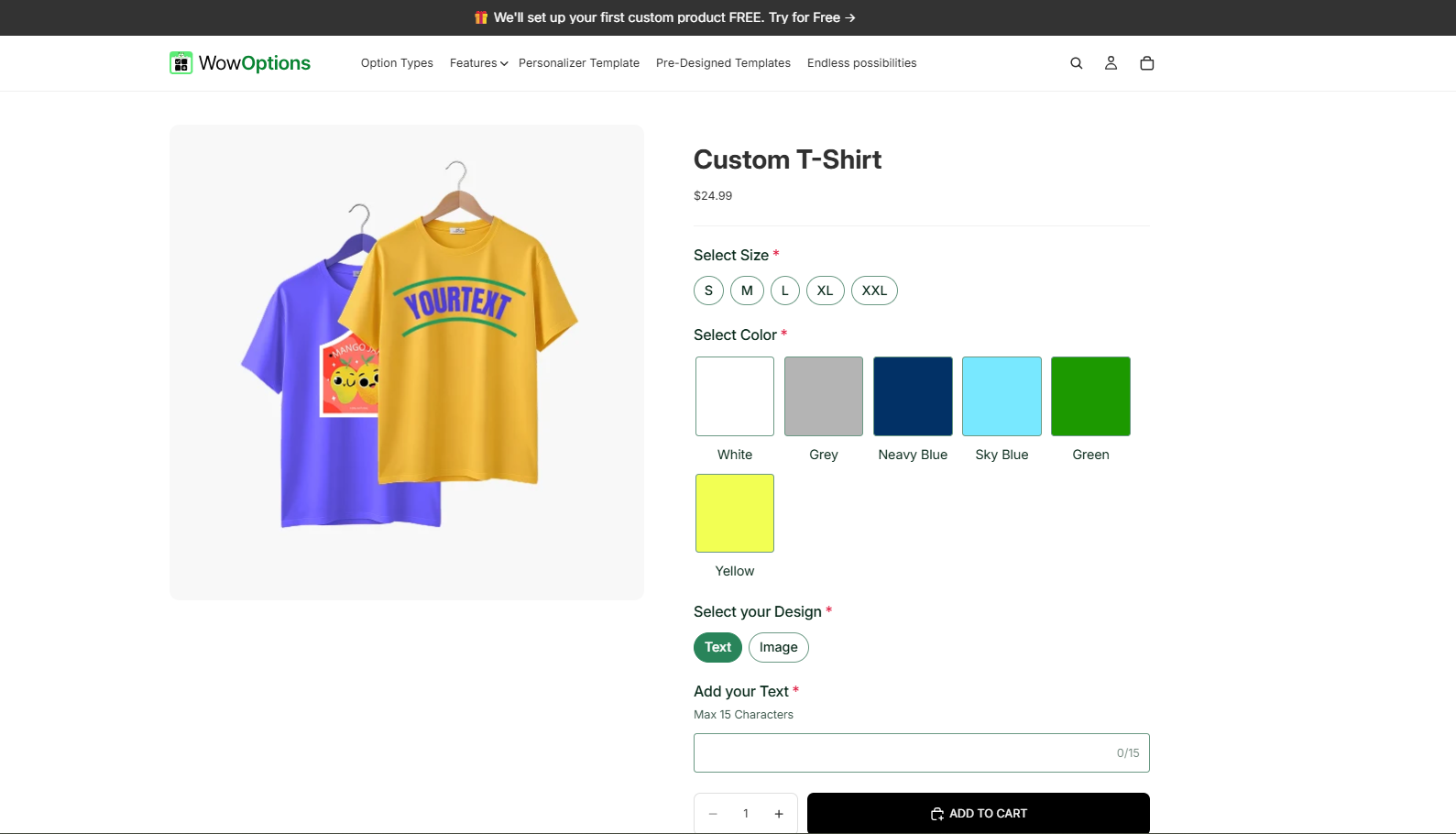
Apparel gives you several customization models: names and numbers, uploaded graphics, team apparel, family trip shirts, business logos, or prebuilt design templates.
Useful options:
-
Size and garment color
-
Custom text
-
Font and text color
-
Image upload
-
Print location
-
Design template
Possible paid upgrade: Back print, sleeve print, oversized print, or uploaded artwork.
Live preview? Recommended when text or artwork appears on the garment.
Keep standard Shopify variants such as size separate from custom personalization where that makes the catalog easier to manage.
The customer does not need to know which system stores which choice. They only need one coherent product page.
5. Custom Phone Cases
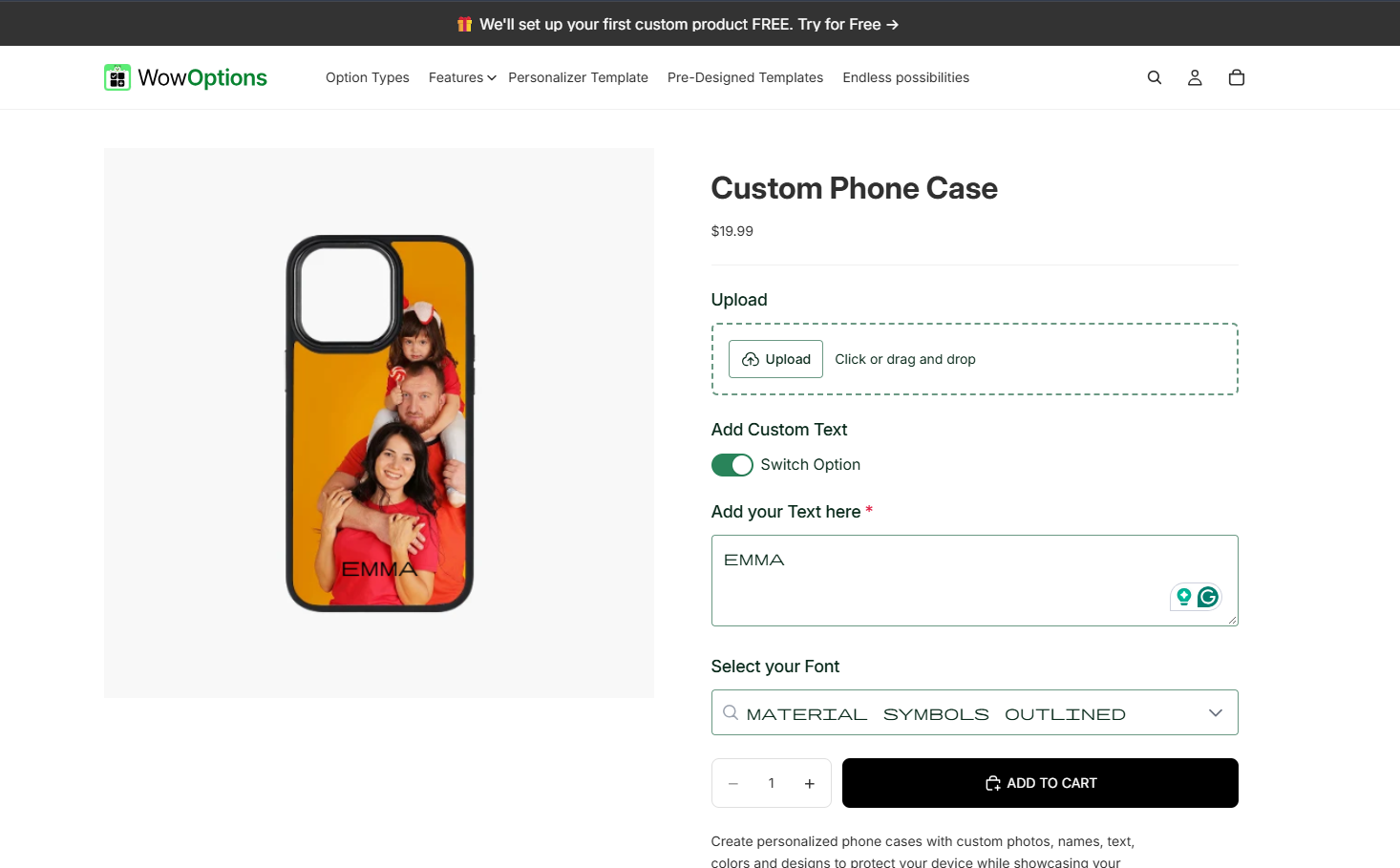
Phone cases are visual products, which makes them a strong fit for a live personalizer.
Useful options:
-
Phone model
-
Case style or color
-
Custom text
-
Photo upload
-
Monogram
-
Layout template
Possible paid upgrade: Premium case material, extra photo, or gift packaging.
Live preview? Yes, especially for photo crop, name placement, or multi-image layouts.
Production note: Make the phone model selection impossible to miss. A perfect personalization on the wrong case model is still a failed order.
6. Personalized Pet Gifts
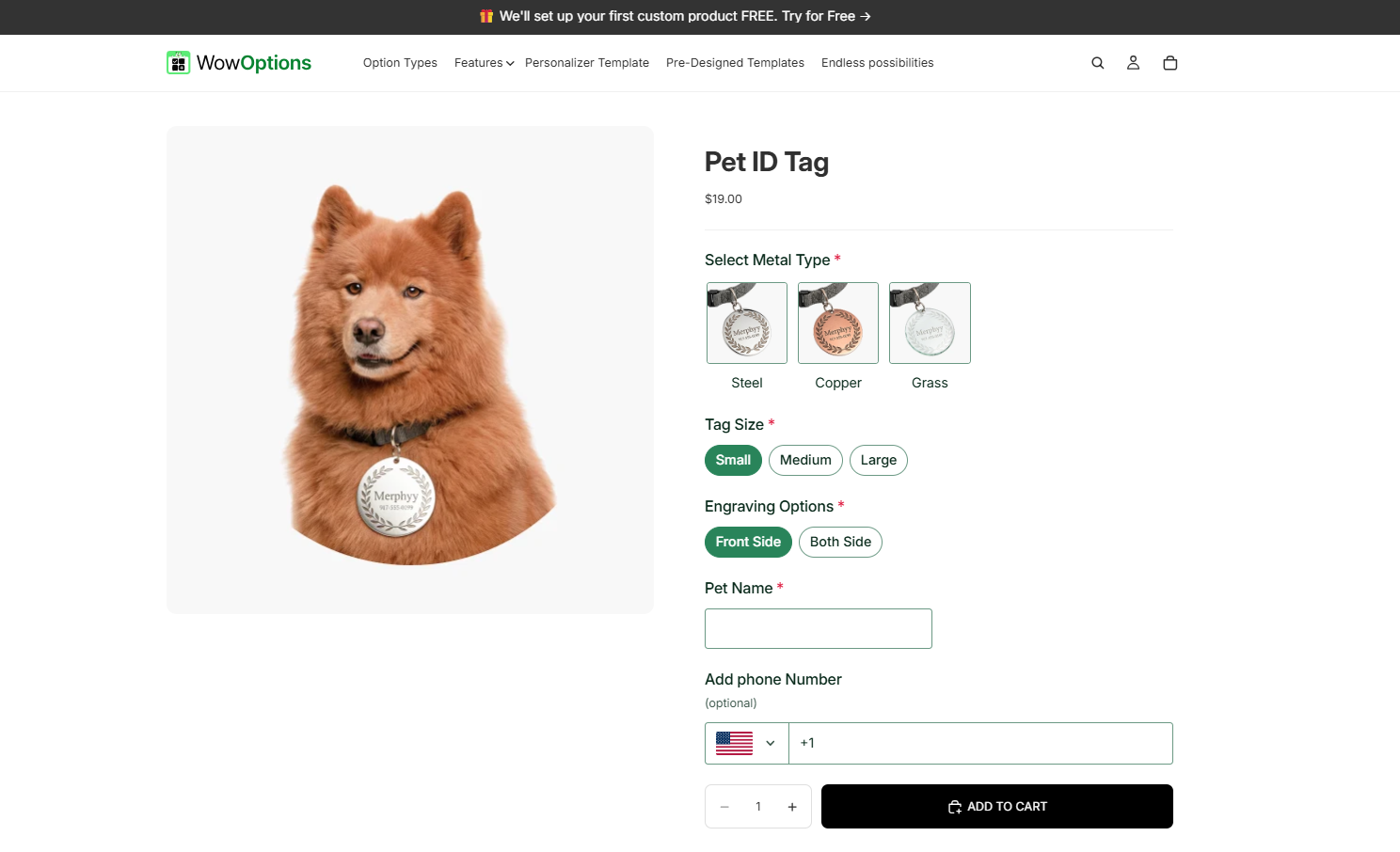
Pet products can cover owners as well as the pets themselves: tags, mugs, blankets, portraits, shirts, memorial gifts, or feeding mats.
Useful options:
-
Pet name
-
Pet photo upload
-
Breed or illustration style
-
Background color
-
Message
-
Number of pets
Possible paid upgrade: Extra pet, premium background, digital proof, or gift box.
Live preview? Useful when a template places the pet name or image into a fixed design.
For fully hand-illustrated pet portraits, a preview may be representative rather than a final proof, so explain that clearly.
7. Photo Gifts and Custom Prints
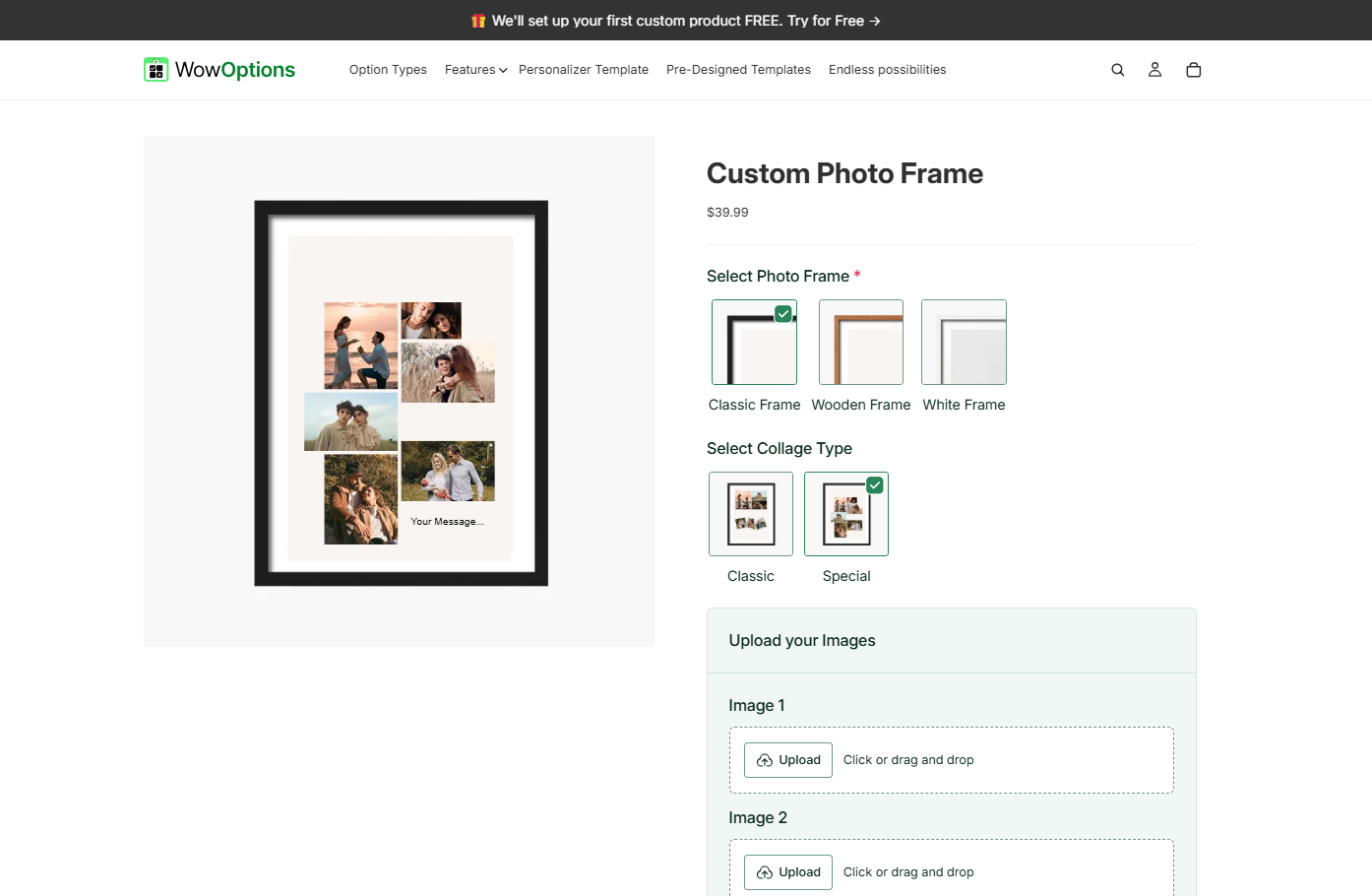
Photo-based gifts include framed prints, acrylic blocks, canvases, posters, photo tiles, and keepsake plaques.
Useful options:
-
Image upload
-
Orientation
-
Size
-
Frame style
-
Caption or date
-
Crop preference
Possible paid upgrade: Larger format, premium frame, or extra print.
Live preview? Recommended if the customer can see crop and placement.
At minimum, clearly state the required image quality and aspect ratio.
A file upload field should reject formats or file sizes you cannot use. It is better to catch an unusable upload on the product page than after the order enters production.
8. Monogrammed Wallets, Bags, and Leather Goods
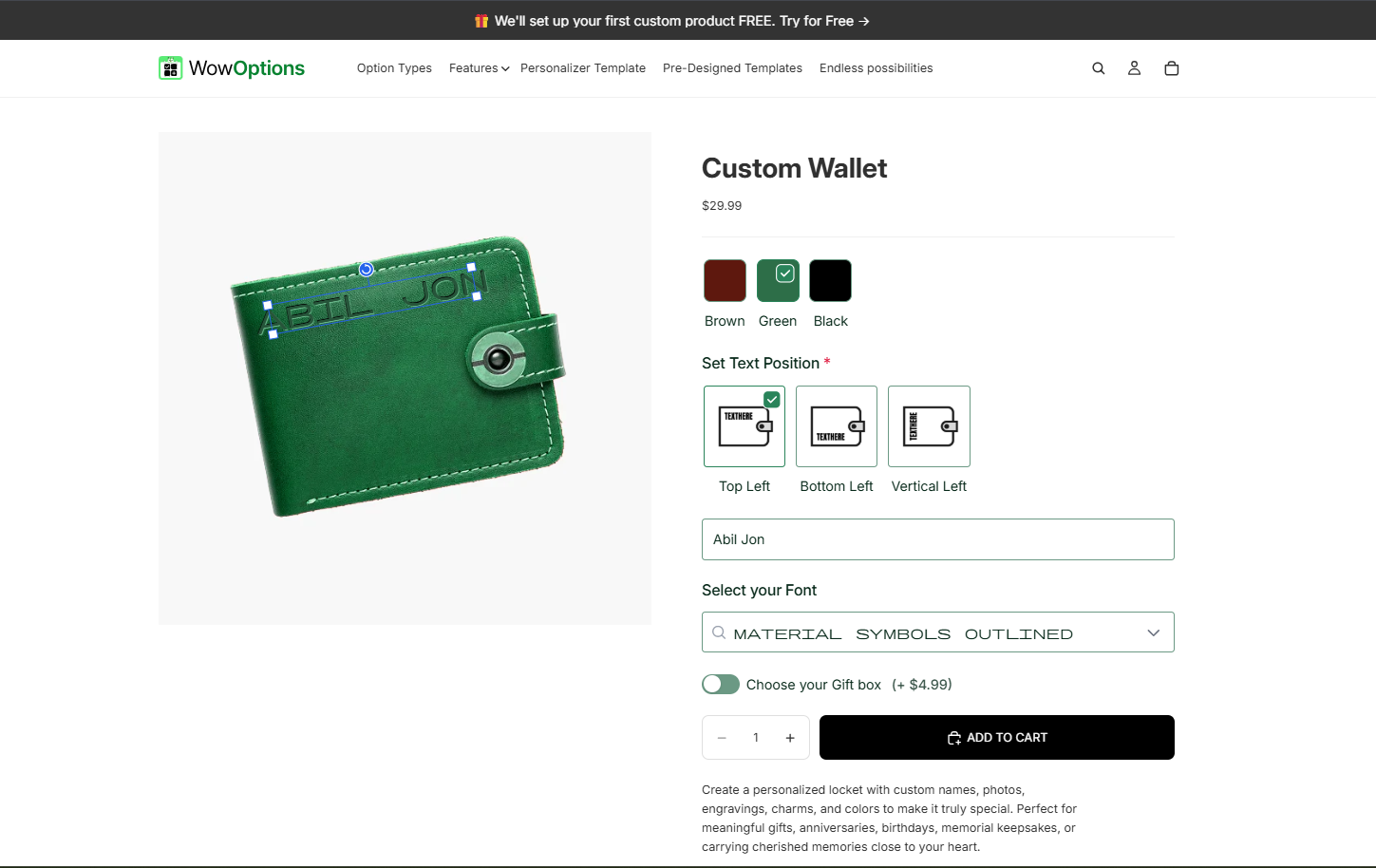
A small monogram can turn a practical product into a gift without requiring a complicated configuration.
Useful options:
-
Initials
-
Font or monogram style
-
Foil or imprint color
-
Placement
-
Gift note
Possible paid upgrade: Premium gift box or second personalization location.
Live preview? Helpful when placement and foil color are important.
A simple initials field may be enough if the product has one fixed engraving style.
9. Personalized Notebooks, Journals, and Planners
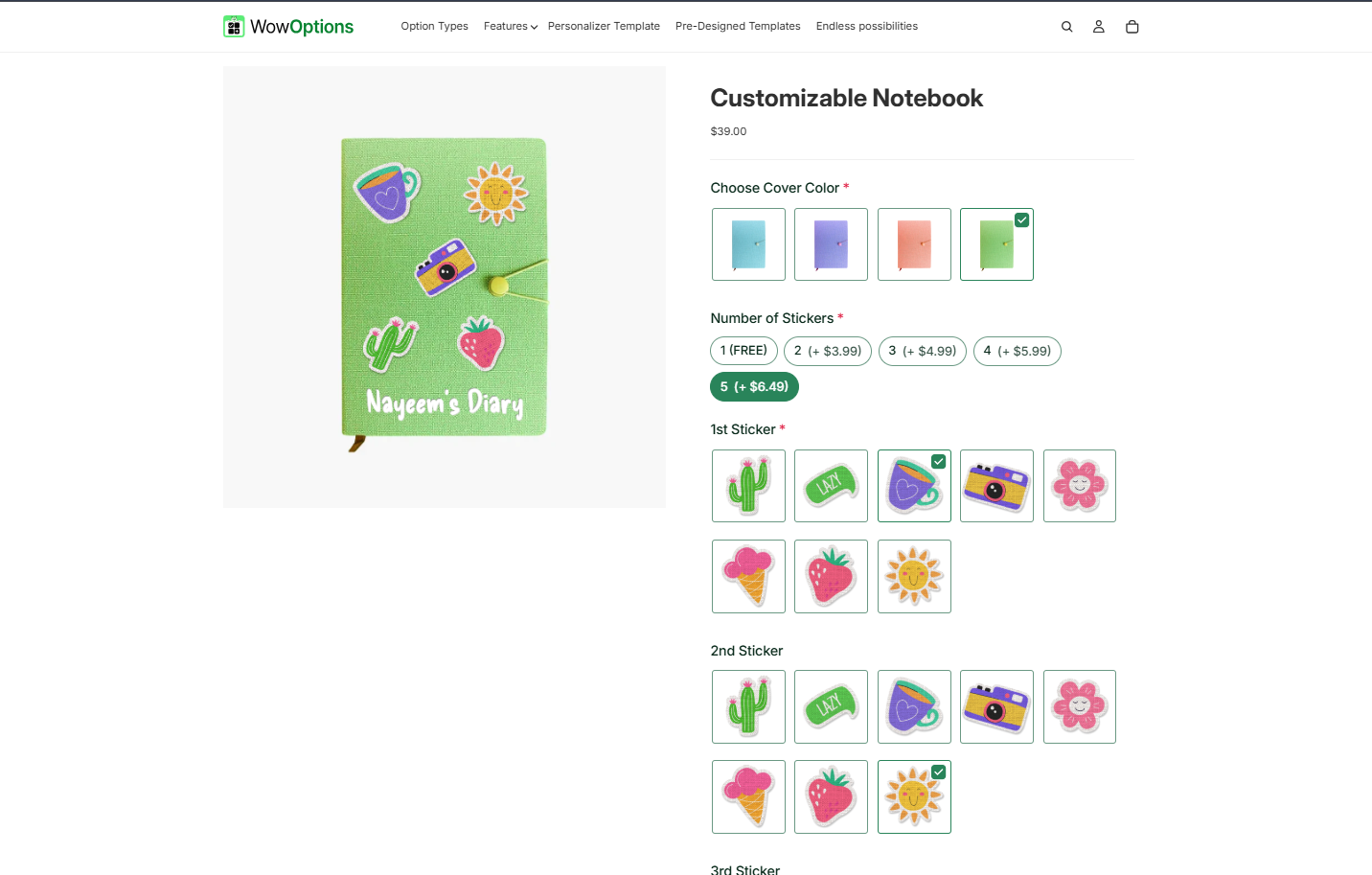
These work for students, professionals, weddings, teams, and corporate gifting.
Useful options:
-
Name or title
-
Cover color
-
Font
-
Icon or small graphic
-
Planner type
-
Start month, if your production supports it
Possible paid upgrade: Pen loop, premium paper, gift sleeve, or extra cover text.
Live preview? Useful for cover typography, but not necessary for internal planner choices that do not change the cover design.
10. Custom Signs and Home Decor
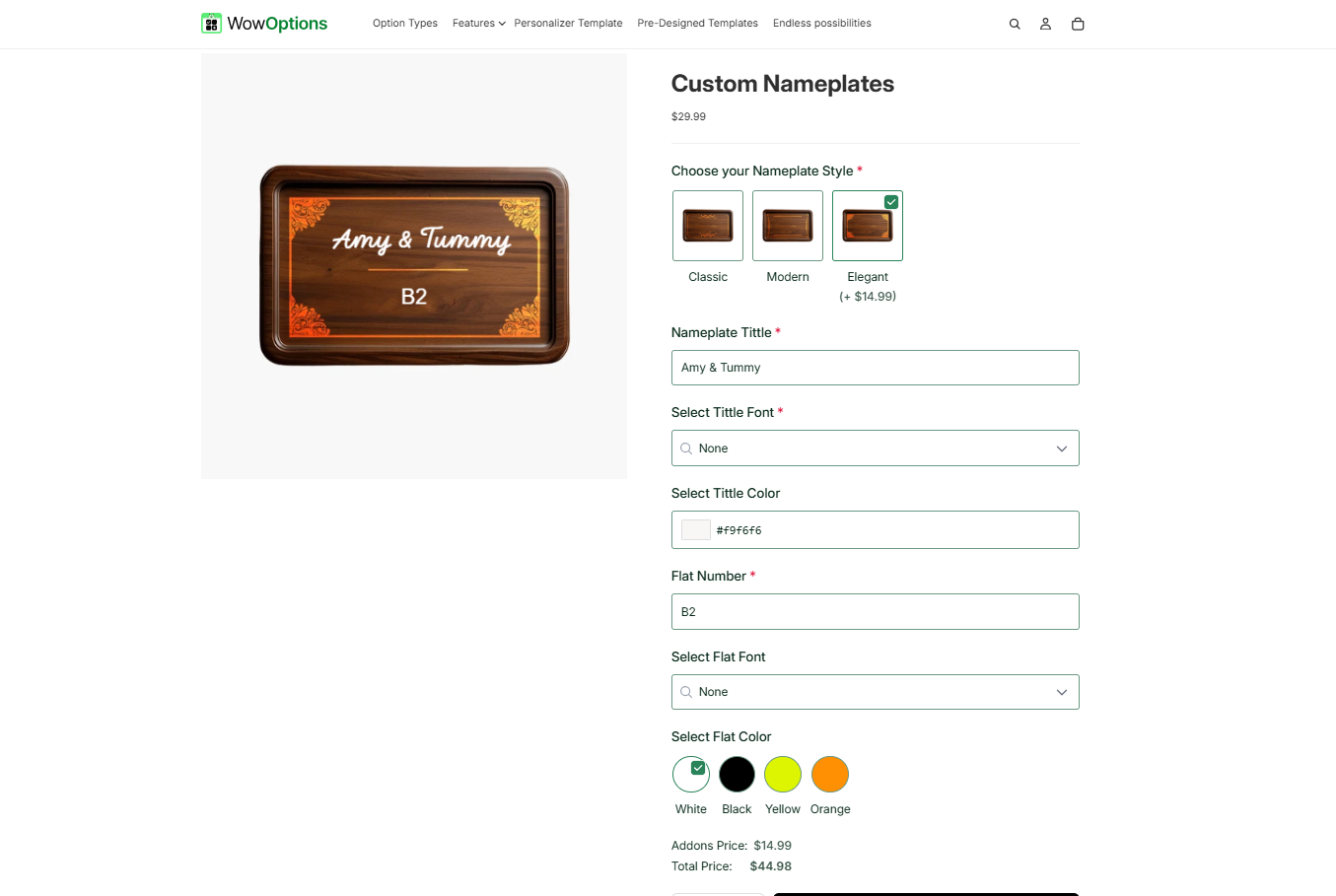
Personalized signs can serve weddings, housewarmings, family gifts, nurseries, kitchens, and seasonal decor.
Useful options:
-
Family name or quote
-
Established date
-
Size
-
Background color
-
Lettering color
-
Layout template
Possible paid upgrade: Larger size, premium material, or mounting kit.
Live preview? Recommended. Size, color, and text layout are core to the purchase.
For products with many combinations, conditional logic can help.
Choosing a round sign could reveal layouts built for a round canvas, while a rectangular sign could show a different set.
11. Embroidered Hats and Beanies
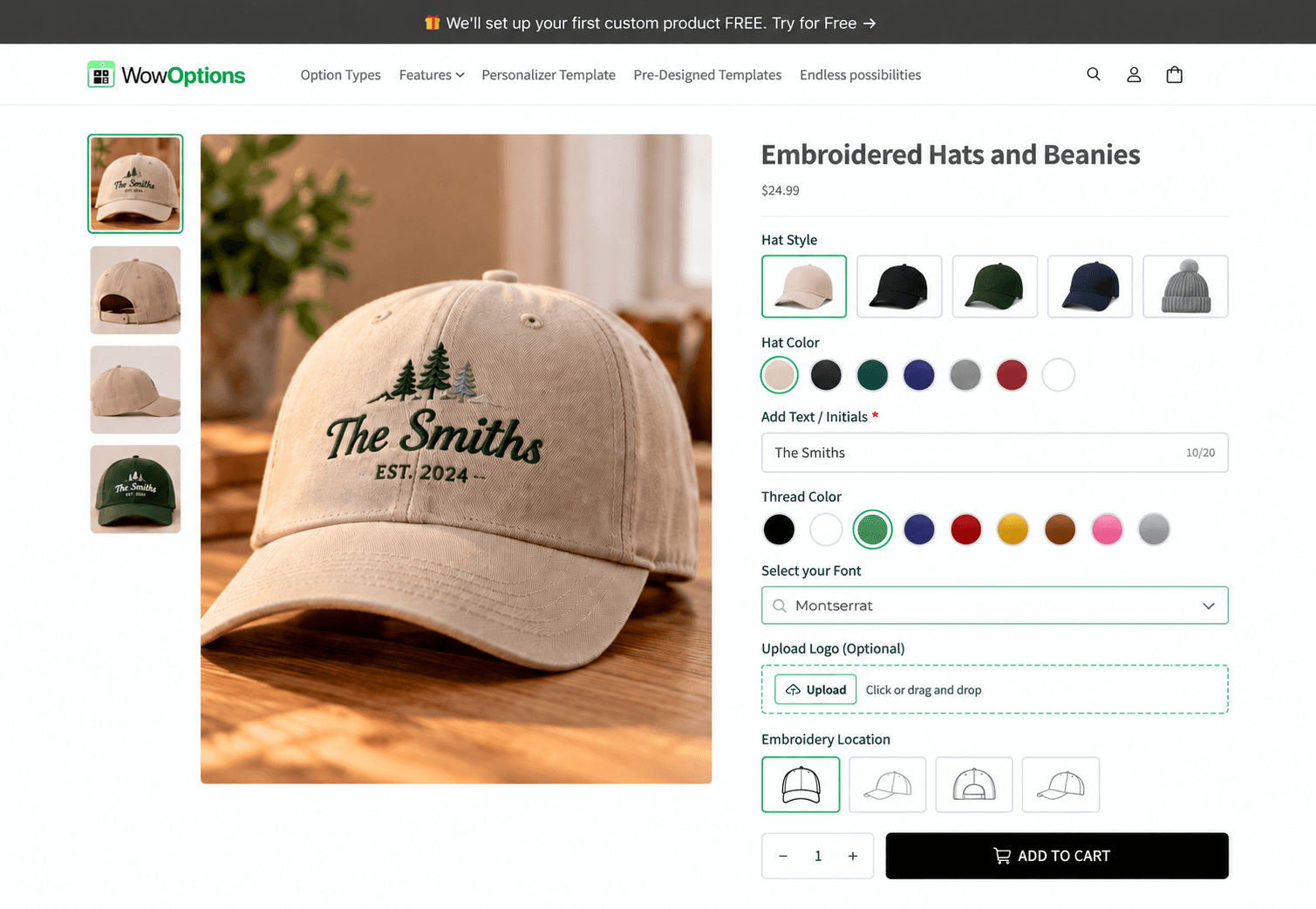
Headwear works for initials, short words, club names, company logos, or small symbols.
Useful options:
-
Hat color
-
Text or initials
-
Thread color
-
Font
-
Logo upload
-
Embroidery location
Possible paid upgrade: Side embroidery, logo digitization, or premium hat style.
Live preview? Helpful for placement and thread color.
For uploaded logos, explain whether the preview represents the final embroidery exactly or is only a placement guide.
12. Personalized Blankets and Pillows
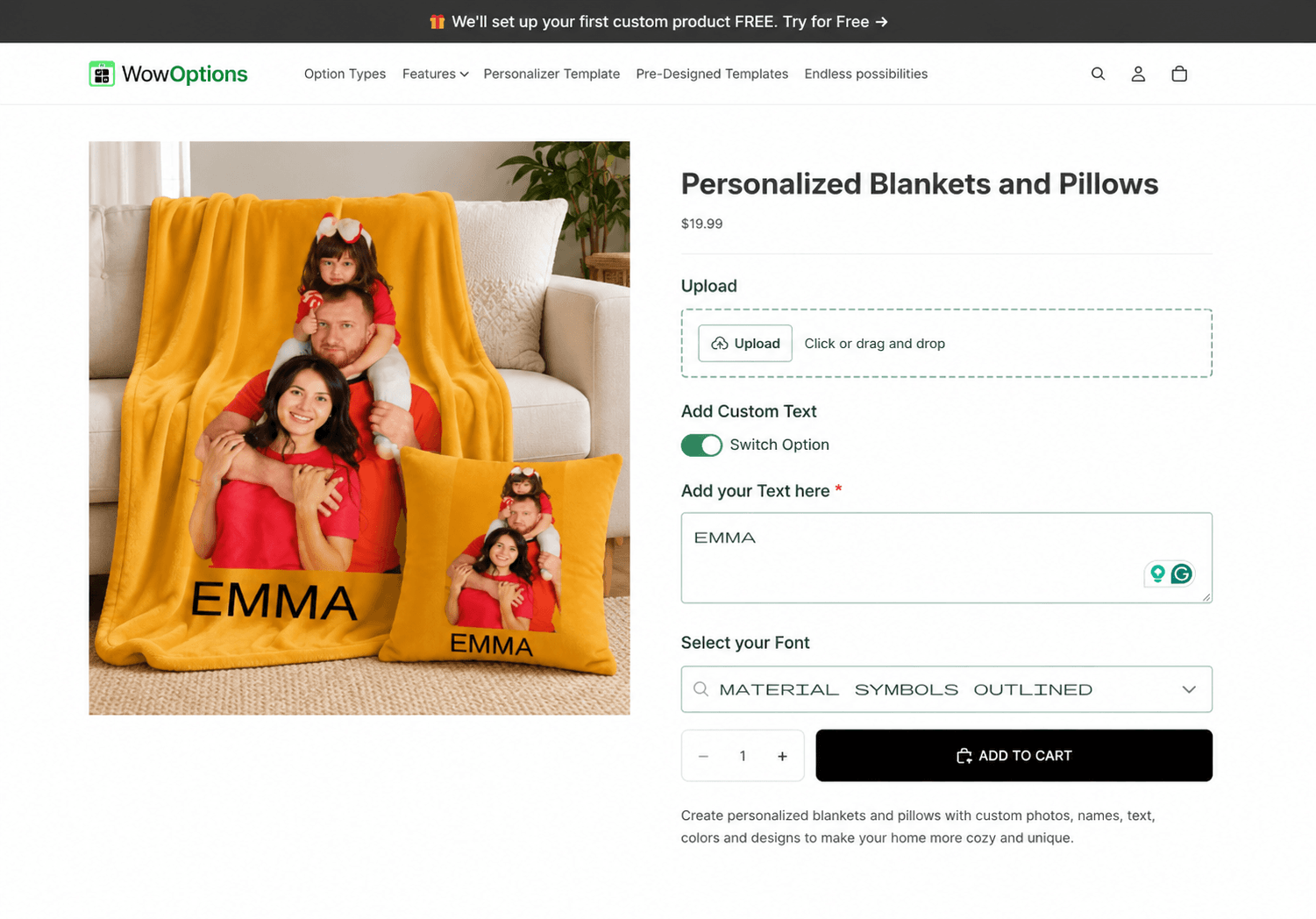
These work for photo collages, names, family designs, memorial gifts, baby gifts, and couples.
Useful options:
-
Size
-
Photo upload
-
Name or message
-
Background design
-
Number of photos
Possible paid upgrade: Larger size, extra photos, or premium fabric.
Live preview? Recommended for collage or photo placement.
If the shopper selects a one-photo design, do not show six upload fields. Reveal the number of uploads that match the selected template.
13. Build-Your-Own Personalized Gift Boxes
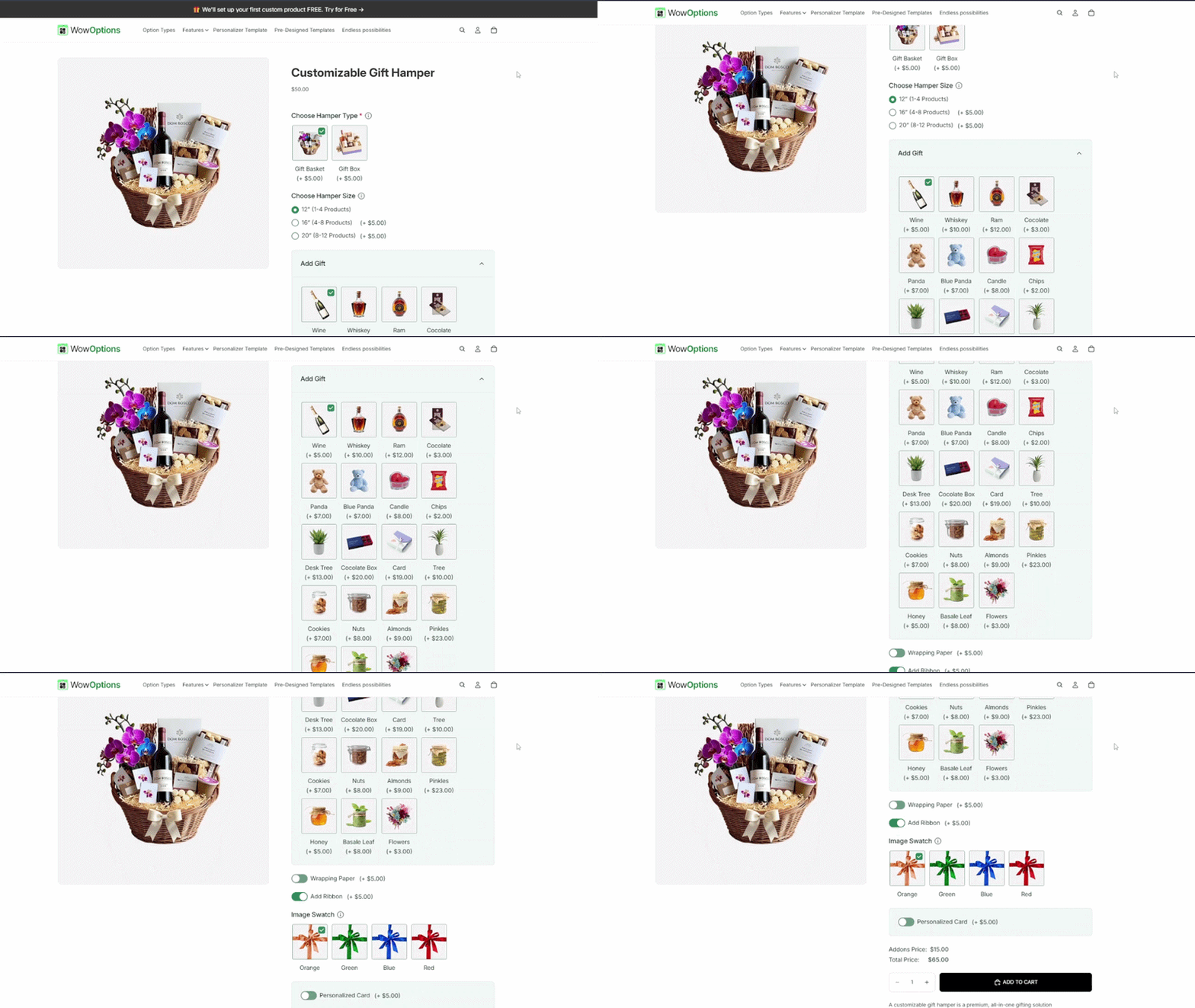
A gift box can combine product choice and personalization in the same flow.
Useful options:
-
Recipient type or occasion
-
Box design
-
Item choices
-
Name on box or card
-
Gift message
-
Delivery date request
Possible paid upgrade: Premium packaging, added product, printed card, or rush handling if your operation supports it.
Live preview? Usually optional.
Swatches and product images may be more useful than rendering every item into one composite preview.
Conditional logic is valuable here.
For example, if a customer adds a candle, show scent choices. If they skip it, hide the scent field.
14. Custom Laptop Sleeves, Mouse Pads, and Desk Accessories
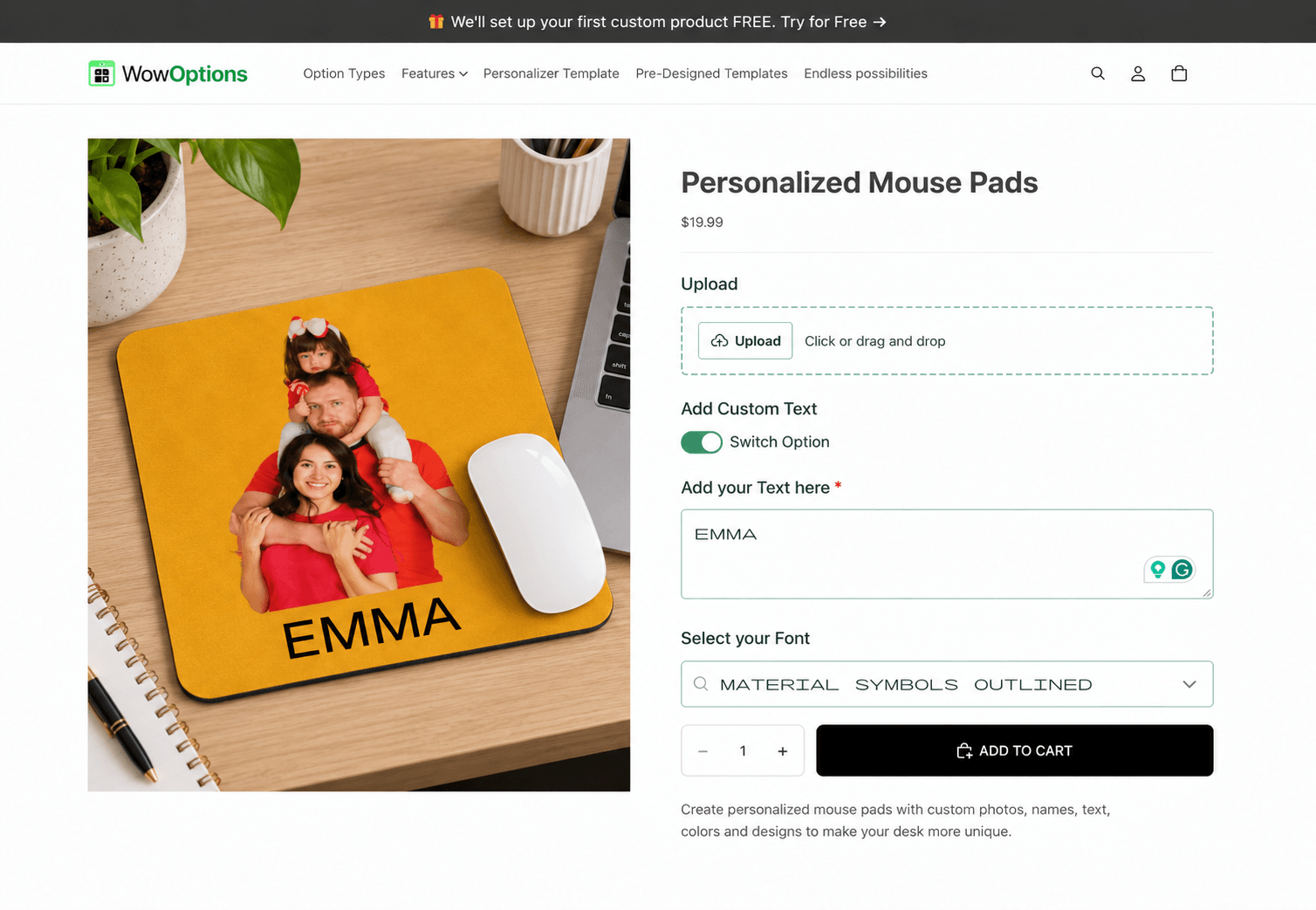
These products work for students, gamers, creators, businesses, and home-office gifts.
Useful options:
-
Device size
-
Background color
-
Name or initials
-
Logo or photo upload
-
Design template
Possible paid upgrade: Matching accessory, premium material, or double-sided print.
Live preview? Recommended for image uploads and text placement.
15. Personalized Keepsakes for Weddings and Milestones
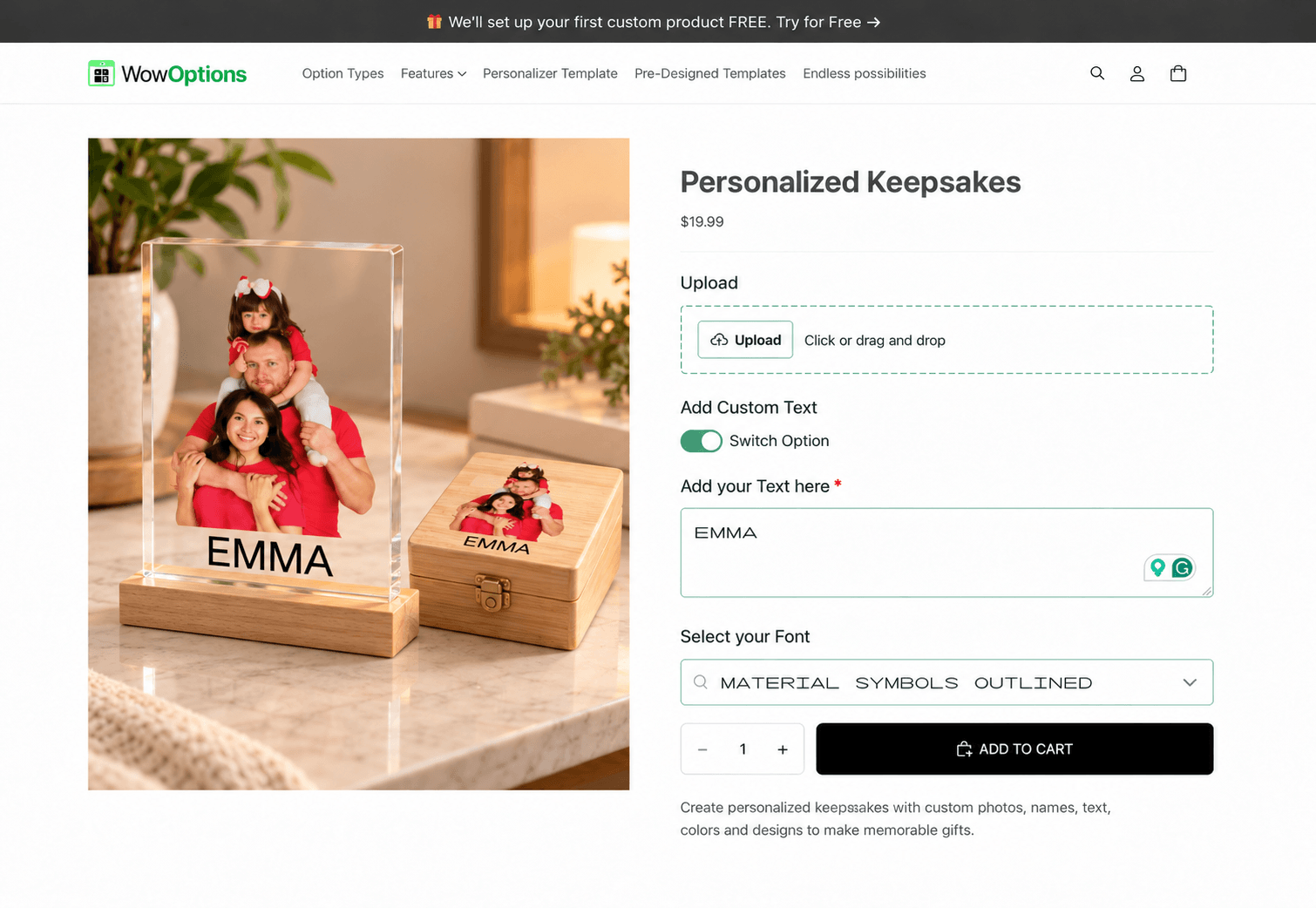
This category includes ring boxes, cake servers, vow books, anniversary plaques, baby keepsakes, graduation gifts, and retirement gifts.
Useful options:
-
Names
-
Date
-
Event type
-
Short message
-
Design motif
-
Font
Possible paid upgrade: Additional engraving, premium packaging, or matching set.
Live preview? Useful for items where typography is central to the design.
Which Personalization Fields Do These Products Actually Need?
You can reduce most personalized products to a few common input types:
| Customer needs to… | Useful field type |
|---|---|
| Enter a name, initials, date, or short message | Text field |
| Enter a longer note | Text area |
| Choose one design | Radio button, button, dropdown, or image swatch |
| Choose multiple add-ons | Checkbox or multi-select options |
| Pick a color | Color swatch or color picker |
| Choose typography | Font picker |
| Send a photo, logo, or artwork | File upload |
| Choose a date | Date/time field |
| See options only after another choice | Conditional logic |
| See text or artwork on the product | Live product personalizer |
A store does not need every field type on every product.
Use the smallest set that produces an unambiguous order.
How to Turn One Product Idea Into a Black Friday Offer
Suppose you sell personalized ornaments.
Instead of publishing a generic “20% off” offer, you could structure the product like this:
-
Shopper selects ornament shape and material.
-
Shopper chooses “one name,” “couple,” or “family.”
-
The correct number of name fields appears.
-
The live preview updates the names and year.
-
Gift box appears as an optional paid add-on.
-
Black Friday promotion applies to the base ornament or engraving, depending on your margin strategy.
That is a complete buying experience, not simply a product with an empty personalization text box.
When Shopify’s Native Options Are Enough
If you only need standard product choices, Shopify’s native variants may be sufficient.
Shopify supports standard product option dimensions such as size, color, and material.
Read Shopify’s Product Variant Documentation
The need for a custom product options app usually appears when the shopper must enter or upload something rather than only select a standard variant.
An app can also become useful when the product page needs:
-
Conditional rules
-
Add-on pricing
-
File uploads
-
Custom text
-
Swatches
-
Visual customization
Where WowOptions Fits
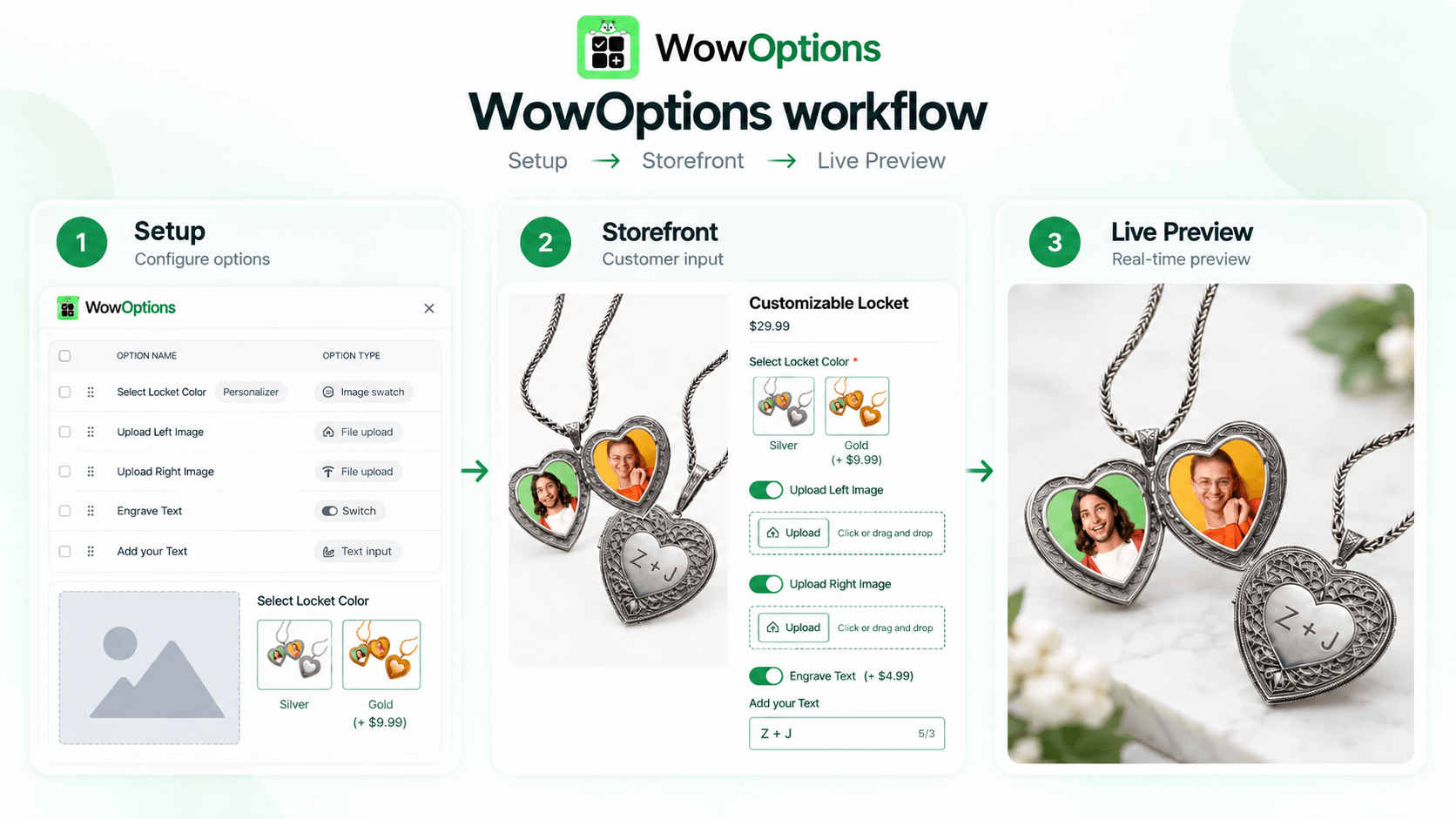
WowOptions is a Shopify custom product options app with a live personalizer.
It supports common personalization features such as:
-
Multiple option types
-
File uploads
-
Swatches
-
Paid add-ons
-
Conditional logic
-
Live customization
That combination is useful for the product ideas above because you can build the customer inputs and visual personalization in one app.
For example, an apparel product can use Shopify variants for size, WowOptions fields for custom text and artwork, conditional logic to reveal the right design path, and the live personalizer to show the customer’s selections.
A Pre-Launch Check for Personalized Black Friday Products
Before publishing a new personalized item, test the cases your customers are most likely to get wrong:
-
Blank required text
-
Text at the maximum allowed length
-
Unsupported punctuation
-
Wrong file type
-
Oversized upload
-
Multiple files when only one is allowed
-
Incompatible option combinations
-
Long names on mobile
-
Add-on pricing in the cart
-
Personalization details in the final order
Also check the production deadline.
Personalized items often require more handling than stock products, so your holiday cutoff may need to be earlier than the cutoff for ready-to-ship products.
Frequently Asked Questions
What Is the Easiest Personalized Product to Start Selling?
A product with one short text field and a fixed production method is usually easier than a product with photo upload, free-form placement, and many design combinations.
Monogrammed notebooks, simple engraved jewelry, and name-based ornaments can be good starting points if they fit your production setup.
What Personalized Products Are Good for Print-on-Demand Stores?
Custom apparel, mugs, phone cases, posters, blankets, bags, and desk accessories are common print-on-demand formats.
Your fulfillment provider still determines which personalization data and production files it can accept, so test that handoff before advertising the product.
Should I Charge Extra for Personalization?
Charge when personalization adds material, labor, production complexity, or meaningful premium value.
Keep the pricing rule easy to understand. A shopper should not need to reverse-engineer why the total changed.
Do All Personalized Products Need Live Preview?
No.
A live preview is most useful when appearance is part of the decision.
Gift messages, service add-ons, and simple non-visual choices usually do not need one.
Can WowOptions Be Used for These Product Ideas?
Yes.
WowOptions supports common building blocks used across these examples, including text inputs, uploads, swatches, conditional logic, paid add-ons, and live personalization.
The exact fields and rules you should use depend on the product and your production process.
Pick the Product Before You Pick the Features
The easiest way to overbuild a personalized product page is to start with app features instead of the item you are selling.
Choose one product.
Write down what the customer must decide and what your production team must receive.
Then add only the options that support those two jobs.
If that workflow needs more than standard variants, WowOptions can handle custom product options and live personalization in the same Shopify app.
That can be especially useful when you want to launch several personalized Black Friday products without building a separate customization workflow for every product.