

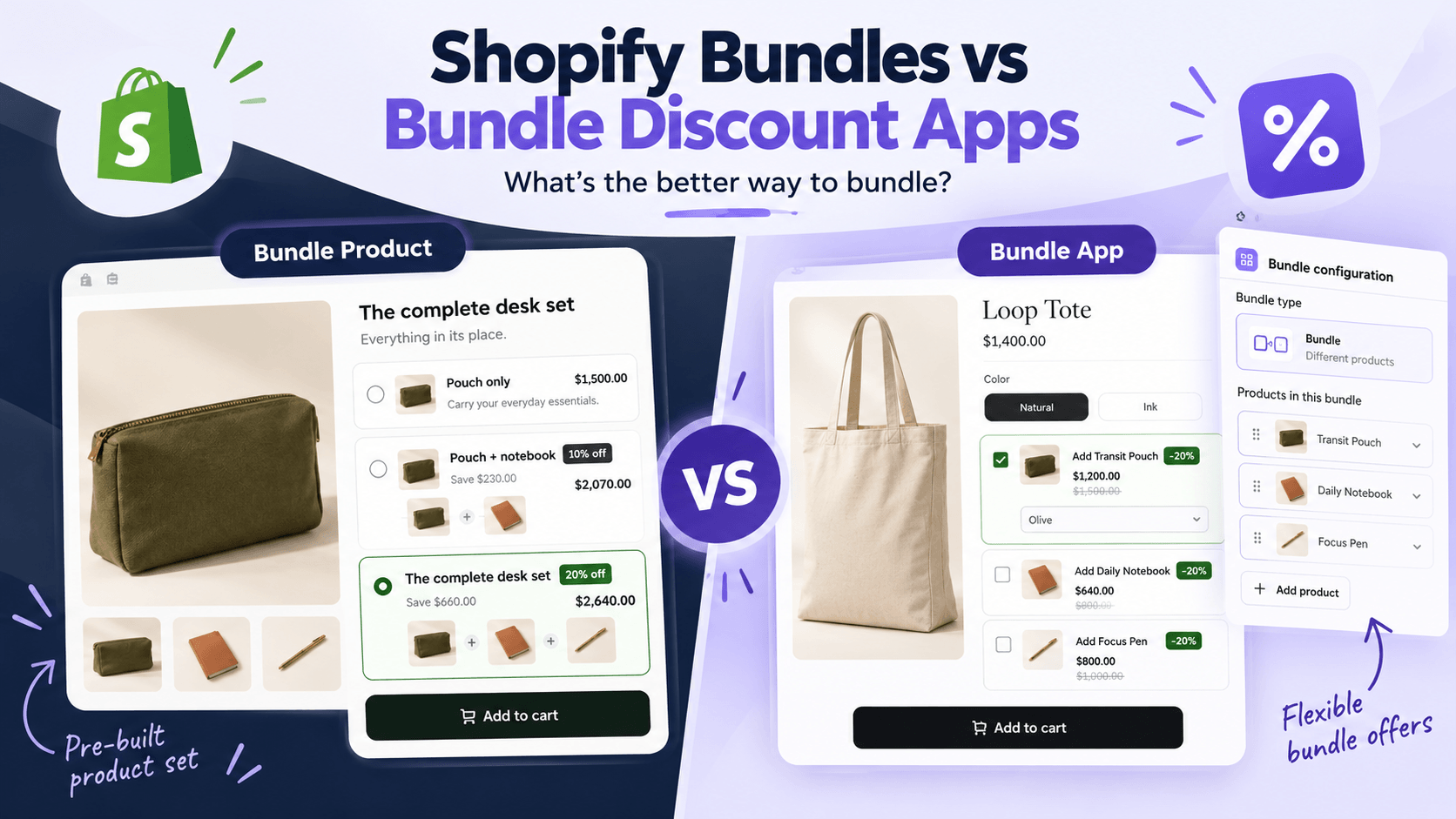
Choose Shopify Bundles when you need a fixed kit or multipack sold as its own product, with availability tied to its components. Choose a suitable bundle discount app when you want shoppers to select an offer on an existing product page, such as a quantity pack, qualifying gift or optional accessory.
Some third-party apps handle both jobs. The useful question isn't whether native or third-party software is always better. It's what your store must sell, how customers should choose it, and what your inventory and fulfillment systems need to receive.
Shopify Bundles is itself an app: Shopify's free first-party option. It shouldn't be described as a “without an app” method.
Start with what you want the customer to buy
Decide whether the bundle should be a separate item in your catalog or a choice attached to a product the customer is already viewing.
Imagine a stationery store selling a pouch, notebook and pen. It could present that assortment in two ways:
- A standalone desk kit. The kit has its own product page, photos and description. The merchant chooses its components and price.
- A desk-set offer on the pouch page. A shopper can buy the pouch alone or choose the complete set from the same page.
The products may be identical, but the buying experience and operational requirements are different. Start with that decision before comparing badges, colors or app plans.
For the product-page alternative, this WowBundle example offers a pouch alone or a three-product desk set:
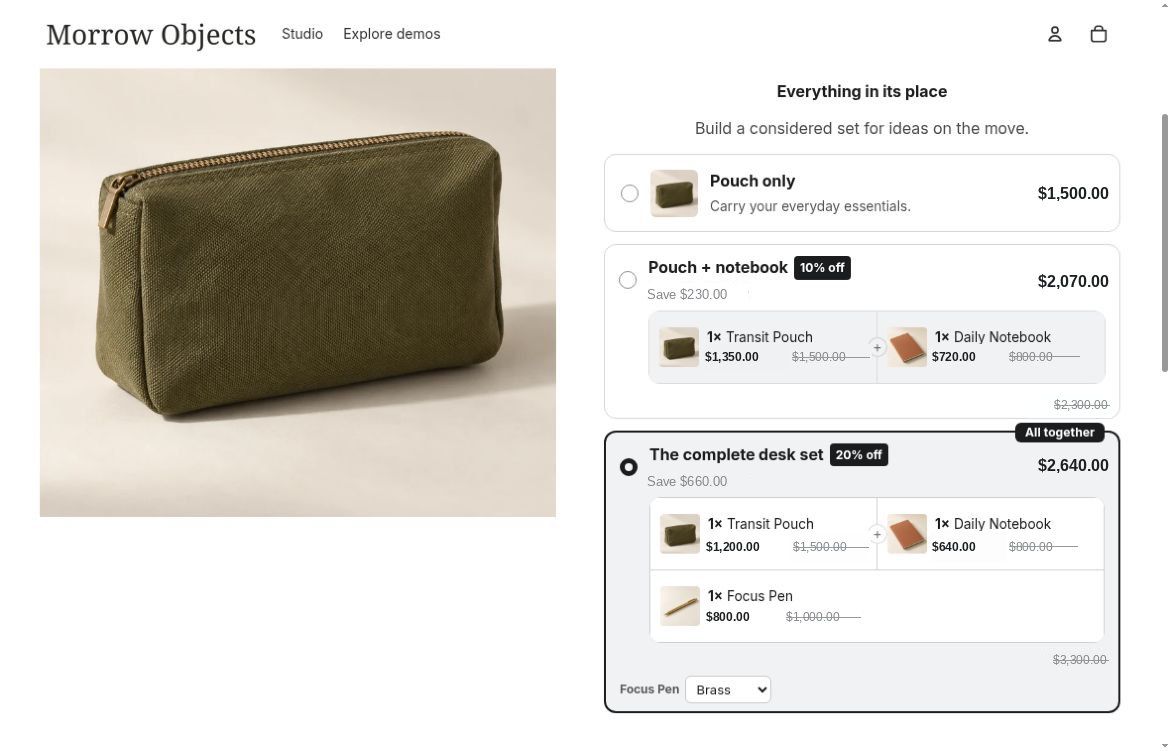
The customer selects a predetermined set from the pouch's buying interface.
The fictional store examples use US dollars ($), before tax and shipping.
Compare the requirements that change the choice
Compare specific capabilities, rather than treating every third-party app as interchangeable. Use the open questions in the table as checks for your own store.
| Your requirement | Shopify Bundles | WowBundle examples covered here |
|---|---|---|
| Sell a fixed kit or multipack as a separate product | Creates a bundle product with its own listing | Presents pack and set choices on an existing product page |
| Manage stock for a set | Calculates availability from component stock and required quantities | Check your stock and fulfillment workflow for the individual products sold through the offer |
| Let shoppers choose variants | Component options within its option and variant limits | Per-item choices in quantity packs and variant choices for the products in a fixed mixed set |
| Display pack choices on an existing product page | Choose this app for its bundle-product model | Volume tiers show quantities and prices together |
| Offer a gift or optional accessory on a product page | Plan the promotion separately from the fixed bundle product | Tier gifts and checkbox add-ons support these buying choices |
For a separate kit, compare Shopify's bundle eligibility and inventory rules with your store's requirements. For a product-page promotion, choose the quantity, gift or accessory flow you want shoppers to use. Verify current plans and compatibility before choosing either route.
If you need a wider shortlist, the bundle-app comparison guide covers named alternatives. This decision comes first: what does the selected app actually need to do?
When Shopify Bundles is enough
Shopify Bundles is a sensible starting point when the merchant determines the kit's components and wants to sell it as a separate product. A three-pack of one item or a fixed skincare routine fits that model.
Customers can choose allowed component variants. Choosing the size of a predetermined shirt is different from replacing that shirt with any product in the catalog; don't confuse variant choice with a build-your-own box.
Two pricing details deserve attention:
- Changing a component's price does not automatically update the bundle price. Review the kit price whenever an included product's price changes.
- Product-specific discounts need to target the parent bundle product, rather than only its components. Discount allocations are distributed across the components.
Shopify documents these details in its Shopify Bundles instructions. If you're near a configuration limit, check the current guide rather than relying on an old comparison chart.
For a straightforward fixed product, the free first-party app may meet the requirement without a more elaborate merchandising tool. Confirm the product's options, price and fulfillment behavior before making that decision final.
When a product-page offer is the better fit
An offer app makes sense when the customer should make a pack, gift or accessory decision while viewing an existing product.
For on-page quantity choices or an optional accessory, compare a product-page offer such as WowBundle with a bundle-product approach. Its editor separates same-product Volume tiers, Buy X Get Y offers and mixed-product Bundle tiers. That distinction helps you build the intended choice instead of trying to make every promotion behave like a fixed kit.
A fixed set alongside the original product
In the desk-set example, the merchant selects a pouch, notebook and pen, with one of each at 20% off. Their discounted prices are $1,200, $640 and $800, giving a total of $2,640.
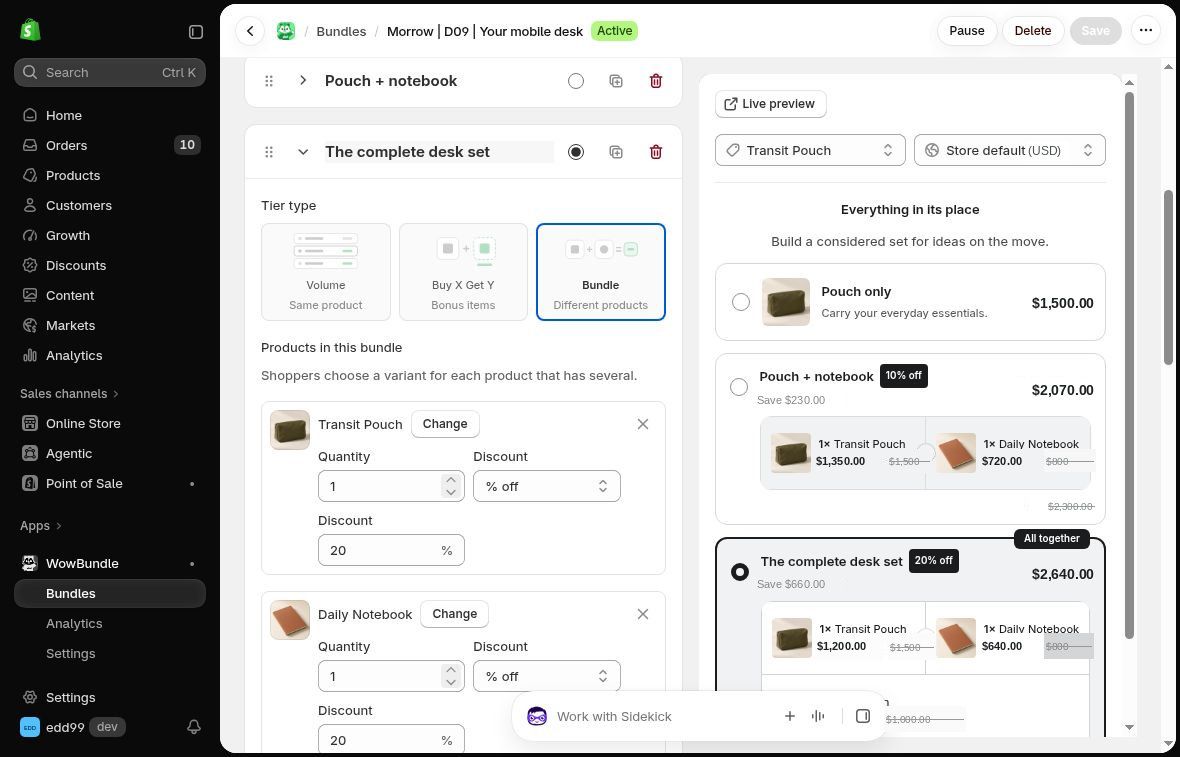
The mixed-product tier defines the set. It isn't a picker for arbitrary products from the catalog.
The shopper is choosing a predetermined assortment from the existing page. That can be a good fit when the main product already attracts the right visitor and the other items complete the purchase. For implementation, see the fixed mixed-product bundle guide.
An accessory the shopper can leave out
An optional add-on serves a different buying decision. The customer may want the tote without the pouch, so the pouch should not be treated as a required part of the set.
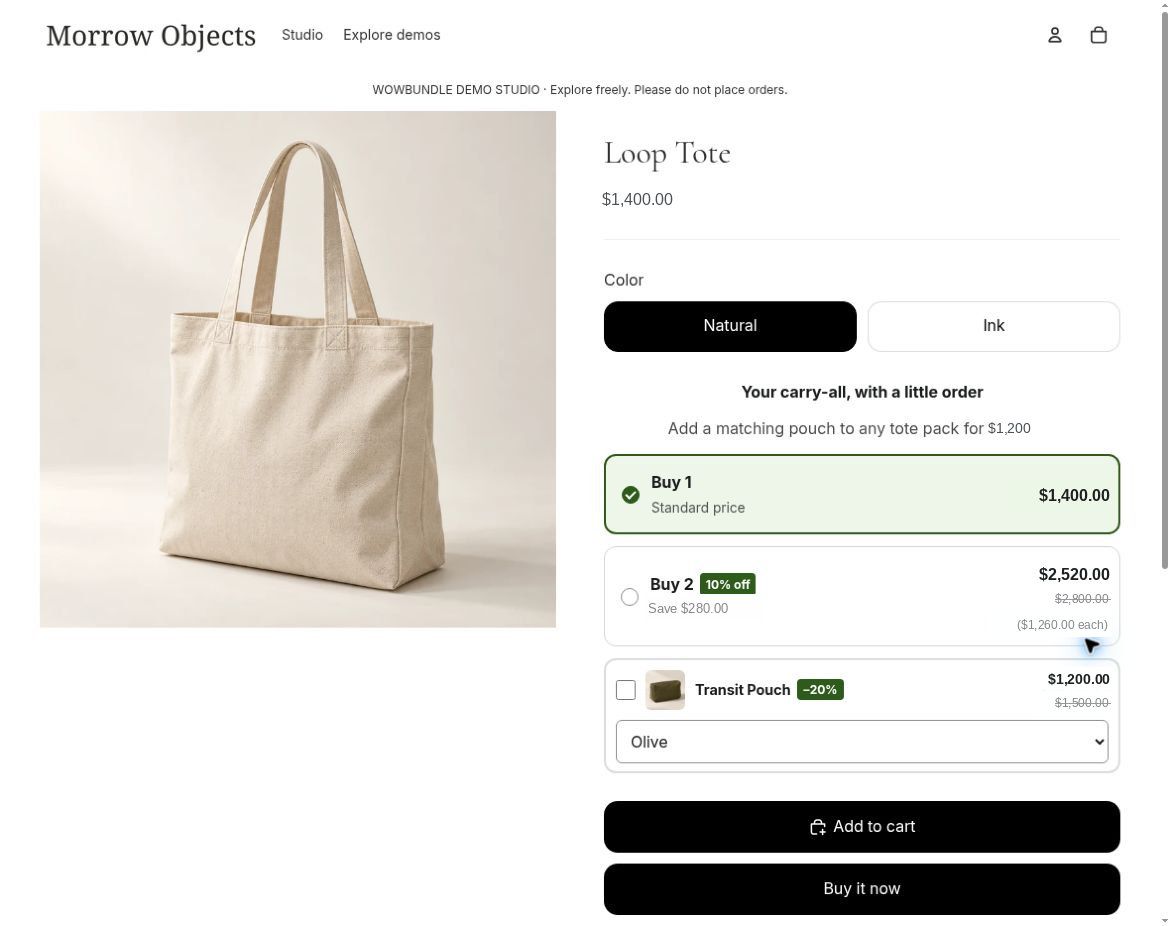
The unchecked box leaves the accessory optional. The pouch offer is $1,200 when selected.
In this example, one tote costs $1,400; adding the pouch makes the merchandise total $2,600. The checkbox add-on guide covers that format in detail.
For multiple units of the same product, use the quantity-break setup guide. This keeps the pack choices on the existing product page. You still need to verify the offer's stock and order behavior.
Decide inventory and fulfillment before the design
Check the order and inventory requirements with whoever packs the products. A convincing storefront offer isn't enough if the resulting order is difficult to fulfill.
With Shopify Bundles, available quantity depends on tracked component stock and the quantities required for the kit. Shopify notes that availability is based on overall stock rather than stock by location. Order lines also expose component details for fulfillment. Confirm shipping arrangements separately; a kit can still require split fulfillment. See Shopify's app limitations and bundle order considerations.
For any app you're considering, answer these questions:
- Will your packing team receive the right products, sizes, colors and quantities?
- What happens when one component runs out, including at the location that must ship it?
- Does the packing team see the individual components, the grouping and any gift clearly?
- Can the store handle a partial return or cancellation without creating a stock or pricing problem?
If those answers depend on your inventory software, warehouse app or another integration, check how the tools work together. A general “inventory sync” label does not explain every integration. The bundle inventory guide goes deeper into those checks.
Use the required stock, packing and return process as part of your app selection. Make sure the team responsible for packing and returns agrees on that process before launch.
If you're replacing an existing app, write down what must remain intact: product URLs, variant identifiers, active promotions and how old orders are understood. Confirm which pieces persist when the old app is disabled or removed. There is no safe universal assumption that every app's bundle logic survives uninstall. The bundle-app migration guide covers that transition.
Make the choice around one clear requirement
Start with Shopify Bundles if you need a fixed kit or multipack product and its documented component-based structure meets your needs.
Choose WowBundle for a visible quantity choice, predetermined mixed set, qualifying gift or optional add-on on an existing product page. Match the offer to the customer’s buying task and the order your team needs to fulfill.
You may also need neither a new kit nor a tier selector. A simple “10% off two or more eligible items” promotion can use a native automatic product discount. If a product-page choice is the right fit, start with one offer in WowBundle and follow its dedicated setup guide.