

A Shopify Buy X Get Y offer separates the items a customer buys from the items they receive at a discount. Y can be another unit of the same product or a different product altogether. It can be free, but it doesn't have to be.
The setup comes down to three decisions: what qualifies as X, how many units of Y the shopper receives, and what they pay for those units. State those conditions together so the offer is easy to understand.
What Is Buy X Get Y, and When Does It Help?
Buy X Get Y means buying a qualifying quantity or amount (X) earns a discount on another eligible item (Y). The reward can be a free second unit, a half-price companion item or a different product. It suits repeat purchases and useful pairings, but the promotion still needs enough margin to cover the reward.
For example, buy two hand washes and receive one travel-size wash free. Or buy a notebook and receive a matching pen at half price. State what customers must add to the cart.
Get the quantities and the discount right
A same-product reward can suit refills or other items customers use regularly. A different-product reward can introduce a relevant companion, such as a travel cream beside a body oil. In both cases, the shopper should be able to see what they buy, what they receive and what the complete offer costs.
For a quantity-based offer, the total number of items is X + Y. “Buy two, get one free” means three items in the cart, not two.
| Offer | Bought units | Reward units | Total units |
|---|---|---|---|
| Buy one, get one free | 1 | 1 | 2 |
| Buy two, get one free | 2 | 1 | 3 |
| Buy two, get two free | 2 | 2 | 4 |
Say whether the percentage saving applies to the second item or the whole pair. In an illustrative USD example, two products normally cost $20 each. If the second product is half price, the pair costs $30. That's 50% off the second item, but 25% off the pair's regular $40 total.
If Y is a cheaper accessory, the whole-cart saving will be different again. Describe the actual reward rather than borrowing a larger percentage from one item. Shopify's native Buy X Get Y supports percentage, amount-off-each and free rewards. Shopify's Buy X Get Y guide
Shopify Buy X Get Y Apps to Consider
You can create a simple rule in Shopify admin without a separate app. Apps matter when you also need a product-page offer, a gift picker or more promotional display controls.
| App | Useful for | Confirm before launch |
|---|---|---|
| WowBundle | Product-page Buy X Get Y offers beside the qualifying product | Bought/received quantities and cart totals |
| BOGOS | Free-gift popups or auto-add reward flows | Gift eligibility, stock and combinations |
| Bundler | Buy X Get Y alongside quantity and bundle pricing | Which items qualify and whether discounts stack |
Try the native setup below first if you only need a basic discount. Use the app walkthrough when the selection needs to be shown before the cart.
Method 1: build the offer with an app
An app-based offer is useful when you want customers to see the qualifying purchase and reward together on the product page.
Creating a Free Buy X Get Y Offer in WowBundle
1. Set up same-product BOGO
Start with an offer targeted to the product you want to sell. If this is your first offer, follow the WowBundle setup walkthrough to create it and check the theme embed.
For a buy-one-get-one-free candle offer:
- Open the offer's tier and choose Buy X Get Y.
- Under What do they get?, select Same product.
- Set Customer buys (X) to quantity 1, with No discount.
- Set Customer gets (Y) to quantity 1, with Free.
- Give the tier a clear label, such as “Buy 1, get 1 free,” and check the editor preview.
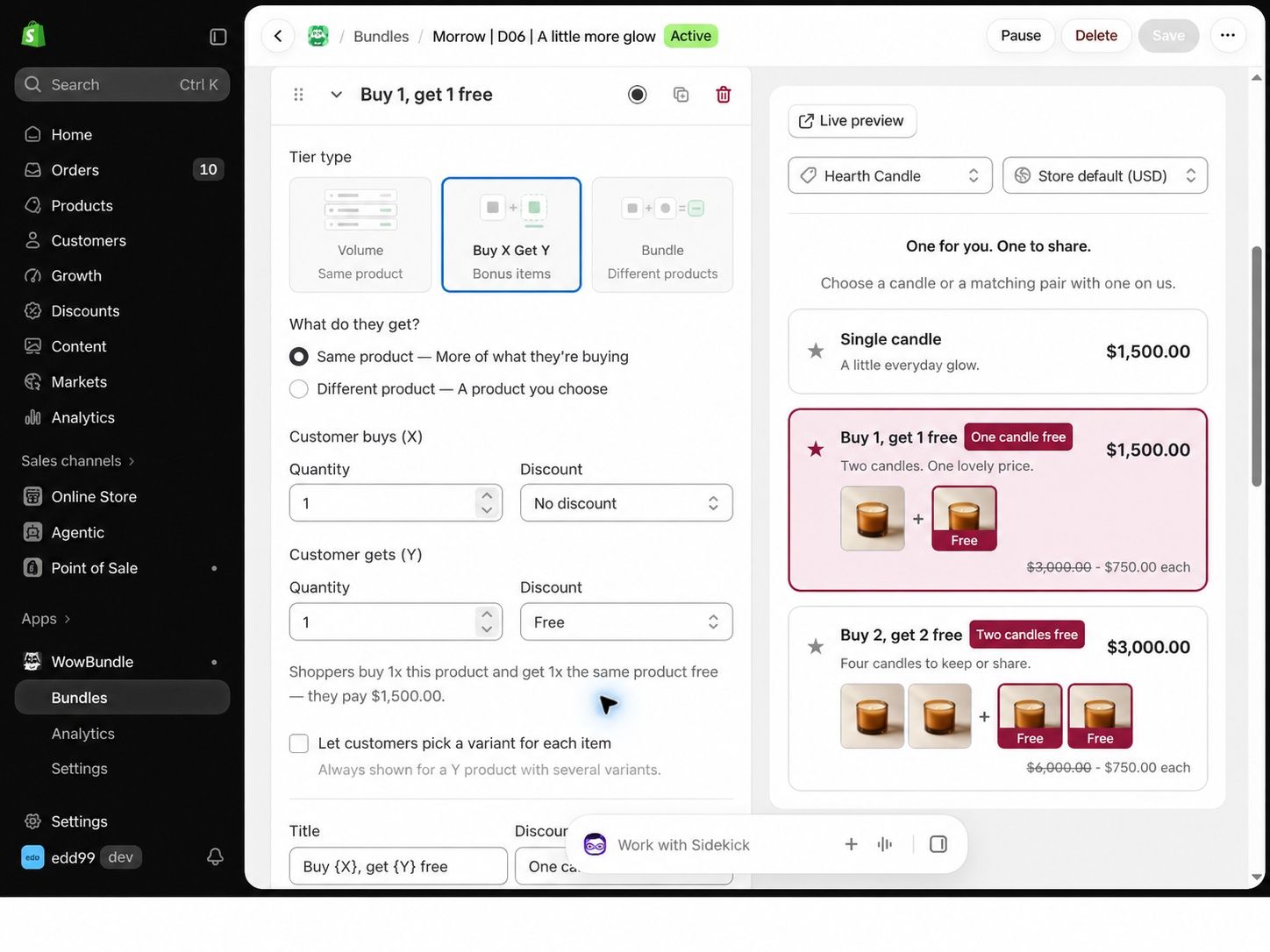
Set bought and rewarded quantities separately.
Here, one candle costs $1,500. The offer includes two candles for the same $1,500 merchandise total. These are USD demonstration-store prices, not a customer sales result.
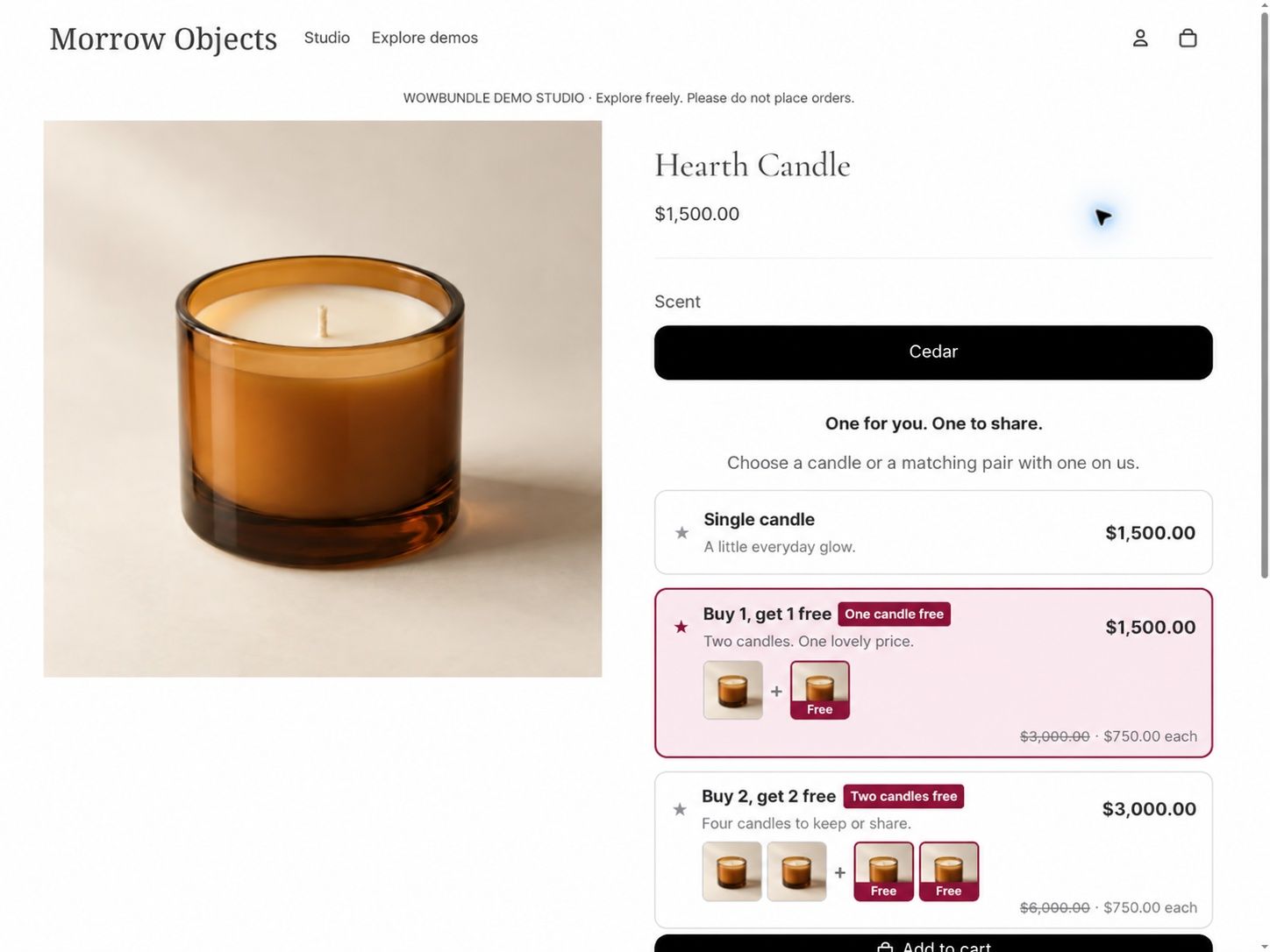
The customer sees two candles for the $1,500 merchandise total before adding the offer.
2. Choose a different reward product
For “buy body oil, get a travel hand cream free,” keep the offer targeted to the body oil, then change the received side:
- Select Different product under What do they get?.
- Under Product shoppers get, use Select product to choose the travel cream. If a reward is already selected, use Change to replace it.
- Keep Customer buys (X) at 1 with No discount.
- Set Customer gets (Y) to 1 with Free.
- Name the reward in the tier label so shoppers know what's included.
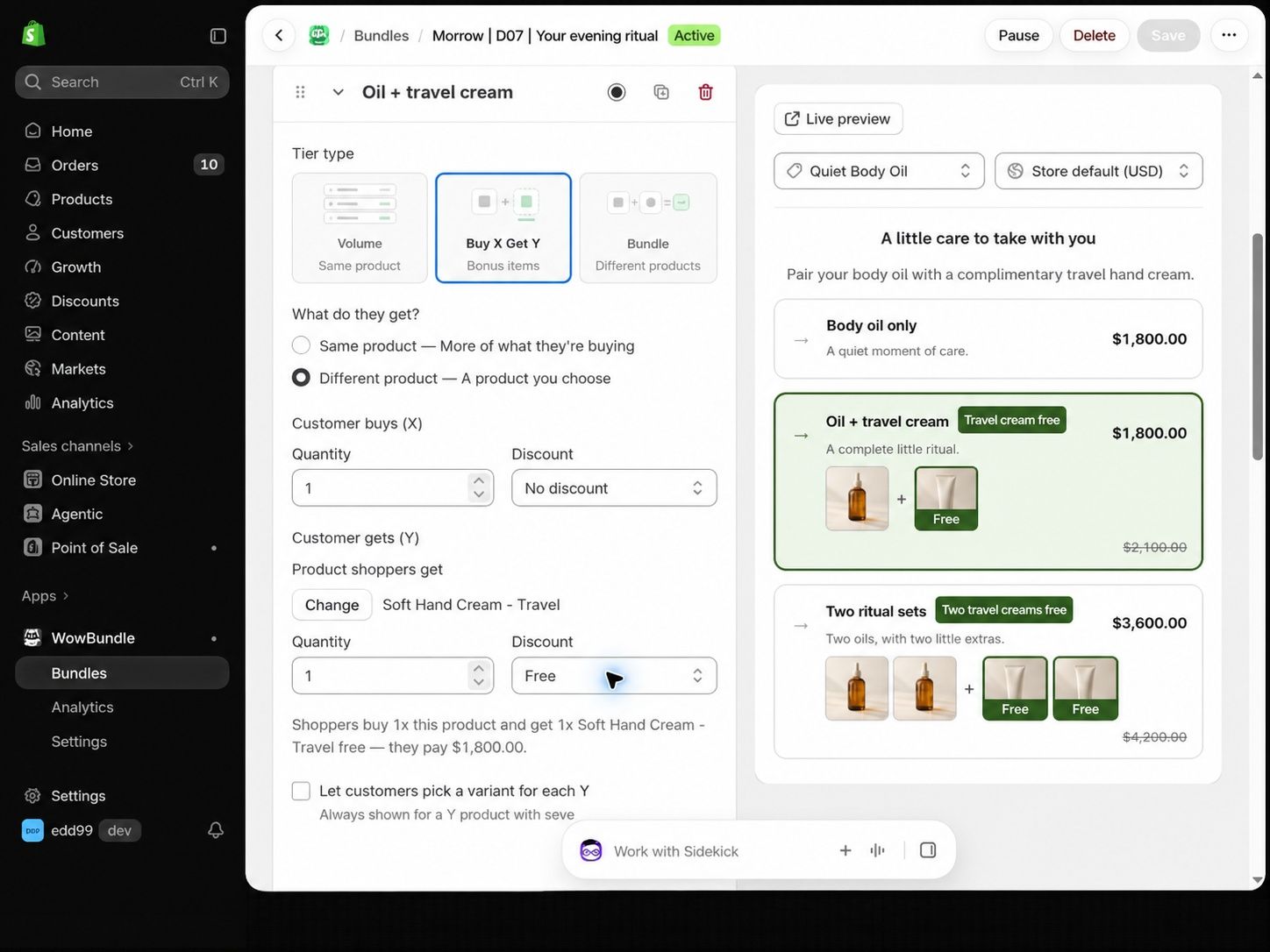
Choose the reward product independently of the qualifying product.
The body oil is the purchase that earns the cream. Buying the cream alone does not earn a free oil.
For either example, review the configuration and preview. Use Publish for a new draft, Save for changes to an active or paused offer, and Resume to make a paused offer available again. Confirm the selected items and total in the cart before promoting the offer.
For gift costs and qualifying gifts, see the free-gift setup guide. If a reward appears at full price, use the gift-in-cart checklist. To compare BOGO free with half price, see the offer economics example.
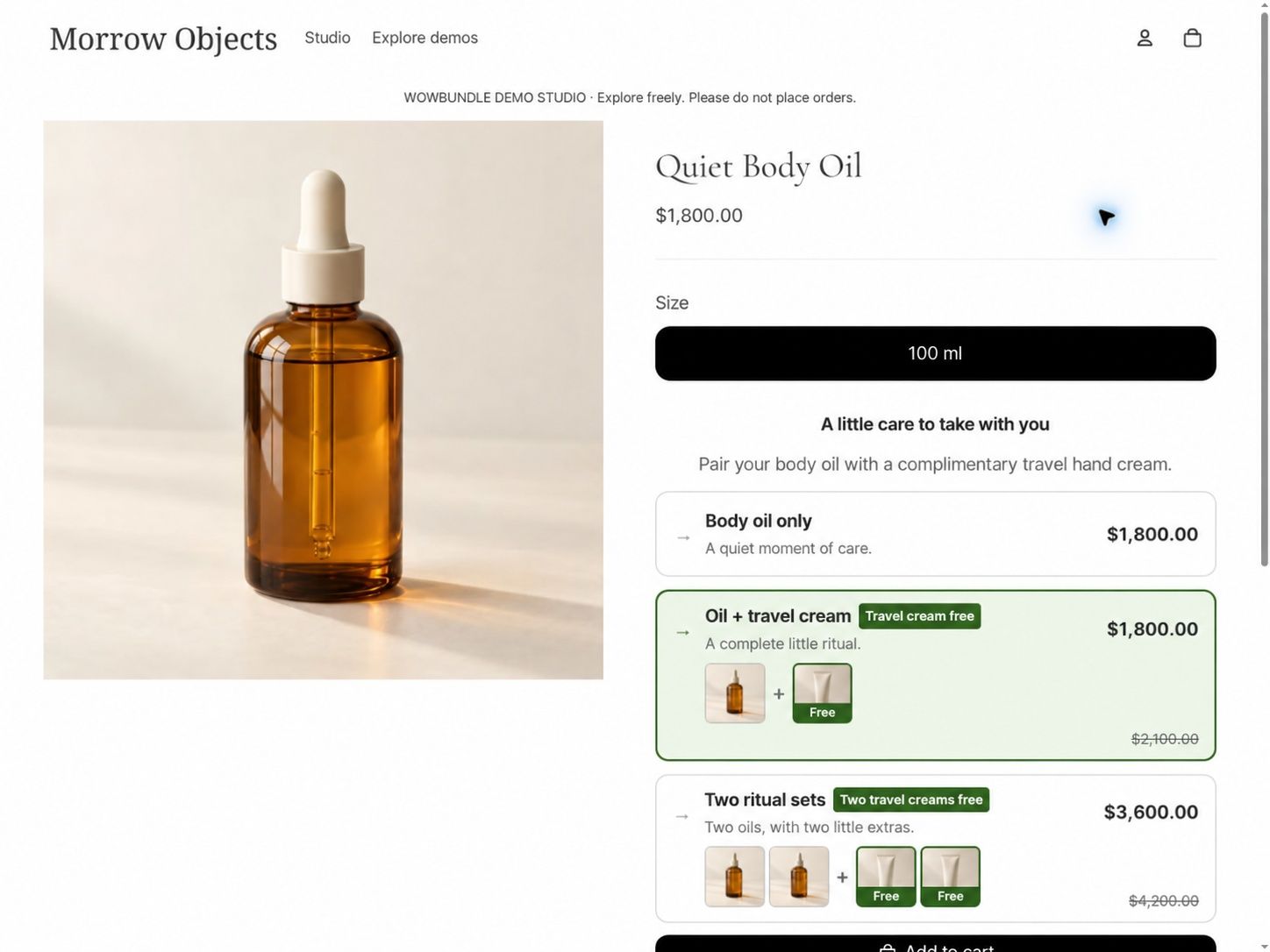
The body oil is the qualifying purchase; the product page displays its travel-cream reward as free.
Method 2: use Shopify's native Buy X Get Y discount
You can create a basic Buy X Get Y rule without an additional app. The important limitation is that customers must add both the qualifying items and the reward to their cart. An automatic discount applies the pricing rule; it does not automatically add Y. Shopify's native setup instructions
The following example uses three hand creams as X and one cloth as Y. It makes the cloth free; it doesn't also discount the creams.
1. Choose the discount method. In Shopify, go to Discounts → Create discount → Buy X Get Y. Select Automatic discount, or use a discount code if shoppers should enter one. Give the offer a clear title.
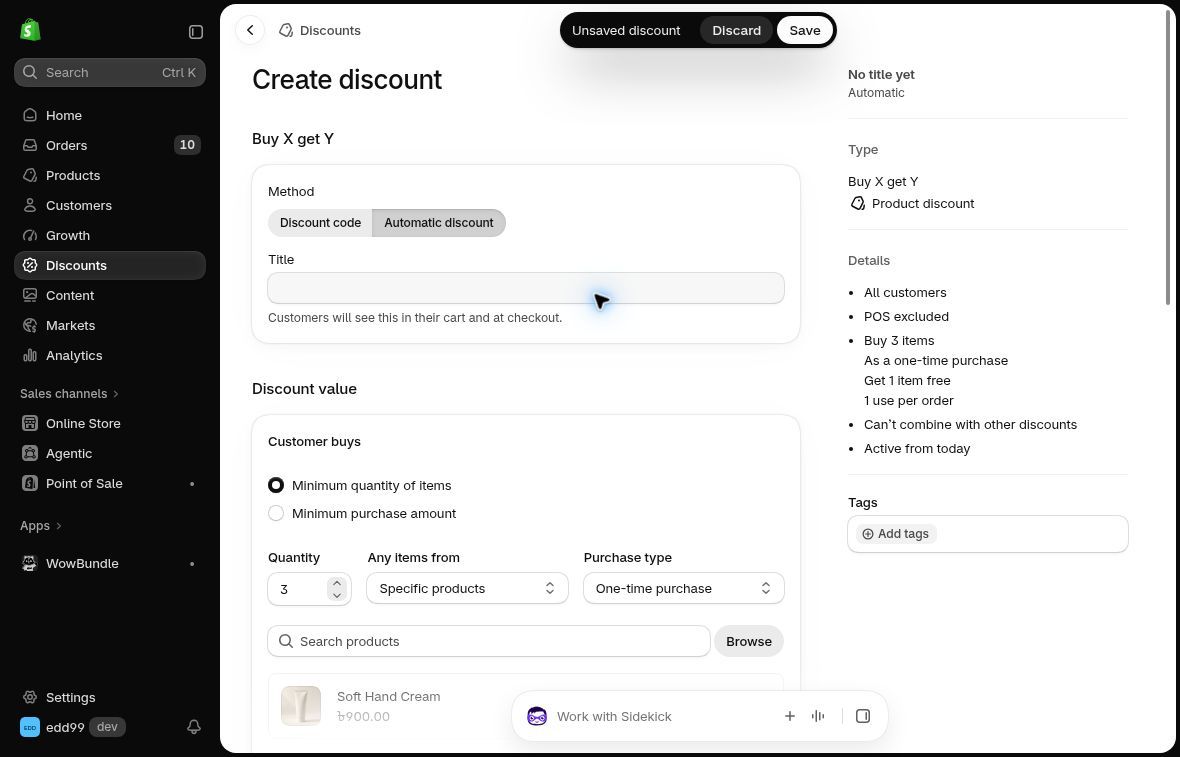
Choose an automatic discount or a code for the offer.
2. Define Customer buys. Choose a minimum quantity of 3 and select the eligible cream product. Shopify also offers a minimum-spend qualification option; choose the one your promotion actually promises.
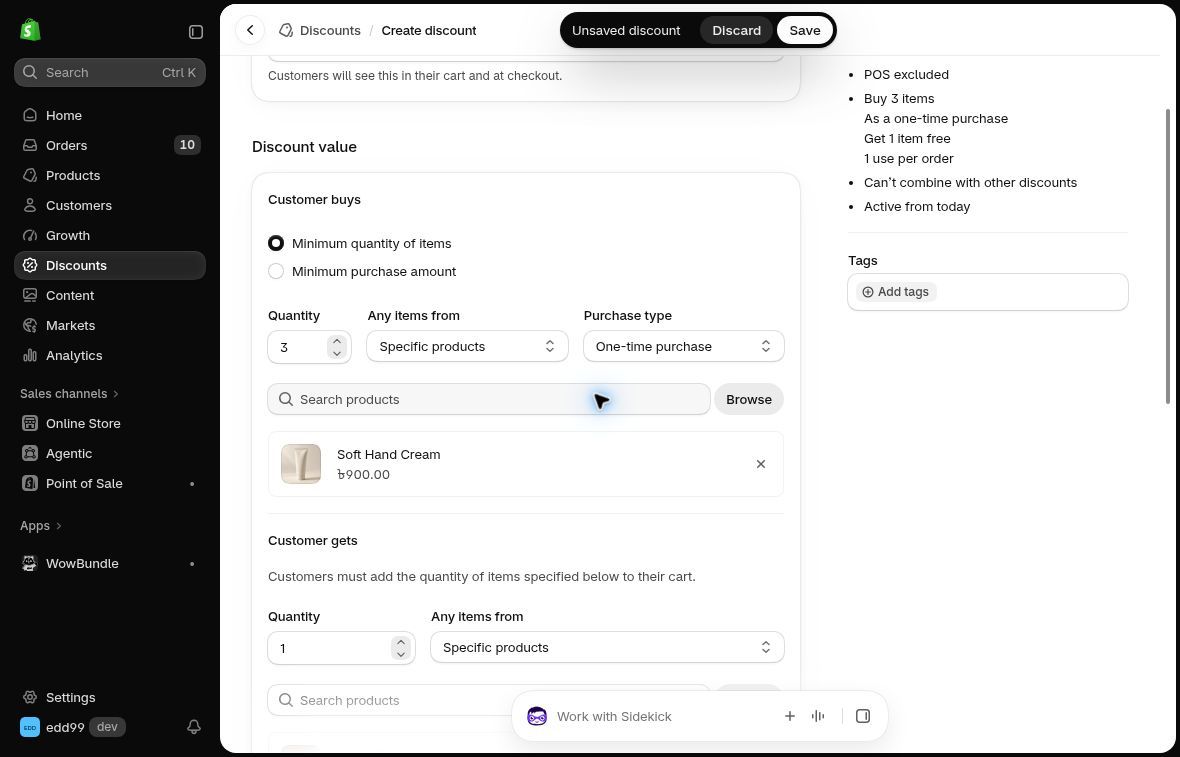
Only the selected qualifying products count toward this three-item requirement.
3. Define Customer gets. Set quantity 1, select the cloth, and choose Free. For a paid reward, select the appropriate percentage or amount off instead.
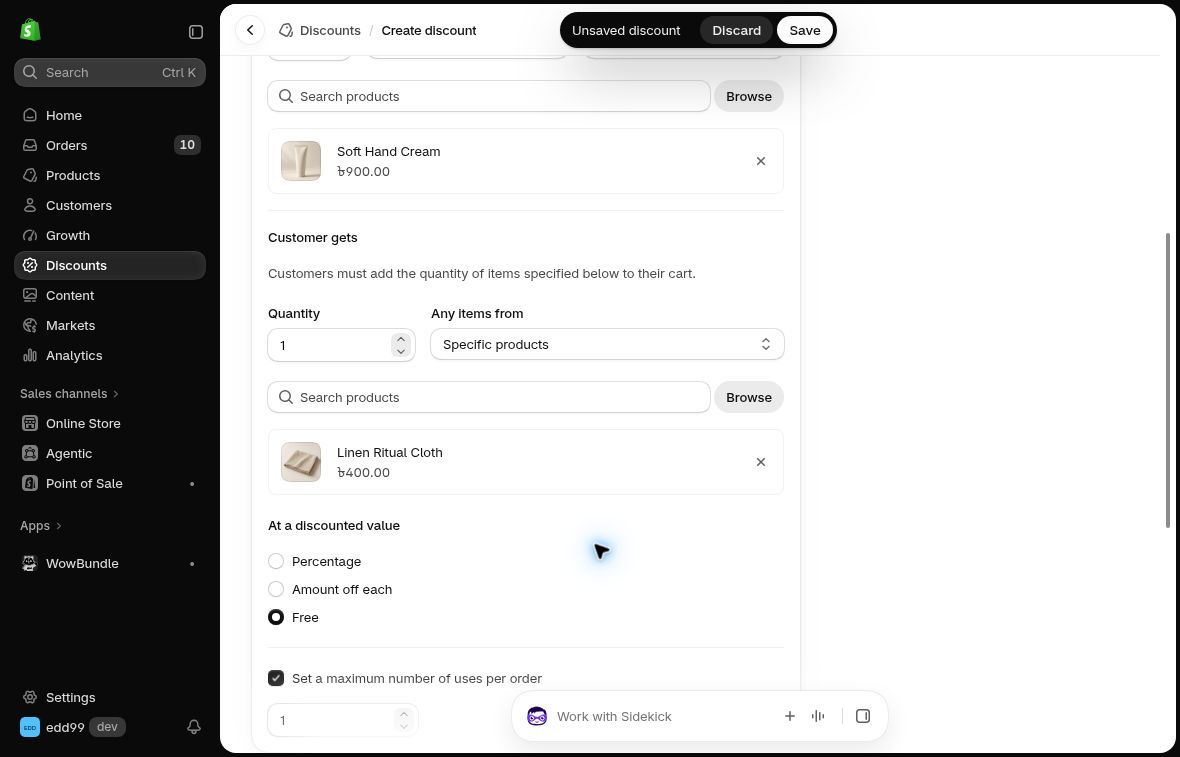
Choose the reward quantity and its discounted value.
4. Review limits and dates. Set a maximum number of uses per order if needed, review customer eligibility, choose allowed combinations and set the schedule. Save when ready.
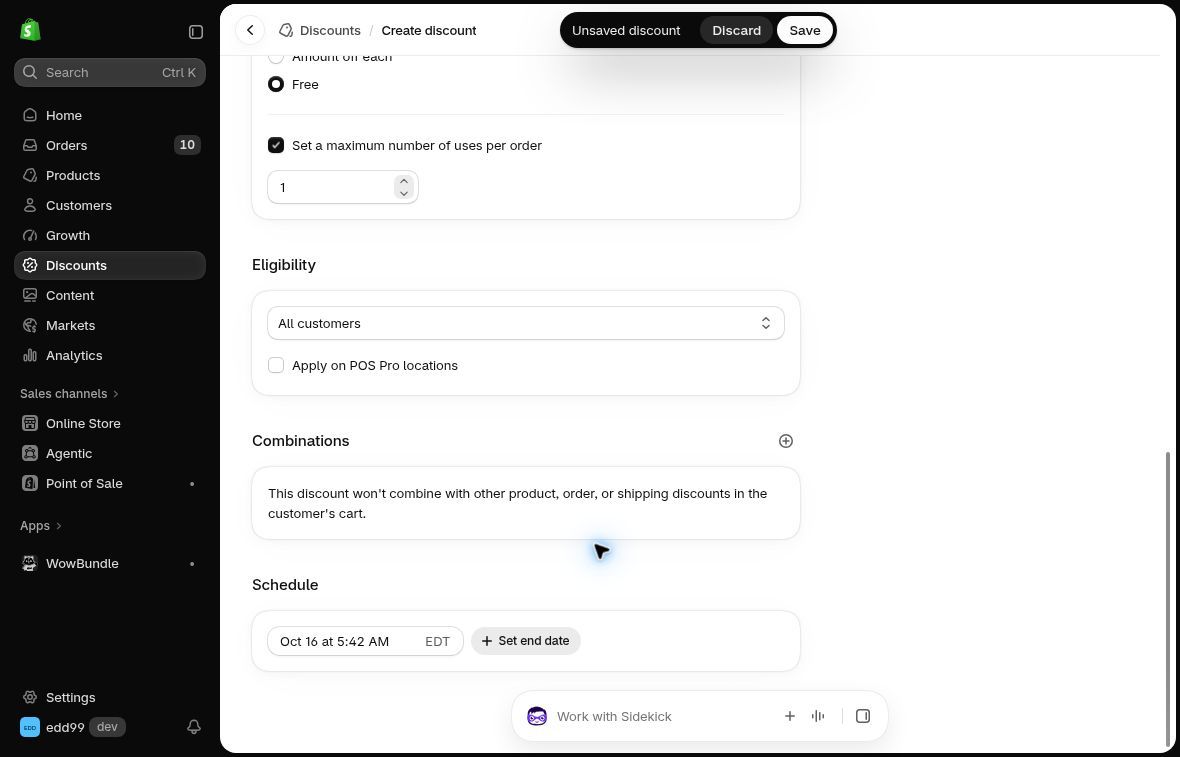
Set limits, combinations and dates to match the promotion.
For same-product or same-collection offers, Shopify applies the reward to the lower-priced eligible item. That matters when variants have different prices. Discount combinations also depend on the rules' settings and, for some product-discount behavior, the Shopify plan. Check the current combination rules rather than assuming every code will stack.
Create a same-product or different-product free reward in WowBundle, depending on what completes your customer’s purchase. Show what qualifies, what the shopper receives and the total they pay.