

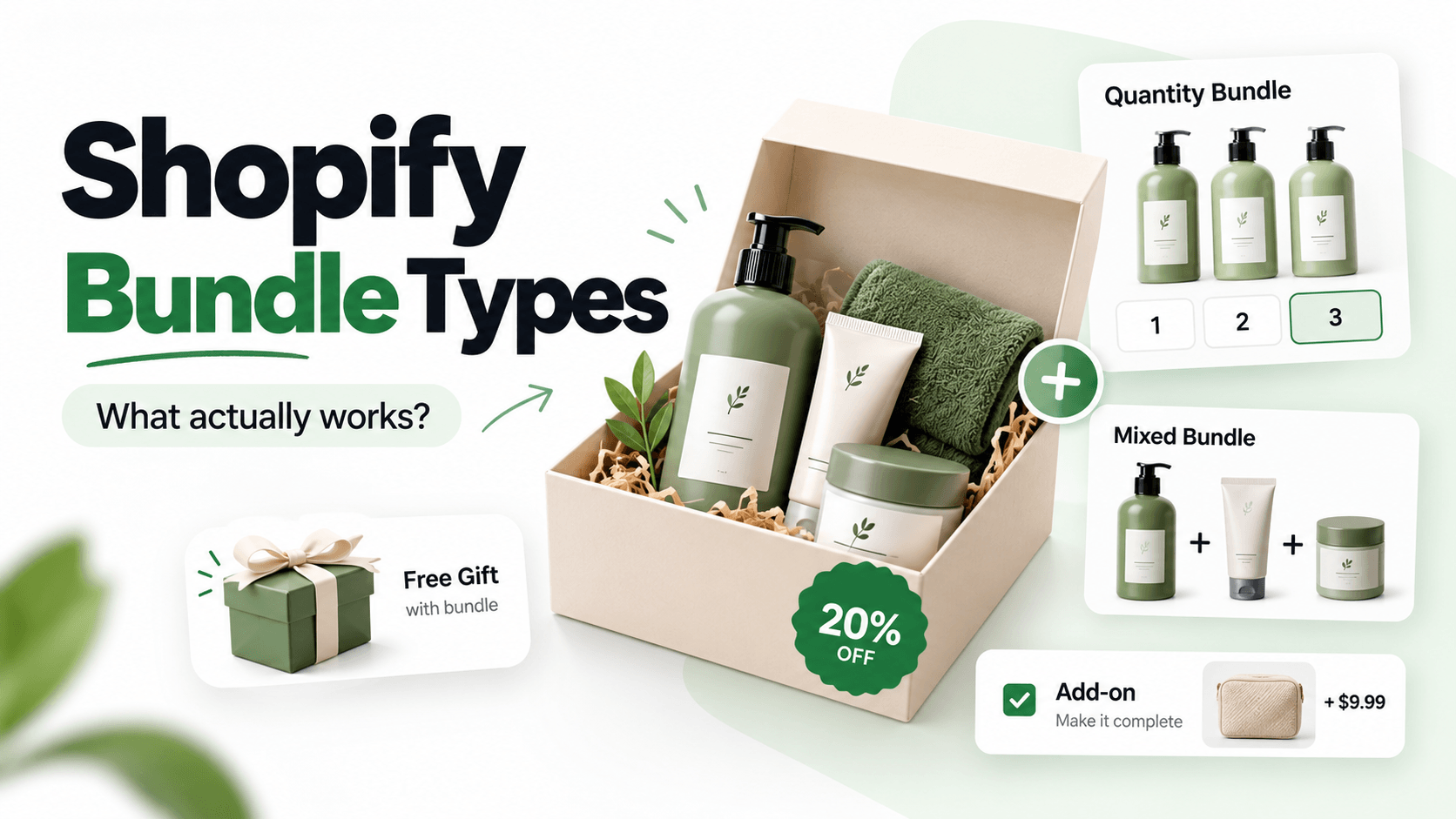
Shopify product bundles bring related products, or several units of a product, into one clear offer. The right format depends on what your customer needs: a refill pack, a complete set, a free bonus or an optional accessory.
Start with that choice. Then decide how the offer should behave on your product page, in the cart and in your inventory. A three-bottle discount and a three-product gift set might both be called a bundle, but they solve different problems.
What counts as a Shopify product bundle?
A bundle gives shoppers a reason to buy a particular group of items together. That reason can be a lower price, a useful combination or simply less work choosing what goes with what.
For example, a pet store could group a lead, a harness and a waste-bag holder into a walking kit. A shopper buying dog shampoo might prefer a two-bottle refill offer. Both are reasonable ideas, but the customer is making a different decision in each case.
“Shopify Bundles” also names Shopify's own app. It creates fixed bundle products and multipacks. The broader phrase “product bundling on Shopify” includes other offers, such as quantity discounts and product-page add-ons.
Can bundles increase average order value?
They can, but a bigger order is useful only if the offer still makes commercial sense. More units do not always mean more revenue: a buy-one-get-one-free offer can give the customer two items while they spend the price of one.
A refill pack can give customers a useful reason to buy more at once. Check whether the extra sales cover the discount, product costs and any change in packing or shipping before keeping the offer.
Common Shopify bundle formats, compared
| Offer type | What the shopper buys | Useful when | First question to settle |
|---|---|---|---|
| Quantity pack | Two or more units of one item | Customers reorder a staple | Can buyers choose variants for each unit? |
| Predetermined mixed set | A specified set of different products | The items make one complete kit | Is it a separate bundle product or an offer on an existing product page? |
| Buy X Get Y | A qualifying purchase unlocks another item or discount | You want to reward an extra purchase | Does the shopper need to add Y manually? |
| Gift with purchase | A relevant extra is free at a threshold | You want to encourage a qualifying basket | How will the free item appear in the cart? |
| Optional add-on | An accessory can be accepted or skipped | Not everyone needs the extra | Is the price visible before selection? |
These formats can overlap. A gift with purchase can use a Buy X Get Y rule, and a predetermined mixed set can be sold as a separate product or offered on an existing product page. The format does not determine the inventory system or price rule: a fixed set can have a discount or none, and a quantity pack can use a regular price or a price break. Use the tool-model comparison when stock and order lines matter, or the app comparison when choosing a tool.
Choose a bundle by what your shopper needs
Choose the smallest offer that solves the customer's buying task. If someone needs an accessory, a full three-item kit may be more commitment than they want.
| What the shopper needs | Offer to consider | What the customer agrees to buy |
|---|---|---|
| More of a familiar product | Quantity pack or quantity break | A specified number of units |
| Everything for one job | Predetermined mixed set | The products included in that set |
| Another item as a reward for buying | Buy X Get Y | The qualifying purchase plus the stated bonus quantity |
| A reward at a particular purchase level | Qualifying gift | The stated qualifying quantity, with its included gift |
| A useful extra without changing the main purchase | Optional add-on | The main product, with an extra they can choose |
If the purchase is a quantity choice or an optional extra, a product-page offer may be simplest. A separately stocked kit needs a different stock and order check. The fictional store examples use US dollars (USD), before tax and shipping.
Quantity packs: help customers stock up
A quantity offer suits products people need more than once: refills, stationery, socks or other repeat-use items.
A quantity break changes the price when the shopper reaches a specified number of units. You might offer one item at its regular price, then a lower unit price for two or three. The tier should match a plausible purchase quantity, not just the largest basket you would like to sell.
In the hand-wash example, two bottles normally cost $2,400. The two-bottle tier takes 10% off, so the pair costs $2,160.
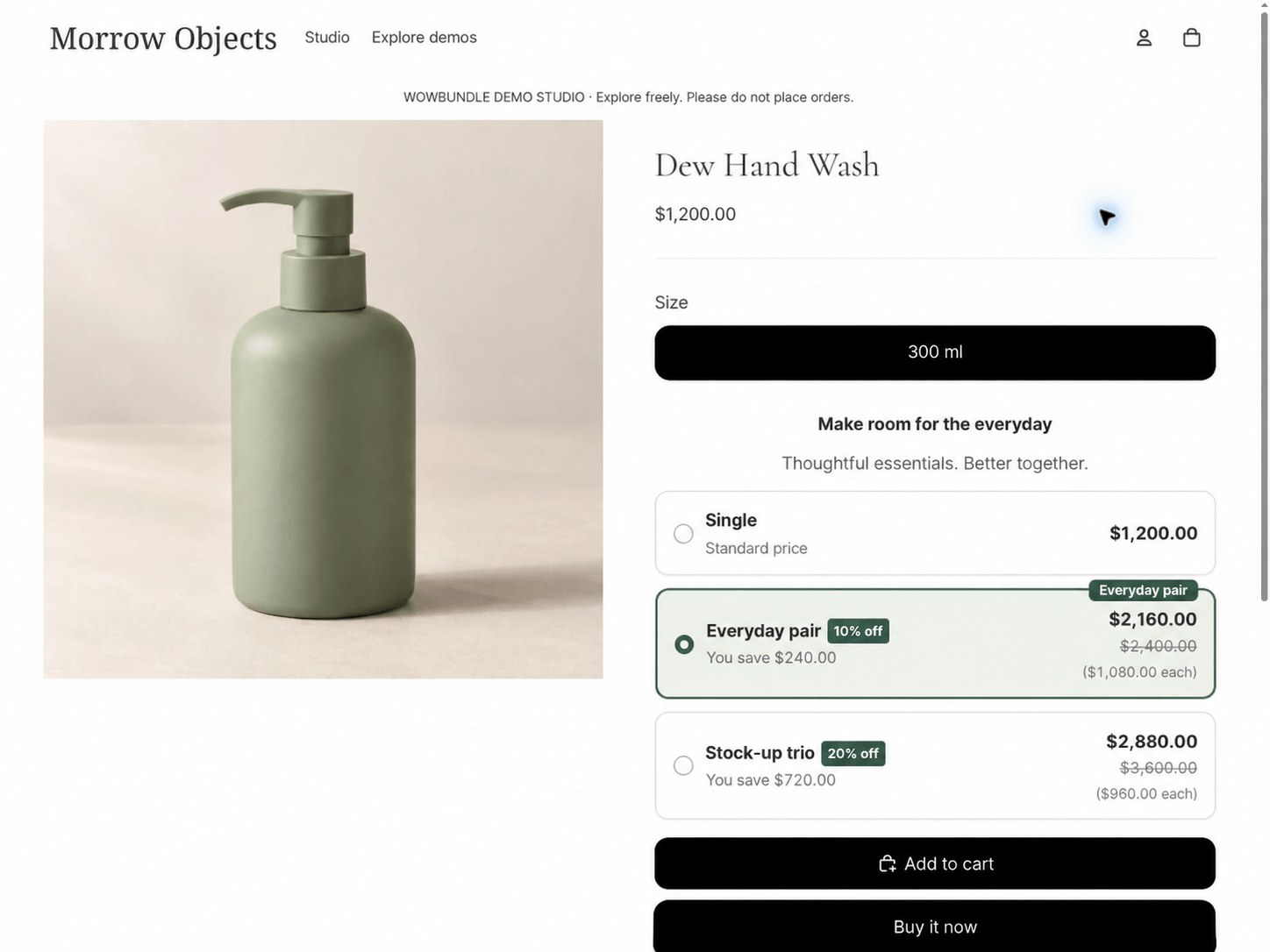
The two-bottle choice shows the quantity, discount and total together.
Variant choice is a separate question. Letting someone choose a different size or color for each unit doesn't necessarily mean they can substitute any product from your catalog.
See the Shopify quantity-break setup guide for the pricing modes and product-page choices.
Predetermined mixed sets: put the right items together
A mixed set works when different products serve one purpose. Think of a travel pouch, a notebook and a pen sold as a ready-to-go desk kit.
The merchant chooses the included products. The shopper may still choose permitted variants, such as a color, without changing the underlying set. A fixed assortment and a completely customizable build-your-own box are different requirements.
The desk-set example groups a pouch, notebook and pen, each with 20% off. The three products cost $2,640 together. The set saves the customer from finding the accessories separately and makes the total clear before they add it to the cart.
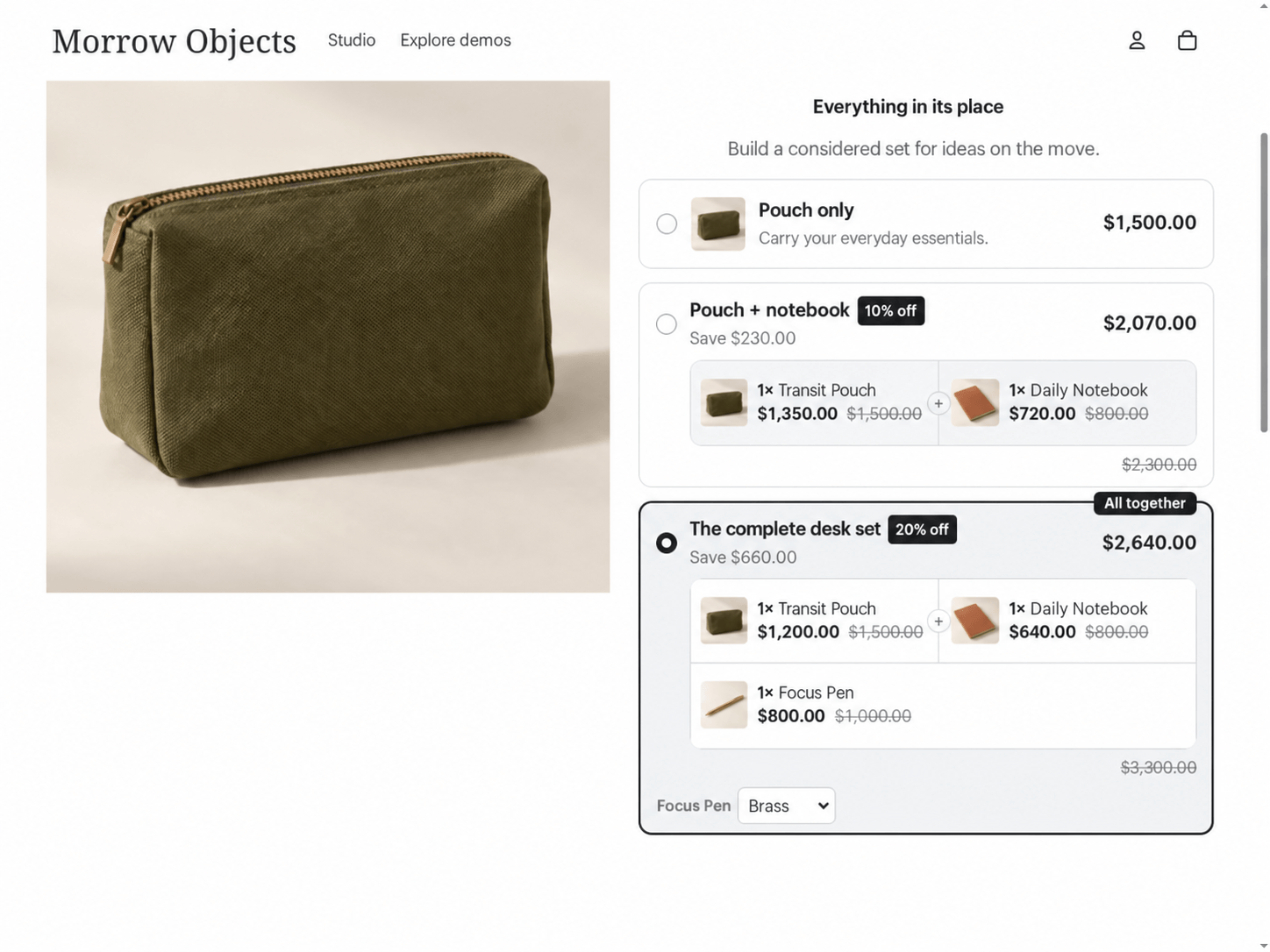
The fixed set names each included product and shows its discounted price.
The mixed-product bundle guide covers this setup in more detail.
Buy X Get Y: make the qualifying purchase and reward clear
A Buy X Get Y offer gives the customer a free or discounted quantity after they buy the required items. The reward can be another unit of the same product or a different product.
In the candle example, buying one candle provides another free. The customer receives two candles and pays $1,500.
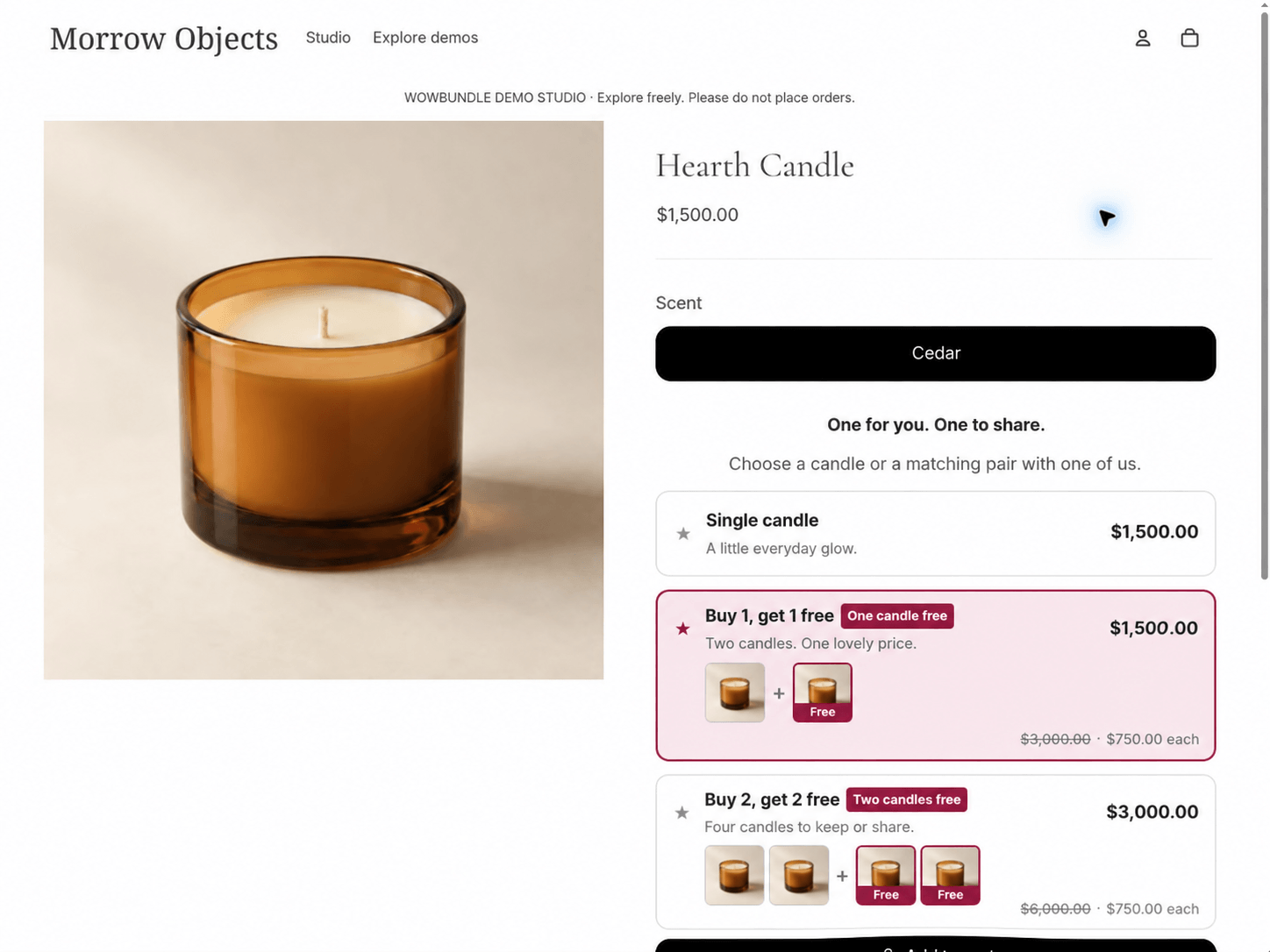
The offer separates the paid candle from the free one and shows the total for both.
Write the offer so the shopper can answer three questions immediately: how many do I buy, how many do I receive, and what do I pay? “Buy one, get one 50% off” is different from “buy one, get one free.”
Shopify's built-in Buy X Get Y discounts can handle a basic version without an additional app. Customers must add the qualifying and reward items themselves; the native discount doesn't automatically put the reward in the cart.
Use the Buy X Get Y guide when this is the offer you want to build.
Qualifying gifts: reward a specific purchase level
A gift offer makes a bonus conditional on the customer's purchase. State the condition beside the gift so it doesn't look like an unconditional free item.
The hand-cream offer gives three creams a 20% discount and includes a free linen cloth. The customer pays $2,160 for the creams and receives the cloth at no extra charge.
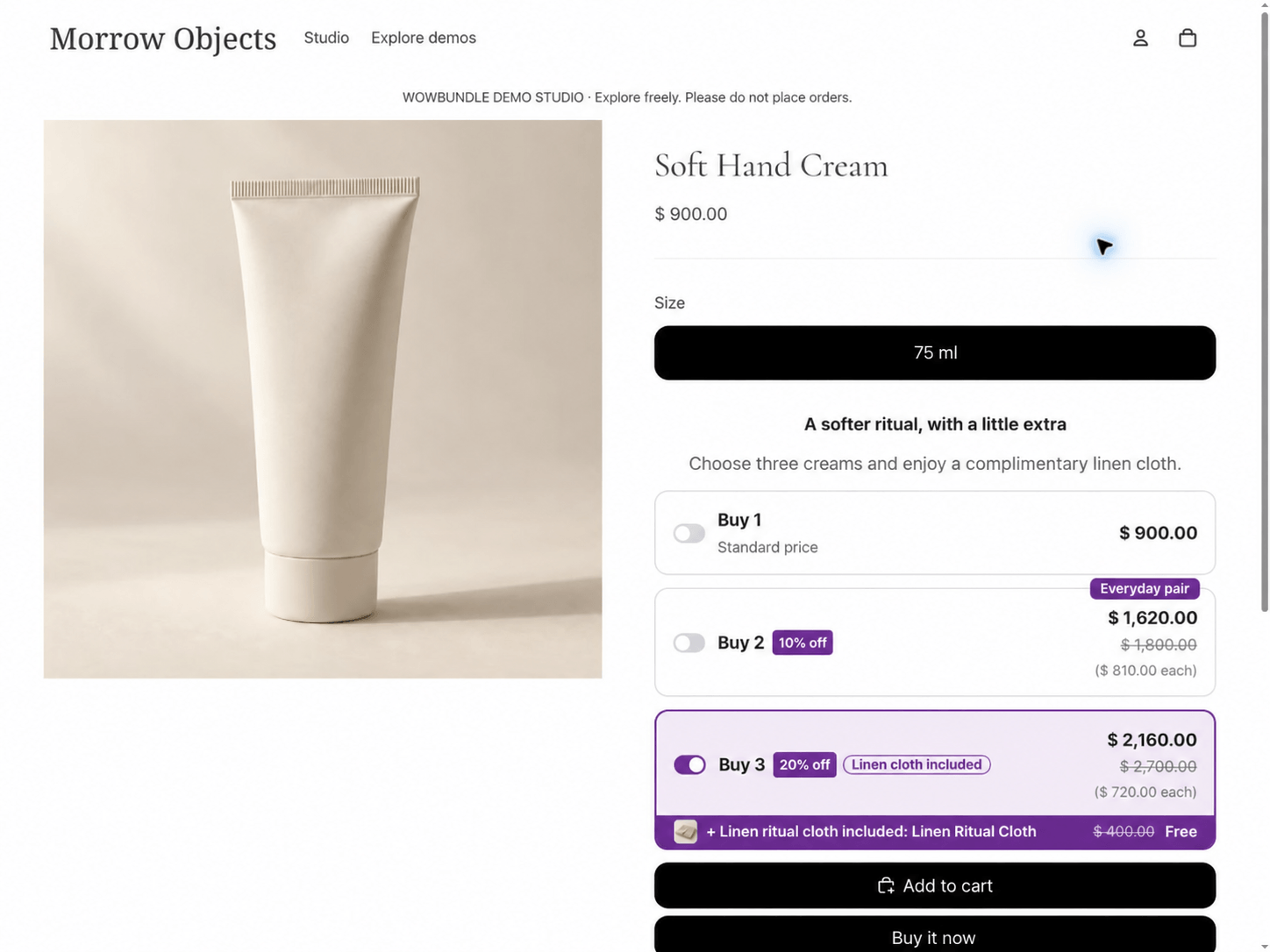
The free cloth belongs to the three-cream tier, so the qualifying purchase is visible.
This format can suit a product trial or a relevant accessory. For example, a beauty store could pair a skincare purchase with a sample that complements the routine. Choose something the customer is likely to use, then include its cost when you price the offer.
State the qualifying quantity beside the gift so customers know which purchase includes it.
See the free-gift setup guide for the qualifying quantity and gift settings.
Optional add-ons: let the customer complete the purchase
An add-on gives the shopper a choice. The main product should remain understandable and purchasable without the extra.
In the tote example, a checkbox adds a pouch at 20% off. Selecting it brings the total to $2,600. The pouch is a paid accessory, so the copy should show its price rather than describe it as a gift.
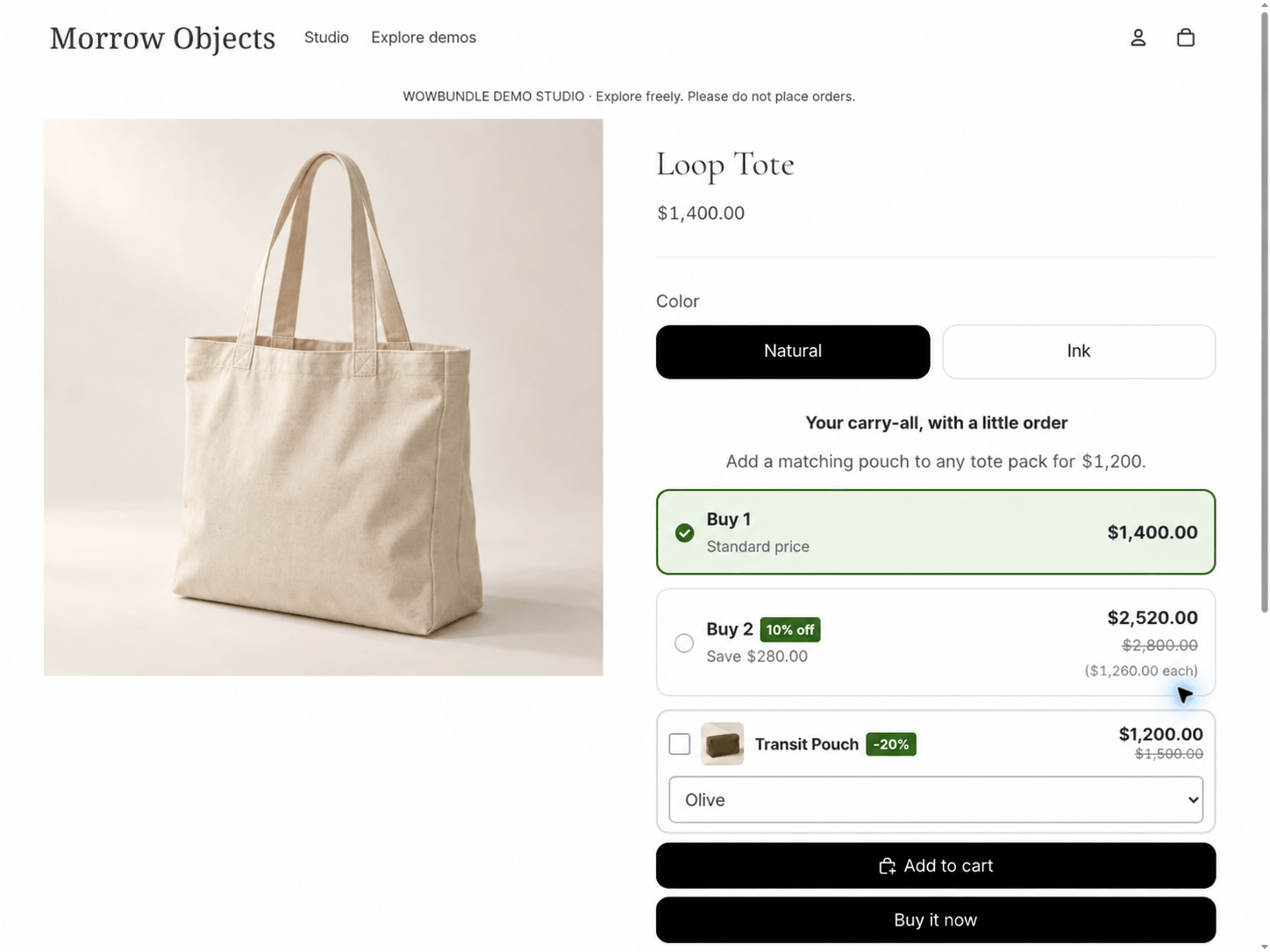
The pouch starts unselected. Its $1,200 price is separate from the tote price.
This is useful when the accessory won't suit everyone. Someone who already owns a pouch can buy the tote on its own; someone who wants the pair can add both without searching through the store.
For a similar offer, follow the optional add-on guide. If the extra belongs only to a particular quantity tier, use the tier-specific upsell guide.
A bundle product and a product-page offer have different jobs
Choose a setup that shows the offer clearly and handles stock the way your store needs.
Shopify's first-party Bundles app creates a separate bundle product for a fixed set or multipack. Its availability is calculated from component inventory and required quantities, subject to the components' inventory settings. Its current rules don't support a mix-and-match builder.
A product-page offer presents a buying choice while the customer is looking at an existing product. WowBundle uses that approach for the quantity offers, mixed sets, Buy X Get Y, gifts and optional add-ons shown above.
If you need component inventory, a fulfillment integration or a separate bundle listing, ask about that requirement before choosing an app. Don't assume a product-page offer includes those features. Shopify Bundles and promotional apps serve overlapping needs, so the right choice depends on the shopping and fulfillment process you want.
The Shopify Bundles versus bundle-discount-app guide walks through that decision. Check the WowBundle product overview for the offer formats that fit your store.
Check the price and stock before choosing your offer
Check three things before you settle on a bundle: the customer's total, what remains after your costs, and how the products' stock is managed.
Is the price easy to understand?
State whether a displayed number is the price per item, the amount saved or the price for the whole pack. Those are easy to confuse when several tiers appear together.
For example, “three notebooks for $2,100” means one total for three notebooks. “$100 off each” means the reduction applies separately to each eligible item. Your offer text and cart should tell the same story.
Does the offer leave enough margin?
Calculate the discounted order before choosing a percentage.
Here's another illustrative USD example: three items at $18 each total $54. A 10% discount makes the merchandise total $48.60. If product costs total $24 and the included packing, payment and fulfillment costs total $8.60, $16 remains before acquisition costs, returns, fixed overhead and any omitted costs.
That $16 is not net profit. It's a starting point for deciding whether the offer can support your business. Include a free gift's cost and any shipping subsidy when they apply. A larger order can also cross a packaging or shipping-cost threshold.
Which stock should the sale reduce?
Decide whether a sale should reduce the stock of each included product or the stock of a kit you have already packed. Check how your chosen app handles that before selling the same items both separately and in a set.
For Shopify Bundles, required quantities matter. A component used twice per set can become the limiting item sooner than one used once. Shopify also excludes components with inventory tracking disabled or continued selling enabled from its bundle-availability calculation. Check those settings before relying on a displayed quantity.
Make the offer easy to find and judge
Show the offer where its products make sense, with clear contents and a price the customer can check.
A starter kit can have a useful place in a relevant collection. An optional accessory belongs close to the main product's buying controls. A refill offer should explain how many units the customer receives, rather than relying on a vague “best value” badge.
Use an image that shows the included products. Keep optional and free items visibly different, and only show savings that match the actual reference prices. Check that the offer remains readable and usable on a phone.
After launch, review conversion rate and the money remaining after variable costs alongside average order value. Also watch questions, cancellations and returns. If shoppers keep asking what's included, clearer presentation may help more than a deeper discount.
Common questions about Shopify product bundles
Can I offer a quantity discount without an app?
Yes. Shopify's native amount-off discounts support a minimum quantity of eligible items. That can handle a simple quantity condition, but it doesn't create a tier-selection widget or a component-linked bundle product.
Does every bundle need a discount?
No. A thoughtfully chosen set can be valuable because it saves the customer time and helps them choose compatible items. If you do offer a saving, make the amount and its conditions clear.
Choose a quantity pack, mixed set or optional add-on in WowBundle to match how your customers buy. Start with one offer and follow its setup guide to make the contents and price clear.