

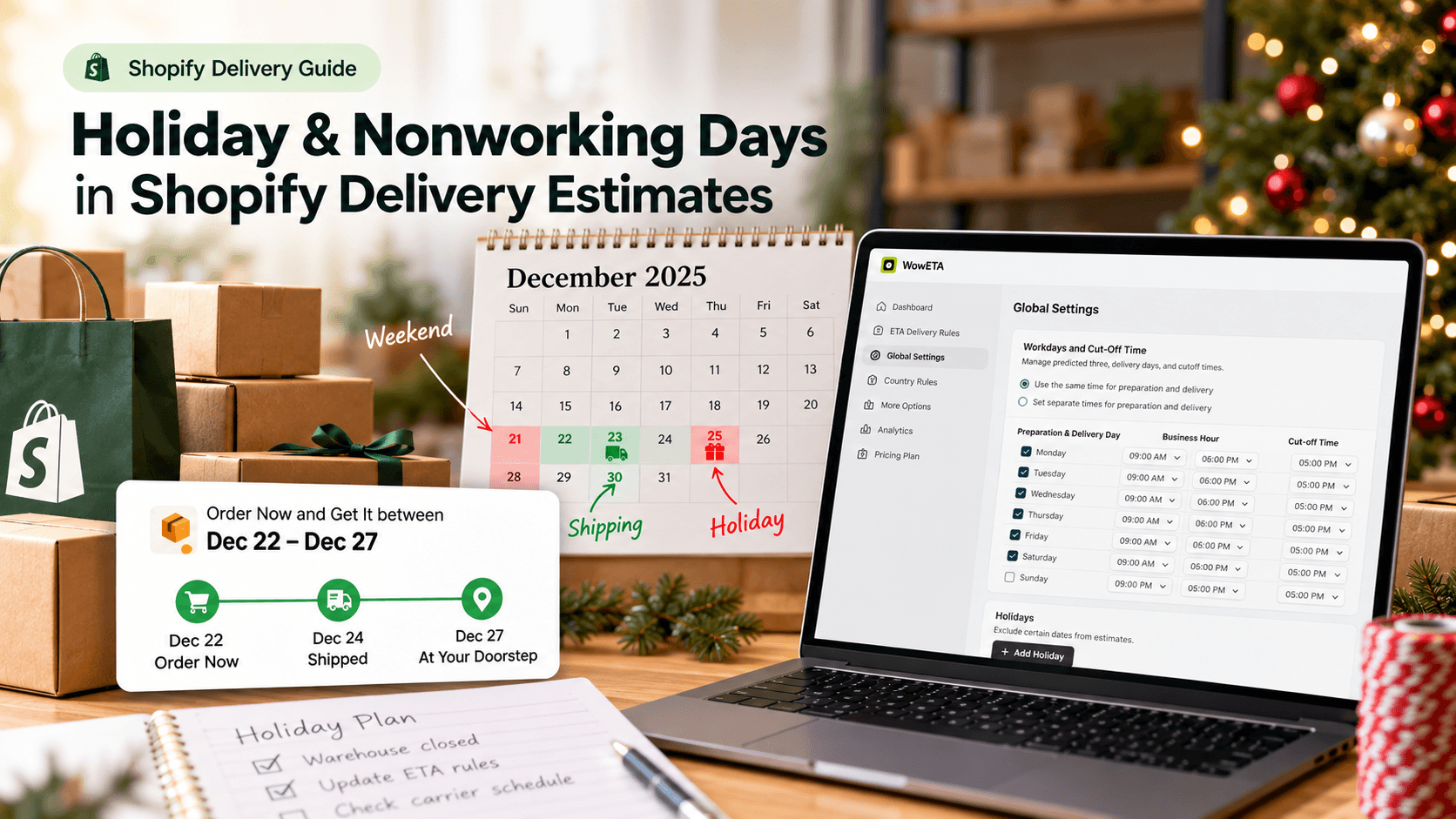
A delivery range that looks reasonable on a Tuesday can become misleading when a warehouse closes on Thursday or a carrier does not move parcels over a holiday. The fix starts with a simple distinction: record when your team can prepare an order and when the chosen delivery service can move it. Then make sure the estimate shown to shoppers reflects those days.
What Are Nonworking Days, and Why Do They Matter?
A nonworking day is a day that should not count toward a particular step of an order's journey. Your packing team may be off on Sunday, while a delivery service may have a different schedule. A holiday can interrupt one step, both steps, or neither, depending on the store and destination.
For a gift shopper, a date range that accounts for those pauses is more useful than “3–5 days” with no explanation. For the merchant, separating preparation from delivery makes the estimate easier to adjust when a closure changes. The result is still an estimate: even a careful calendar cannot guarantee that a carrier will deliver on a particular date.
Make a Short Calendar Before Changing Any Settings
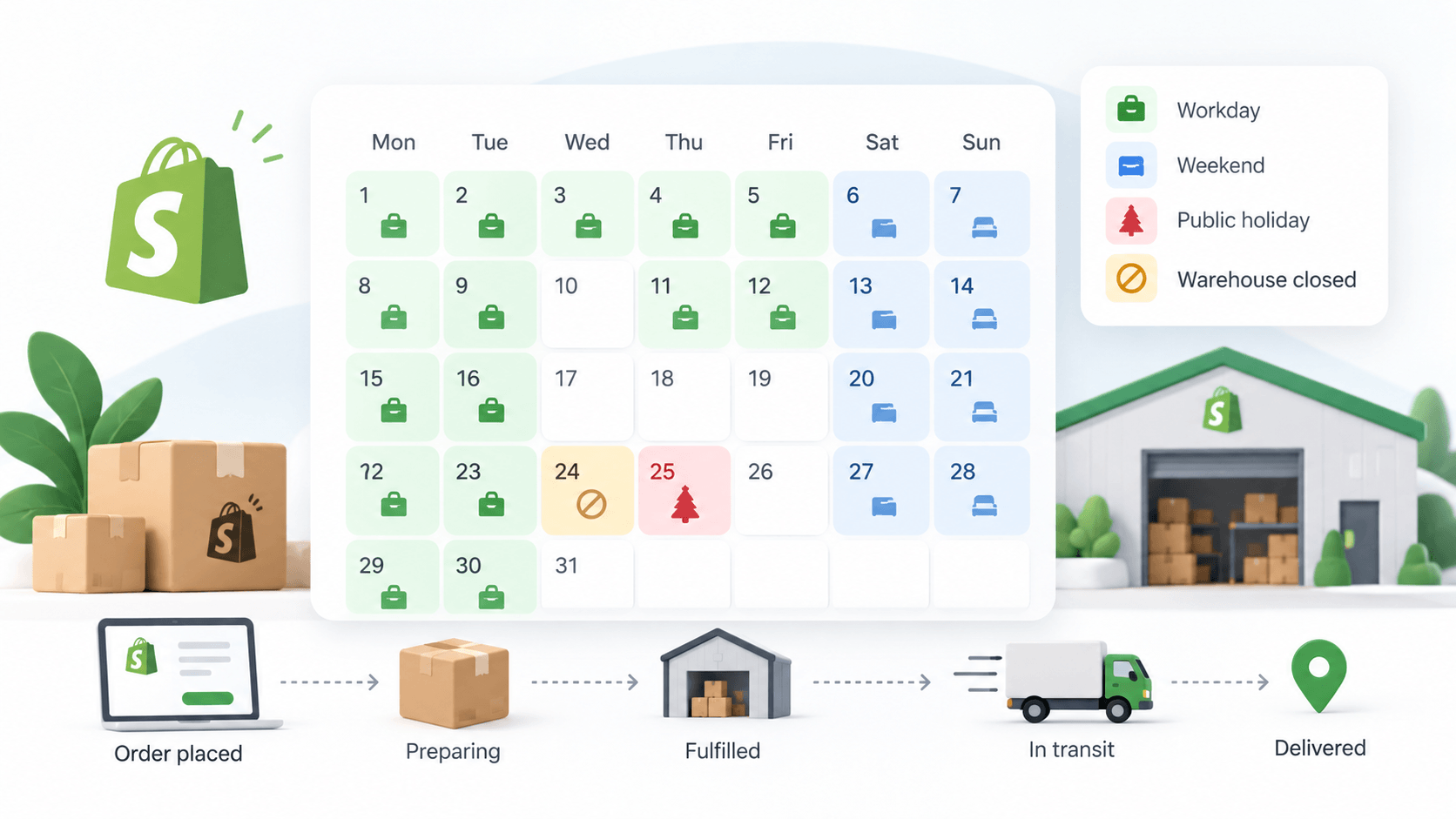
Consider a gift box that takes one working day to pack. Your team closes for two days, but the carrier serves some destinations on one of those days. A single “add two days to every order” rule might be wrong for some shoppers. Instead, write down:
- The days and hours your team prepares orders.
- The daily cutoff after which preparation starts on the next working day.
- The specific closure dates for your store or warehouse.
- The delivery days and expected transit range for each service and destination you advertise.
Here is the distinction in a hypothetical six-day timeline. An order arrives on Day 1. The warehouse is closed on Days 2 and 3, so the gift box cannot be packed until Day 4. The carrier happens to operate on Day 2, but that does not help because the parcel is still in the warehouse. Assume the parcel is handed off on Day 4 and this route takes two further carrier working days, Days 5 and 6. The illustrative arrival is Day 6. If a different destination's carrier does not operate on Day 5, its arrival moves later even though preparation was identical. This is a manual planning example, not a claim that WowETA has separate holiday switches for those stages.
Check the current holiday and service notices from your carrier. Shopify advises merchants to confirm holiday deadlines with the carrier, especially for particular destinations. Do not copy last year's cutoff into a new campaign.
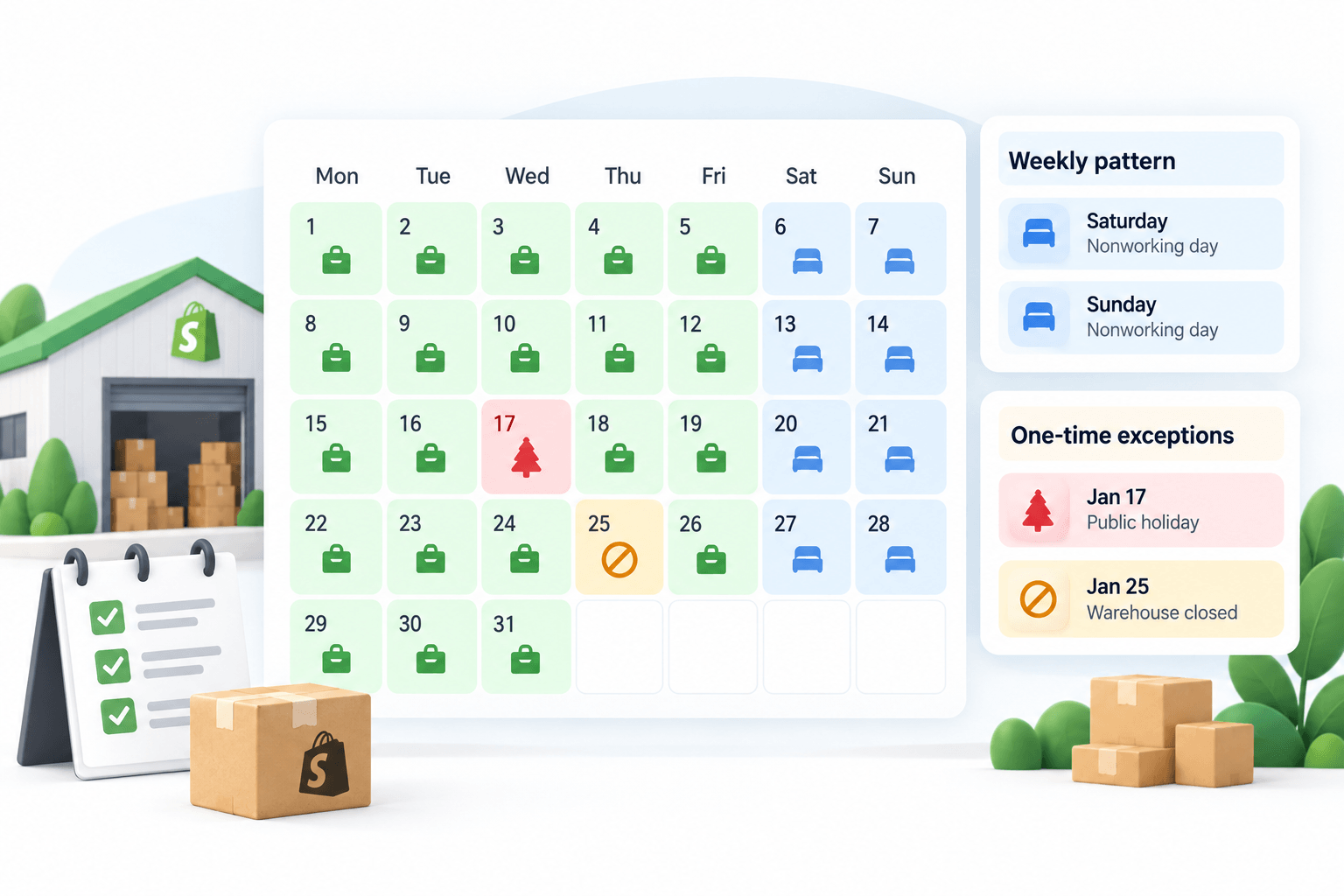
Separate weekly patterns from one-time exceptions
If your warehouse is closed every Sunday, that belongs in your regular workdays. If it closes only on Thanksgiving, that is a dated exception. Mixing the two makes the schedule harder to maintain: a weekly change may remain wrong after a holiday, while a one-time date may be missed the following year. Record who owns each calendar and when it should be reviewed.
The location matters as much as the date. A holiday observed where your warehouse operates may delay preparation for every order. A public holiday in only one delivery market may affect transit there without changing your packing schedule. If you cannot model the distinction in the tool and plan you use, explain the wider possible range in customer-facing copy rather than assuming the shorter case applies everywhere.
Step-by-Step Guide to Updating Holiday Delivery Estimates
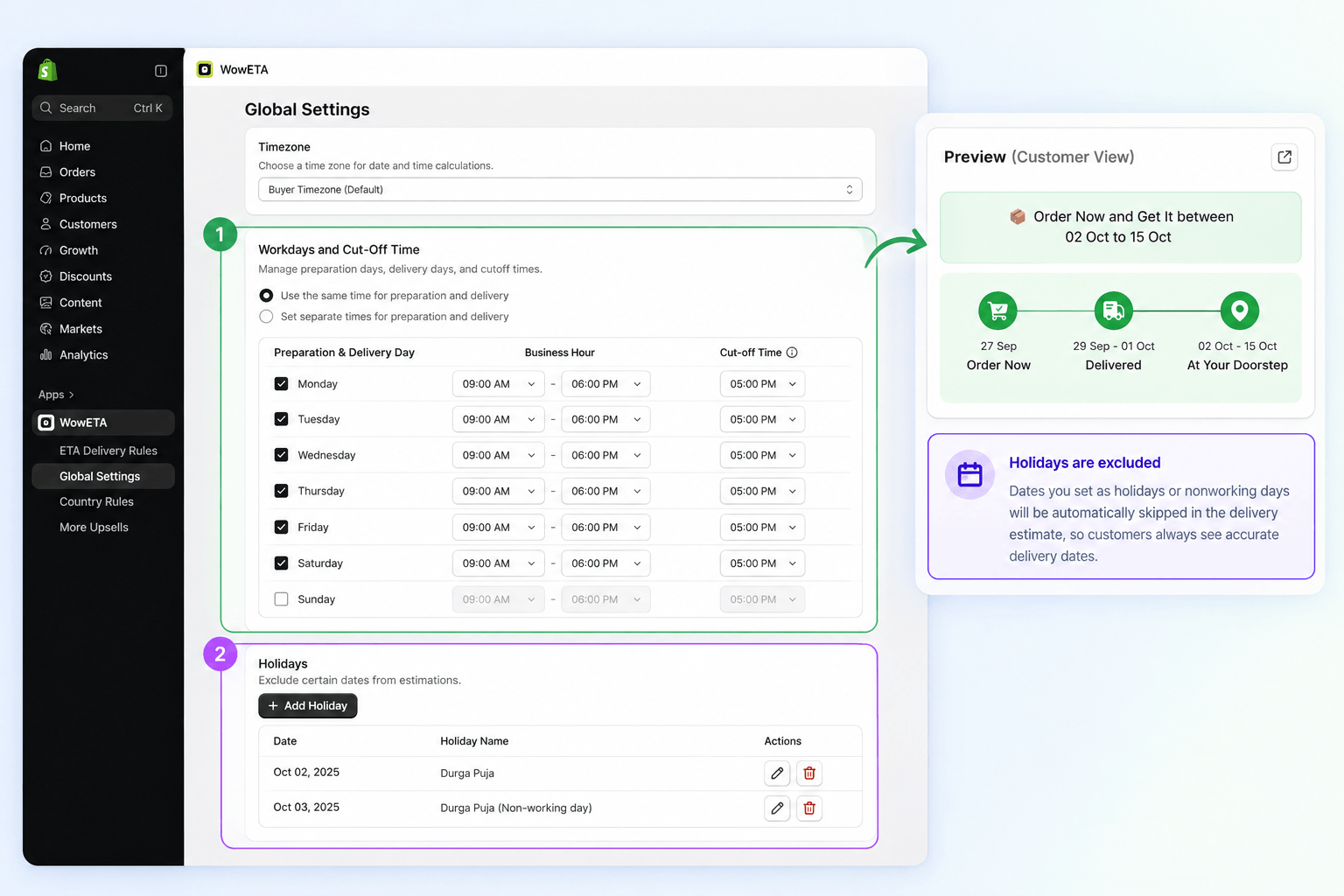
A delivery-date app for this task needs separate workday and holiday controls, plus a way to display the resulting estimate on the relevant product page. The walkthrough uses WowETA Estimated Delivery Date. Its public App Store listing puts Holidays and Vacations on a paid plan; verify that your installed plan includes the setting before you begin.
1. Review your regular working days
Open WowETA's settings and compare its preparation and delivery workdays with the calendar you made. If your team never packs on Sunday, that weekly pattern belongs in the regular schedule. A one-off closure belongs with the holiday dates, so you do not have to undo a weekly change later.
2. Add only the dates that affect your operation
Enter the closure dates supported by the holiday setting in your installed WowETA version. WowETA's FAQ says a specified holiday is added to the delivery-date calculation. Do not assume one holiday entry separately accounts for your warehouse schedule and the carrier's schedule. Compare the displayed result with your own two-calendar calculation before using it in a public promise.
Be careful with a date that repeats every year. A warehouse closure set for a single campaign should not silently recur next year. If your store serves several countries, do not treat one country's public holiday as a worldwide closure unless it affects every order you fulfill.
3. Check the rule for the products you sell
Review the preparation and delivery ranges on a representative product, such as the gift box, then check a slower-to-make item. WowETA documents rules for all products, collections, and specific products. Use the scope that matches the actual difference in fulfillment time.
4. Preview dates on both sides of the closure
Check an order date before the holiday and one that would fall within it. Compare the visible product-page estimate with your calendar. Also test an order placed after your daily cutoff. If the shopper-facing date still assumes a closed day is available, revise the settings before promoting the item.
Write down the manually expected window before testing. An order placed after a cutoff or across a closure should not produce an earlier arrival than a comparable earlier order, but that direction check alone is weak: a date can be later and still be wrong. Compare the displayed window with your counted preparation and transit days for the same product and destination. If they differ, inspect the rule and holiday behavior before promoting the date.
When One Calendar Is Not Enough
The gift box may leave your warehouse in one country and travel to shoppers in several others. Your team might close on a local holiday that the customer's country does not observe; the destination's carrier may pause on a different day. A single global closure note cannot explain both. Start by deciding which days delay preparation for all orders, then which days affect a particular destination or service.
If your chosen tool and plan allow destination-specific rules, use them only for areas where you have reliable service assumptions. Otherwise, show a range that covers the destinations you advertise. Do not make a narrower promise just because it looks more appealing on a product card.
Review recurring holidays before the next season. A date entered as a yearly exception may be appropriate for a fixed annual closure, but a one-off warehouse break should not become a permanent rule. Keeping a small calendar owner and review date is often more useful than adding another unexplained exception.
Keep the Delivery Message Consistent
An ETA widget is only one place a customer may read about shipping. Compare the visible estimate with your shipping policy, promotional email, and any “order by” banner. If one says “arrives before Christmas” while another shows a later range, the shopper cannot make a confident choice.
After the holiday passes, check whether a one-time closure should remain in your rules and whether your normal preparation time has returned. WowETA gives you controls for the estimate; the most useful habit is keeping those controls aligned with the days your business and delivery partners actually work.