

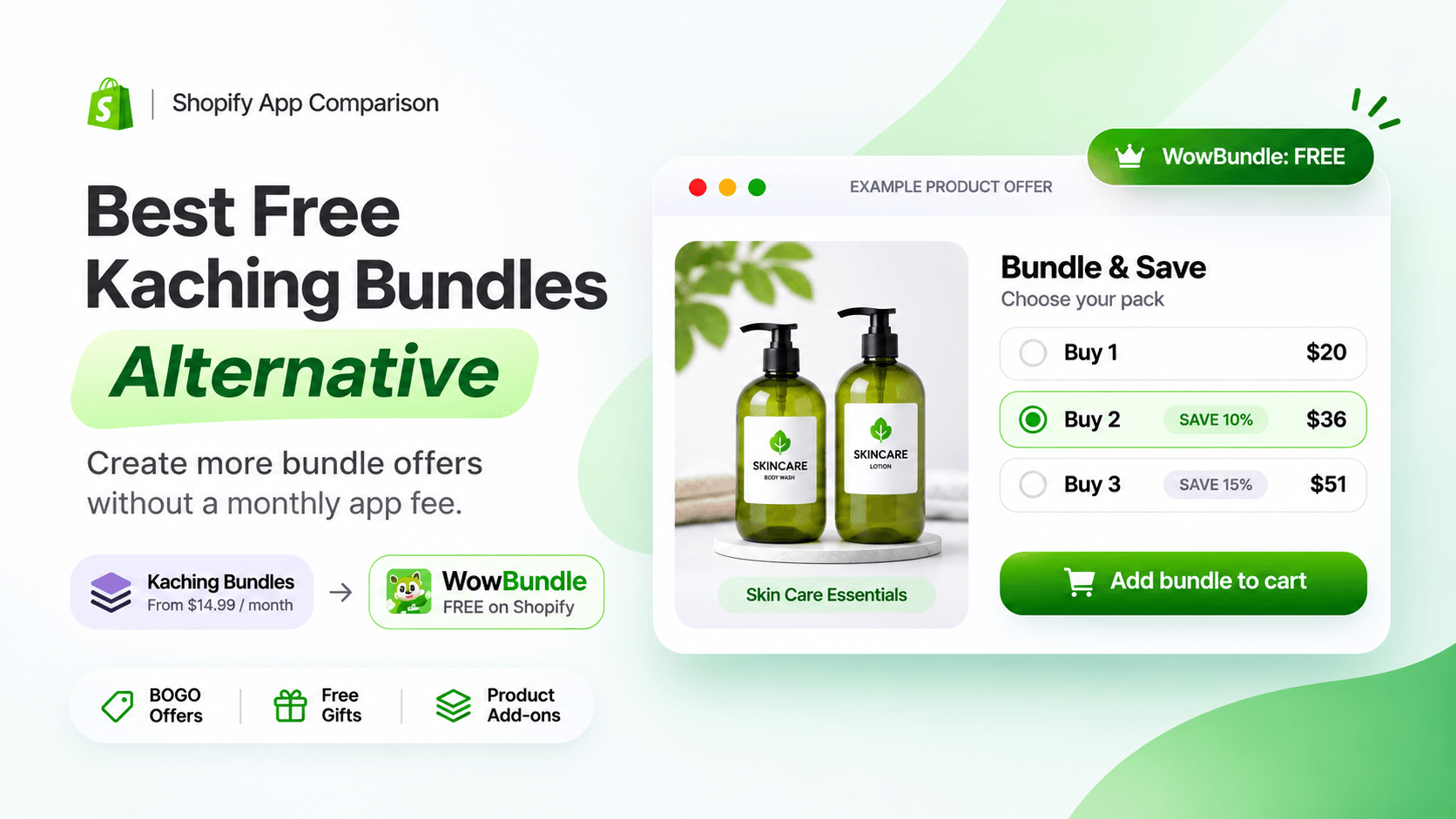
Looking for a Kaching Bundles alternative that lets you create product bundles, quantity discounts, and upsell offers without paying a monthly subscription?
You're not the only Shopify merchant comparing your options.
Kaching Bundles is a popular Shopify app for creating quantity breaks, product bundles, free gift promotions, and upsell offers. Its customizable product-page widgets and built-in A/B testing make it a strong choice for many stores.
But there's one important consideration: Kaching doesn't offer a permanently free plan for regular, live Shopify stores. Its paid plans start at $14.99 per month and increase based on the additional revenue attributed to the app.
That is where WowBundle & Volume Discounts becomes an interesting alternative.
WowBundle is currently listed as 100% free on the Shopify App Store. It supports quantity breaks, volume discounts, product bundles, BOGO deals, free gifts, and product-page upsells without a listed monthly subscription.
So, can WowBundle replace Kaching Bundles for your Shopify store?
Let's compare the features, pricing, customization options, and limitations of both apps. We'll also walk through setting up a free quantity discount offer using WowBundle.
Quick Comparison: Kaching Bundles vs WowBundle
Before getting into the details, here's how the two apps compare.
| Feature | Kaching Bundles | WowBundle |
|---|---|---|
| Free plan for live stores | No | Yes |
| Starting monthly price | $14.99 | $0 |
| Quantity breaks | Yes | Yes |
| Volume discounts | Yes | Yes |
| Product bundles | Yes | Yes |
| BOGO offers | Yes | Yes |
| Buy X Get Y | Yes | Yes |
| Free gift offers | Yes | Yes |
| Product-page upsells | Yes | Yes |
| Percentage discounts | Yes | Yes |
| Fixed-price offers | Yes | Yes |
| Variant selection | Yes | Yes |
| Customizable widgets | Yes | Yes |
| Ready-made templates | Yes | Yes |
| Offer previews | Yes | Yes |
| Built-in A/B testing | Yes | Not publicly confirmed |
| Revenue-based paid tiers | Yes | No paid tiers currently listed |
| Merchant review history | Thousands of reviews | Very limited, newer app |
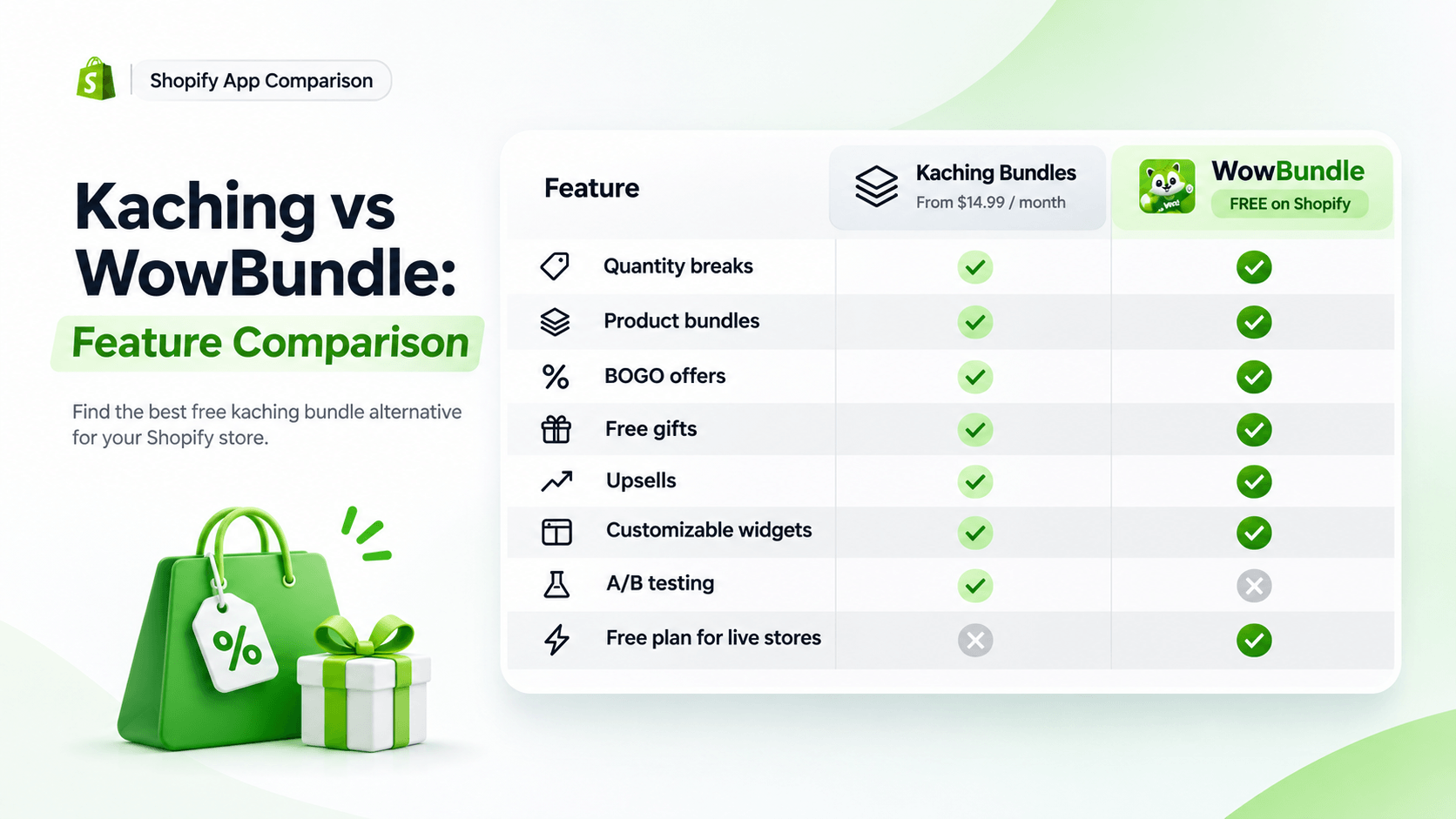
Quick verdict: WowBundle is a practical free Kaching Bundles alternative for stores that primarily need quantity breaks, bundle offers, BOGO promotions, free gifts, and customizable product-page widgets.
However, Kaching has a longer track record, a much larger merchant review base, and documented A/B testing. Those advantages may matter if you're already running an established bundling strategy.
What Is Kaching Bundles?
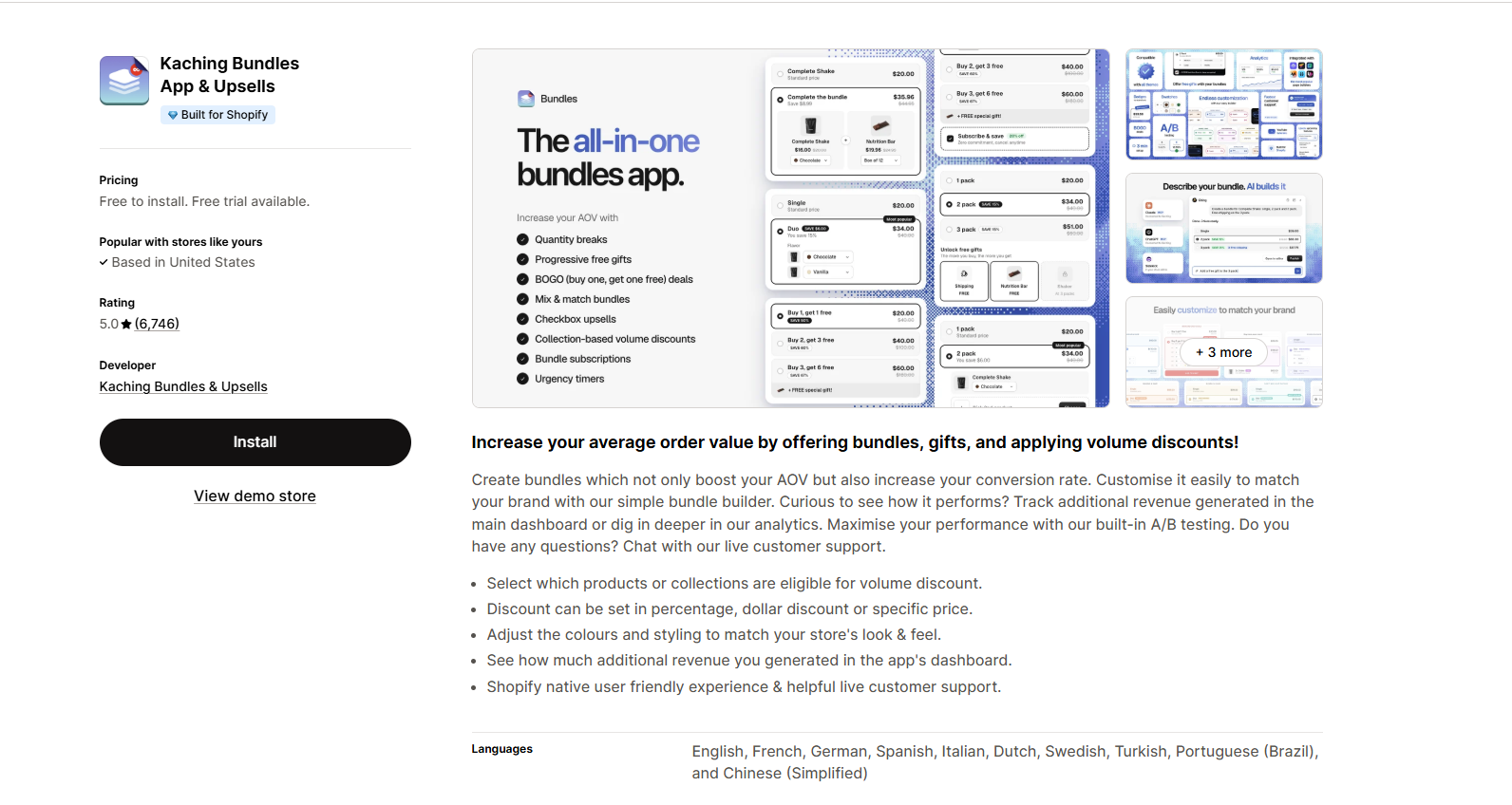
Kaching Bundles App & Upsells is a Shopify app designed to help merchants encourage larger purchases through product bundles, quantity discounts, and upsell offers.
Instead of asking customers to purchase products individually, Kaching lets merchants display multiple buying options directly on product pages.
For example, imagine your Shopify store sells skincare products. A customer viewing a moisturizer might see:
- Buy 1 moisturizer at the regular price.
- Buy 2 moisturizers and save 10%.
- Buy 3 moisturizers and save 15%.
The customer can select the preferred offer without manually adding each item separately.
Kaching also supports complementary product offers, free gifts, and more advanced bundle configurations.
Key Features of Kaching Bundles
- Quantity breaks and volume discounts: Create discounted offers based on how many items customers purchase. This is useful for consumables, beauty products, pet supplies, and other products customers regularly buy in multiples.
- Mix-and-match product bundles: Allow customers to select products or variants from a predefined selection. This can work well for sets where customers want a choice of flavors, colors, or sizes.
- BOGO and free gift offers: Create promotions such as Buy One Get One or include a gift when customers select an eligible bundle.
- Customizable bundle widgets: Kaching provides design templates and customization controls for matching offers to your storefront.
- A/B testing and analytics: One of Kaching's notable strengths is its documented A/B testing functionality. Merchants can compare different bundle offers and review their performance.
- Established merchant feedback: Kaching has accumulated thousands of Shopify App Store reviews and holds a strong overall rating. That gives merchants a larger collection of customer experiences to evaluate.
These capabilities make Kaching a serious option for merchants who want to create and optimize product-page bundle offers.
Why Look for a Kaching Bundles Alternative?
Kaching isn't necessarily the wrong choice. But some merchants may not need everything included in its paid offering.
For example, a new Shopify store selling handmade candles might simply want to offer a three-candle discount. The merchant needs a clear product-page widget, an accurate discount calculation, and a straightforward setup process.
A paid subscription with multiple pricing tiers may not be necessary for that use case. Other merchants might want to experiment with several bundle ideas before committing to a recurring app expense.
The main reasons to consider an alternative include:
- Recurring subscription costs: Kaching requires a paid plan for regular live stores after the trial.
- Revenue-based pricing: Higher attributed revenue can move a store into a more expensive plan.
- Testing new promotions: A merchant may prefer trying bundle strategies without adding a monthly software expense.
- Simpler requirements: Some stores only need quantity breaks, a few bundle combinations, and basic gift offers.
If those concerns sound familiar, a free alternative is worth evaluating.
What Is WowBundle & Volume Discounts?
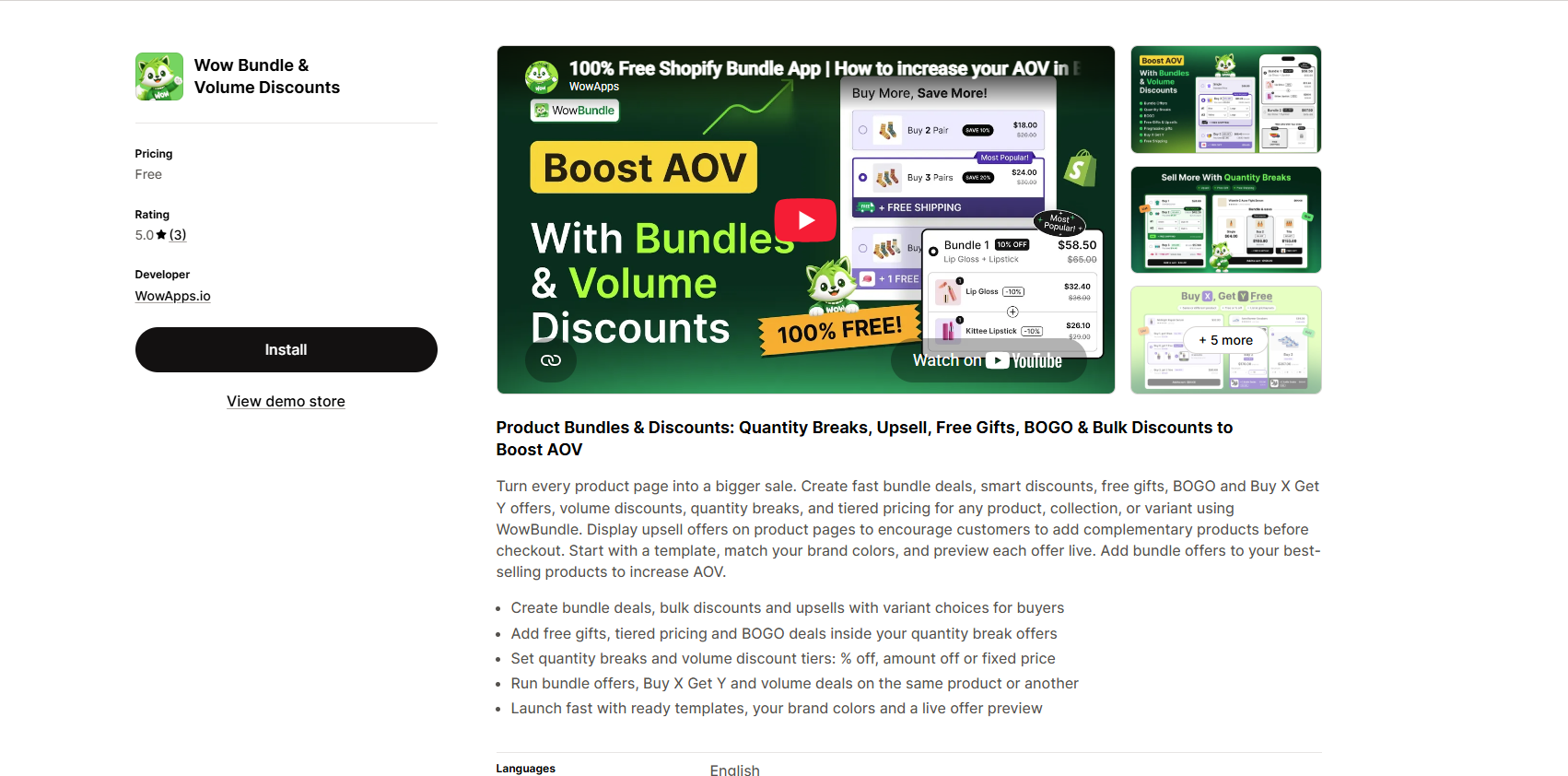
WowBundle & Volume Discounts, developed by WowApps, is a Shopify app for creating product bundles, quantity breaks, volume discounts, free gift promotions, and product-page upsells.
It focuses on giving customers clear buying options while allowing merchants to control products, quantities, discounts, and presentation.
The app's Shopify listing currently shows a Free price, with no paid subscription tiers listed.
That makes it attractive to small stores, newer Shopify businesses, and merchants looking to test bundle offers without recurring app charges.
What Can You Create With WowBundle?
WowBundle supports several common Shopify promotional formats.
1. Quantity Breaks
Offer different prices based on how many units a customer chooses.
For example, a store selling hand wash could display:
| Quantity | Discount | Example total |
|---|---|---|
| 1 bottle | Regular price | $20 |
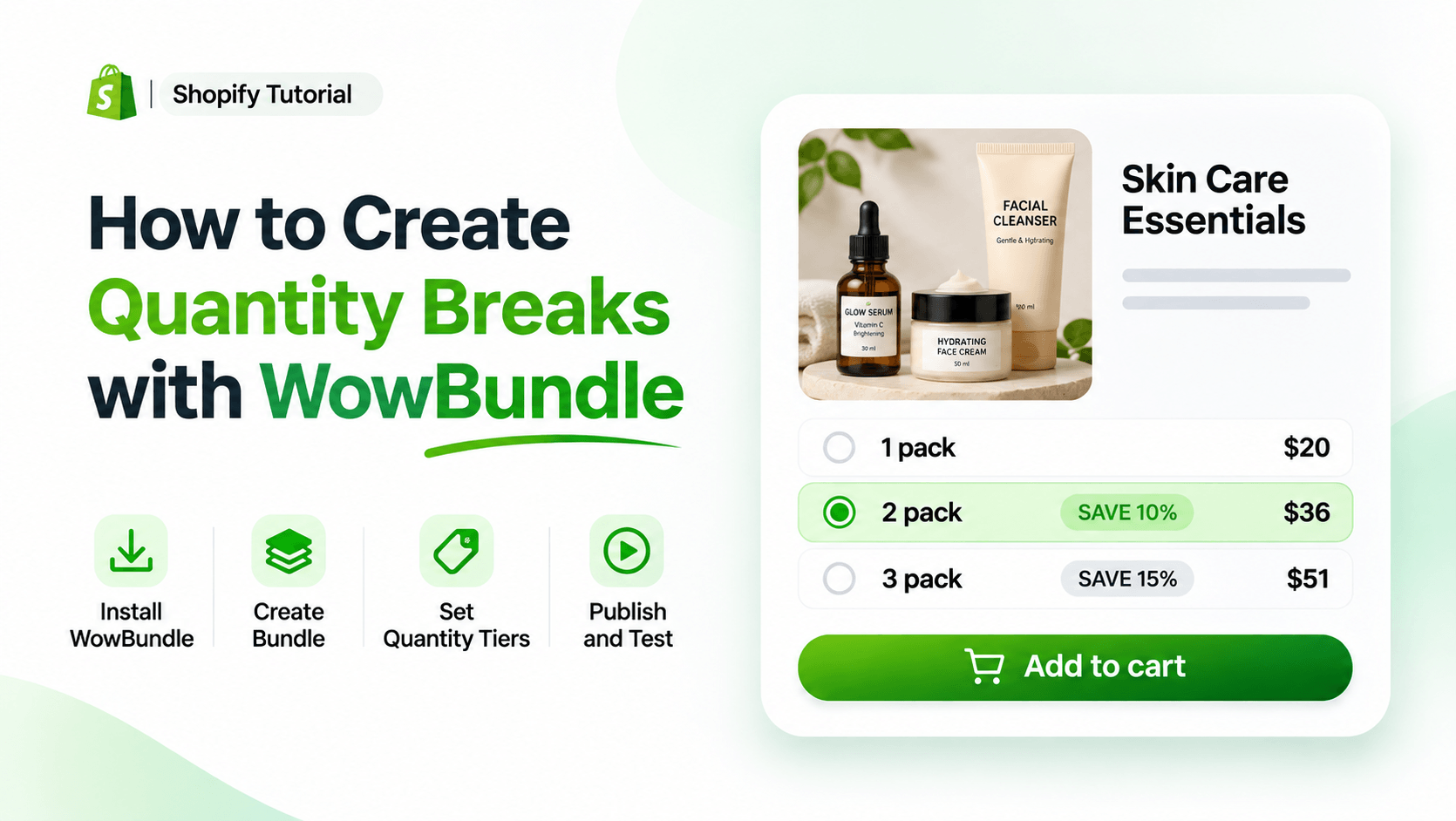
| 2 bottles | 10% off | $36 |
| 3 bottles | 15% off | $51 |
The example assumes each bottle normally costs $20. Customers can compare the quantities and choose the offer that fits their needs.
2. Product Bundles
Group related products into one offer.
Imagine an electronics store selling a wireless keyboard. Instead of offering only the keyboard, the merchant could create a package containing a keyboard, a mouse, and a mouse pad.
WowBundle supports predefined bundles containing different products, with configurable quantities and discounts.
The important distinction is that a predefined product set isn't automatically the same as an unrestricted build-your-own bundle. If customers need to select any products from an entire collection, confirm that exact workflow before choosing an app.
3. BOGO and Buy X Get Y Offers
BOGO promotions give customers an additional product or discount when they meet a qualifying purchase condition.
For example:
Buy 2 T-shirts and get 1 T-shirt free.
Or:
Buy a backpack and get 50% off a matching accessory.
WowBundle lists support for BOGO and Buy X Get Y offers involving the same or different products. These promotions can be useful for seasonal sales, new product launches, and clearing eligible inventory.
4. Free Gifts With Purchase
WowBundle lets merchants attach free gifts to qualifying quantity tiers.
Suppose a skincare brand wants to offer a complimentary cleansing cloth when customers buy three moisturizers. The merchant can display the gift alongside the qualifying offer so customers understand what they receive.
This is different from Shopify's basic automatic Buy X Get Y discount, where shoppers may need to add the gift product themselves.
5. Product-Page Upsells
An upsell offer encourages customers to add another relevant product or choose a larger purchase.
For example, someone purchasing a camera may also want a memory card or protective case. WowBundle supports optional product add-ons and related product offers.
The aim is to make those additional choices convenient rather than forcing shoppers to search for each item individually.
6. Customizable Bundle Widgets
WowBundle includes ready-made designs, editable colors, and a live offer preview. You can adjust how your offer looks before publishing it.
For a minimalist clothing store, this might mean simple typography, subtle borders, and clearly labeled quantity options. For a promotional accessories store, you might choose a more noticeable layout that emphasizes the savings.
The offer should match your storefront and remain easy to understand on mobile devices.
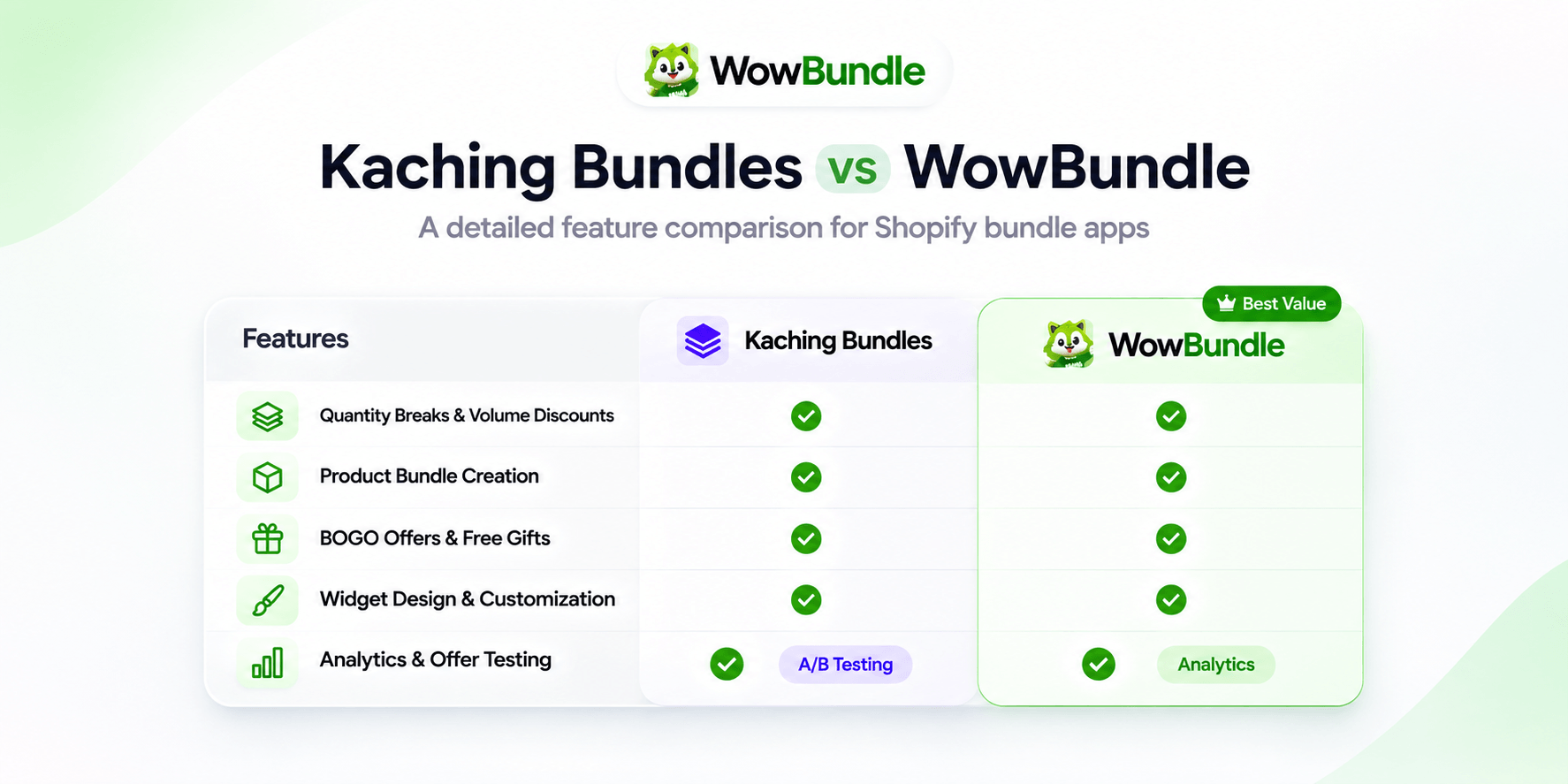
Kaching Bundles vs WowBundle: Detailed Feature Comparison
Both apps provide many of the features merchants expect from a Shopify bundle app. The differences become more important when you consider what your store actually needs.
1. Quantity Breaks and Volume Discounts
Quantity breaks are one of the main reasons merchants install apps like Kaching. They help customers understand how the price changes when they buy more units.
Kaching supports product-page quantity break widgets with configurable tiers, variant choices, and additional promotional elements.
WowBundle supports quantity breaks with three main discount methods:
- Percentage discount: Reduce eligible prices by a chosen percentage.
- Amount off each item: Subtract a fixed amount from each qualifying unit.
- Fixed price: Set a total price for a selected pack quantity.
For example, consider a store selling notebooks for $15 each. A merchant might create a two-pack with 10% off. The normal total would be $30. With the discount, the customer pays $27.
The merchant could also configure a fixed $25 price for a particular two-notebook pack. The better approach depends on product costs and the desired promotion.
Verdict: Both apps support quantity-based offers. WowBundle covers common discount structures without a listed subscription fee. Kaching adds an established product-page offer system with documented testing functionality.
2. Product Bundle Creation
Product bundles work best when the products have a clear reason to be purchased together.
A beauty brand might combine a cleanser, serum, and moisturizer. A pet store might offer a harness, leash, and treat pouch as a starter package.
Both Kaching and WowBundle support bundled product offers. Kaching also promotes mix-and-match selection, allowing customers to choose among eligible items and variants.
WowBundle supports predefined combinations of complementary products and variant choices.
However, stores that need a multi-step build-a-box experience, dedicated kit SKU, or advanced inventory and warehouse integration should verify those requirements separately.
Verdict: Both are suitable candidates for product-page bundle promotions. Compare their exact product selection and fulfillment behavior before committing to more complicated kits.
3. BOGO Offers and Free Gifts
BOGO and free gift campaigns can encourage customers to select a larger offer.
For example, a fashion store could offer a free pair of socks with a qualifying three-T-shirt pack.
Both apps advertise support for BOGO and gift promotions. WowBundle allows merchants to configure a gift as part of an eligible quantity tier.
The gift can appear beside the offer, making the reward visible before the customer adds the selection to their cart.
Kaching also provides free gift and promotional offer functionality, with additional controls available through its bundle editor.
The most important part of either setup is verifying the final cart behavior. A gift that appears free on the product page should be correctly priced in the cart and checkout.
Verdict: Both support common gift and BOGO promotions. WowBundle is attractive when you want these capabilities in a currently free app.
4. Widget Design and Customization
A bundle offer shouldn't overwhelm the product page. Customers need to understand the quantity, products included, discount, and final price without reading a long explanation.
Kaching offers multiple layouts, detailed appearance settings, and customization options.
WowBundle also provides templates, brand color customization, editable offer text, and live previews.
A store selling premium skincare products may prefer a simple bundle selector with three purchasing options. A discount-focused store might use more prominent savings labels.
The better design is the one customers can understand easily, especially on smaller screens.
Verdict: Both apps offer customizable product-page presentations. Kaching has a more established design and testing ecosystem, while WowBundle offers the main customization tools needed for straightforward bundle campaigns.
5. Analytics and Offer Testing
This is an area where merchants should compare requirements carefully.
Kaching publicly documents A/B testing and revenue analytics. A/B testing helps merchants compare offers under controlled conditions.
For example, you might test whether customers respond better to a two-pack with 10% off or a three-pack with 15% off.
WowBundle's Shopify App Store listing includes analytics among its listed capabilities, but the public information reviewed does not establish an equivalent built-in A/B testing tool.
That doesn't prevent merchants from monitoring results using Shopify reports and other permitted analytics tools. However, those reports shouldn't be treated as proof that a specific widget caused an increase in sales.
Verdict: Kaching has the stronger documented A/B testing offering. If experiments and advanced offer optimization are essential to your workflow, this distinction matters.
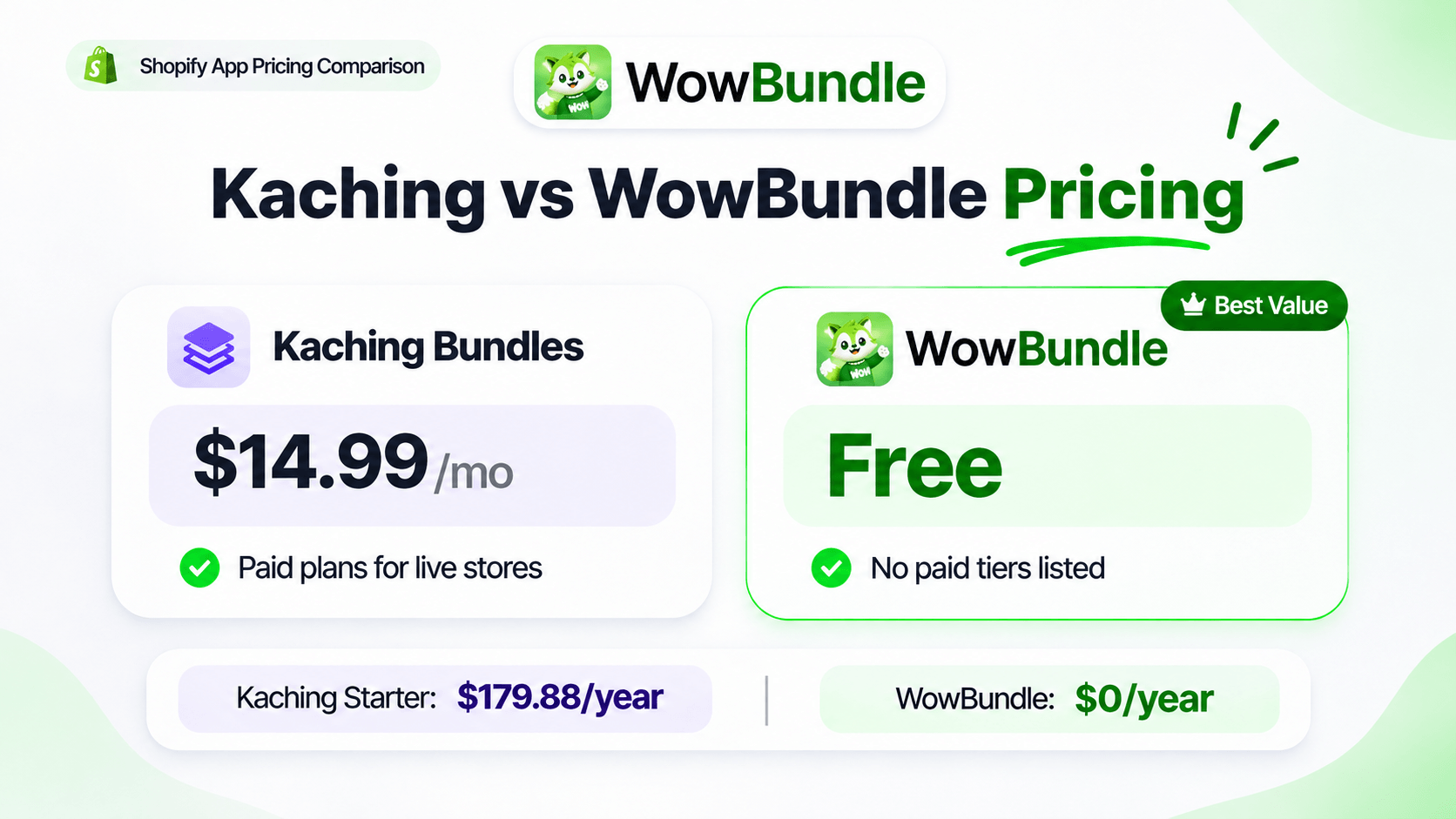
Kaching Bundles vs WowBundle Pricing in 2026
Pricing is where the difference becomes particularly clear.
Kaching uses recurring plans based on the additional revenue attributed to its offers. WowBundle is currently listed as free on the Shopify App Store.
Kaching Bundles Pricing
| Plan | Monthly price | Additional revenue allowance |
|---|---|---|
| Development stores | Free | Development stores only |
| Starter | $14.99 | Up to $1,000 |
| Scale | $29.99 | Up to $5,000 |
| Pro | $59.99 | Up to $10,000 |
Kaching's official website also lists higher plans for stores generating more additional revenue, reaching $299 per month at its highest published tier.
Paid plans include a seven-day free trial. Annual billing discounts are also available.
WowBundle Pricing
| Plan | Monthly price | Included capabilities |
|---|---|---|
| Free | $0 | Quantity breaks, bundle offers, BOGO, free gifts, upsell offers, templates, and customization |
How Much Could You Save?
Consider a merchant who needs only standard product-page quantity breaks and who would otherwise pay Kaching's Starter subscription.
At $14.99 per month, twelve months of monthly billing would total $179.88. Using WowBundle at its currently listed free price would avoid that app subscription expense.
At Kaching's $29.99 Scale price, twelve months of monthly billing would total $359.88.
These figures illustrate the difference in subscription costs. They do not include annual billing discounts, future pricing changes, or differences in the merchant's sales performance.
A paid app may still be worthwhile if its additional functionality or support provides enough value to justify the cost.
Pricing verdict: WowBundle has the advantage for merchants looking for a free Kaching Bundles alternative for live Shopify stores.
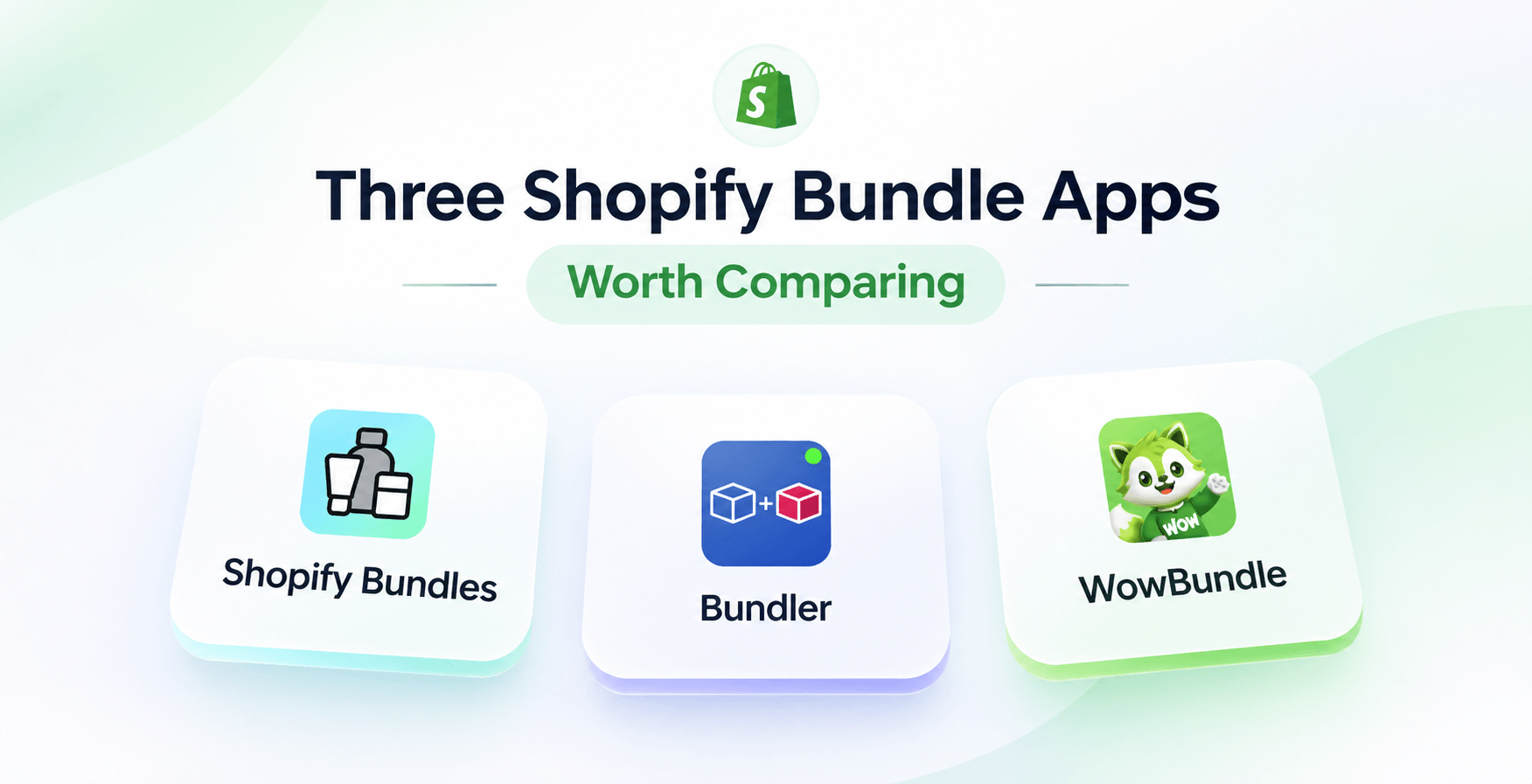
Three Shopify Bundle Apps Worth Comparing
If your primary goal is to create product-page offers without paying for Kaching, these three apps are worth considering.
1. WowBundle & Volume Discounts
Best for: Merchants who want a free app for quantity breaks, bundle offers, BOGO, free gifts, and product-page upsells.
WowBundle is a good starting point when you want to create and customize promotional offers without a monthly app subscription. It is particularly relevant for smaller stores, new promotions, and merchants testing bundle strategies.
The main consideration is that WowBundle launched in October 2026 and has a much shorter merchant review history than established competitors.
2. Bundler Product Bundles
Best for: Merchants who want established free quantity breaks and volume discount functionality.
Bundler offers a free plan for live stores with quantity breaks, volume discounts, Buy X Get Y, and product-page upsells. Its free plan advertises unlimited revenue and orders.
However, advanced mix-and-match functionality and some analytics features are available on paid plans. Bundler is worth considering if a longer review history matters to you.
3. Shopify Bundles
Best for: Merchants who need fixed bundles and multipacks with Shopify's native inventory handling.
Shopify Bundles is Shopify's own free bundling app. It lets merchants create fixed bundles and multipacks through Shopify admin.
This is useful when you need to sell a set of products as a bundle product with component inventory considerations.
However, Shopify Bundles is not a direct substitute for every product-page quantity break or promotional widget offered by Kaching and WowBundle. Choose it when your main requirement is a fixed kit rather than an upsell-oriented product-page offer.
How to Create Free Quantity Breaks on Shopify Using WowBundle
You can create a quantity discount using Shopify's native discount settings or a dedicated app.
The right method depends on whether you need a basic discount rule or visible quantity choices on your product page.
Method 1: Create a Simple Shopify Quantity Discount Without an App
Shopify supports automatic product discounts with minimum quantity requirements.
For example, suppose you want customers to receive 10% off when they purchase at least two eligible hand-wash bottles.
Here's how to configure the basic discount:
- Open your Shopify admin and navigate to Discounts.
- Click Create discount.
- Select Amount off products.
- Choose Automatic discount.
- Enter a recognizable discount title.
- Select Percentage and enter
10. - Under Applies to, select the eligible product.
- Set the Minimum quantity of items to
2. - Review customer eligibility, discount combinations, and active dates.
- Save the discount.
When customers add the required quantity of eligible products, Shopify can apply the configured automatic discount.
The limitation is that this method doesn't create a product-page selector showing several different pack choices. Customers generally need to add the products themselves.
For Shopify's official settings, see Amount off discounts.
Method 2: Create Quantity Break Offers With WowBundle
Use WowBundle when you want shoppers to see different quantity options and choose a discounted pack directly from the product page.
Let's create an example offer for a store selling hand-wash bottles.
Step 1: Install WowBundle
Visit the WowBundle Shopify App Store page.
Click Install and complete the installation through Shopify.
After installation, open Shopify Admin > Apps > WowBundle. This opens the app dashboard where you can manage bundle offers.
Step 2: Create a New Bundle Offer
Select Create bundle.
WowBundle provides starting designs you can use for your product-page offers. Choose a design that suits your storefront and click Use this design.
The app creates a draft offer that you can customize before publishing. Start with a simple quantity-based design rather than adding several promotions immediately. That makes it easier to verify the quantities and calculations.
Step 3: Choose the Products
Open the Offer tab. Find Applies to and select the products you want to include.
For this example, choose Specific products and select the hand-wash product.
WowBundle also provides broader targeting options for products and collections. For your first offer, start with a product whose regular price, inventory, and fulfillment costs you understand.
Step 4: Configure Quantity Discount Tiers
Inside the offer editor, expand a tier and select Volume (Same product).
Enter the quantity you want to offer. Then choose the discount type.
For example, suppose one hand-wash bottle normally costs $20.
| Offer | Discount | Customer pays |
|---|---|---|
| Buy 1 bottle | Regular price | $20 |
| Buy 2 bottles | 10% off | $36 |
| Buy 3 bottles | 15% off | $51 |
Use Add tier to create additional quantity options. Check the calculated total for every tier.
WowBundle also supports an amount-off-each discount and a fixed total price for a selected pack.
Be careful when configuring fixed prices. A fixed price for a three-pack means the total for that selected three-item pack, not the price of each unit.
Step 5: Customize the Bundle Widget
Once your quantity tiers are configured, adjust their appearance. Choose a design that matches your Shopify theme.
Review offer titles, quantity labels, pricing text, and colors. You could use straightforward labels such as:
- Single Bottle
- Two-Bottle Refill: Save 10%
- Three-Bottle Pack: Save 15%
Avoid unsupported marketing labels. For instance, don't call a tier "Most Popular" unless your sales information supports that statement.
You can also use Selected by default to choose which tier appears selected when customers first see the offer. Review the live preview before continuing.
Step 6: Enable Variant Selection if Needed
If a product has multiple variants, such as different scents, sizes, or colors, you may want customers to choose a variant for each unit.
WowBundle provides a setting called Let customers pick a variant for each item.
Enable it on the relevant tier if your offer requires individual variant choices. For example, a customer purchasing three T-shirts might want one black, one white, and one blue shirt.
Check how those choices affect the final price, especially when variants have different regular prices.
This feature applies to the variants of the selected product. It is not automatically a catalog-wide build-your-own-box tool.
Step 7: Enable the Offer on Your Storefront
After configuring the offer, confirm that WowBundle is enabled in your Shopify theme.
Inside WowBundle, open Settings and review Theme setup.
Use Manage embed to confirm the app embed is enabled. You can also use the optional app block to adjust placement on compatible product templates.
The embed handles storefront integration, while the placement block provides additional positioning control.
Once the offer is ready, use Publish to activate a new draft. For existing offers, the app provides controls such as Save, Pause, and Resume depending on the offer status.
Step 8: Test the Bundle Before Launching
Before promoting the offer, open the product page as a customer. Try each quantity tier.
For example, select the two-bottle option and confirm that the displayed total is $36. Then add the offer to the cart.
Check that:
- The correct product and quantity are added.
- The selected variants are correct.
- The discount applies as intended.
- The cart total matches the product-page offer.
- The checkout total reflects the expected discount.
- Other active promotions do not create an unintended discount combination.
Repeat the test with different quantities and available variants. Once everything works as expected, the offer is ready to promote.
For additional interface screenshots and guidance, see How to Set Up Quantity Breaks on Shopify.
How to Switch From Kaching Bundles to WowBundle
If you're already using Kaching, switching apps requires a little more care than simply uninstalling the old one.
Your existing offers may include different product conditions, discounts, gifts, and custom styling. The goal is to reproduce the offers your customers expect while preventing duplicate widgets or conflicting discounts.
Step 1: Review Your Existing Kaching Offers
Before making changes, record your active bundle settings. Note the eligible products, quantity tiers, discount amounts, optional products, gifts, and any variant requirements.
For example, if your Kaching offer gives customers 10% off two T-shirts and 15% off three, record those settings exactly. Also note any A/B tests or advanced features that don't have a confirmed equivalent in WowBundle.
Step 2: Recreate the Offers in WowBundle
Install WowBundle and create replacement offers using the same products and discount structures where supported. Start with one offer.
Check its configuration against the original Kaching promotion. Don't assume two apps calculate every promotion identically simply because both call the feature a quantity break.
Step 3: Test the New Widget
Use your storefront preview to check the new offer. Inspect how it appears on desktop and mobile.
Test variant selection, quantity updates, free gifts, and final checkout price. Keep the new offer unpublished until you're satisfied that it behaves correctly.
Step 4: Remove Duplicate Offer Displays
When you're ready to switch, disable the relevant Kaching widget or theme integration and activate the matching WowBundle offer.
Avoid showing two different bundle selectors for the same promotion. Review any existing Shopify discounts that could conflict with the replacement offer.
Step 5: Verify the New Setup
Place a test order or complete an appropriate checkout test. Review products, discount amounts, and order details.
Once the replacement works, check for any remaining Kaching integrations before uninstalling the app. Also review your Kaching billing status and Shopify subscription records. Uninstalling an app does not necessarily reverse charges that have already been incurred.
Is a Free Bundle App Enough for a Growing Shopify Store?
A free bundle app can be enough when it supports the types of promotions your store actually needs. However, cost shouldn't be the only factor in your decision.
Think about a store selling natural skincare products. It might use three basic promotions:
- Buy two moisturizers and save 10%.
- Buy a cleanser and serum together for a discounted price.
- Buy three products and receive a small free gift.
WowBundle's currently advertised functionality covers these kinds of product-page offers.
But consider a store with more complicated requirements. It might need subscription bundle testing, specialized warehouse integrations, advanced experiments, or a dedicated build-your-own-box shopping experience.
Those requirements deserve a closer review. The biggest question isn't whether the app has the longest feature list. It's whether it supports your real buying, pricing, inventory, and fulfillment workflows.
Check Your Bundle Profitability Too
A higher average order value doesn't always mean higher profit.
For example, suppose you sell a product for $20 and its merchandise cost is $8.
Selling three units at the regular price generates $60 in merchandise revenue and $36 before other expenses.
Now suppose you offer 15% off the three-pack. The customer pays $51, and the merchandise cost remains $24. That leaves $27 before packaging, payment processing, shipping subsidies, returns, advertising, and overhead.
The discounted order produces more revenue than a single-item purchase, but it produces less contribution than selling all three units at full price.
That's why you should monitor both the number of items purchased and the amount remaining after costs. Start with realistic discount tiers rather than automatically choosing the biggest possible savings.
Kaching Bundles vs WowBundle: Which Should You Choose?
Both apps are worth considering, but they suit different priorities.
Choose Kaching Bundles If:
- You already use its advanced offer-testing functionality.
- You value a long merchant review history.
- You need its specific bundle layouts or established integrations.
- You're comfortable with revenue-based subscription tiers.
- You have verified that its additional capabilities justify the cost.
Choose WowBundle If:
- You want a free Kaching Bundles alternative for a live Shopify store.
- You primarily need quantity breaks and volume discounts.
- You want BOGO and free gift promotions.
- You want to create predefined product bundles with configurable discounts.
- You prefer testing bundle offers without an advertised monthly subscription.
- You need customizable product-page offers and live previews.
Our recommendation: If your goal is to create product-page bundles, quantity discounts, BOGO campaigns, and free gift offers without a monthly app subscription, WowBundle is a strong option to test.
If your business relies on Kaching's advanced A/B testing, specific integrations, or established support history, compare those capabilities carefully before switching.
Frequently Asked Questions
What is the best free Kaching Bundles alternative?
WowBundle & Volume Discounts is one free option worth considering. It currently offers quantity breaks, product bundles, BOGO, free gifts, and product-page upsells with no paid plans listed on the Shopify App Store.
Bundler is another established alternative with a free plan for quantity discounts and related offers. The best choice depends on the exact bundle behavior and product selection your store requires.
Is Kaching Bundles free?
Kaching Bundles is free to install on Shopify development stores.
Regular live Shopify stores require a paid plan after the applicable free trial. Its advertised paid pricing starts at $14.99 per month.
Is WowBundle really 100% free?
As of November 2026, WowBundle is listed as Free on the Shopify App Store, without paid subscription tiers.
That is its current public pricing, not a permanent promise that the app will never introduce paid plans or usage conditions.
Can WowBundle create quantity breaks?
Yes. WowBundle supports product-page quantity break offers with percentage discounts, an amount off each item, and fixed-price pack options. Merchants can configure different quantities and prices through the offer editor.
Can I create BOGO deals with WowBundle?
Yes. WowBundle advertises BOGO and Buy X Get Y functionality, including offers involving the same or different eligible products. Check qualifying quantities, reward eligibility, and final cart behavior before launching.
Can WowBundle offer free gifts?
Yes. Merchants can attach a free gift to a qualifying quantity tier. For example, you could include a complimentary accessory when a customer selects a particular product pack.
Does WowBundle support different product variants?
Yes. WowBundle provides per-item variant selection for supported quantity offers. Customers can choose variants such as sizes or colors within the eligible product. Always test selected variants and their prices at checkout.
Does WowBundle offer the same features as Kaching?
Not every feature has been confirmed as equivalent. Both apps support quantity breaks, bundles, BOGO, free gifts, and customizable offers.
Kaching also publicly documents A/B testing and has a much larger merchant review history. Review any specialized features you currently use before switching.
Does WowBundle guarantee an increase in Shopify sales?
No bundle app can guarantee higher sales or average order value. Results depend on your products, offer design, pricing, customer behavior, storefront experience, and fulfillment quality.
Use realistic offers and monitor their performance.
Final Verdict: Is WowBundle the Best Free Kaching Bundles Alternative?
Kaching Bundles remains a capable Shopify app with established merchant feedback, customizable widgets, and documented A/B testing functionality. For stores that rely on those capabilities, paying for Kaching may make sense.
But not every Shopify merchant needs a paid bundle app.
If your main goal is to create quantity breaks, volume discounts, product bundles, BOGO deals, free gifts, and product-page upsells, WowBundle offers a compelling free alternative.
Its current Shopify App Store listing makes it especially appealing for new Shopify stores, smaller merchants, and businesses experimenting with bundle promotions.
The sensible approach is to start with one well-planned offer. Configure the products, choose realistic discounts, preview the design, and check the cart and checkout before publishing.
If the app supports your actual requirements and the offer performs well, you can expand your bundle strategy from there.
Want to create Shopify bundle offers without a monthly subscription?
Install WowBundle & Volume Discounts for free from the Shopify App Store and start with your first quantity discount offer.