
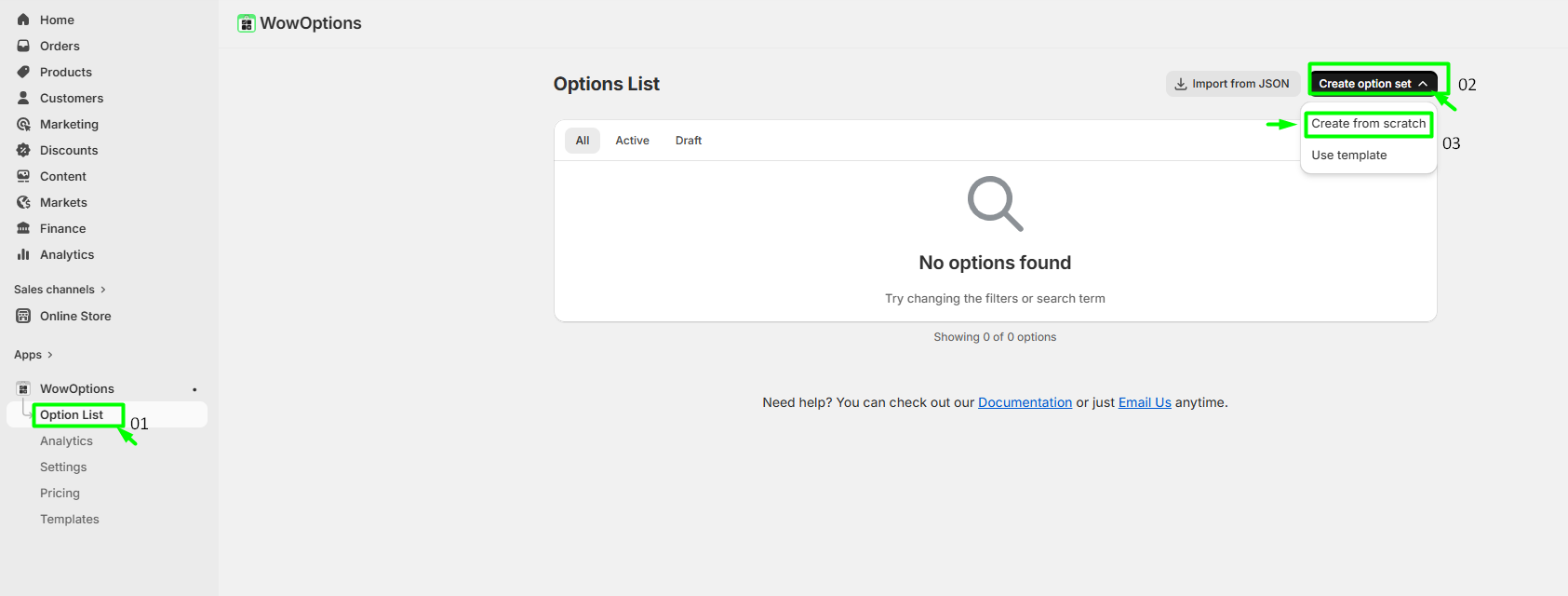
Go to Option List and click "Create option set > Create from Scratch."
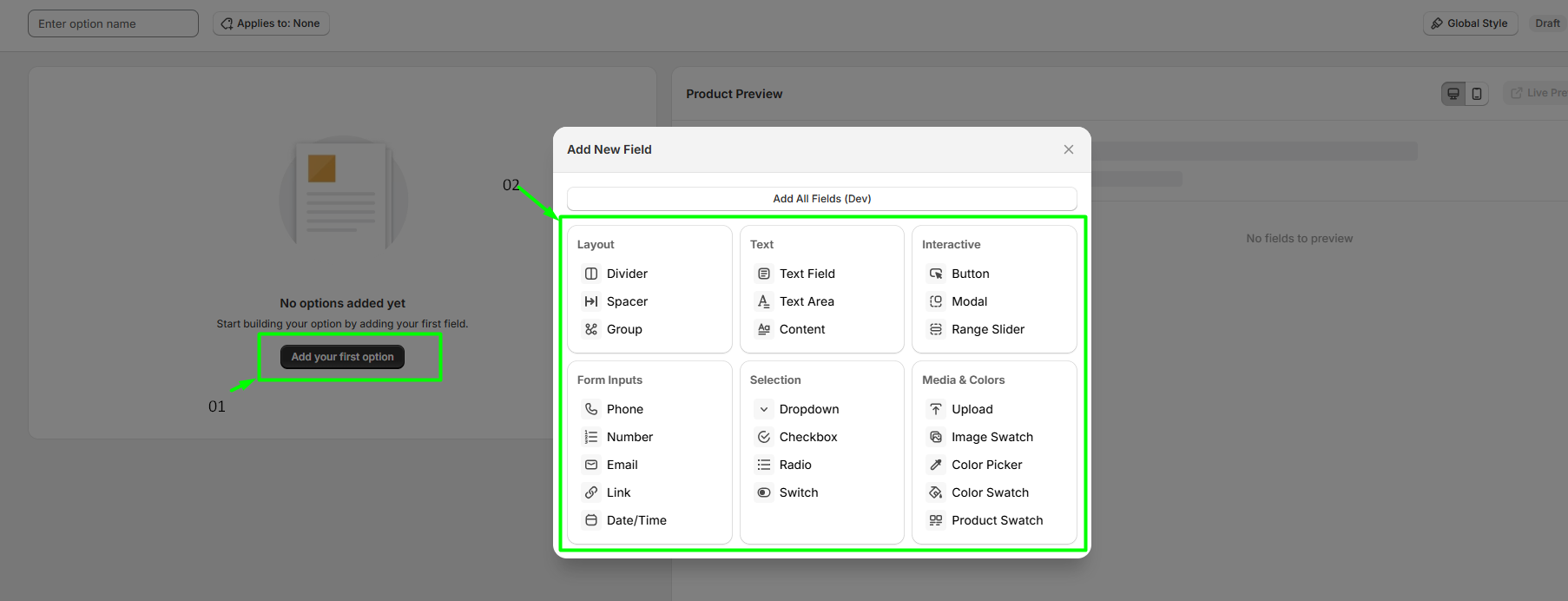
Click on "Add your first option" and then select the "Option" that you need for your custom product. For example: select Text Fields.
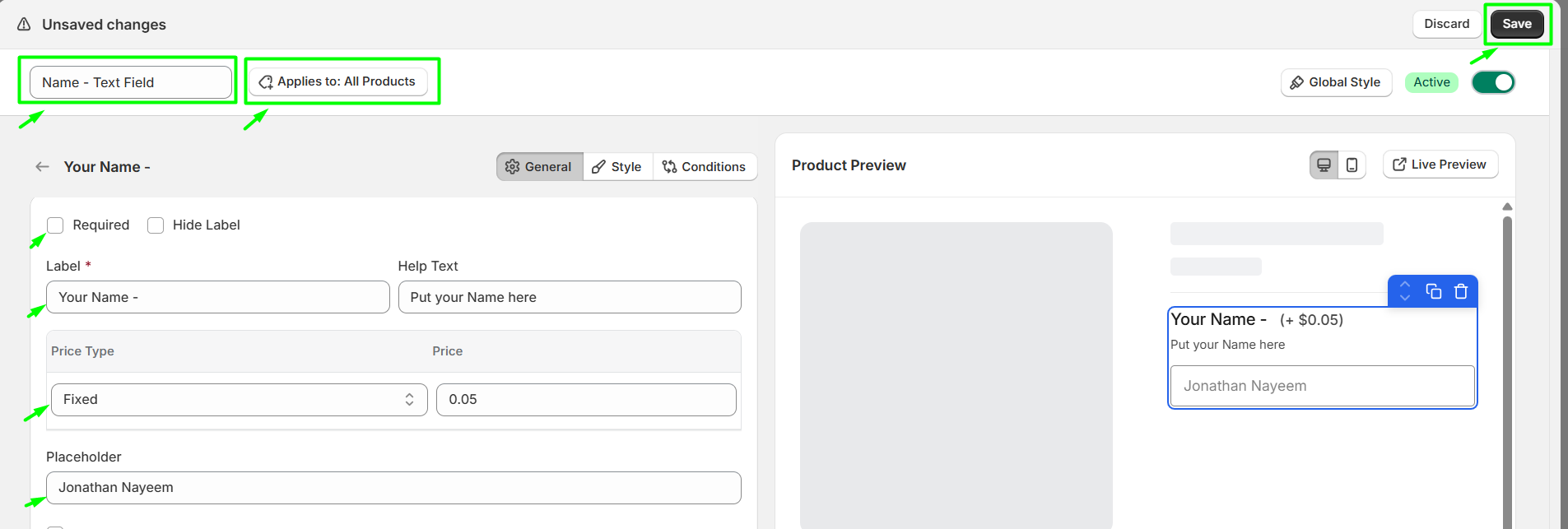
After setting our option, save it from the right corner of the page. Do not forget to add the "option name" and "add to products" so that you can remember which option you have set and to get the option to your required products.
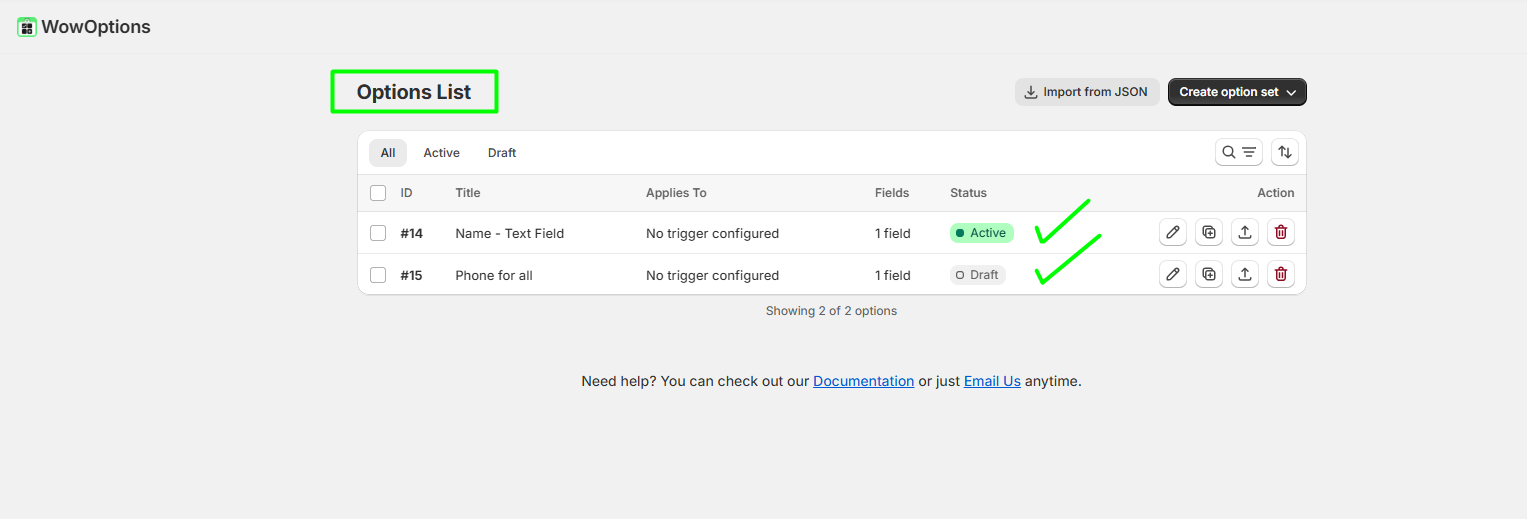
Once you successfully set your options, you will see your option list like the image.
Explore the FAQ to learn about common issues and solutions
