

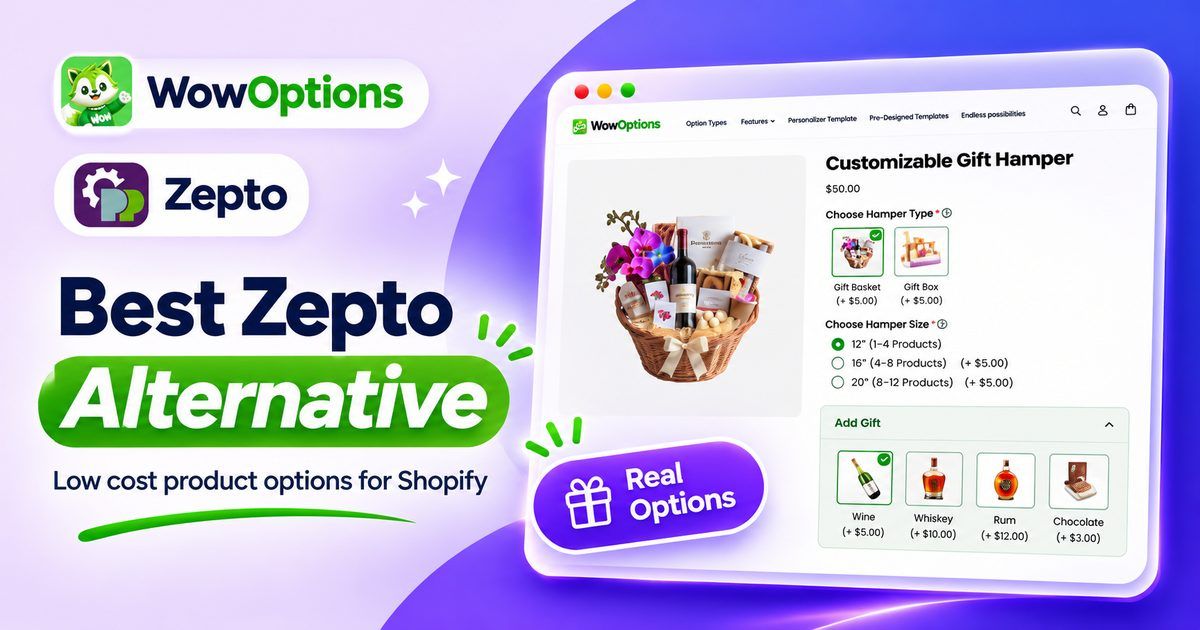
Zepto Product Personalizer is a good app. It is rated 4.9 from more than 1,400 reviews and has been on the Shopify App Store since 2016. If you sell engraved or printed products, it is one of the strongest options.
But it is not the right fit for every store. There is no free plan, and the cheapest plan starts at $9.99 a month with a cap on custom orders. If you only need extra custom product options, price add-ons or file uploads, you may be paying for more than you use.
This guide compares four options side by side: Zepto, WowOptions, Easify and Globo. We build WowOptions, so we will say clearly where Zepto is the better choice. The goal is to help you pick the right app for your store, even if it is not ours.
Quick answer
- Pick WowOptions if you want product options, conditional logic, price add-ons and file uploads at the lowest cost. It has a free plan, and the Pro plan is $4.99 a month.
- Stay with Zepto if you need shoppers to drag, resize and rotate their text or images on a product photo, or you need print-ready files for each order.
- Look at Easify or Globo if you want a large review base and a free plan, and you are fine paying for live preview on a higher plan.
Prices come from each app's Shopify listing at the time of writing. They change, so check the listing before you decide.
What Zepto Product Personalizer does well
Be fair to the app you are leaving. According to its listing and website, Zepto offers:
- Unlimited options per product and about 22 option types.
- A live preview that draws the shopper's text, uploaded images, fonts and colors onto the product photo.
- Drag to position, so shoppers can move, resize and rotate elements inside a print area you set.
- Print-ready files for each order, in formats such as PNG, PDF and SVG.
- Price add-ons with conditional logic.
- Works with Printful, Gelato and ShineOn, among others.
If your product is a mug, a t-shirt or a ring with engraving, those visual tools matter. They are also the reason many merchants pay for it.
Why merchants look for a cheaper alternative
Most people who search for a Zepto alternative have one of these reasons:
- No free plan. The listing shows paid plans with a 15 day free trial, and no permanent free tier.
- Order limits. Starter at $9.99 includes 100 custom orders a month, Basic at $19.99 includes 200 and Pro at $34.99 includes 500. Only the Unlimited plan at $69.99 removes the cap.
- They do not need the visual editor. Many stores only need a text field, a dropdown, a swatch or an upload, plus a price add-on. A form based options app covers that for less.
- They want to test first. A free plan lets you try an app on real products without a trial clock running.
If you recognize yourself in numbers 3 and 4, an alternative is worth a look.
Zepto vs WowOptions vs Easify vs Globo
| Zepto Product Personalizer | WowOptions | Easify | Globo Product Options | |
|---|---|---|---|---|
| Free plan | No (15 day trial on paid plans) | Yes | Yes | Yes |
| Lowest paid plan | $9.99/month | $4.99/month | $9.99/month | $9.90/month |
| Live preview | Included on all plans | Advanced plan, $12.99/month | Premium plan, $19.99/month | Advanced plan, $19.90/month |
| Conditional logic | Yes | Pro and above | Not confirmed on its listing | Yes, on the free plan |
| File upload | Yes, limits vary by plan | Pro and above | Paid plans | Premium and above |
| Order cap | 100 to 500 on lower plans | None listed | Unlimited orders | Unlimited orders |
| Shopify rating | 4.9 (1,452 reviews) | 5.0 (25 reviews) | 4.9 (3,277 reviews) | 4.9 (5,319 reviews) |
Sources for the table: the Shopify App Store listings of Zepto, WowOptions, Easify and Globo. Plan names and features change, so read the current listing.
Two things stand out. First, WowOptions has the lowest regular paid entry price. Second, the other apps put live preview on a higher tier, while Zepto includes it from the start. That is the real trade: Zepto charges more up front, and the others charge more when you want the preview.
WowOptions in more detail
WowOptions is our Shopify product options app. Here is what the Shopify listing says for each plan.
Free, $0
- Core text, selection and swatch fields.
- Unlimited option sets and unlimited products.
- Fixed price add-ons for options.
- Advanced analytics and email support.
Pro, $4.99 a month (or $49.99 a year), with a 7 day trial
- Everything in Free.
- Conditional logic.
- File uploads: up to 15 files at 10 MB each.
- Percentage and text based pricing.
- Quantity controls and product upsells.
- Character limits, a color picker and product swatches.
Advanced, $12.99 a month (or $129.99 a year), with a 7 day trial
- Everything in Pro.
- A live product personalizer.
- Linked products, a range slider and content fields.
- Multiple option sets on one product.
- File uploads: up to 25 files at 20 MB each.
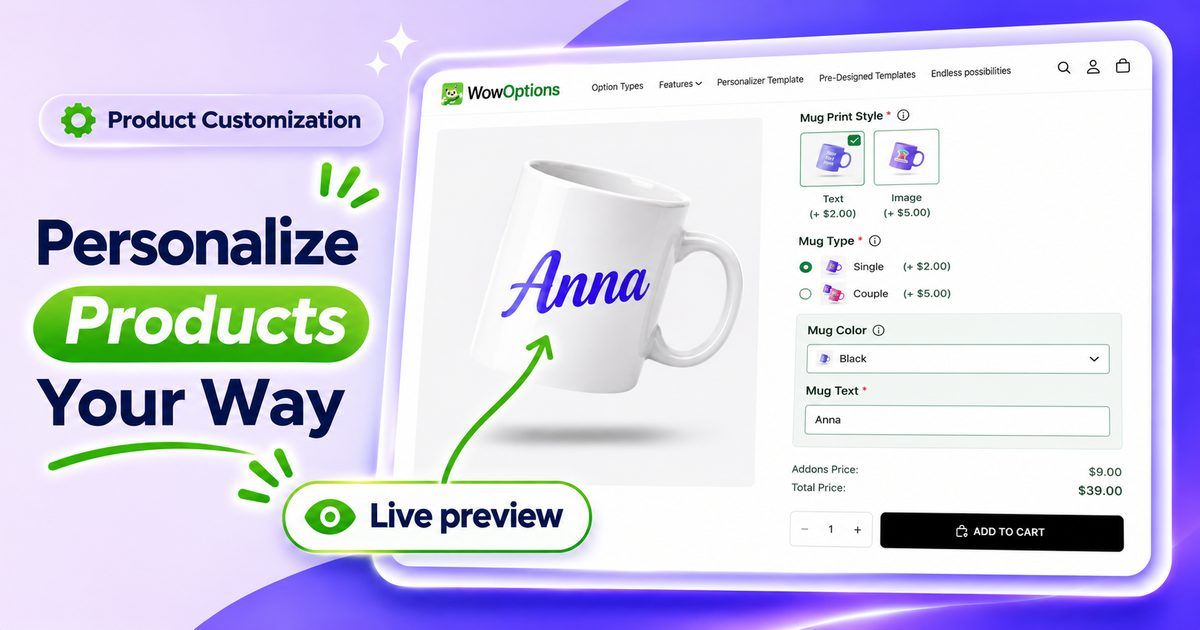
Illustration of a live preview on a mug with price add-ons. Live preview is part of the Advanced plan.
Enterprise, $29.99 a month adds on demand customization, priority feature requests and a dedicated onboarding session.
The listing also mentions 25+ option types, 40+ templates (see our post on the WowOptions templates update) and 13 languages. Extras can be priced as a fixed amount, a percentage, per character or per word. The app is described as lightweight, with scripts that load only where they are needed.
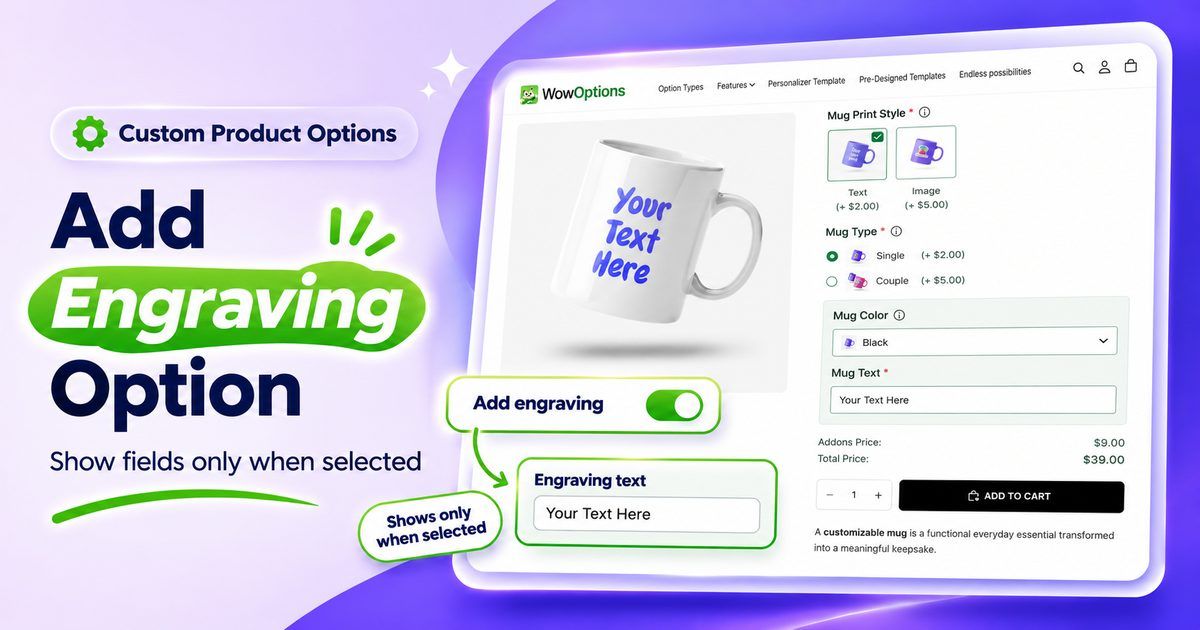
Conditional logic example: the engraving text field appears only when "Add engraving" is selected.
The WowOptions docs cover the setup. In short, you build an option set from a template, apply it to products or collections, and add logic and pricing. You do not edit theme code for the standard setup.
Where WowOptions is not the better choice
Some honest limits, so you do not find out after you install:
- It is a newer app. The listing shows a launch date of April 2026 and 23 reviews, all five stars. Zepto has been around since 2016 and has more than 1,400 reviews. A short track record means less proof from other stores.
- Visual editing. Zepto lets shoppers drag, resize and rotate elements on the product photo. WowOptions has a live personalizer on the Advanced plan, but we cannot say it matches that drag and rotate editing, so test it on your own product before you decide.
- Print-ready files and print on demand. Zepto lists print-ready output and integrations with several print partners. If your workflow depends on these, check what WowOptions offers before you switch.
- Live preview costs more. On WowOptions you need the Advanced plan for it.
If one of these is essential to your business, stay with Zepto.
What it costs over a year
Here is a simple comparison using each app's listed monthly price. Your real cost depends on the plan you need and any offers at the time.
| Setup | Cost per month | Cost per year |
|---|---|---|
| WowOptions Free | $0 | $0 |
| WowOptions Pro, billed yearly | about $4.17 | $49.99 |
| Zepto Starter | $9.99 | $119.88 |
| WowOptions Advanced, billed yearly | about $10.83 | $129.99 |
| Zepto Basic | $19.99 | $239.88 |
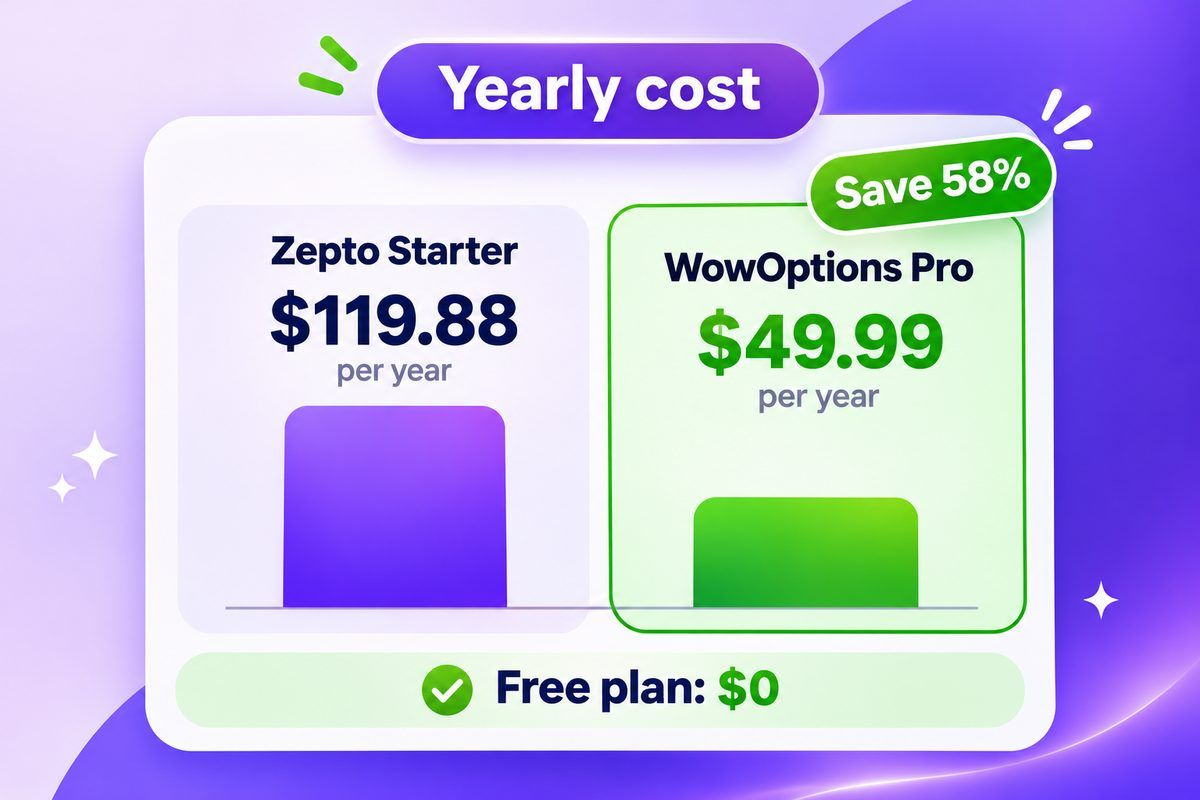
The Zepto figures use monthly billing multiplied by twelve. The WowOptions yearly prices are the listed annual plans.
A fair way to read this: if you only need options, conditional logic and uploads, WowOptions Pro costs less than half of Zepto Starter. If you need live preview, WowOptions Advanced and Zepto Starter cost about the same per year, $129.99 against $119.88, so the choice comes down to the preview features.
How to choose: a quick checklist
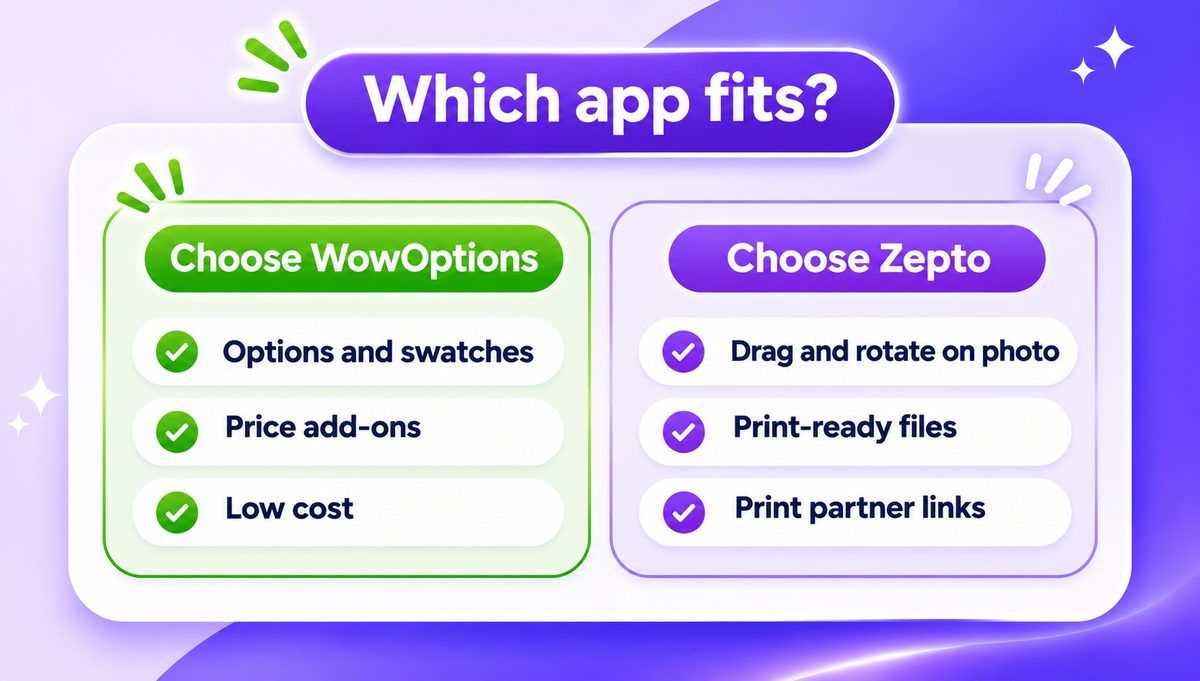
Answer these in order.
- Do shoppers need to place text or images on a photo of the product? If yes, test the live preview of each app on your own product. This decides most stores.
- Do you need print-ready files or a print partner connection? If yes, check Zepto first.
- Do you only need fields, swatches, uploads and price add-ons? If yes, a free or low cost options app is enough.
- How many custom orders do you get each month? Check any order cap on the plan you are considering.
- Do you want to try before paying? Start on a free plan and test it on one product.
How to test an app before you switch
Do not move your whole catalog at once.
- Pick one product that uses options today.
- Rebuild its options in the new app on a duplicate product or a duplicate theme.
- Test the product page on mobile and desktop.
- Add it to the cart and check that every option and price add-on shows up.
- Place a test order, and check that the order shows the personalization details your team needs.
- If you switch themes later, see our guide on WowOptions theme compatibility.
Remove the old app only after the new setup has taken real orders without problems. Uninstalling an app can remove its data, so export or note your options first.
More guides on product options
- Best Shopify product options apps under $15
- Best Easify alternatives
- WowOptions vs Infinite Options
- Best product customizer apps for Shopify
- How to add customizable products with live preview on Shopify
- How to add custom product options in Shopify
- How to add product personalization in Shopify
- How to add engraving options in Shopify
- Conditional file upload on Shopify products
- Personalized products for Black Friday on Shopify
- How to add a gift message to a Shopify product
- How to sell personalized jewelry on Shopify
- How to sell personalized t-shirts on Shopify
FAQ
What is the best Zepto Product Personalizer alternative?
It depends on what you use. For a low cost options app with conditional logic, price add-ons and file uploads, WowOptions starts free and its Pro plan is $4.99 a month. For visual editing and print-ready files, Zepto may still be the better choice.
Is there a free alternative to Zepto Product Personalizer?
Yes. WowOptions, Easify and Globo all list a free plan. Free plans have limits, such as fewer option types and no file upload on some of them, so check what you need.
Does Zepto Product Personalizer have a free plan?
Its Shopify listing shows four paid plans, from $9.99 to $69.99 a month, with a 15 day free trial on each. It does not list a free plan.
Which alternative has live preview?
All four apps have a live preview, but on different plans. Zepto includes it on all plans. WowOptions has it on Advanced, Easify on Premium and Globo on Advanced. Test each one on your own product, because the editing features differ.
Can I move my options from Zepto to WowOptions?
Not automatically, as far as we know. You rebuild the option sets in the new app. WowOptions has templates and can apply one option set to many products, which saves time. Test one product first.
Does WowOptions slow down my store?
The listing says it loads scripts only where they are needed to protect mobile speed. Still, test your own pages with and without the app, since speed depends on your theme and other apps.
Final thoughts
Zepto is a well reviewed app with strong visual tools, and for some stores it is worth the price. If you mainly need product options, logic, uploads and price add-ons, you can pay much less.
Start with one product. Try WowOptions on the Shopify App Store on the free plan, see the WowOptions product page for details and the docs for setup, and compare it with your current app before you decide.